Repository navigation
Web - Chat - Pasting text using the function "Paste as plain text" adds extra blank lines #13507


Description

If you haven’t already, check out our contributing guidelines for onboarding and email contributors@expensify.com to request to join our Slack channel!
Issue found when executing PR #13396
Action Performed:
- Go to URL https://staging.new.expensify.com/
- Login with any account
- Open any chat
- Copy multiple lines of code from GitHub repo source code page, the text you copied must contain at least one line which has whitespace in the beginning of the line, and must contain < or > too
- Paste the text you copied to the textbox and send it
- Long press the message you just sent, open the context menu
- Press Copy to clipboard on the context menu
- Long press textbox and paste to textbox using the system paste menu as "Paste as plain text"
Additional Information:
Text to be pasted:
Label issues and pull requests for new contributors
Now, GitHub will help potential first-time contributors The pasting text adds extra blank lines
Expected results:
The copied and pasted text is the same
Actual results:
The pasting text adds extra blank lines
Workaround:
Unknown
Platform:
Where is this issue occurring?
- Web
Version Number: 1.2.38.0
Reproducible in staging?: Yes
Reproducible in production?: Yes
Email or phone of affected tester (no customers):
Logs: https://stackoverflow.com/c/expensify/questions/4856
Notes/Photos/Videos: Any additional supporting documentation
Bug5858000_13396_Web.mp4
Expensify/Expensify Issue URL:
Issue reported by: Applause - Internal Team
Slack conversation:
Activity
melvin-bot commentedon Dec 10, 2022
Triggered auto assignment to @MitchExpensify (
Bug), see https://stackoverflow.com/c/expensify/questions/14418 for more details.melvin-bot commentedon Dec 12, 2022
Triggered auto assignment to @trjExpensify (
Bug), see https://stackoverflow.com/c/expensify/questions/14418 for more details.MitchExpensify commentedon Dec 12, 2022
I am going ooo and need to reassign this one!
trjExpensify commentedon Dec 12, 2022
Reproduction notes
MacOS Chrome - Staging
v1.2.38-2I'm struggling to reproduce this one, so I think the steps need to be made a bit clearer. A couple of things would be great:
1 - a link or path to the example code block to use, so it's reliable to reproduce and not open to interpretation to the tester
2 - the issue is listed as
Webonly, but notes to "long press to paste" whereas I think we're saying to right click in the composer and select "Paste" not "Paste and match format" (I tried both, and "Paste as plain text" isn't an option I see)These were the steps I followed:
Potential duplicate issues to note
#13396 - this PR fixed a very similar sounding issue on mWeb. The tests cover Web and don't look like the OP of this issue. It's not on staging just yet though 🤔
bondydaa commentedon Dec 14, 2022
Hmm yeah I'm not able to reproduce this either on staging or production.
I'm using Firefox and the ability to
Paste as plaintextisn't even showing up for me and the keyboard shortcut for this cmd+shift+v doesn't do anything eitherI was using code from here (internal only sorry) https://github.com/Expensify/Web-Expensify/blob/c4c00a1eaf65ec2446235ffb4505c10e0cbc3478/_support/addDepositBankAccount.php#L286-L295
which is PHP code, looks like the video uploaded was from App repo / JS code so going to try some code from there as well.
bondydaa commentedon Dec 14, 2022
oh wait, this is actually pulling from the view source of an HTML page not any of the raw code views. let me try that
trjExpensify commentedon Dec 14, 2022
Yeah, I was trying with L13-L18 here:
view-source:https://raw.githubusercontent.com/Expensify/App/main/src/pages/ErrorPage/ErrorBodyText/index.jsbondydaa commentedon Dec 14, 2022
the current staging version is v1.2.39-0, this shows v1.2.38 is where it was occurring so I think this has already been fixed b/c I can't reproduce either.
even production web
v1.2.38-6I can't reproduce with pulling code fromview-source:https://github.com/Expensify/App/issues2022-12-14_11-57-12.mp4
trjExpensify commentedon Dec 14, 2022
Out of curiosity, why are you trying Firefox? That's a browser we've deemed unsupported at this time, so probably best to confirm using Chrome as a first step for newdot reproductions.
bondydaa commentedon Dec 14, 2022
what why? Firefox is my primary browser and I use 100% of the time.
bondydaa commentedon Dec 14, 2022
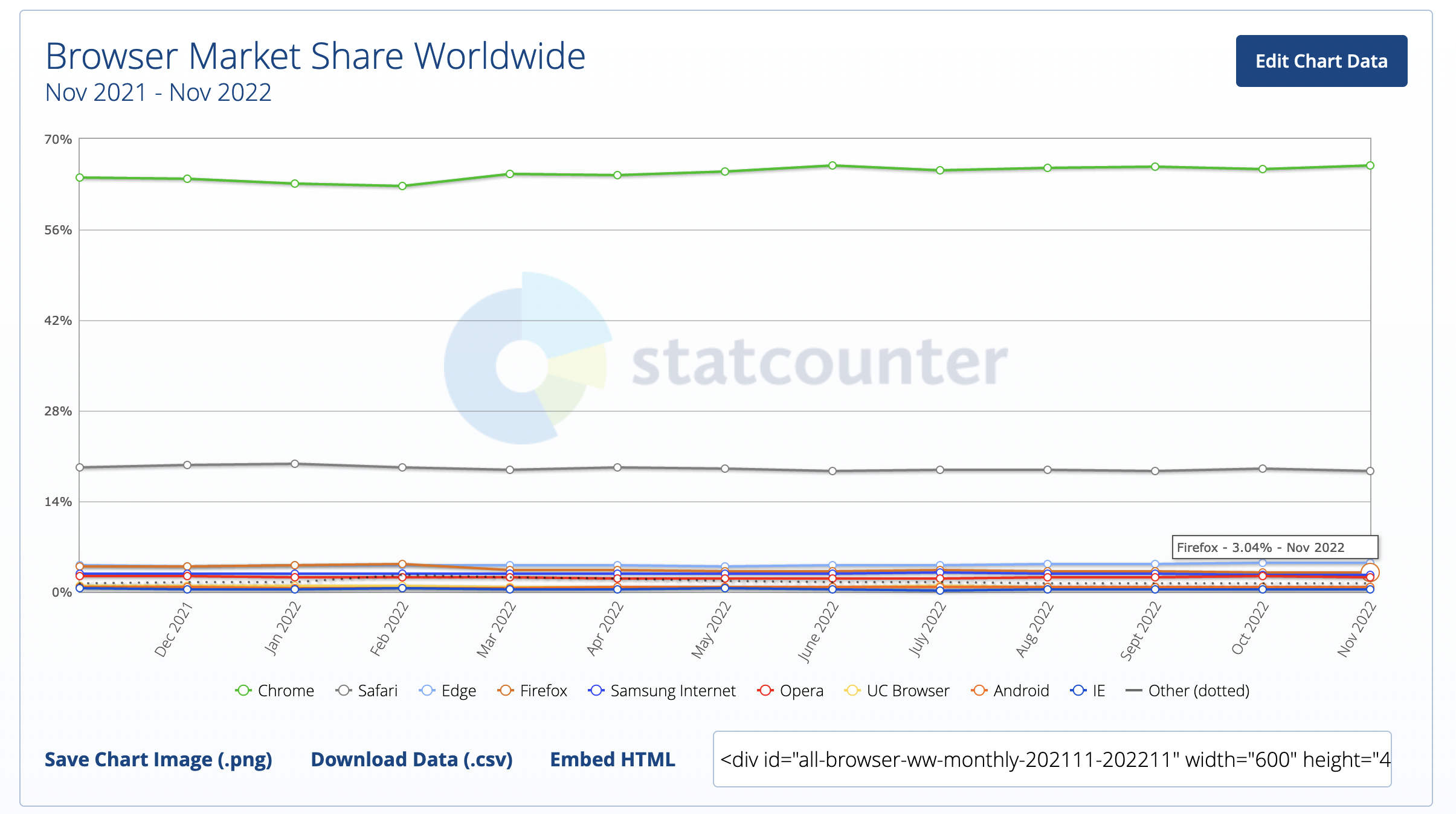
oh... :sad-panda: 3% market share nvm i thought it was higher
https://www.youtube.com/watch?v=lKie-vgUGdI
bondydaa commentedon Dec 14, 2022
anywho yes I think we close this out as it's not reproducible.
trjExpensify commentedon Dec 14, 2022
Yeah, exactly. We have plenty of bugs in Chrome and Safari to fix for now!