Repository navigation
Reports - Folder icon is not shown in the category row #80689

Description

If you haven’t already, check out our contributing guidelines for onboarding and email contributors@expensify.com to request to join our Slack channel!
Version Number: v9.3.10-0
Reproducible in staging?: Yes
Reproducible in production?: N/A - new feature, doesn't exist in prod
If this was caught during regression testing, add the test name, ID and link from BrowserStack: #80333
Email or phone of affected tester (no customers): applausetester+bg@applause.expensifail.com
Issue reported by: Applause Internal Team
Bug source: Pull Request QA execution
Device used: macOS/chrome
App Component: Other
Action Performed:
- Go to staging.new.expensify.com
- Go to workspace chat.
- Create an expense with category
- Navigate to the Reports page > Group by category
Expected Result:
Each category row displays the folder icon
Actual Result:
No folder icon shown
Workaround:
Unknown
Platforms:
- Android: App
- Android: mWeb Chrome
- iOS: App
- iOS: mWeb Safari
- iOS: mWeb Chrome
- Windows: Chrome
- MacOS: Chrome / Safari
Screenshots/Videos
bug.mov
Metadata
Metadata
Assignees
Labels
Type
Projects
- Status
Activity
melvin-bot commentedon Jan 27, 2026
You have been assigned to this deploy blocker because you recently merged this PR: #80333
melvin-bot commentedon Jan 27, 2026
💬 A slack conversation has been started in #expensify-open-source
github-actions commentedon Jan 27, 2026
👋 Friendly reminder that deploy blockers are time-sensitive ⏱ issues! Check out the open `StagingDeployCash` deploy checklist to see the list of PRs included in this release, then work quickly to do one of the following:
OSBotify commentedon Jan 27, 2026
🔍 Investigation Summary
Classification: Frontend bug
Causing PR: #80333 - "feat: [Insights] [Release 1] Top Categories - Add group-by:category" by @TaduJR (High confidence)
Related Issues: None
Recommendation: REVERT
The causing PR is clear and can be cleanly reverted. This is a new feature that was just merged and has not shipped to production yet.
Labels: Keeping
DeployBlockerCash(App deploy is blocked). RemovedDeployBlockerlabel as this is a frontend bug requiring an App PR fix.📋 Detailed Analysis
Evidence
PR #80333 added the
groupBy:categoryfunctionality to the Search feature, which includes a new componentCategoryListItemHeader.tsxthat renders the category rows. The issue reporter explicitly states that the folder icon is missing from category rows on the Reports page, which was caught during QA of PR #80333.Verification
I examined the files modified by PR #80333 and confirmed:
/home/runner/work/App/App/src/components/SelectionListWithSections/Search/CategoryListItemHeader.tsxRoot Cause
The
CategoryListItemHeadercomponent is missing the folder icon that should appear next to category names.Comparison with similar components:
Avatarcomponent on both small and large screensReportActionAvatarscomponent on both small and large screensTextWithTooltipExpected implementation:
Based on how category icons are used elsewhere in the codebase (e.g.,
/home/runner/work/App/App/src/components/TransactionItemRow/DataCells/CategoryCell.tsx), the component should use:Foldericon fromuseMemoizedLazyExpensifyIcons(['Folder'])Iconcomponent orTextWithIconCellcomponentTest plan confirmation:
The PR's own test plan (Test 2, step 5) states: "Verify each category row displays the folder icon, category name, expense count, and total amount" - but the folder icon was never implemented in the code.
TaduJR commentedon Jan 27, 2026
I think this is expected from the figma mock
TaduJR commentedon Jan 27, 2026
cc @shawnborton
neil-marcellini commentedon Jan 27, 2026
Yes this is not a bug.
Reported "bug"
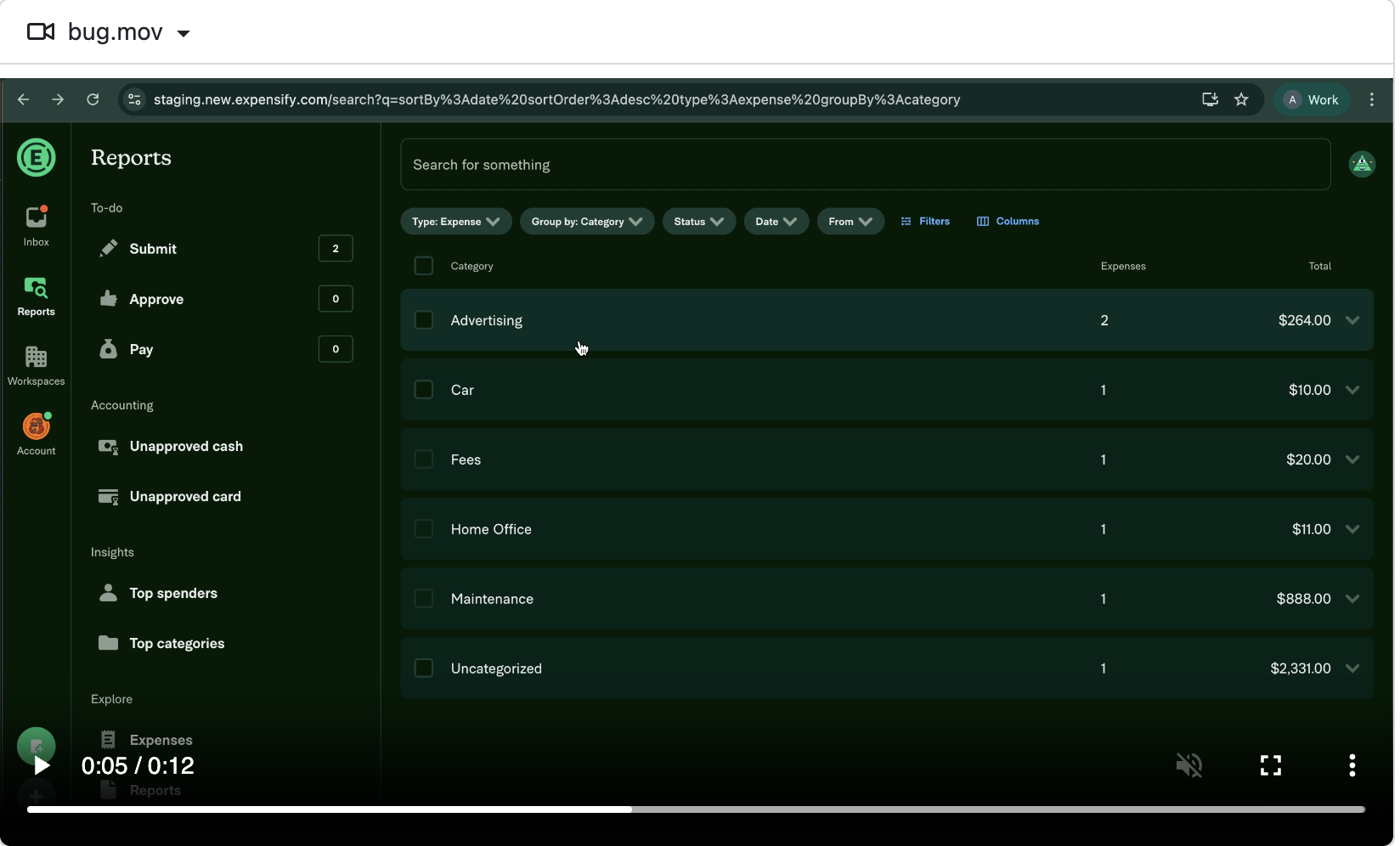
"Design doc mock"
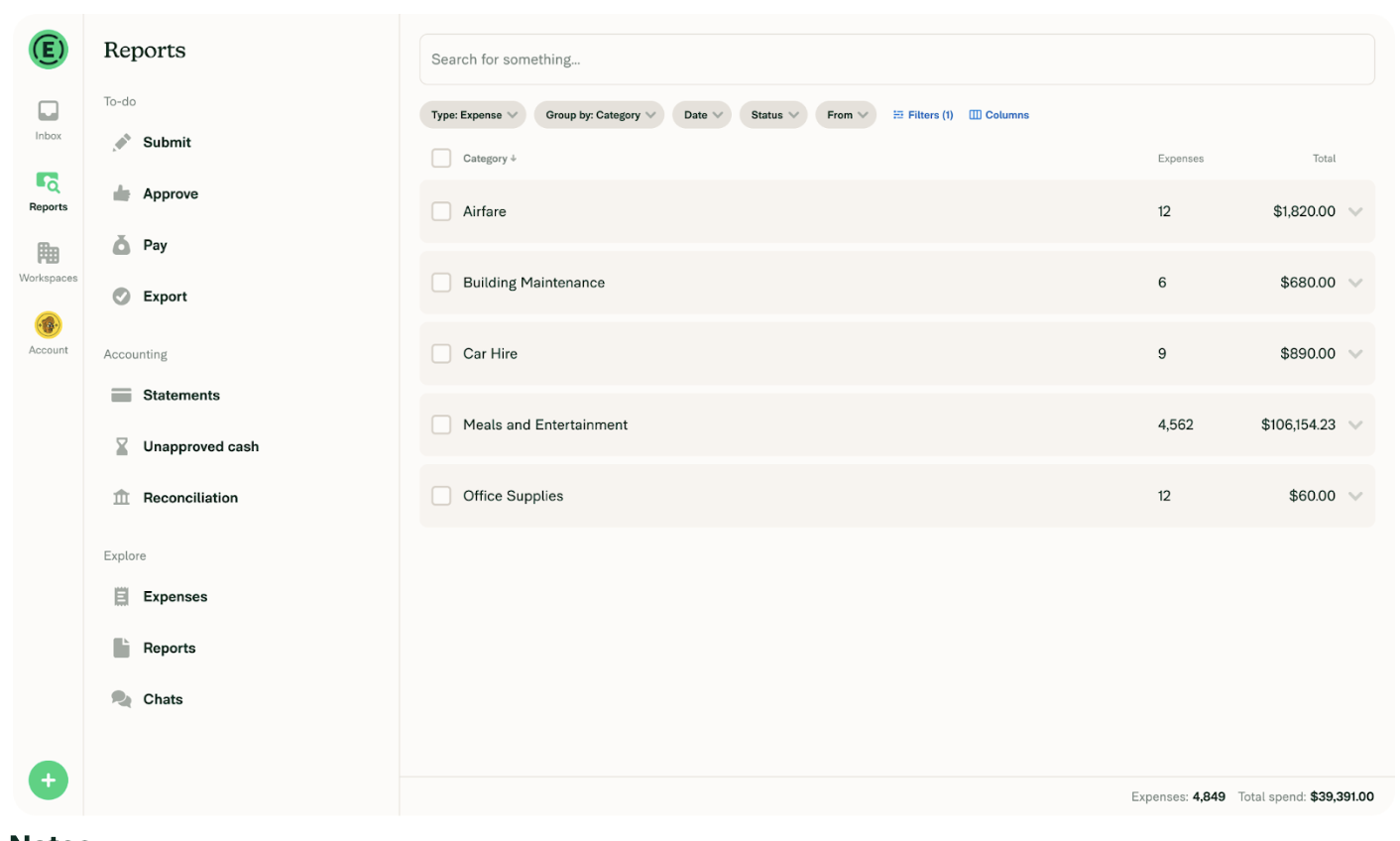
neil-marcellini commentedon Jan 27, 2026
@TaduJR looks like you missed updating the test steps with the proper expectation after Shawns request. Reminder for next time.
shawnborton commentedon Jan 28, 2026
Correct, not a bug. Thanks team!