Repository navigation
[HOLD for payment 2022-05-20] Show confirmation screen after changing password - reported by @Tushu17 #8152


Description

If you haven’t already, check out our contributing guidelines for onboarding and email contributors@expensify.com to request to join our Slack channel!
Action Performed:
- Go to Settings > Security > Change password
- Fill the passwords.
- Save.
Expected Result:
It should show a success screen
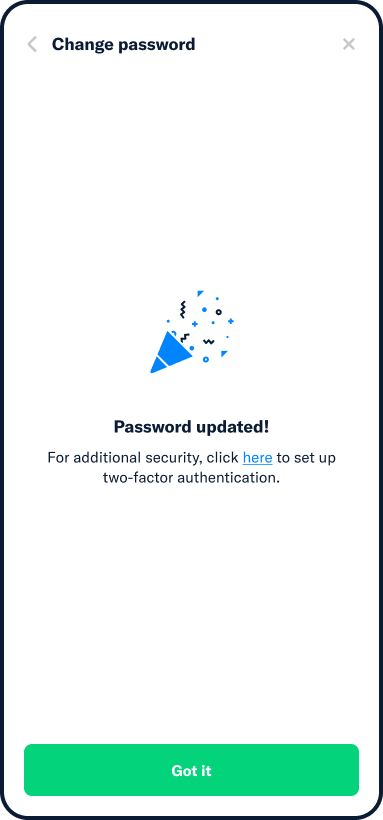
Actual Result:
No feedback displayed
Workaround:
unknown
Platform:
Where is this issue occurring?
- Web
- iOS
- Android
- Desktop App
- Mobile Web
Version Number: 1.1.42-4
Reproducible in staging?: Y
Reproducible in production?: Y
Email or phone of affected tester (no customers):
Logs: https://stackoverflow.com/c/expensify/questions/4856
Notes/Photos/Videos: Any additional supporting documentation
scrn-rec.mp4
Expensify/Expensify Issue URL:
Issue reported by: @Tushu17
Slack conversation: https://expensify.slack.com/archives/C01GTK53T8Q/p1646069215810249
Activity
MelvinBot commentedon Mar 15, 2022
Triggered auto assignment to @aldo-expensify (
Engineering), see https://stackoverflow.com/c/expensify/questions/4319 for more details.[-]On changing password, Success growl doesn't show up - reported by @Tushu17[/-][+]No feedback after changing password - reported by @Tushu17[/+]MelvinBot commentedon Mar 17, 2022
Triggered auto assignment to @laurenreidexpensify (
External), see https://stackoverflow.com/c/expensify/questions/8582 for more details.laurenreidexpensify commentedon Mar 17, 2022
@Tushu17 is this happening only on web?
aldo-expensify commentedon Mar 17, 2022
@laurenreidexpensify I did a quick text search in the project looking for "For additional security" and didn't find anything. I think the password change feedback screen is something that has not been implemented... so it should be missing in all platforms.
laurenreidexpensify commentedon Mar 17, 2022
Thanks @aldo-expensify - I was just wondering where the screenshot @mvtglobally pasted above comes from - that looks like it works on mobile? I'll doublecheck in a bit on my phone with a test account and confirm.
aldo-expensify commentedon Mar 17, 2022
I think it is a design mockup, it came from here: https://expensify.slack.com/archives/C01GTK53T8Q/p1646318533352209?thread_ts=1646069215.810249&cid=C01GTK53T8Q
58 remaining items
chiragsalian commentedon Apr 12, 2022
Asked, let's keep the copy as "You’re all set, keep your new password safe." for now.
I've made a note for our project of implementing 2FA in NewDot to update this same copy once they are done with the project.
Santhosh-Sellavel commentedon Apr 28, 2022
I see there is clearly a miscommunication that occurred here that has caused the PR delay for this issue.
On a friendly note @thesahindia, to avoid this in the future let's keep in mind our contributing guidelines, specifically,
Additionally don't hesitate to bump the C+ or engineer in GH (and even on newDot if you prefer) if there is no update on our end in 24hrs. In most cases, we would respond straight away mostly within a day.
Thanks!
chiragsalian commentedon Apr 29, 2022
@Expensify/marketing can you confirm the copy shown here is alright?
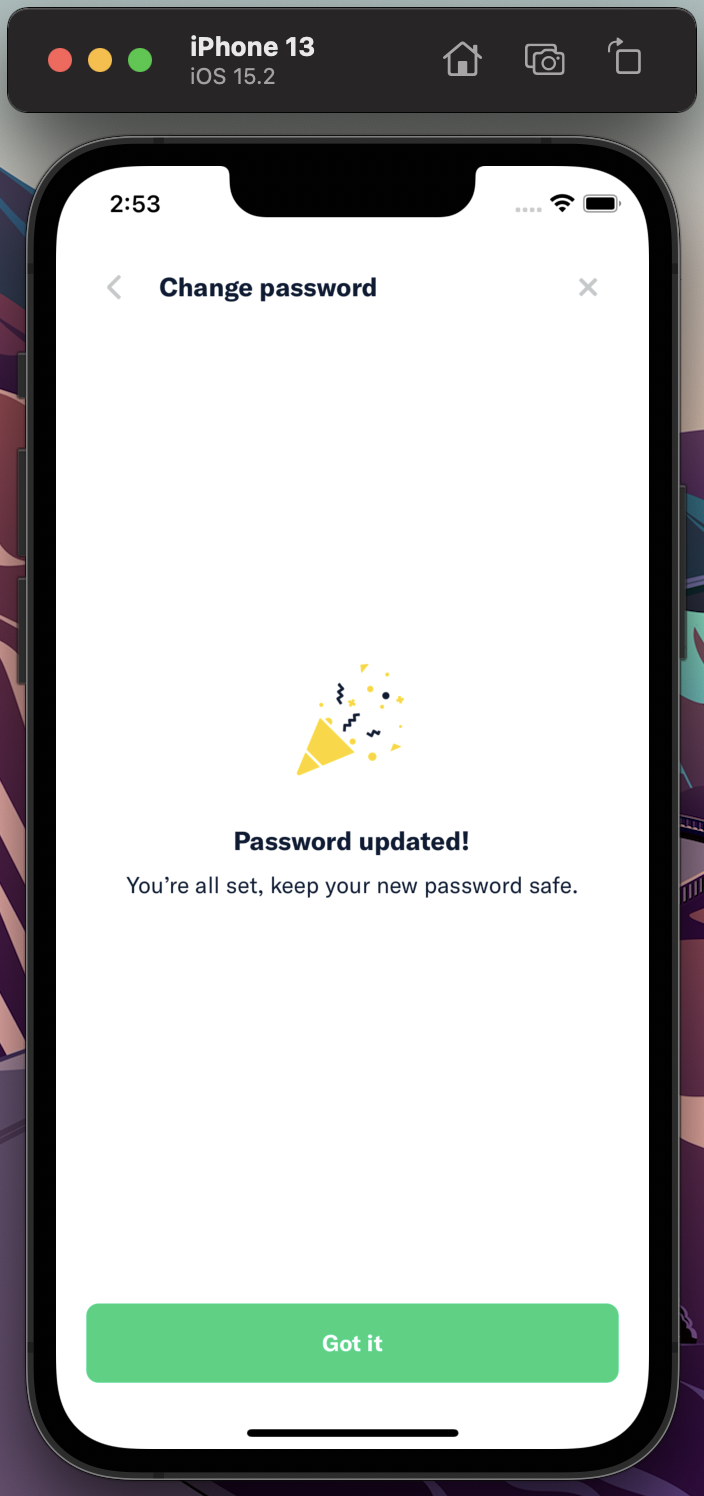
i.e.,
Password updated! You’re all set, keep your new password saferosegrech commentedon Apr 29, 2022
Not correct use of comma is the only thing to fix. Otherwise it's great.
Password updated!
You’re all set. Keep your new password safe.
Santhosh-Sellavel commentedon Apr 29, 2022
Thanks, @rosegrech.
@thesahindia Can you update the comma!
thesahindia commentedon Apr 29, 2022
Done ✅
[-]Show confirmation screen after changing password - reported by @Tushu17[/-][+][HOLD for payment 2022-05-20] Show confirmation screen after changing password - reported by @Tushu17[/+]melvin-bot commentedon May 13, 2022
The solution for this issue has been 🚀 deployed to production 🚀 in version 1.1.57-17 and is now subject to a 7-day regression period 📆. Here is the list of pull requests that resolve this issue:
If no regressions arise, payment will be issued on 2022-05-20. 🎊
laurenreidexpensify commentedon May 20, 2022
everyone has been paid :)