Skip to content

feat: add require company cards toggle to rules revamp - #100241

Merged
JS00001 merged 4 commits into
Expensify:mainfrom
Krishna2323:krishna2323/issue-100218
Sep 4, 2026
Merged

JS00001 merged 4 commits into
Expensify:mainfrom
Krishna2323:krishna2323/issue-100218

Conversation

@Krishna2323

@Krishna2323 Krishna2323 commented Sep 3, 2026 •

Copy link
Copy Markdown
Contributor

Explanation of Change

Fixed Issues

$ #100218
PROPOSAL:

Tests

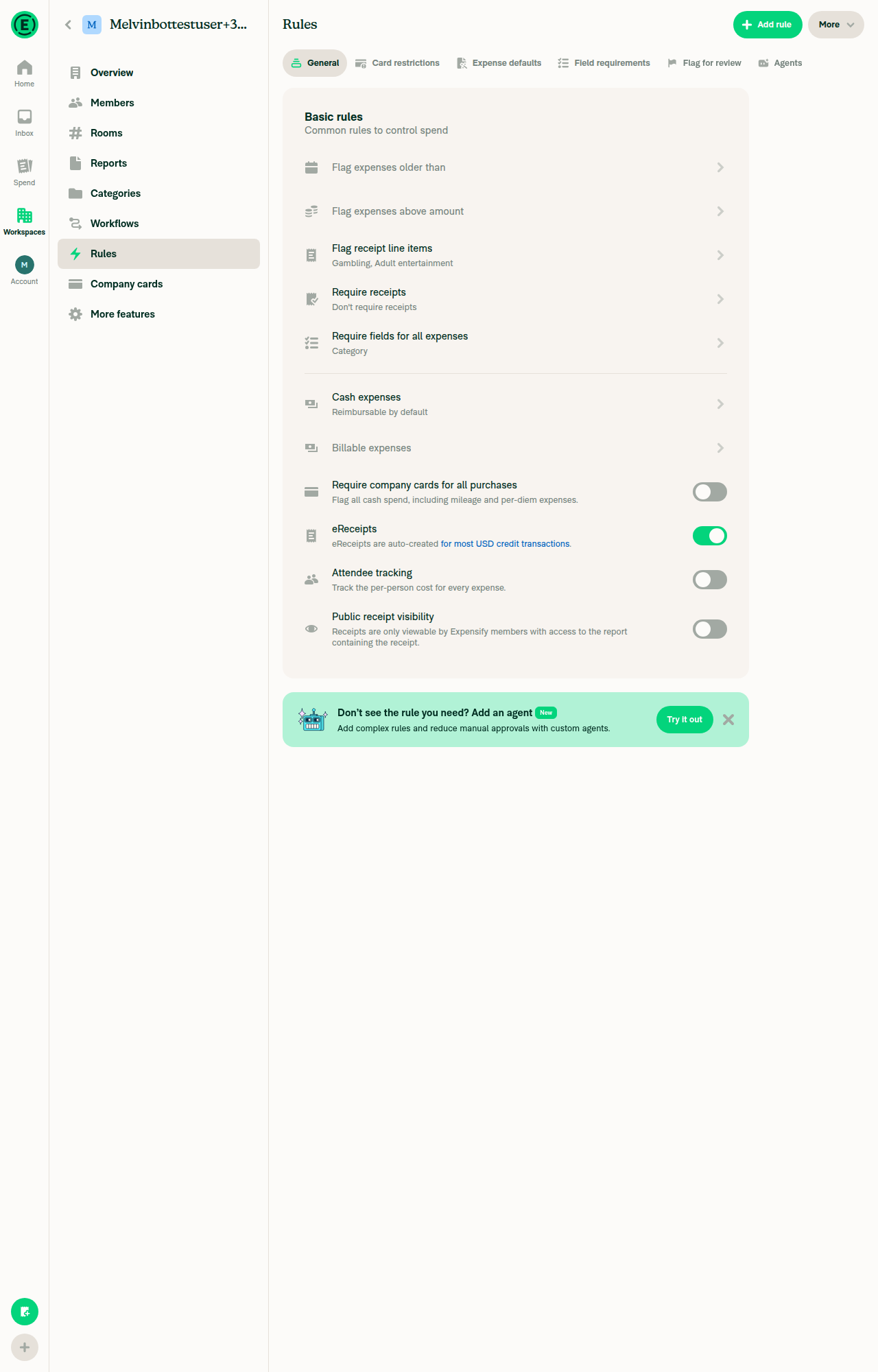
  1. Open a Control workspace and enable Rules and Company cards under More features.
  2. Go to Workspace settings > Rules > General tab.
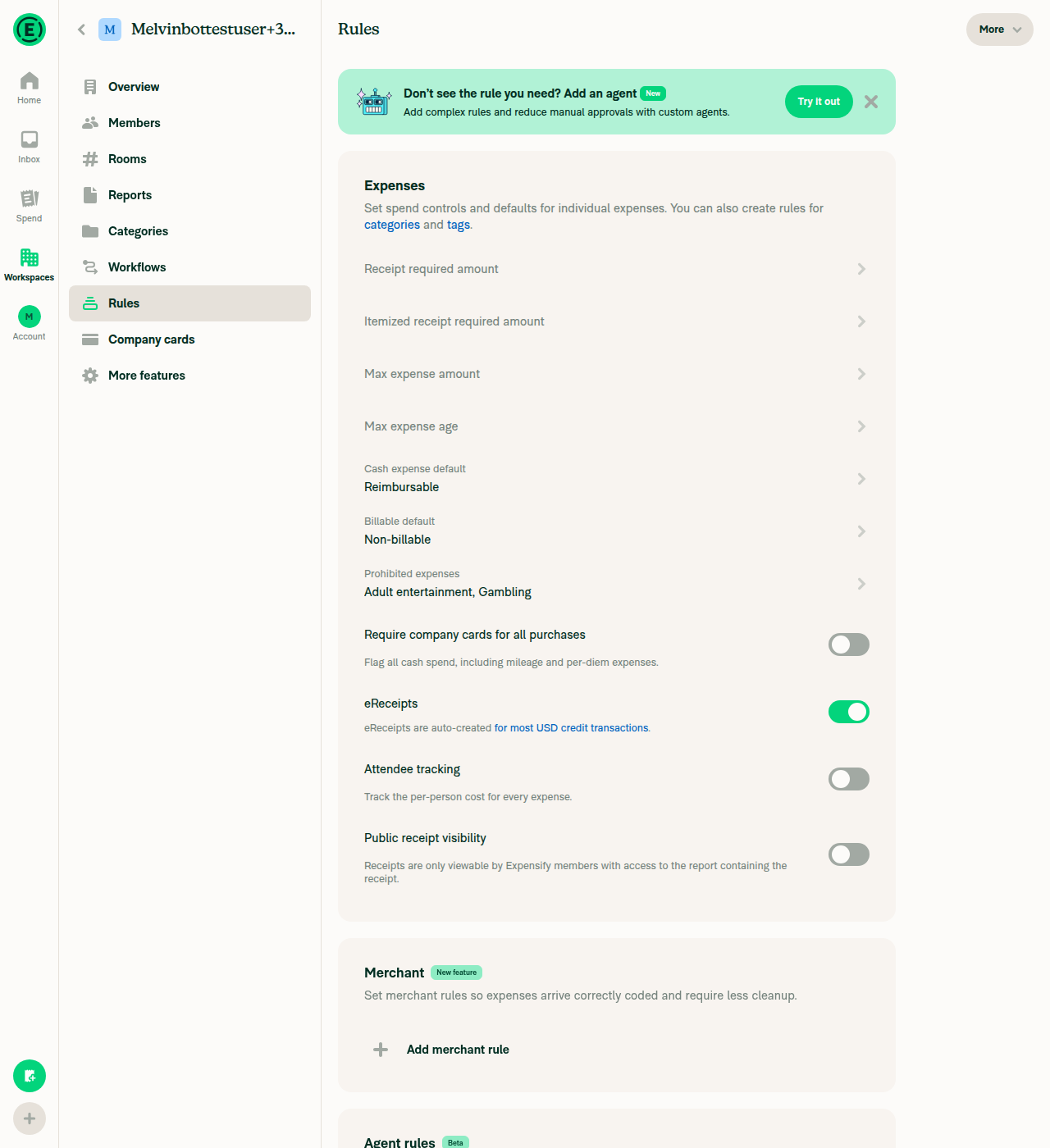
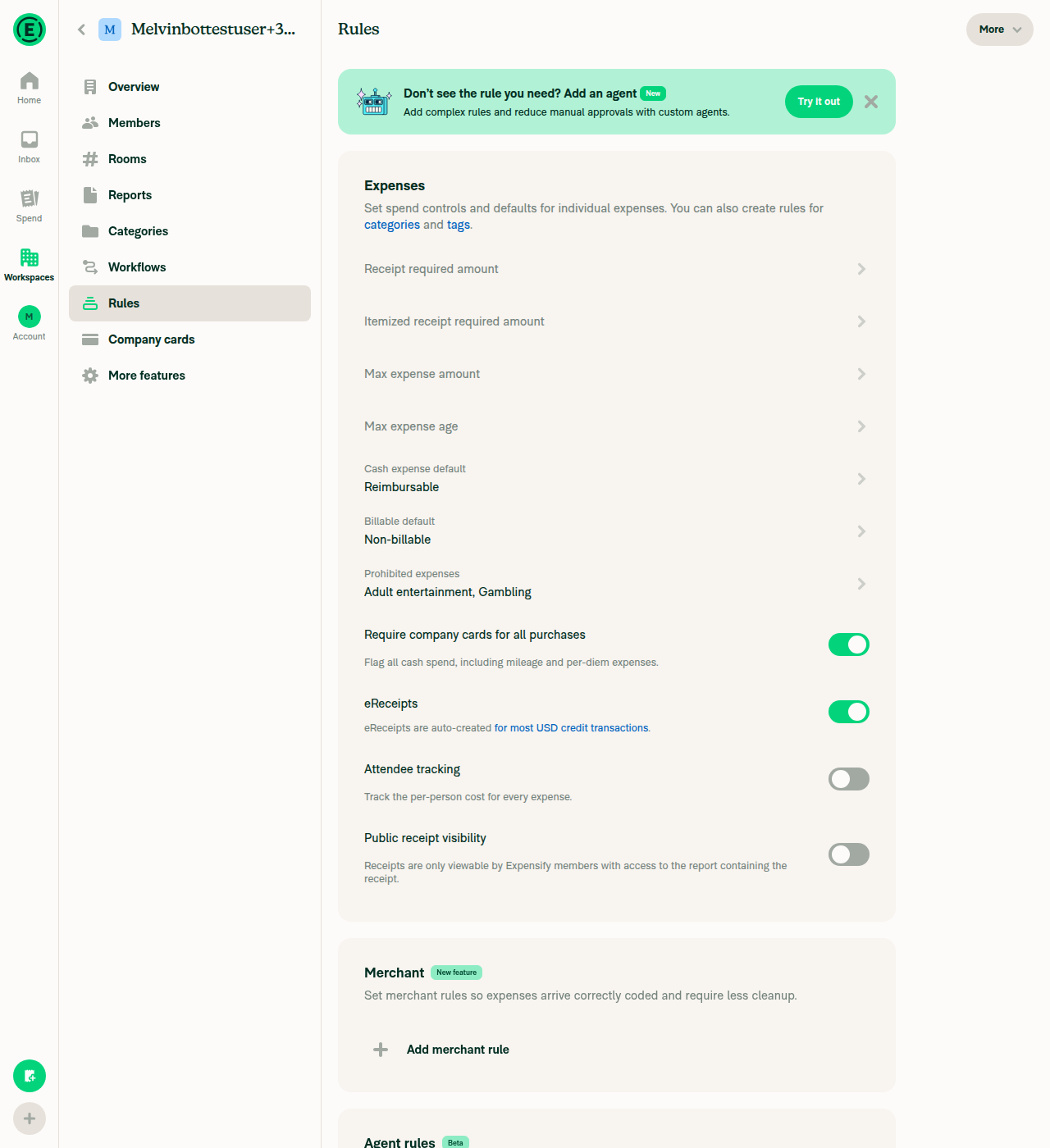
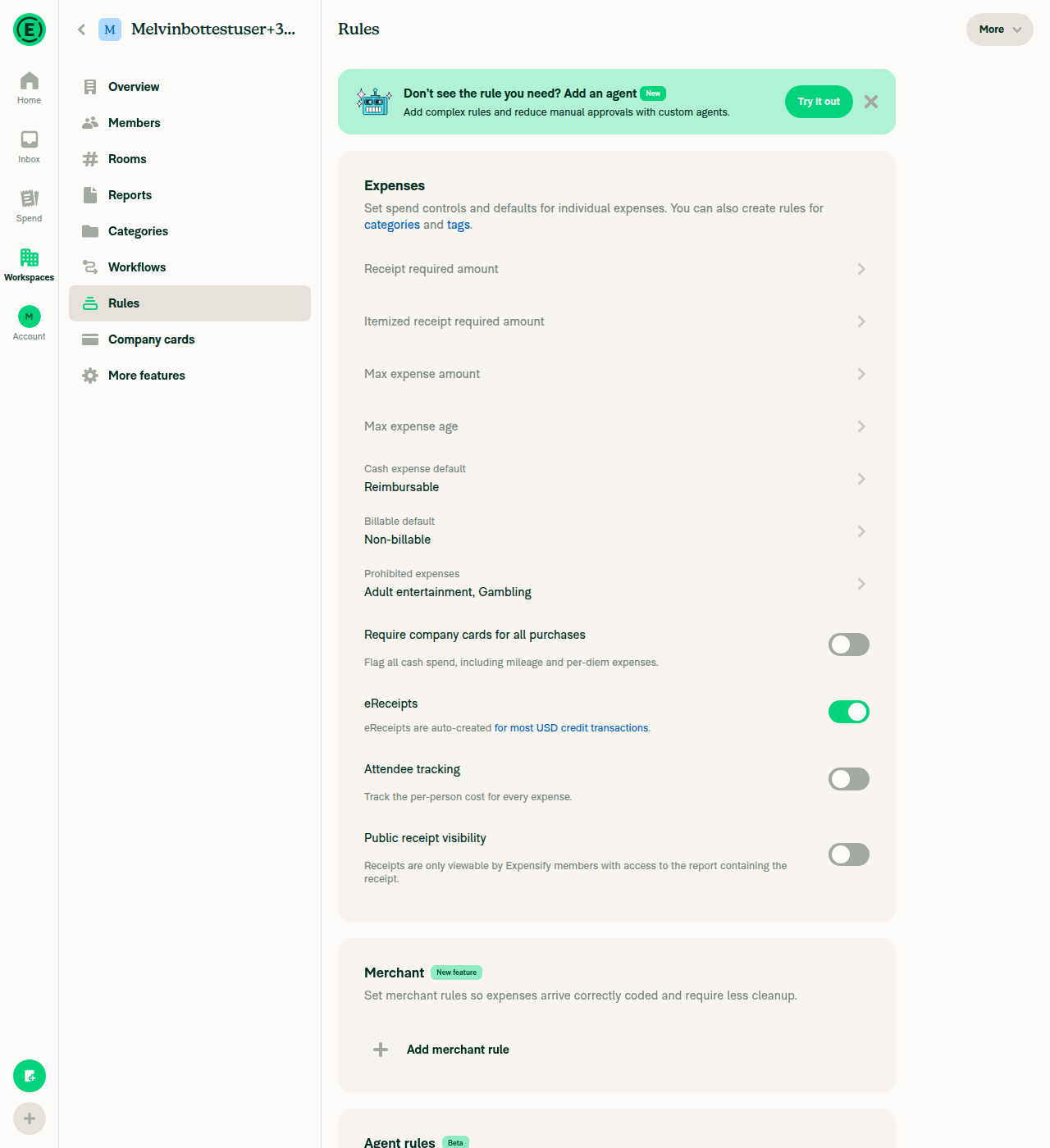
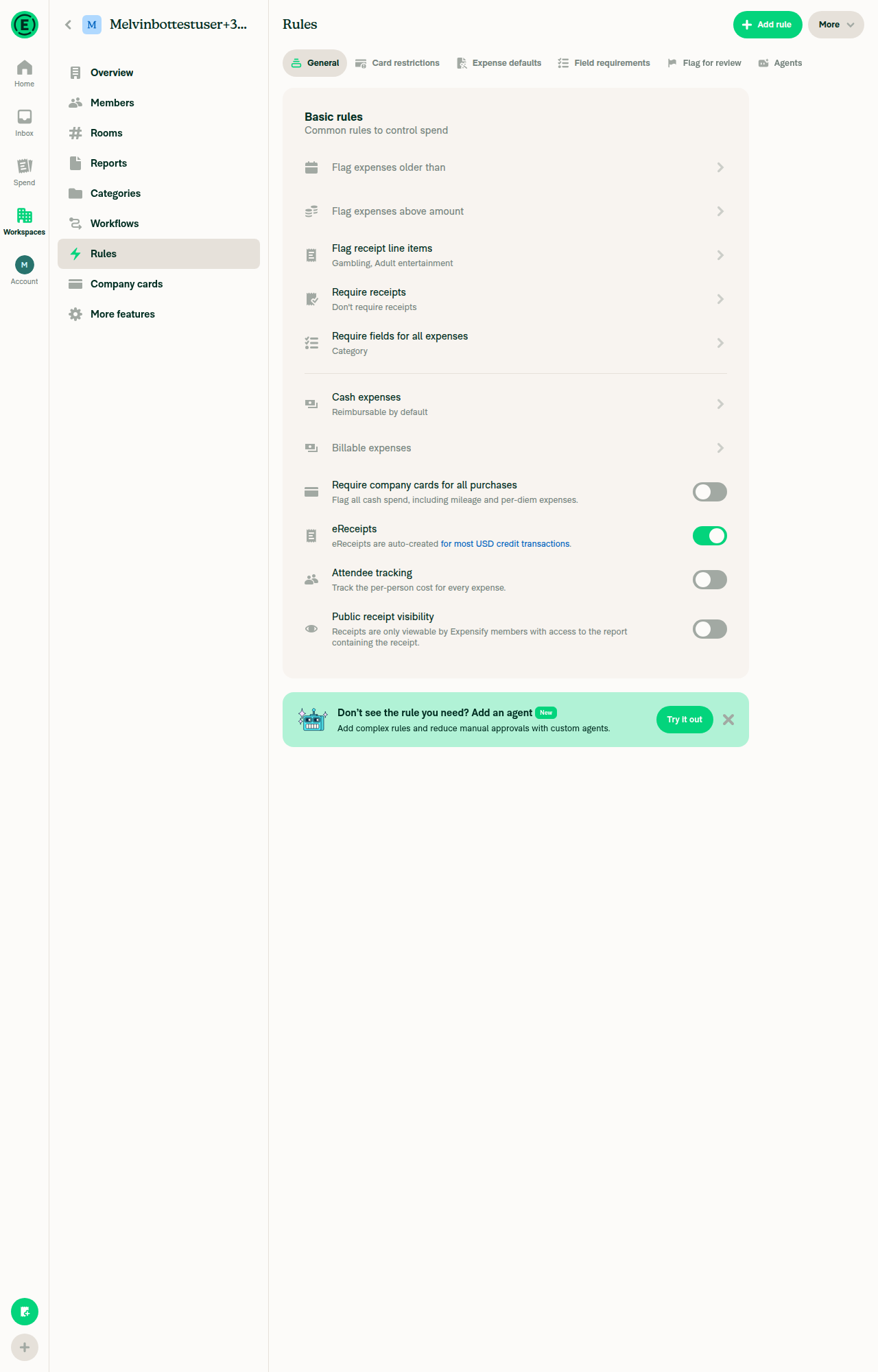
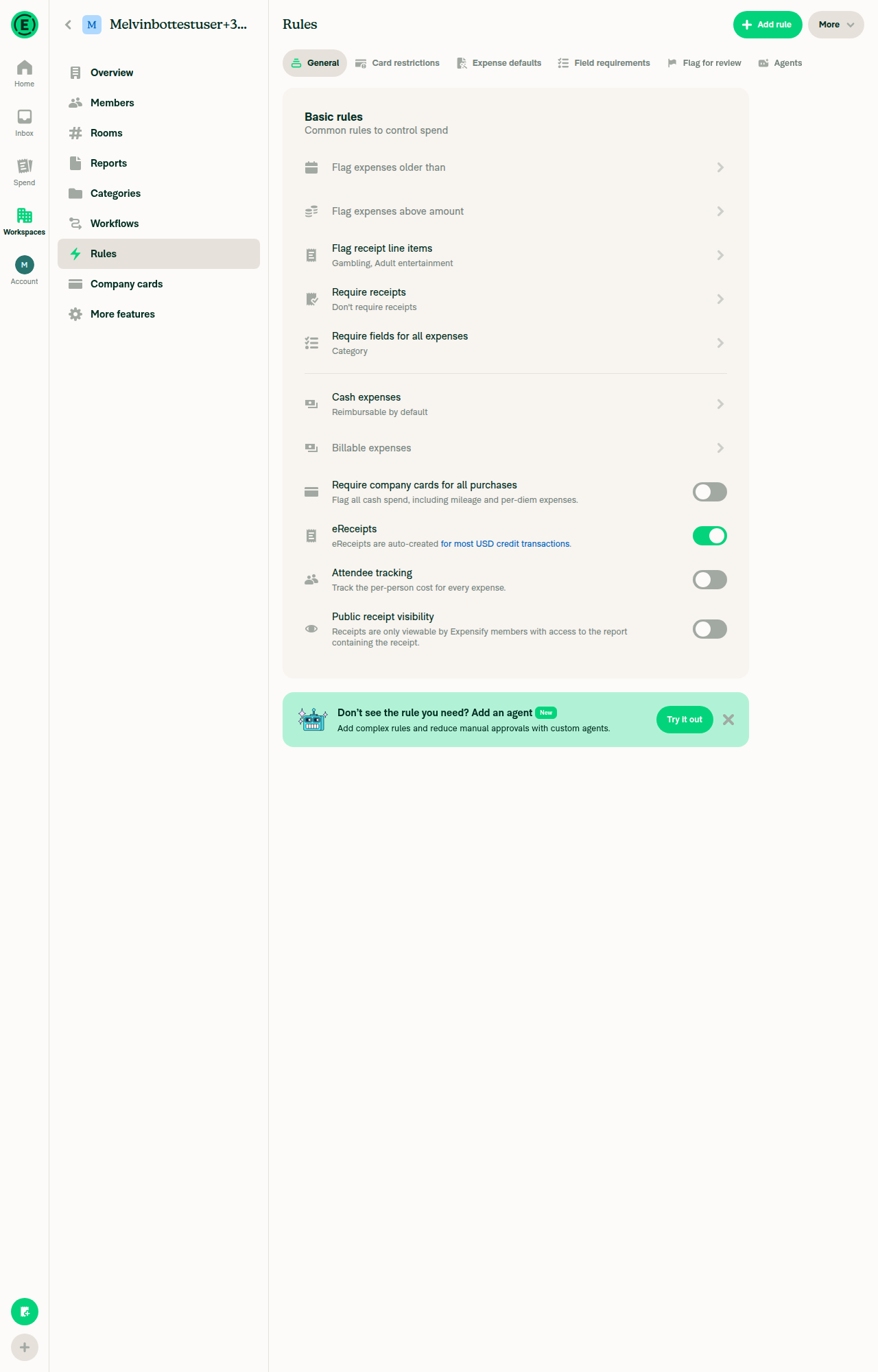
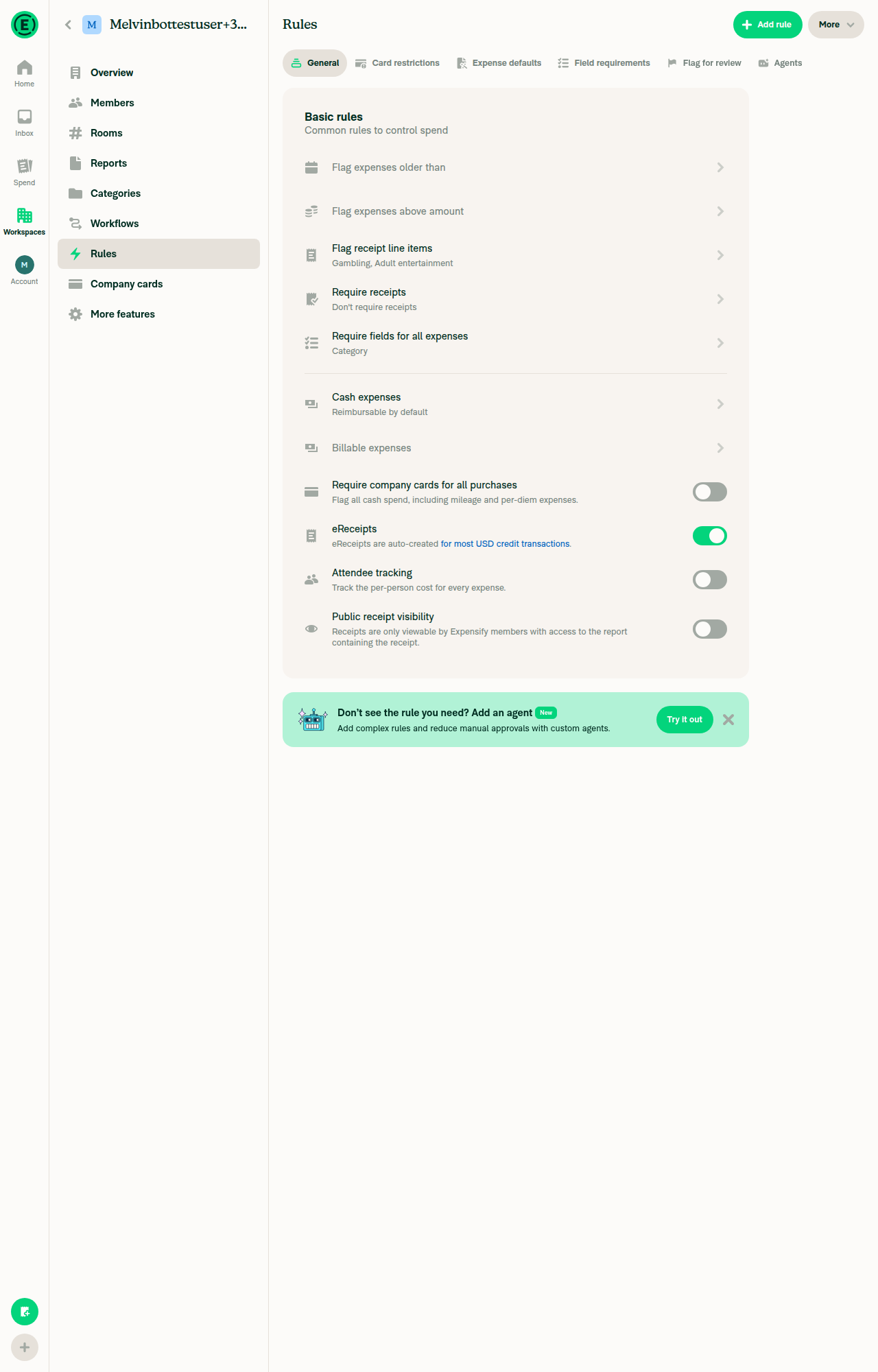
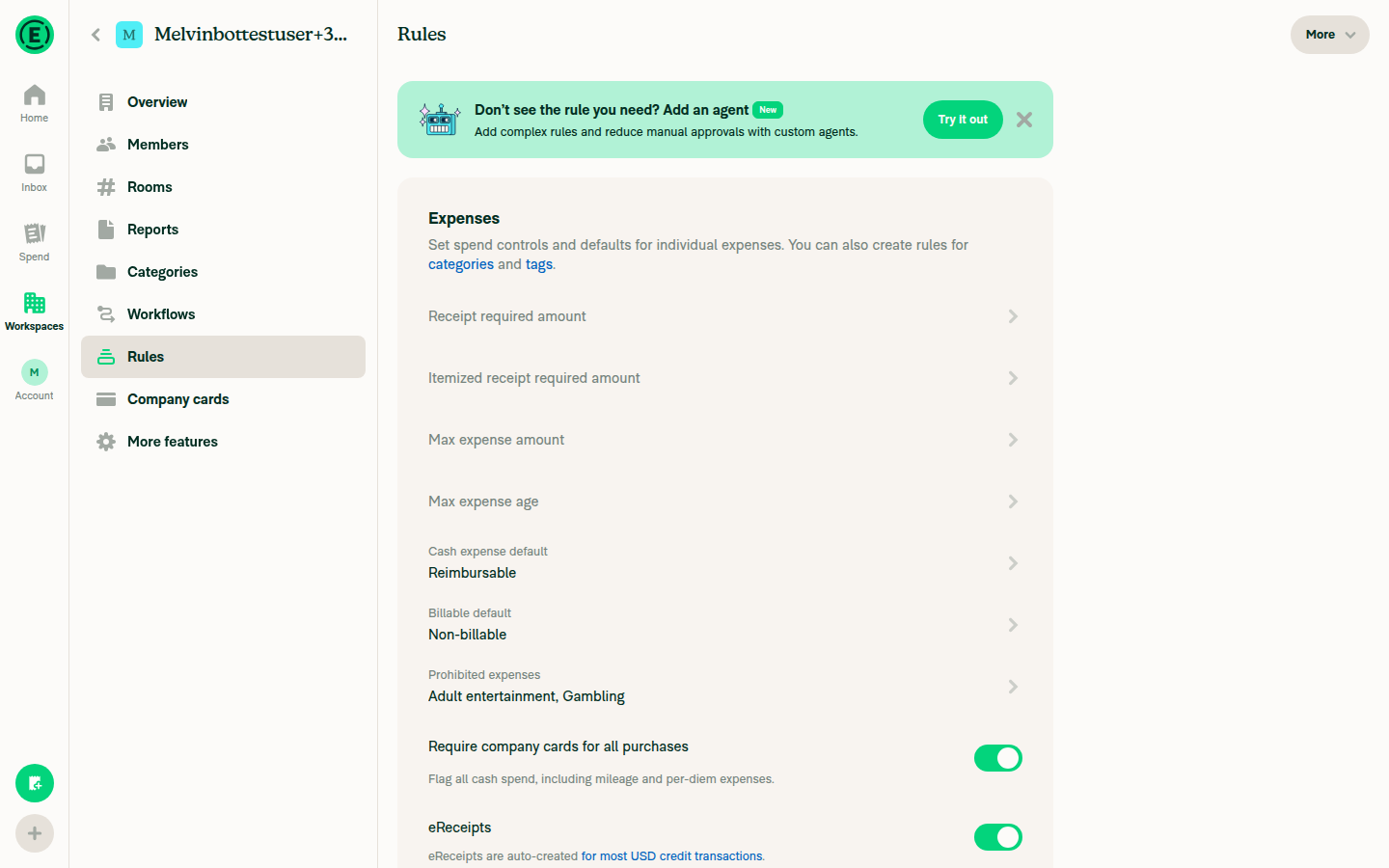
  3. Verify a Require company cards for all purchases toggle appears with a credit card icon, directly above eReceipts, with the subtitle "Flag all cash spend, including mileage and per-diem expenses."
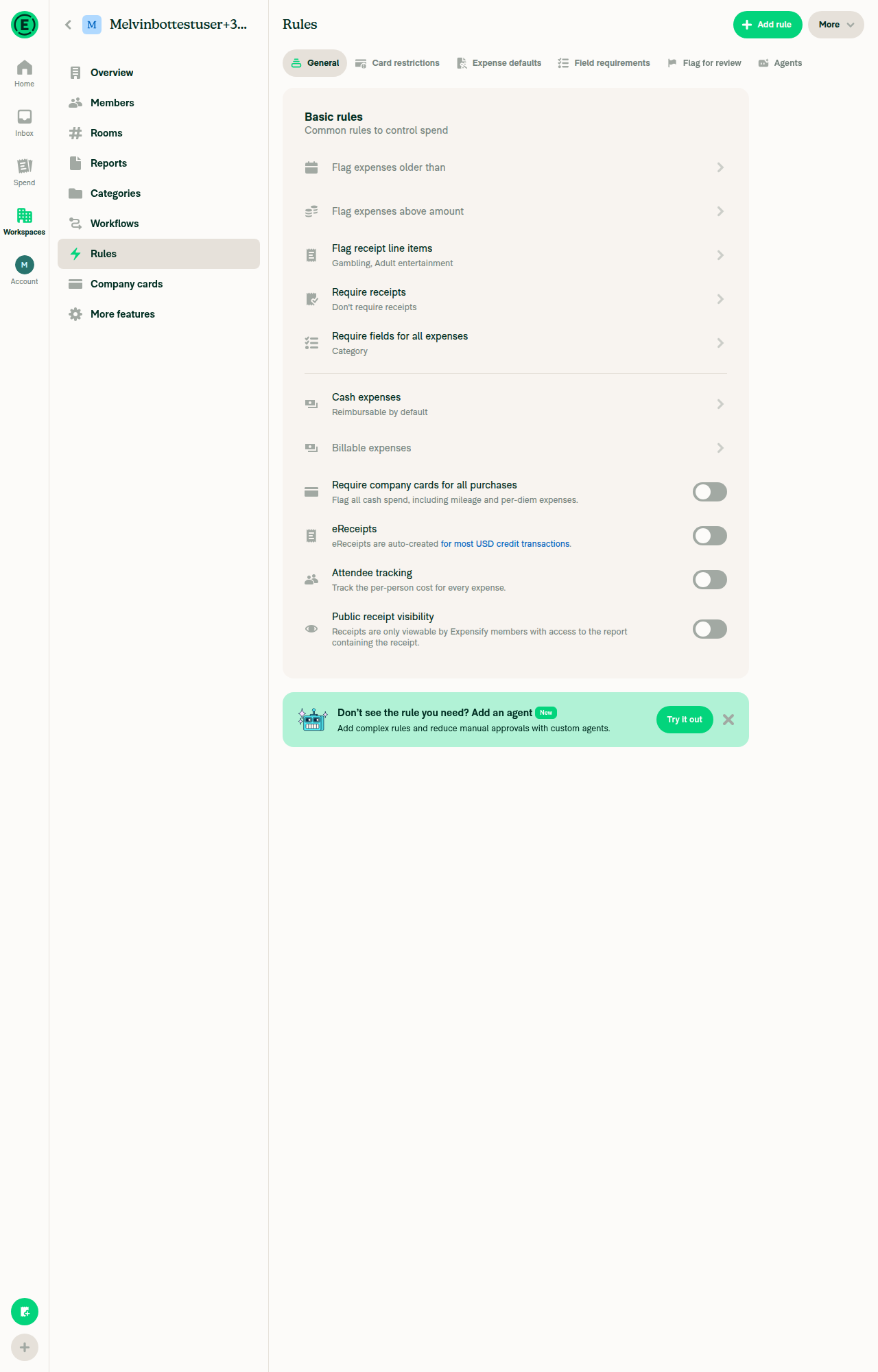
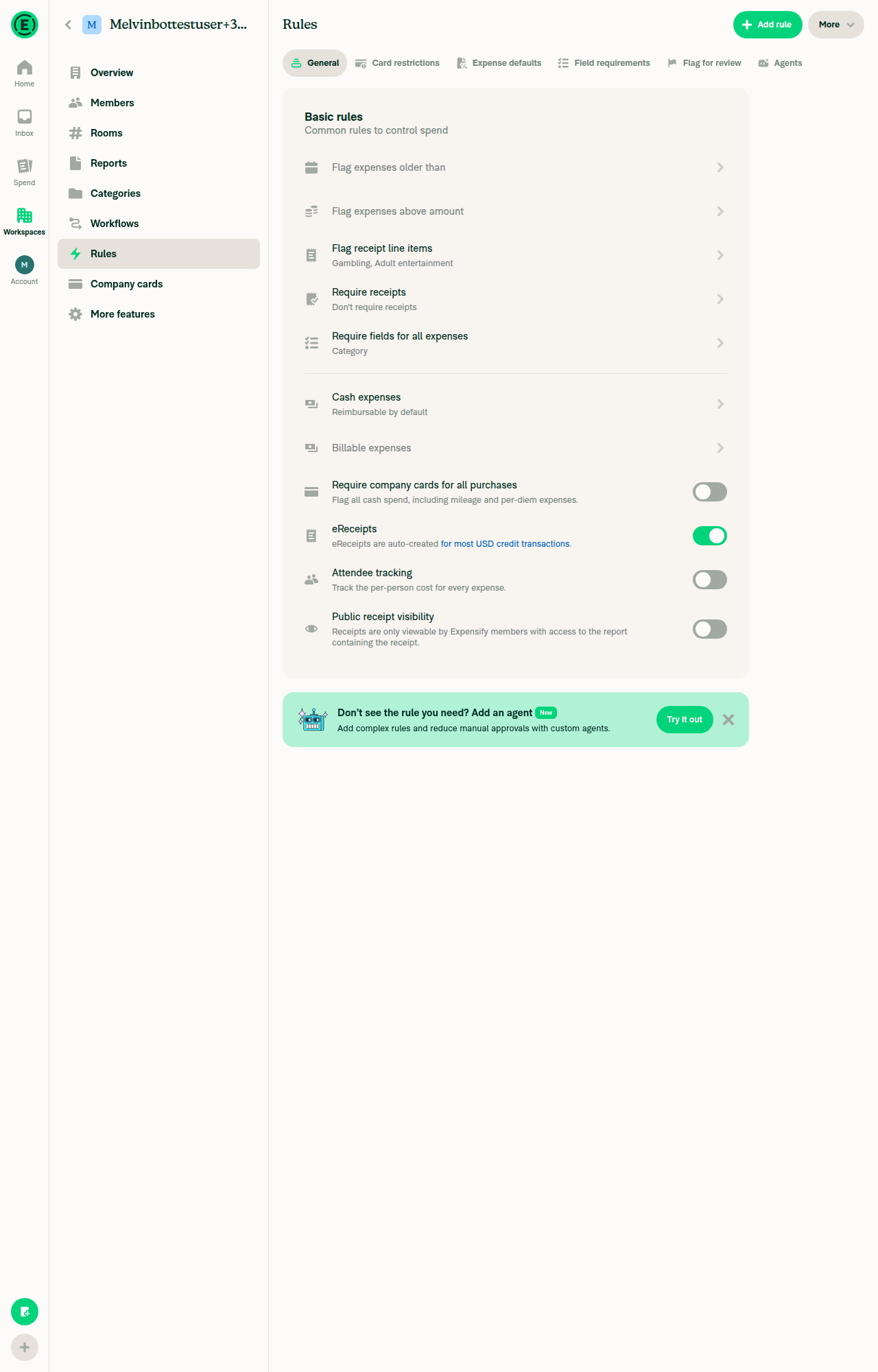
  4. Verify the toggle is off and interactive (no lock icon).
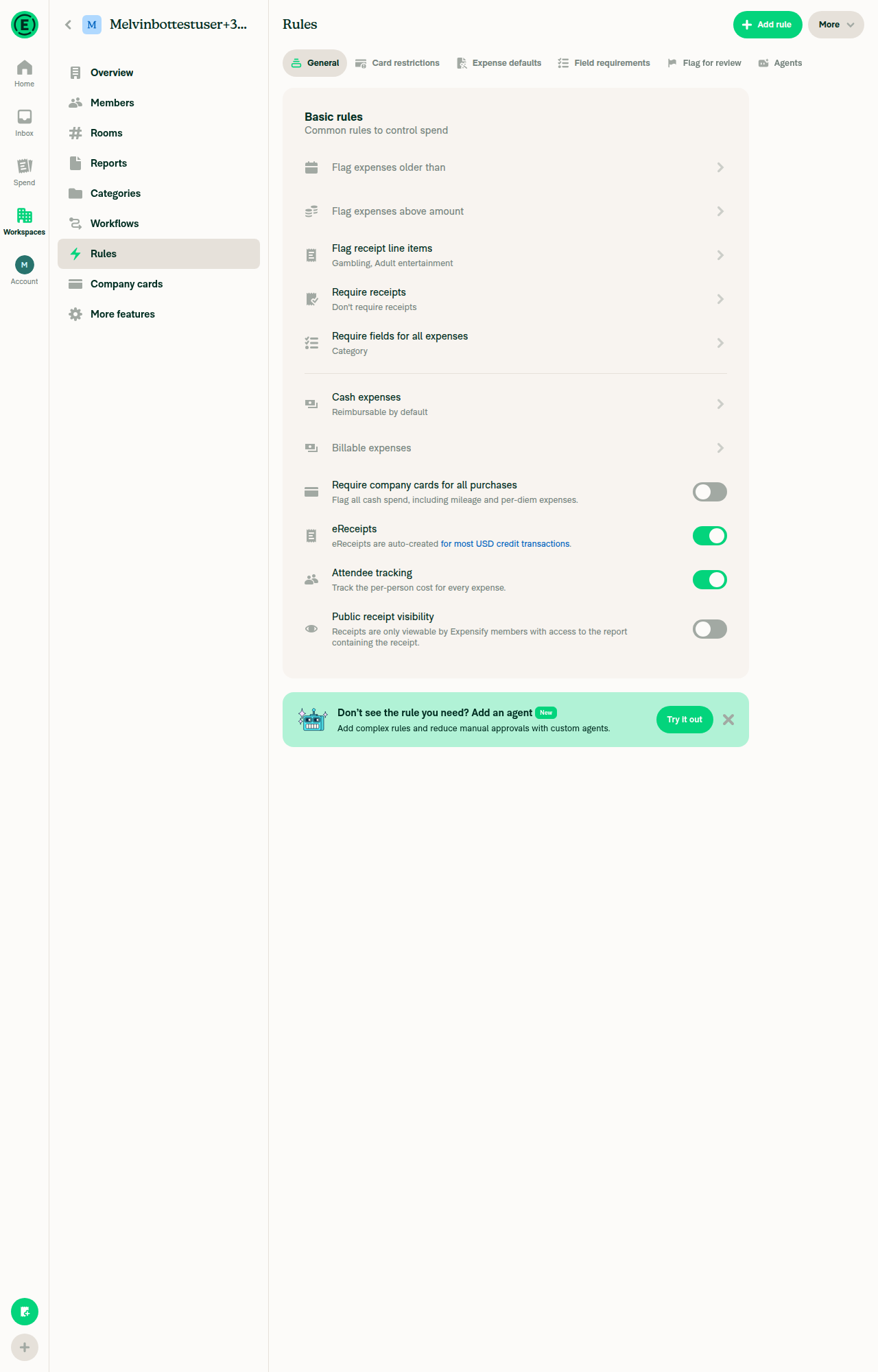
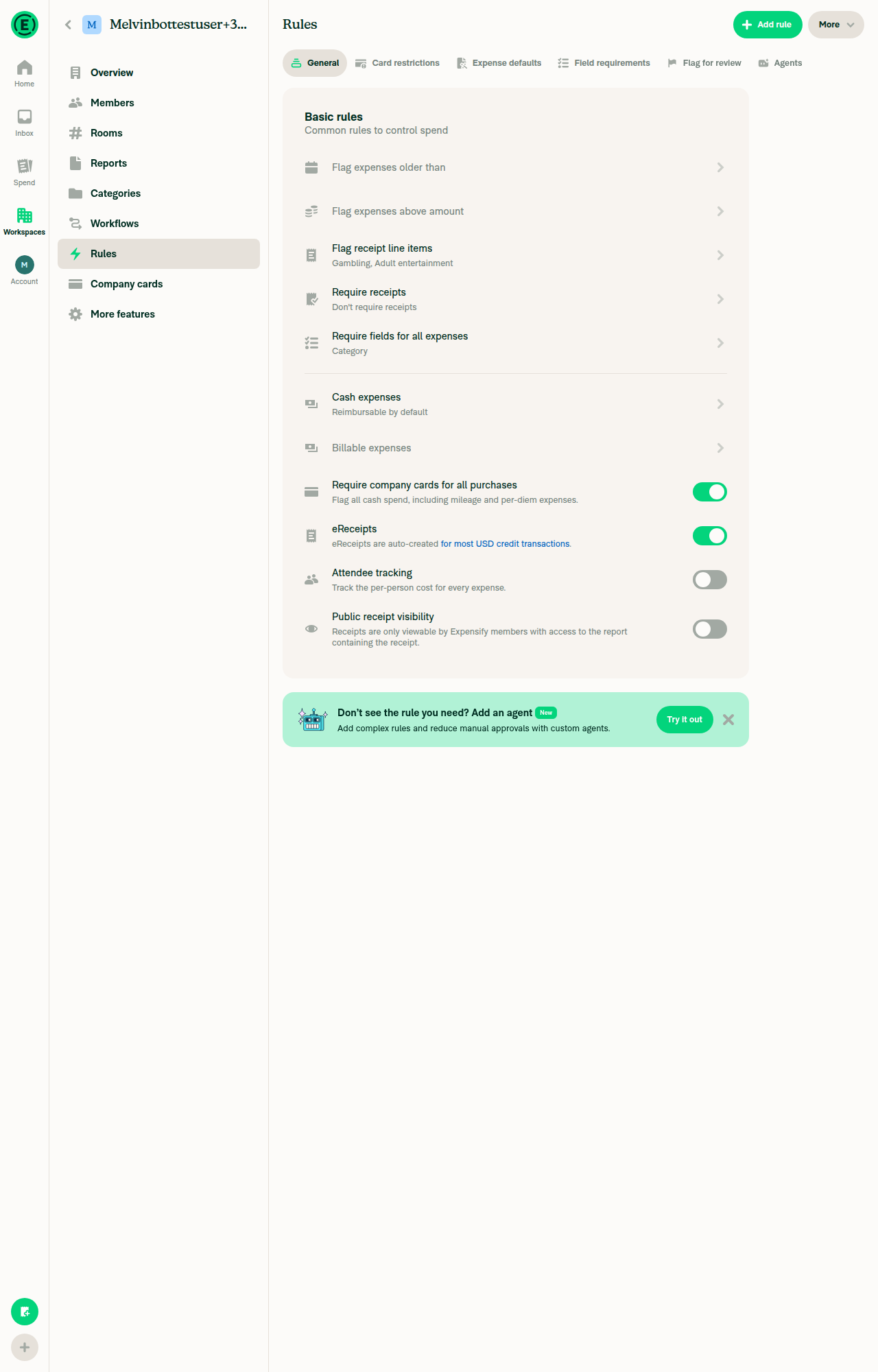
  5. Toggle it on. Verify it turns on with no error.
  6. Refresh the page. Verify the toggle is still on.
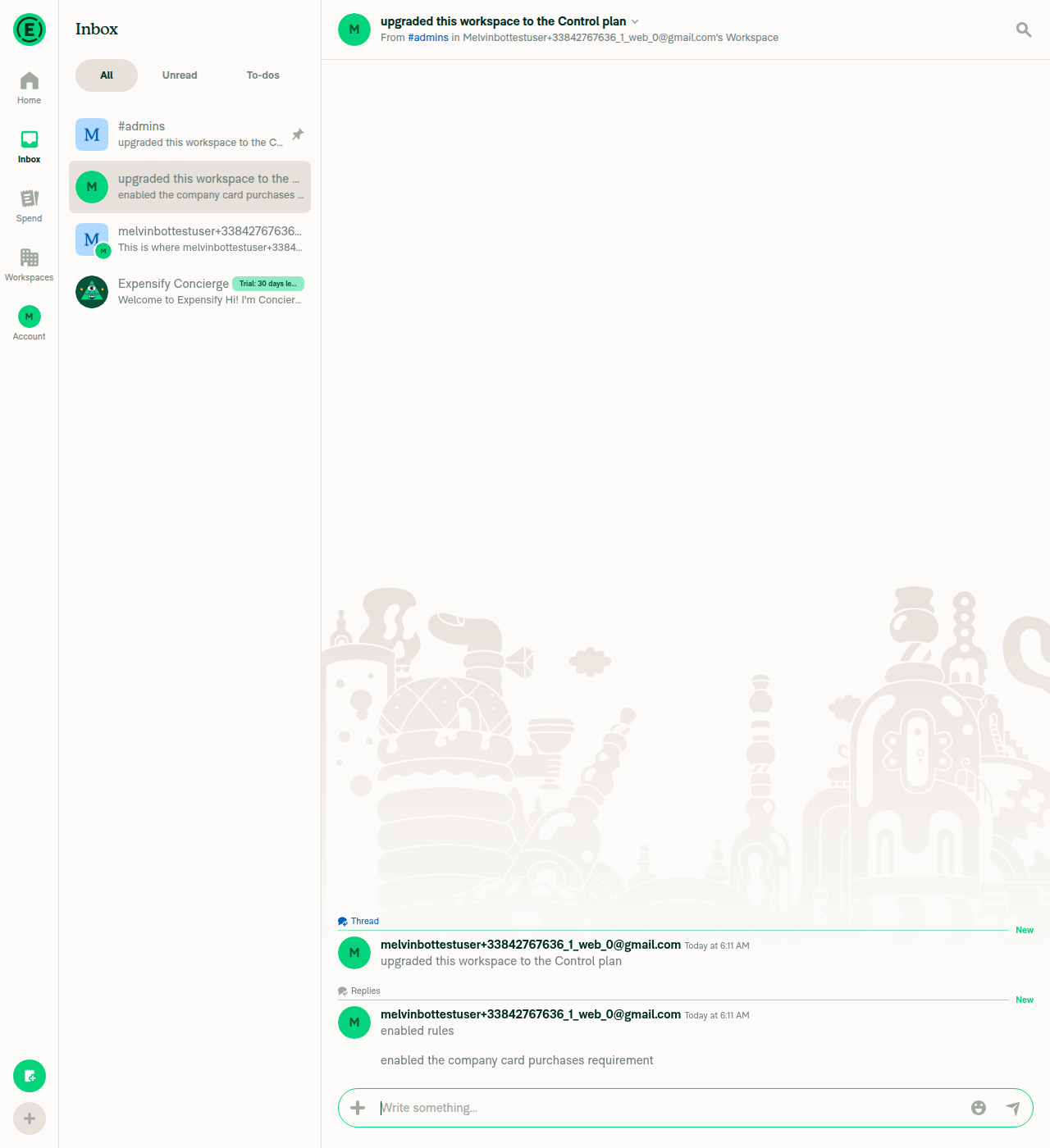
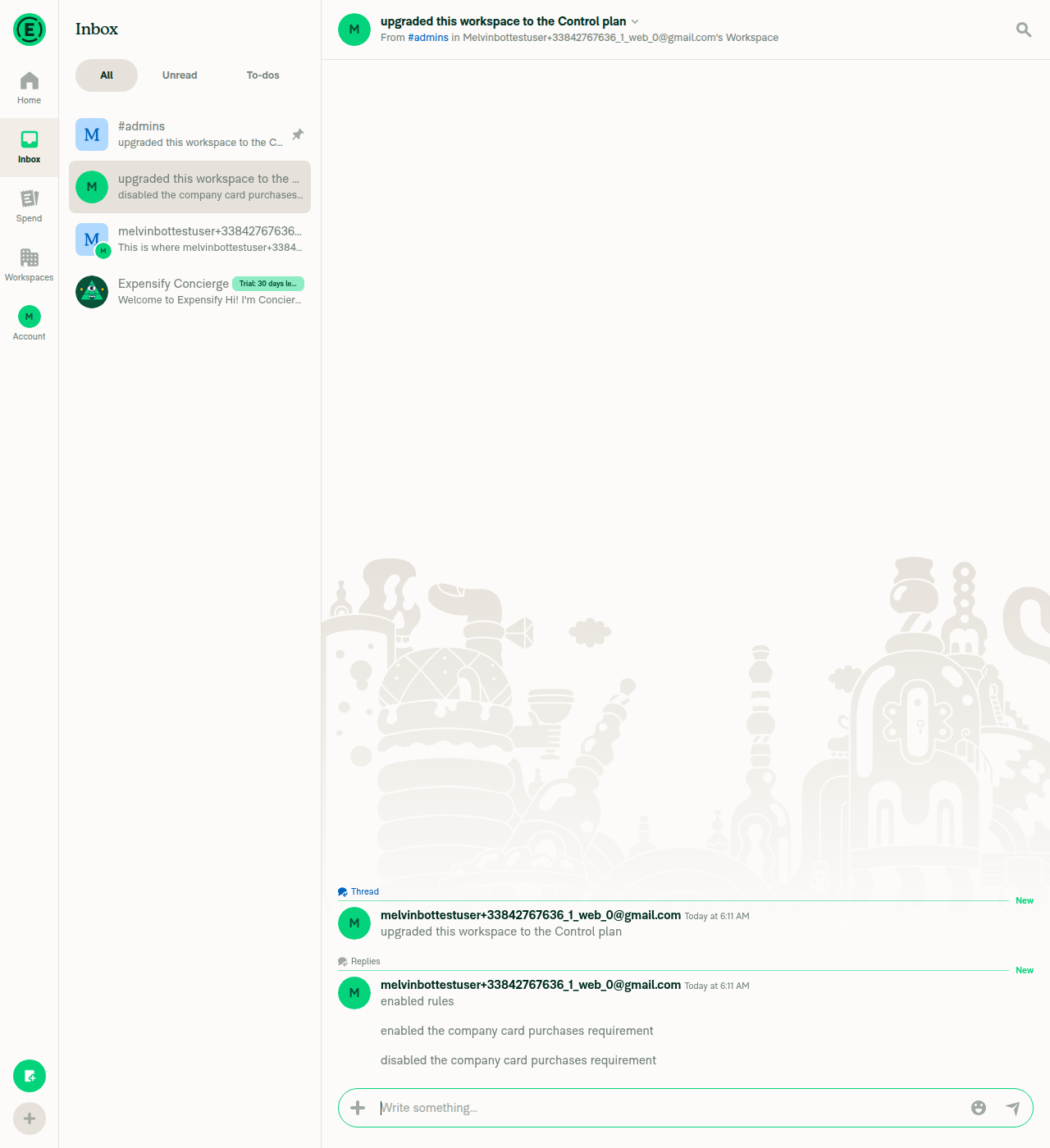
  7. Open the workspace chat. Verify a report action reads "enabled the company card purchases requirement".
  8. Go back to Rules > General and toggle it off. Verify the workspace chat now shows "disabled the company card purchases requirement".
  9. Toggle it back on, then submit a manually created cash expense (not a card transaction) on that workspace.
  10. Open the expense. Verify a Company card purchases required violation shows on the expense.
  11. Return to Rules > General, toggle the rule off, and reopen the expense. Verify the violation is gone.

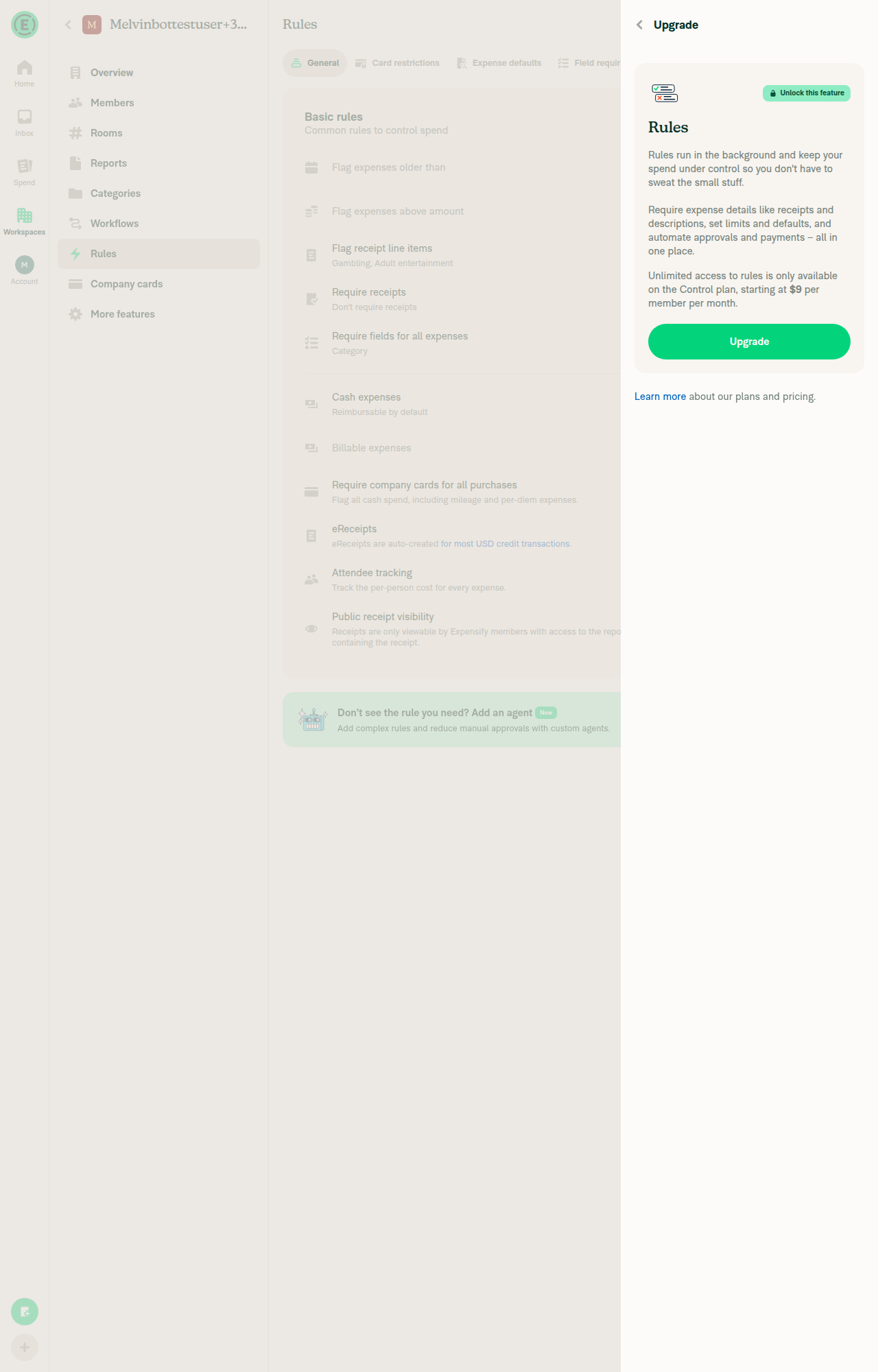
Collect workspace (upgrade path)

  1. Open a Collect workspace with Rules accessible and go to Rules > General.
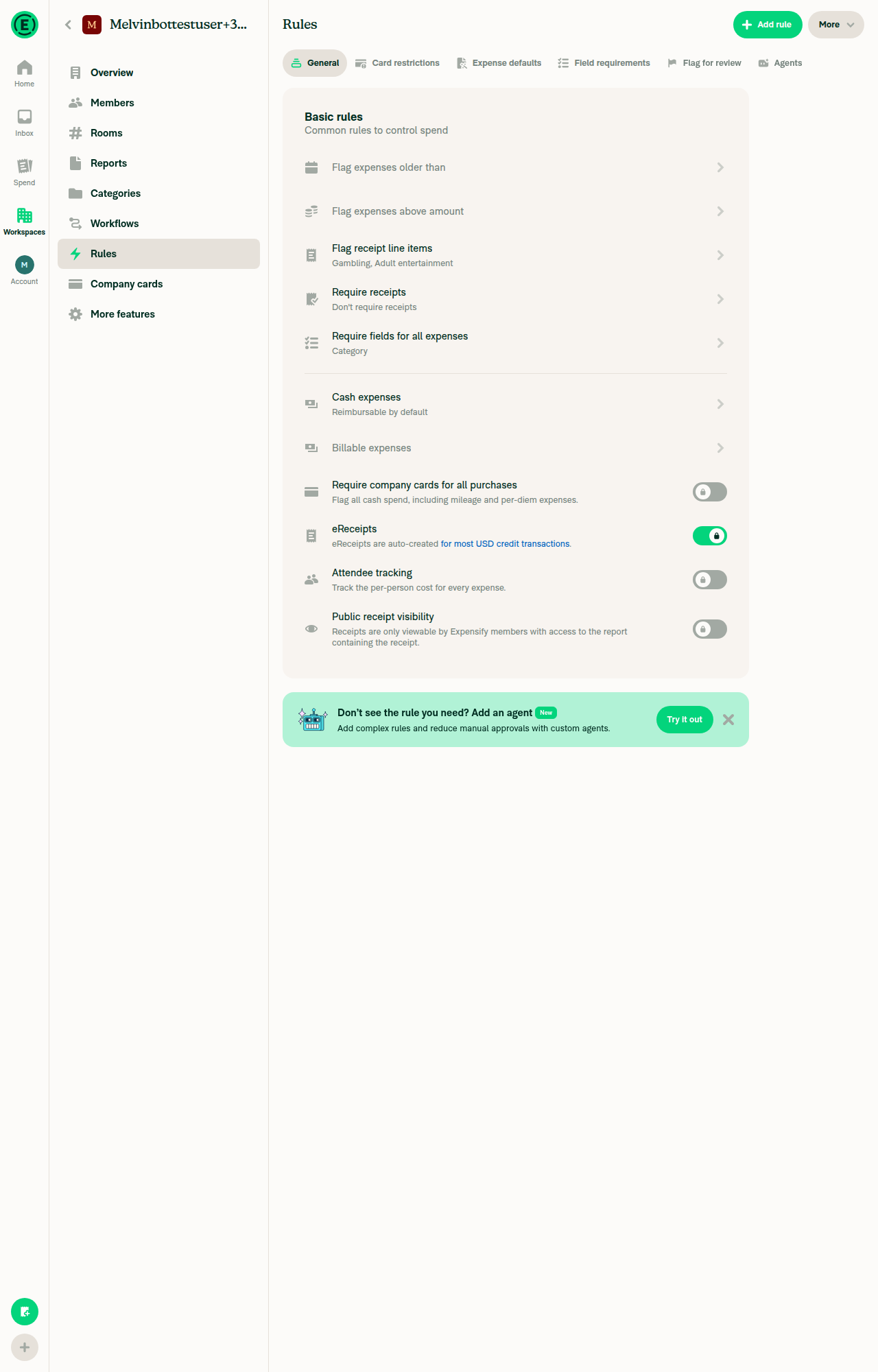
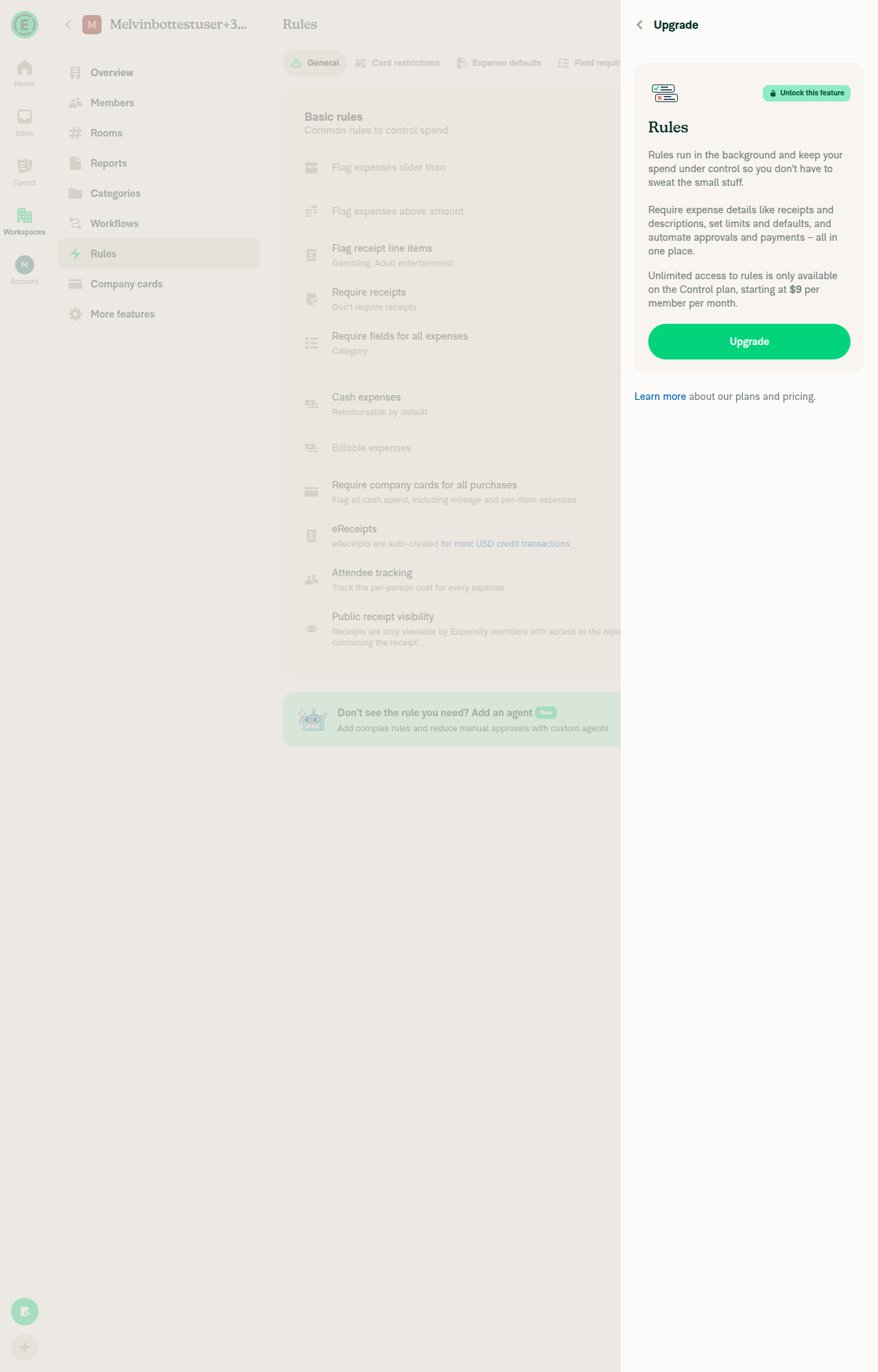
  2. Verify the Require company cards for all purchases toggle shows a lock icon and cannot be switched.
  3. Tap the toggle. Verify the Control upgrade page opens.
  4. Complete the upgrade. Verify you land back on the Rules page and the toggle is now interactive.

Control workspace with no card product

  1. Open a Control workspace and turn off both Company cards and Expensify Card under More features.
  2. Go to Rules > General. Verify the toggle shows a lock icon.
  3. Hover the lock. Verify the tooltip reads "Enable Company cards (under More features) to unlock." and that tapping it does not open the upgrade page.
  4. Turn Company cards back on. Verify the toggle becomes interactive and the tooltip is gone.

Read-only access

  1. Sign in as a member or auditor of the Control workspace and open Rules > General.
  2. Verify the toggle is locked and its value is still readable.
  • Verify that no errors appear in the JS console

Offline tests

  1. Go offline. Toggle Require company cards for all purchases. Verify the row greys out as pending and the new value is shown.
  2. Go back online. Verify the pending style clears and the value sticks.

QA Steps

  • Same as tests

  • Verify that no errors appear in the JS console

PR Author Checklist

  • I linked the correct issue in the ### Fixed Issues section above
  • I wrote clear testing steps that cover the changes made in this PR
    • I added steps for local testing in the Tests section
    • I added steps for the expected offline behavior in the Offline steps section
    • I added steps for Staging and/or Production testing in the QA steps section
    • I added steps to cover failure scenarios (i.e. verify an input displays the correct error message if the entered data is not correct)
    • I turned off my network connection and tested it while offline to ensure it matches the expected behavior (i.e. verify the default avatar icon is displayed if app is offline)
    • I tested this PR with a High Traffic account against the staging or production API to ensure there are no regressions (e.g. long loading states that impact usability).
  • I included screenshots or videos for tests on all platforms
  • I ran the tests on all platforms & verified they passed on:
    • Android: Native
    • Android: mWeb Chrome
    • iOS: Native
    • iOS: mWeb Safari
    • MacOS: Chrome / Safari
    • MacOS: Desktop
  • I verified there are no console errors (if there's a console error not related to the PR, report it or open an issue for it to be fixed)
  • I verified there are no new alerts related to the canBeMissing param for useOnyx
  • I followed proper code patterns (see Reviewing the code)
    • I verified that any callback methods that were added or modified are named for what the method does and never what callback they handle (i.e. toggleReport and not onIconClick)
    • I verified that comments were added to code that is not self explanatory
    • I verified that any new or modified comments were clear, correct English, and explained "why" the code was doing something instead of only explaining "what" the code was doing.
    • I verified any copy / text shown in the product is localized by adding it to src/languages/* files and using the translation method
      • If any non-english text was added/modified, I used JaimeGPT to get English > Spanish translation. I then posted it in #expensify-open-source and it was approved by an internal Expensify engineer. Link to Slack message:
    • I verified all numbers, amounts, dates and phone numbers shown in the product are using the localization methods
    • I verified any copy / text that was added to the app is grammatically correct in English. It adheres to proper capitalization guidelines (note: only the first word of header/labels should be capitalized), and is either coming verbatim from figma or has been approved by marketing (in order to get marketing approval, ask the Bug Zero team member to add the Waiting for copy label to the issue)
    • I verified proper file naming conventions were followed for any new files or renamed files. All non-platform specific files are named after what they export and are not named "index.js". All platform-specific files are named for the platform the code supports as outlined in the README.
    • I verified the JSDocs style guidelines (in STYLE.md) were followed
  • If a new code pattern is added I verified it was agreed to be used by multiple Expensify engineers
  • I followed the guidelines as stated in the Review Guidelines
  • I tested other components that can be impacted by my changes (i.e. if the PR modifies a shared library or component like Avatar, I verified the components using Avatar are working as expected)
  • I verified all code is DRY (the PR doesn't include any logic written more than once, with the exception of tests)
  • I verified any variables that can be defined as constants (ie. in CONST.ts or at the top of the file that uses the constant) are defined as such
  • I verified that if a function's arguments changed that all usages have also been updated correctly
  • If any new file was added I verified that:
    • The file has a description of what it does and/or why is needed at the top of the file if the code is not self explanatory
  • If a new CSS style is added I verified that:
    • A similar style doesn't already exist
    • The style can't be created with an existing StyleUtils function (i.e. StyleUtils.getBackgroundAndBorderStyle(theme.componentBG))
  • If new assets were added or existing ones were modified, I verified that:
    • The assets are optimized and compressed (for SVG files, run npm run compress-svg)
    • The assets load correctly across all supported platforms.
  • If the PR modifies code that runs when editing or sending messages, I tested and verified there is no unexpected behavior for all supported markdown - URLs, single line code, code blocks, quotes, headings, bold, strikethrough, and italic.
  • If the PR modifies a generic component, I tested and verified that those changes do not break usages of that component in the rest of the App (i.e. if a shared library or component like Avatar is modified, I verified that Avatar is working as expected in all cases)
  • If the PR modifies a component related to any of the existing Storybook stories, I tested and verified all stories for that component are still working as expected.
  • If the PR modifies a component or page that can be accessed by a direct deeplink, I verified that the code functions as expected when the deeplink is used - from a logged in and logged out account.
  • If the PR modifies the UI (e.g. new buttons, new UI components, changing the padding/spacing/sizing, moving components, etc) or modifies the form input styles:
    • I verified that all the inputs inside a form are aligned with each other.
    • I added Design label and/or tagged @Expensify/design so the design team can review the changes.
  • If a new page is added, I verified it's using the ScrollView component to make it scrollable when more elements are added to the page.
  • I added unit tests for any new feature or bug fix in this PR to help automatically prevent regressions in this user flow.
  • If the main branch was merged into this PR after a review, I tested again and verified the outcome was still expected according to the Test steps.

Screenshots/Videos

Android: Native
Android: mWeb Chrome
iOS: Native
ios_hybrid.mp4
iOS: mWeb Safari
MacOS: Chrome / Safari
web_chrome.mp4

Signed-off-by: krishna2323 <belivethatkg@gmail.com>
@codecov

codecov Bot commented Sep 3, 2026 •

Copy link
Copy Markdown

Codecov Report

❌ Looks like you've decreased code coverage for some files. Please write tests to increase, or at least maintain, the existing level of code coverage. See our documentation here for how to interpret this table.

Files with missing lines Coverage Δ
...pace/rules/IndividualExpenseRulesSectionRevamp.tsx 1.94% <0.00%> (-0.15%) ⬇️
... and 111 files with indirect coverage changes

Signed-off-by: krishna2323 <belivethatkg@gmail.com>
@Krishna2323
Krishna2323 marked this pull request as ready for review September 3, 2026 00:56
@Krishna2323
Krishna2323 requested review from a team as code owners September 3, 2026 00:56
@melvin-bot
melvin-bot Bot requested review from situchan and removed request for a team September 3, 2026 00:56
@melvin-bot

melvin-bot Bot commented Sep 3, 2026

Copy link
Copy Markdown

@situchan Please copy/paste the Reviewer Checklist from here into a new comment on this PR and complete it. If you have the K2 extension, you can simply click: [this button]

@github-actions

github-actions Bot commented Sep 3, 2026

Copy link
Copy Markdown
Contributor

🚧 JmillsExpensify has triggered a test Expensify/App build. You can view the workflow run here.

@github-actions

This comment has been minimized.

JmillsExpensify
JmillsExpensify previously approved these changes Sep 3, 2026

@JmillsExpensify JmillsExpensify left a comment

Copy link
Copy Markdown
Contributor

Choose a reason for hiding this comment

The reason will be displayed to describe this comment to others. Learn more.

LGTM

// upgrade the other rules use, and drops the More features tooltip, which isn't why the row is locked there.
const requireCompanyCardsEnabled = policy?.requireCompanyCardsEnabled ?? false;
const areAnyCardsEnabled = !!policy?.areCompanyCardsEnabled || !!policy?.areExpensifyCardsEnabled;
const isRequireCompanyCardsLocked = !canWriteRules || isCollect || !areAnyCardsEnabled;

Copy link
Copy Markdown
Contributor

Choose a reason for hiding this comment

The reason will be displayed to describe this comment to others. Learn more.

is the isCollect true? Do we need to change this based on the rules beta? (where rules are enabled for more than just control plans?

Copy link
Copy Markdown
Contributor

Choose a reason for hiding this comment

The reason will be displayed to describe this comment to others. Learn more.

More of a product question.

This is already consistent with other switches

Screen.Recording.2026-09-03.at.4.22.34.PM.mov

Copy link
Copy Markdown
Contributor Author

Choose a reason for hiding this comment

The reason will be displayed to describe this comment to others. Learn more.

isCollect is only reachable because of the revamp beta, canPolicyAccessFeature gates Rules to Control unless it's on. Pre-revamp Collect couldn't open the Rules page, so no Collect workspace has this on today and the lock costs nothing. Same treatment as eReceipts and attendee tracking.

cc: @JmillsExpensify

@JmillsExpensify JmillsExpensify Sep 4, 2026 •

Copy link
Copy Markdown
Contributor

Choose a reason for hiding this comment

The reason will be displayed to describe this comment to others. Learn more.

Agreed. Let's lock this on Collect and make it an upgrade path.

@situchan

situchan commented Sep 3, 2026 •

Copy link
Copy Markdown
Contributor

Reviewer Checklist

  • I have verified the author checklist is complete (all boxes are checked off).
  • I verified the correct issue is linked in the ### Fixed Issues section above
  • I verified testing steps are clear and they cover the changes made in this PR
    • I verified the steps for local testing are in the Tests section
    • I verified the steps for Staging and/or Production testing are in the QA steps section
    • I verified the steps cover any possible failure scenarios (i.e. verify an input displays the correct error message if the entered data is not correct)
    • I turned off my network connection and tested it while offline to ensure it matches the expected behavior (i.e. verify the default avatar icon is displayed if app is offline)
  • I checked that screenshots or videos are included for tests on all platforms
  • I included screenshots or videos for tests on all platforms
  • I verified that the composer does not automatically focus or open the keyboard on mobile unless explicitly intended. This includes checking that returning the app from the background does not unexpectedly open the keyboard.
  • I verified tests pass on all platforms & I tested again on:
    • Android: HybridApp
    • Android: mWeb Chrome
    • iOS: HybridApp
    • iOS: mWeb Safari
    • MacOS: Chrome / Safari
  • If there are any errors in the console that are unrelated to this PR, I either fixed them (preferred) or linked to where I reported them in Slack
  • I verified proper code patterns were followed (see Reviewing the code)
    • I verified that any callback methods that were added or modified are named for what the method does and never what callback they handle (i.e. toggleReport and not onIconClick).
    • I verified that comments were added to code that is not self explanatory
    • I verified that any new or modified comments were clear, correct English, and explained "why" the code was doing something instead of only explaining "what" the code was doing.
    • I verified any copy / text that was added to the app is grammatically correct in English. It adheres to proper capitalization guidelines (note: only the first word of header/labels should be capitalized), and is either coming verbatim from figma or has been approved by marketing (in order to get marketing approval, ask the Bug Zero team member to add the Waiting for copy label to the issue)
  • If a new code pattern is added I verified it was agreed to be used by multiple Expensify engineers
  • I verified that this PR follows the guidelines as stated in the Review Guidelines
  • I verified other components that can be impacted by these changes have been tested, and I retested again (i.e. if the PR modifies a shared library or component like Avatar, I verified the components using Avatar have been tested & I retested again)
  • If a new component is created I verified that:
    • A similar component doesn't exist in the codebase
    • All props are defined accurately and each prop has a /** comment above it */
    • The file is named correctly
    • The component has a clear name that is non-ambiguous and the purpose of the component can be inferred from the name alone
    • The only data being stored in the state is data necessary for rendering and nothing else
    • For Class Components, any internal methods passed to components event handlers are bound to this properly so there are no scoping issues (i.e. for onClick={this.submit} the method this.submit should be bound to this in the constructor)
    • Any internal methods bound to this are necessary to be bound (i.e. avoid this.submit = this.submit.bind(this); if this.submit is never passed to a component event handler like onClick)
    • All JSX used for rendering exists in the render method
    • The component has the minimum amount of code necessary for its purpose, and it is broken down into smaller components in order to separate concerns and functions
  • If any new file was added I verified that:
    • The file has a description of what it does and/or why is needed at the top of the file if the code is not self explanatory
  • If a new CSS style is added I verified that:
    • A similar style doesn't already exist
    • The style can't be created with an existing StyleUtils function (i.e. StyleUtils.getBackgroundAndBorderStyle(theme.componentBG)
  • If the PR modifies code that runs when editing or sending messages, I tested and verified there is no unexpected behavior for all supported markdown - URLs, single line code, code blocks, quotes, headings, bold, strikethrough, and italic.
  • If the PR modifies a generic component, I tested and verified that those changes do not break usages of that component in the rest of the App (i.e. if a shared library or component like Avatar is modified, I verified that Avatar is working as expected in all cases)
  • If the PR modifies a component related to any of the existing Storybook stories, I tested and verified all stories for that component are still working as expected.
  • If the PR modifies a component or page that can be accessed by a direct deeplink, I verified that the code functions as expected when the deeplink is used - from a logged in and logged out account.
  • If the PR modifies the UI (e.g. new buttons, new UI components, changing the padding/spacing/sizing, moving components, etc) or modifies the form input styles:
    • I verified that all the inputs inside a form are aligned with each other.
    • I added Design label and/or tagged @Expensify/design so the design team can review the changes.
  • For any bug fix or new feature in this PR, I verified that sufficient unit tests are included to prevent regressions in this flow.
  • If the main branch was merged into this PR after a review, I tested again and verified the outcome was still expected according to the Test steps.
  • I have checked off every checkbox in the PR reviewer checklist, including those that don't apply to this PR.

Screenshots/Videos

Android: HybridApp
Android: mWeb Chrome
iOS: HybridApp
ios.mov
iOS: mWeb Safari
MacOS: Chrome / Safari
web.mov

@situchan

situchan commented Sep 3, 2026

Copy link
Copy Markdown
Contributor

Bug: Wrong tooltip for permission-locked rows

  1. On a Control workspace, enable Rules and Company cards under More features.
  2. Sign in as auditor of that workspace.
  3. Open Workspace settings > Rules > General.
  4. Hover the locked "Require company cards for all purchases" switch.
  5. Tooltip reads "Enable Company cards (under More features) to unlock." even though Company cards are enabled and the real reason is missing write access. (Same on an archived Control workspace with cards enabled.)
Screen.Recording.2026-09-03.at.4.13.06.PM.mov

@situchan

situchan commented Sep 3, 2026

Copy link
Copy Markdown
Contributor

Bug: there's no RBR on failed row while 🔴 appears in workspaces tab

  1. Simulate failing network requests
  2. Toggle "Require company cards for all purchases".
  3. Toggle snaps back with no error message on the row.
  4. Open the workspace switcher / settings list — red-dot indicator with no UI anywhere to clear it.

This also happens on other rows (i.e. eReceipts switch) so not blocker. Happening on production

Screen.Recording.2026-09-03.at.4.16.26.PM.mov

const styles = useThemeStyles();
const policy = usePolicy(policyID);
// Only for the read-only modal a locked row still owes a member. `canWrite` is the `canWriteRules` prop already.
const {withReadOnlyFallback} = usePolicyFeatureWriteAccess(policy, CONST.POLICY.POLICY_FEATURE.RULES);

@situchan situchan Sep 3, 2026 •

Copy link
Copy Markdown
Contributor

Choose a reason for hiding this comment

The reason will be displayed to describe this comment to others. Learn more.

Why is this hook needed?

Is this switch toggle different from other rows regarding permission?

i.e.

eReceipts used this condition: disabledAction={isCollect && canWriteRules ? navigateToRulesControlUpgrade : undefined}

Copy link
Copy Markdown
Contributor Author

Choose a reason for hiding this comment

The reason will be displayed to describe this comment to others. Learn more.

You're right that the row shouldn't be special, but the inconsistency ran the other way. Pre-revamp, all four toggles used withReadOnlyFallback(), and PublicReceiptVisibilityToggle took it as a prop. Splitting this section out dropped it from the other three, so read-only members got a lock with no explanation. I restored it on all four, they're consistent now.

@situchan situchan left a comment

Copy link
Copy Markdown
Contributor

Choose a reason for hiding this comment

The reason will be displayed to describe this comment to others. Learn more.

Let's just make this PR simple to be consistent with other similar rows (eReceipts, Attendee tracking)

Signed-off-by: krishna2323 <belivethatkg@gmail.com>
@chatgpt-codex-connector

Copy link
Copy Markdown

Codex Review: Didn't find any major issues. What shall we delve into next?

Reviewed commit: f654498bfd

ℹ️ About Codex in GitHub

Codex has been enabled to automatically review pull requests in this repo. Reviews are triggered when you

  • Open a pull request for review
  • Mark a draft as ready
  • Comment "@codex review".

If Codex has suggestions, it will comment; otherwise it will react with 👍.

When you sign up for Codex through ChatGPT, Codex can also answer questions or update the PR, like "@codex address that feedback".

@situchan

situchan commented Sep 4, 2026

Copy link
Copy Markdown
Contributor

"Company card purchases required" violation shows even when both Company cards, Expensify cards are not enabled.
This logic is not touched by this PR so out of scope.

bug.mov

@melvin-bot
melvin-bot Bot requested a review from JS00001 September 4, 2026 06:07
@MelvinBot

Copy link
Copy Markdown
Contributor

🤖 Web test steps verification results: ⚠️ partial

Heads up on the coverage before the results: the test account doesn't have the rulesRevamp beta, so the run landed on the classic Rules page (IndividualExpenseRulesSection.tsx) and exercised the pre-existing row, not the one this PR adds. The toggle, its subtitle, its position above eReceipts, both workspace-chat report actions, and the lock state when no card product is enabled all behaved correctly there — but none of that touched the changed file. The revamp row still needs a human pass with the beta on.

Locked toggle after disabling both card products

Step Status
Toggle appears with credit card icon, directly above eReceipts, subtitle "Flag all cash spend, including mileage and per-diem expenses."Row is directly above eReceipts with the exact subtitle, but no leading icon — the classic row has no rowIcon, so the credit card icon was never rendered.
Rules General tab: toggle above eReceipts, off
Close-up of the Require company cards row
❌
Toggle is off and interactive (no lock icon)Rendered off with no lock glyph while Company cards was enabled.
Rules General tab: toggle above eReceipts, off
✅
Toggling it on turns it on with no errorSwitch turned on immediately, no error banner or toast.
Toggle switched on with no error
✅
After refreshing the page, the toggle is still onNot run — reloading mid-session risks dropping auth for this test account. Value did persist across in-app navigation away and back.
❌
Workspace chat shows "enabled the company card purchases requirement"Admins chat shows that exact text.
Workspace chat: enabled the company card purchases requirement
✅
Toggling off updates the chat to "disabled the company card purchases requirement"New action posted with that exact text.
Toggle switched back off
Workspace chat: disabled the company card purchases requirement
✅
With both card products off, toggle shows a lock icon and the tooltip "Enable Company cards (under More features) to unlock."Lock icon rendered and the accessibility label read Locked, but the hover tooltip never painted in the headless browser, so the tooltip copy itself is unverified.
Locked toggle after disabling both card products
⚠️

Code review

The diff reads correctly. Splitting the three lock reasons apart is the right call, and gating disabledText on shouldExplainMissingCards is what fixes the tooltip situchan reported — pre-revamp passed disabledText unconditionally, so an auditor on a cards-enabled workspace got told to enable a feature that was already on. eslint passes on the changed file. Two things I'd change:

1. A failed toggle leaves a red dot nobody can clear. This is situchan's second report, and this row can fix it for itself. On failure the action writes errorFields.requireCompanyCardsEnabled, and any policy error field turns into an admin red dot via shouldShowPolicyErrorFields — but the new row passes no errors, so there's no RBR on it and no way to dismiss the error. ToggleSettingOptionRow already accepts errors and onCloseError, and clearPolicyErrorField exists, so it's two props:

errors={policy?.errorFields?.requireCompanyCardsEnabled}
onCloseError={() => clearPolicyErrorField(policyID, 'requireCompanyCardsEnabled')}

Agreed it's pre-existing on the other rows, so fixing those too is optional — but the row this PR introduces shouldn't ship with the gap.

2. The second usePolicyFeatureWriteAccess call duplicates the parent's. PolicyRulesPageRevamp already builds canWriteRules and showReadOnlyModal from the same (policy, RULES) pair, and hands showReadOnlyModal down to RulesRequireFieldsTab, RulesFlagForReviewTab, and RulesAgentsTab. Calling the hook again inside the section means disabled/showLockIcon read the prop while disabledAction reads a separately computed canWrite — they agree only because both derive from the same inputs. Passing showReadOnlyModal through RulesGeneralTab like the other tabs removes the implicit coupling and the extra hook instance. Your comment on situchan's thread about restoring the fallback on all four rows is right either way; this is just about where it comes from.


view run

@MelvinBot

Copy link
Copy Markdown
Contributor

🤖 Web test steps verification results: ✅ pass

All four revamped Rules > General toggle rows render correctly on a Control workspace and toggle on/off without error; on a Collect workspace the same rows show locked and tapping either the locked eReceipts or locked Require-company-cards row opens the Control Upgrade page, not a read-only modal. I force-enabled the rulesRevamp beta in my local checkout (uncommitted, reverted after the run) so the revamp page was actually reachable this time — agent-device on web can't capture browser console output, so "no console errors" here means no error banners, toasts, broken layouts, or stray navigations.

Locked Require company cards row opens Control Upgrade page

Step Status
All four rows render on the General tab, no duplicates or missing rows, no errorsExactly one row each for Require company cards, eReceipts, Attendee tracking, Public receipt visibility.
Control workspace Rules General tab showing all four rows
✅
eReceipts still toggles on then off with no errorDefault ON; toggled off and back on, no error banner.
eReceipts toggled off
eReceipts toggled back on
✅
Attendee tracking still toggles on then off with no errorToggled on then off cleanly.
Attendee tracking toggled on
Attendee tracking toggled off
✅
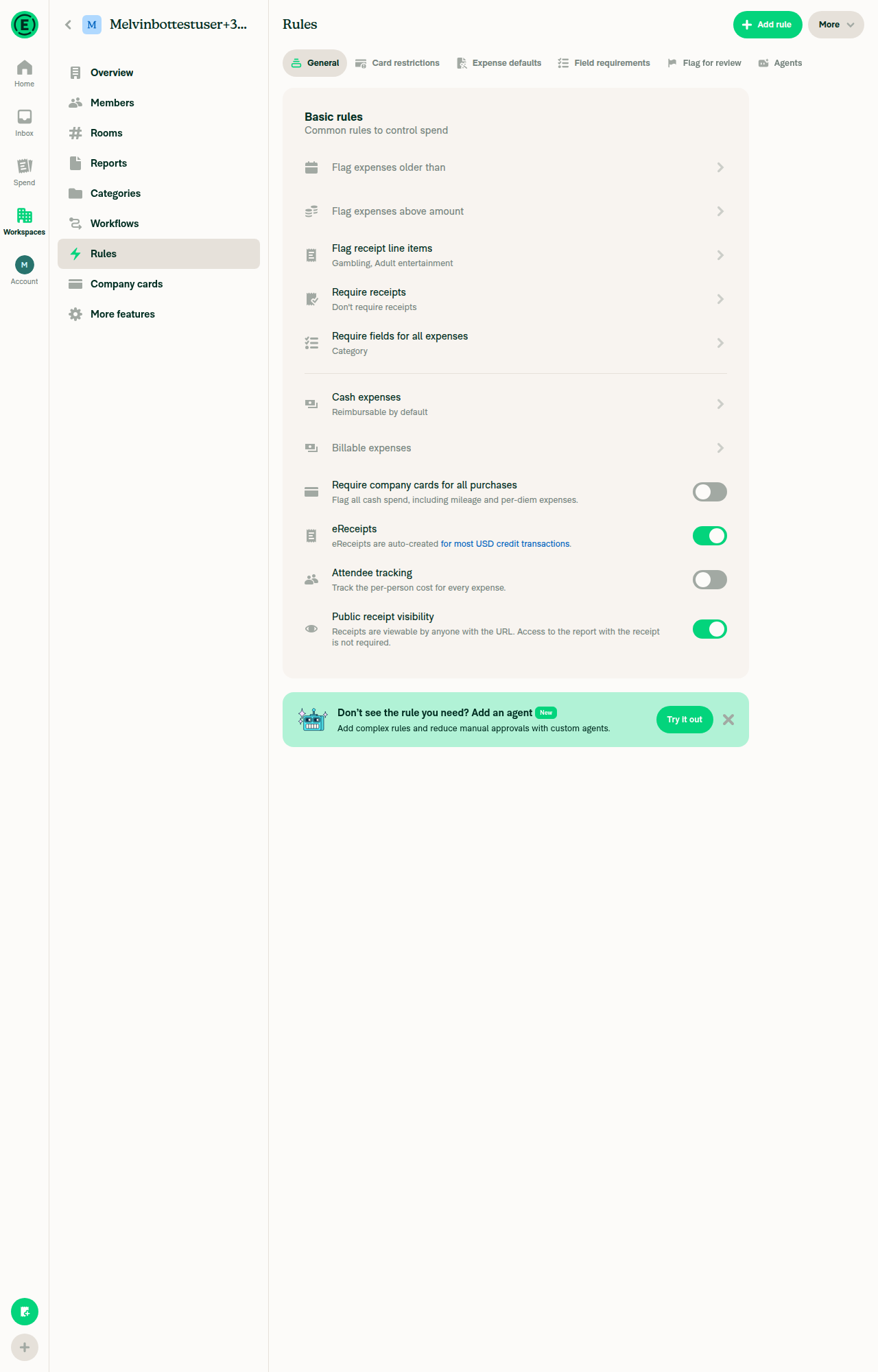
Public receipt visibility still toggles on then off with no errorSubtitle flipped between "viewable by anyone with the URL" and "only viewable by Expensify members".
Public receipt visibility toggled on
Public receipt visibility toggled off
✅
Require company cards for all purchases toggles on then off with no errorToggled on then off cleanly.
Require company cards toggled on
Require company cards toggled off
✅
On a Collect workspace the rows are locked and tapping locked eReceipts opens the Control upgrade pageAll four switches carried a Locked state; eReceipts opened the Upgrade page for Rules, no read-only modal.
Collect workspace Rules General tab with locked rows
Locked eReceipts row opens Control Upgrade page
✅
On the same Collect workspace, tapping the locked Require company cards row also opens the Control upgrade pageSame Upgrade page for Rules with the Control plan pricing.
Locked Require company cards row opens Control Upgrade page
✅

Regressions

One behavior regression in the diff, and it lands on the three rows you changed rather than the new one. I didn't reproduce it at runtime (I'd need an archived workspace), so it's read from the code.

Archived workspaces now tell an admin their role is the problem. withReadOnlyFallback keys off canMemberWrite, which returns false for any archived policy before it ever looks at the role. So on an archived Control workspace, tapping eReceipts, attendee tracking, or public receipt visibility pops "Not so fast… Your workspace role can view these settings, but can't edit them." at a workspace admin whose role is fine — the workspace is archived. Before this PR those three rows passed isCollect && canWriteRules ? navigateToRulesControlUpgrade : undefined, so an archived tap was a no-op. This is the same archived case situchan called out on the tooltip thread, now reachable through the modal path too. Cheapest fix is to keep archived taps silent, e.g. gate the wrap on !isArchivedPolicy(policy); otherwise the modal needs archived-specific copy.

Everything else I checked came back clean:

  • The Collect upgrade path survives the rewrite on all four rows — verified above, and that was the main risk of moving from isCollect && canWriteRules to withReadOnlyFallback(isCollect ? … : undefined).
  • The read-only branch in PublicReceiptVisibilityToggle is already prop-optional, so passing withReadOnlyFallback from the revamp section doesn't disturb the classic Rules page, which passes its own.
  • No behavior change for the non-USD eReceipts lock or for Control workspaces with write access.
  • eslint is clean on the changed file.

Still open from my last pass: a failed toggle writes errorFields.requireCompanyCardsEnabled, which drives an admin red dot via shouldShowPolicyErrorFields, but the new row passes no errors/onCloseError, so there's no RBR on it and no way to dismiss it.


view run

@JS00001
JS00001 merged commit 2b79d38 into Expensify:main Sep 4, 2026
36 of 40 checks passed
@github-actions

github-actions Bot commented Sep 4, 2026

Copy link
Copy Markdown
Contributor

🚧 JS00001 has triggered a test Expensify/App build. You can view the workflow run here.

@OSBotify

OSBotify commented Sep 4, 2026

Copy link
Copy Markdown
Contributor

✋ This PR was not deployed to staging yet because QA is ongoing. It will be automatically deployed to staging after the next production release.

@OSBotify

OSBotify commented Sep 7, 2026

Copy link
Copy Markdown
Contributor

🚀 Deployed to staging by https://github.com/JS00001 in version: 9.4.73-0 🚀

platform result
🕸 web 🕸 success ✅
🤖 android 🤖 success ✅
🍎 iOS 🍎 failure ❌

@MelvinBot

Copy link
Copy Markdown
Contributor

Yes — help site changes are required, and I've opened them: #100490

The toggle you restored is already documented in docs/articles/new-expensify/workspaces/Workspace-Rules.md, but the article describes the wrong unlock condition. It says the rule "only appears after at least one company card feed is connected to the workspace." Your row unlocks on areCompanyCardsEnabled || areExpensifyCardsEnabled — the More features toggles, not a connected feed — at IndividualExpenseRulesSectionRevamp.tsx:140.

I confirmed it in the app: on a brand-new Control workspace with zero card feeds, the toggle was present, unlocked, and switched on with no error.

Rules page showing the Require company cards for all purchases toggle unlocked with no card feed connected

What changed in the docs PR

Three corrections, all in Workspace-Rules.md:

  • Expense Rule options bullet — now says the toggle is locked until Company cards or Expensify Card is enabled under More features, and its description matches the subtitle shipped in your PR ("Flag all cash spend, including mileage and per-diem expenses.").
  • FAQ — "Why don't I see the toggle for the company card rule?" answers a question nobody has, since the toggle is always visible. Rewritten as "Why is the Require company cards for all purchases toggle locked?", covering both lock reasons your code implements: no card product enabled, and no write access. I dropped the old claim that removing every feed auto-disables the rule — I couldn't find anything in App that does that, so I didn't want to restate it unverified. If that's real backend behavior, say so and I'll add it back.
  • Casing — the FAQ called it "Require Company Card for All Purchases". The UI label is Require company cards for all purchases.

Every label I used was read off the live app: More features, Company cards, Expensify Card, Rules, and the toggle title and subtitle. The article's existing "Company card purchases required" violation name already matches en.ts:10360, so I left it alone.

Deliberately not documented: the revamped Rules page is still behind the rulesRevamp beta (PolicyRulesPageRevamp.tsx:87), so the article still describes the generally available Rules page — no General tab, no Collect-plan upgrade lock. The gating correction above is true on both paths, since the pre-revamp section uses the same condition at IndividualExpenseRulesSection.tsx:211. When the beta goes GA, the article will need a second pass for the tab layout and the upgrade path.

@Krishna2323, please review the linked help site PR and confirm it reflects the current behavior. Then mark the linked help site PR Ready for review

@OSBotify

OSBotify commented Sep 8, 2026

Copy link
Copy Markdown
Contributor

🚀 Deployed to production by https://github.com/mountiny in version: 9.4.73-3 🚀

platform result
🕸 web 🕸 success ✅
🤖 android 🤖 success ✅
🍎 iOS 🍎 success ✅

Bundle Size Analysis (Sentry):

Sign up for free to join this conversation on GitHub. Already have an account? Sign in to comment

Labels

None yet

Projects

None yet

Development

Successfully merging this pull request may close these issues.

6 participants