Skip to content

Fix "Email not found" when opening a DM with a brand-new email after creating an expense - #100596

Merged
neil-marcellini merged 3 commits into
Expensify:mainfrom
ahmdshrif:sherif/fix-99276-openreport-optimistic-accountid
Sep 10, 2026
Merged

neil-marcellini merged 3 commits into
Expensify:mainfrom
ahmdshrif:sherif/fix-99276-openreport-optimistic-accountid

Conversation

@ahmdshrif

@ahmdshrif ahmdshrif commented Sep 8, 2026 •

Copy link
Copy Markdown
Contributor

Explanation of Change

When a manual expense is created for an email that has no Expensify account yet, the invited recipient is stored with a client-generated accountID (generateAccountID(email)) and an optimistic personal detail that carries the login. Once RequestMoney resolves and the optimistic DM is no longer flagged optimistic, ReportFetchHandler calls openReport and passes the other participant from getOneOnOneChatParticipants.

That helper returned {login, accountID} for every participant that has a login, so the locally generated ID was sent to the server in accountIDList. The server has never seen that ID and fails OpenReport with "Email not found", which lands in report.errorFields.createChat and is displayed in the newly created DM.

This was introduced in #98855, which started passing the DM participants to OpenReport so a stale/optimistic reportID can self-heal into the real chat. Before that, fetchReport sent no participants, so accountIDList was always empty here.

The fix is to have getOneOnOneChatParticipants return the login only:

getOneOnOneChatParticipants has a single caller (ReportFetchHandler), so no other OpenReport payload changes. Unit tests in tests/unit/ReportUtilsTest.ts were updated: a real account's accountID is no longer returned, and two new cases assert that an invited user's locally generated accountID is never returned, with and without the isOptimisticPersonalDetail flag. A new integration test in tests/actions/ReportTest.ts builds the DM participants through the helper and asserts OpenReport is called with emailList: 'new@user.com' and accountIDList: ''. All fail against the pre-fix helper and pass with the fix.

Fixed Issues

$ #99276
PROPOSAL: #99276 (comment)

Tests

  1. Sign in and open the Inbox.
  2. Go to FAB → Create expense → Manual and enter any amount.
  3. Tap Choose recipient and type a brand-new email address that has never been used with Expensify (e.g. newuser+<random>@example.com).
  4. Select the invite row for that email, then tap Create expense.
  5. Verify the app navigates to the new DM with that user, the expense preview is shown, and no "Email not found" error appears in the chat (before the fix it shows under the report as a createChat error).
  6. Reload the page while on that DM and verify it still opens cleanly with no error.
  7. Regression for [Due for payment 2026-08-28] Chat switcher navigates to a stale optimistic DM reportID and OpenReport can't self-heal (empty emailList/accountIDList → 403) #98765: open an existing 1:1 DM with a real user from the LHN, reload while on it, and verify it opens normally (no "Report not found").
  8. Regression for the invite path elsewhere: FAB → Pay someone → enter an amount → brand-new email → Pay. Verify the DM opens without an error.
  9. Open a room, a group chat, a workspace chat and a thread and verify they still open normally (the helper only ever affects 1:1 DMs).
  • Verify that no errors appear in the JS console

Offline tests

  1. Go offline.
  2. Repeat Tests steps 2–4 with another brand-new email.
  3. Verify the optimistic DM and expense are shown greyed out, with no error.
  4. Go back online.
  5. Verify the expense syncs, the DM stays open and no "Email not found" error appears.

QA Steps

Same as tests.

  • Verify that no errors appear in the JS console

PR Author Checklist

  • I linked the correct issue in the ### Fixed Issues section above
  • I wrote clear testing steps that cover the changes made in this PR
    • I added steps for local testing in the Tests section
    • I added steps for the expected offline behavior in the Offline steps section
    • I added steps for Staging and/or Production testing in the QA steps section
    • I added steps to cover failure scenarios (i.e. verify an input displays the correct error message if the entered data is not correct)
    • I turned off my network connection and tested it while offline to ensure it matches the expected behavior (i.e. verify the default avatar icon is displayed if app is offline)
    • I tested this PR with a High Traffic account against the staging or production API to ensure there are no regressions (e.g. long loading states that impact usability).
  • I included screenshots or videos for tests on all platforms
  • I ran the tests on all platforms & verified they passed on:
    • Android: Native
    • Android: mWeb Chrome
    • iOS: Native
    • iOS: mWeb Safari
    • MacOS: Chrome / Safari
  • I verified there are no console errors (if there's a console error not related to the PR, report it or open an issue for it to be fixed)
  • I followed proper code patterns (see Reviewing the code)
    • I verified that comments were added to code that is not self explanatory
    • I verified that any new or modified comments were clear, correct English, and explained "why" the code was doing something instead of only explaining "what" the code was doing.
    • I verified any copy / text that was added to the app is grammatically correct in English. It adheres to proper capitalization guidelines (note: only the first word of header/labels should be capitalized), and is either coming verbatim from figma or has been approved by marketing (in order to get marketing approval, ask the Bug Zero team member to add the Waiting for copy label to the issue)
  • If a new code pattern is added I verified it was agreed to be used by multiple Expensify engineers
  • I followed the guidelines as stated in the Review Guidelines
  • I tested other components that can be impacted by my changes (i.e. if the PR modifies a shared library or component like Avatar, I verified the components using Avatar are working as expected)
  • If a new CSS style is added I verified that:
    • A similar style doesn't already exist
    • The style can't be created with an existing StyleUtils function (i.e. StyleUtils.getBackgroundAndBorderStyle(theme.componentBG))
  • If new assets were added or existing ones were modified, I verified that:
    • The assets are optimized and compressed (for SVG files, run npm run compress-svg)
    • The assets load correctly across all supported platforms.
  • If the PR modifies code that runs when editing or sending messages, I tested and verified there is no unexpected behavior for all supported markdown - URLs, single line code, code blocks, quotes, headings, bold, strikethrough, and italic.
  • If the PR modifies a generic component, I tested and verified that those changes do not break usages of that component in the rest of the App (i.e. if a shared library or component like Avatar is modified, I verified that Avatar is working as expected in all cases)
  • If the PR modifies a component related to any of the existing Storybook stories, I tested and verified all stories for that component are still working as expected.
  • If the PR modifies a component or page that can be accessed by a direct deeplink, I verified that the code functions as expected when the deeplink is used - from a logged in and logged out account.
  • If the PR modifies the UI (e.g. new buttons, new UI components, changing the padding/spacing/sizing, moving components, etc) or modifies the form input styles:
    • I verified that all the inputs inside a form are aligned with each other.
    • I added Design label and/or tagged @Expensify/design so the design team can review the changes.
  • I added unit tests for any new feature or bug fix in this PR to help automatically prevent regressions in this user flow.
  • If the main branch was merged into this PR after a review, I tested again and verified the outcome was still expected according to the Test steps.

Notes on the checklist above:

  • No styles, assets, copy, UI, Storybook stories, deeplinks or message-editing code are touched, so those items have nothing to verify.
  • The change is platform-agnostic: ReportFetchHandler has no .native variant and no narrow/wide branch, and the helper only affects the OpenReport payload for 1:1 DMs.
  • Verified the payload directly on web: after RequestMoney for the brand-new email, the OpenReport request now carries emailList=<new email> and accountIDList= (empty), and the DM opens with no createChat error.

Screenshots/Videos

Android: Native
android-native.mp4
Android: mWeb Chrome
android-mweb-chrome.mp4
iOS: Native
ios-native-2.mp4
iOS: mWeb Safari
ios-mweb-safari.mp4
MacOS: Chrome / Safari
web-macos-chrome-after.mp4

@ahmdshrif
ahmdshrif requested review from a team as code owners September 8, 2026 13:05
@melvin-bot
melvin-bot Bot requested review from heyjennahay and marufsharifi and removed request for a team September 8, 2026 13:05
@melvin-bot

melvin-bot Bot commented Sep 8, 2026

Copy link
Copy Markdown

@marufsharifi Please copy/paste the Reviewer Checklist from here into a new comment on this PR and complete it. If you have the K2 extension, you can simply click: [this button]

Comment thread src/libs/ReportUtils.ts Resolved
Comment thread tests/unit/ReportUtilsTest.ts Resolved
@marufsharifi

Copy link
Copy Markdown
Contributor

@MelvinBot Review.

@MelvinBot

MelvinBot commented Sep 9, 2026 •

Copy link
Copy Markdown
Contributor

🤖 Code review: LGTM — the fix is correct, minimal, and matches existing precedent. One non-blocking note below.

The diagnosis holds up. ReportFetchHandler.tsx:209-223 feeds the helper's output straight into openReport, which splits it into emailList / accountIDList at Report/index.ts:1692-1694. Dropping accountID at ReportUtils.ts:2943-2951 makes accountIDList go out empty while emailList still carries the login, so a client-generated ID can never reach the server.

The claim that email alone is enough is verifiable in the codebase: navigateToAndOpenReport already builds its participants with buildParticipantInfoFromLogins and no accountIDs, so DM creation has always sent an empty accountIDList. accountID is optional on ParticipantInfo, so the narrowed return type is assignable and typecheck passes. The helper still has exactly one caller, so no other OpenReport payload changes.

Non-blocking notes
  • accountID is now dropped for every 1:1 DM, not just invited users. A narrower fix would skip only participants whose personal detail has isOptimisticPersonalDetail: true. I'd still keep it as written — the server resolves a 1:1 DM from emailList, the accountID was redundant, and treating all DMs the same avoids a second code path that only runs for optimistic accounts.
  • The not.toHaveProperty('accountID') assertion is the one doing the real work in the new test, since toEqual ignores keys whose value is undefined. Good catch. Optionally toStrictEqual in the first test would make that one self-guarding too.
  • No test covers the resulting OpenReport payload. The unit tests assert the helper's return value; "accountIDList goes out empty" rests on your manual network check. Fine for this fix's size, just noting the gap.
  • All CI is green except checklist and Check independent approval, which are the reviewer-checklist gates, not code failures.

🤖 Web test steps verification results: ⚠️ partial

Steps 1–4 confirm the fix: creating a manual expense for a brand-new email navigates to the new DM with the expense preview and no "Email not found" error, with OpenReport returning 200. The regression opens of an existing 1:1 DM and a group chat were clean. The two reload-based steps could not be run — Melvin's automated web session is not allowed to reload the page, since that drops client auth into a magic-code wall it cannot clear. Please verify steps 5, 6 and the offline steps manually.

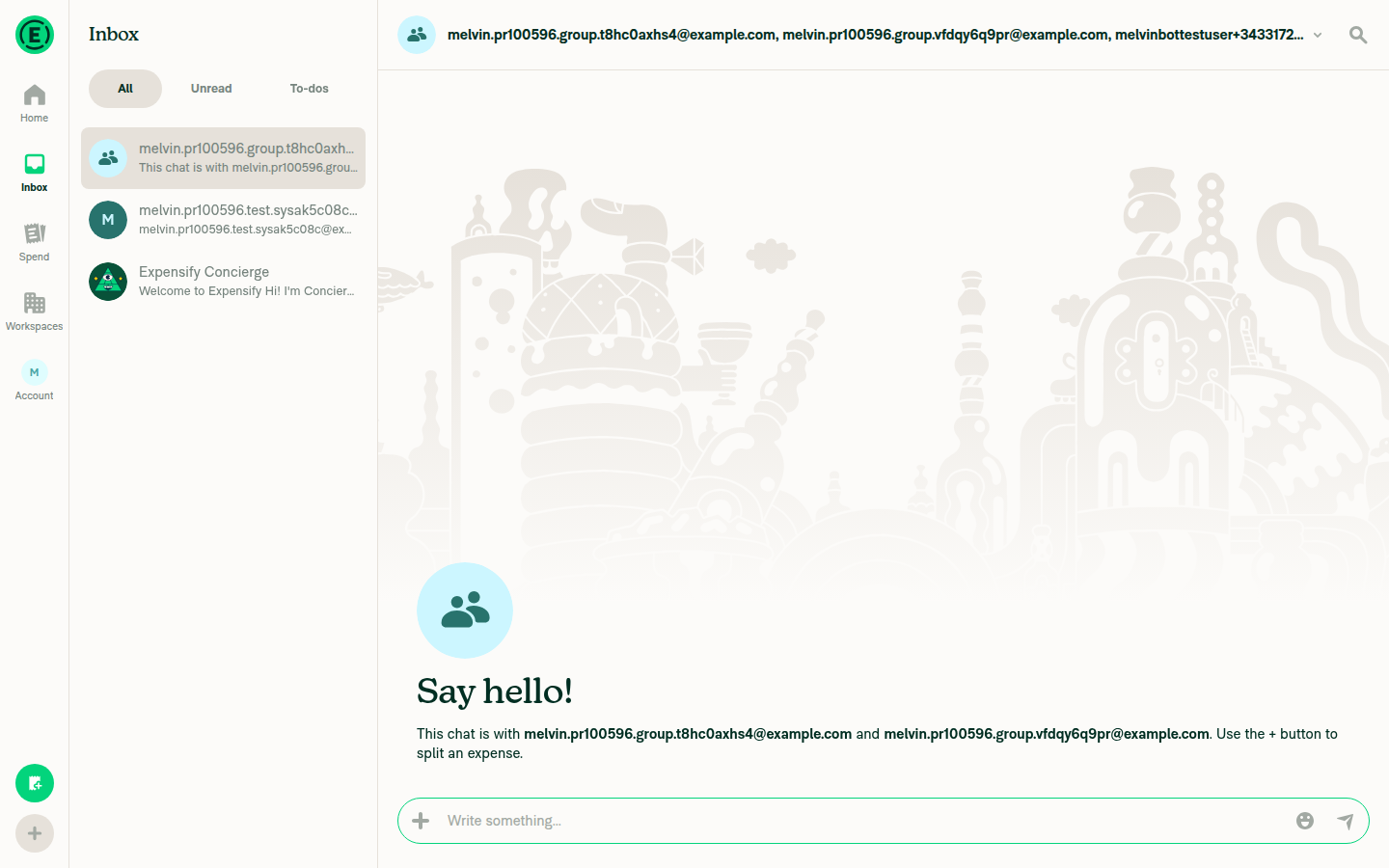
Group chat opened with no error

Step Status
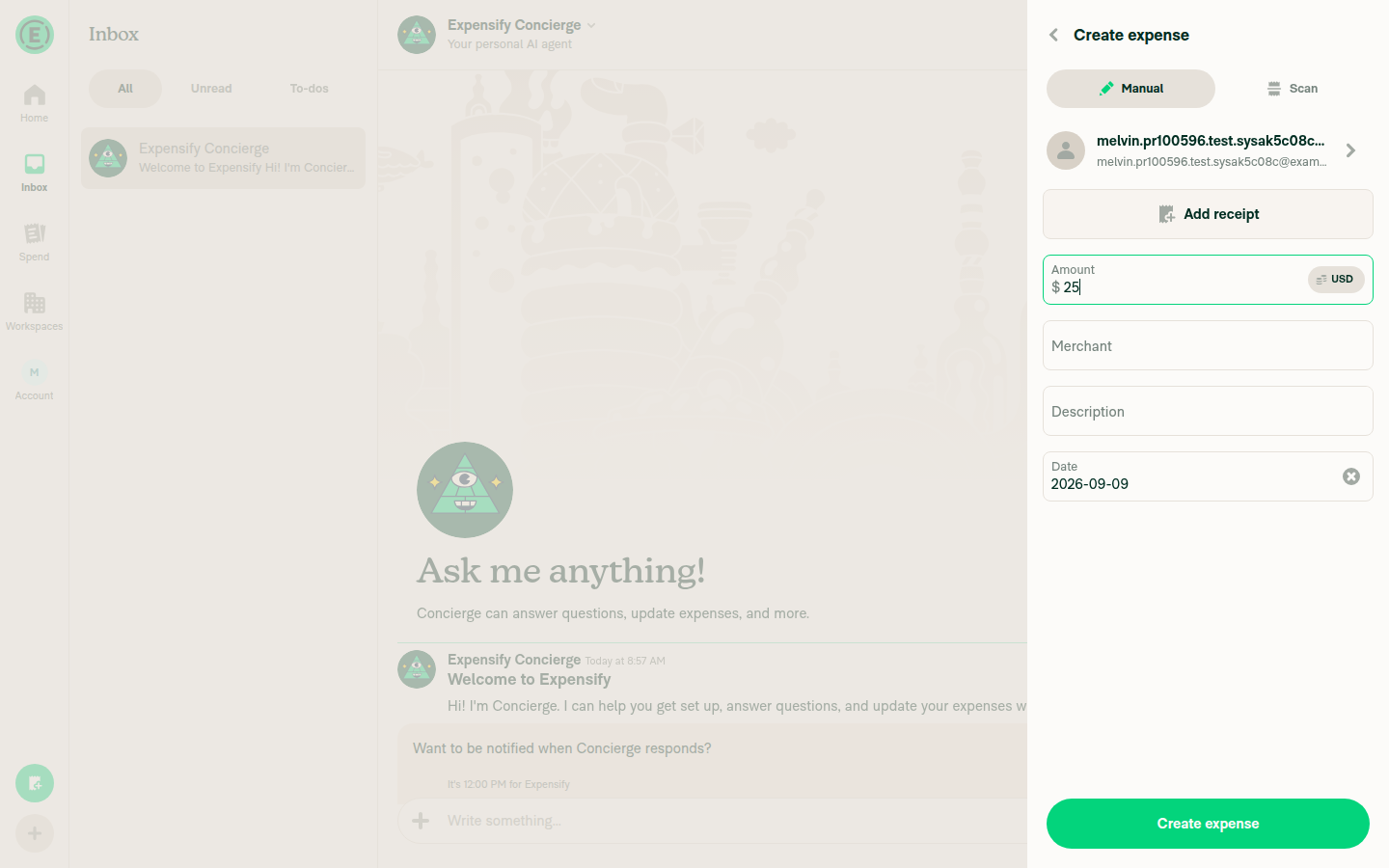
1. FAB → Create expense → Manual, enter amount, continueFAB opened the action menu; "Create expense" navigated to the Manual form; entered a $25 amount.
Manual expense form with amount and new-email recipient selected
✅
2. Type a brand-new unused email and select the invite rowTyped a unique never-used address into "Name, email, or phone number"; the invite row appeared for that exact address and was selected, populating the recipient field.
Manual expense form with amount and new-email recipient selected
✅
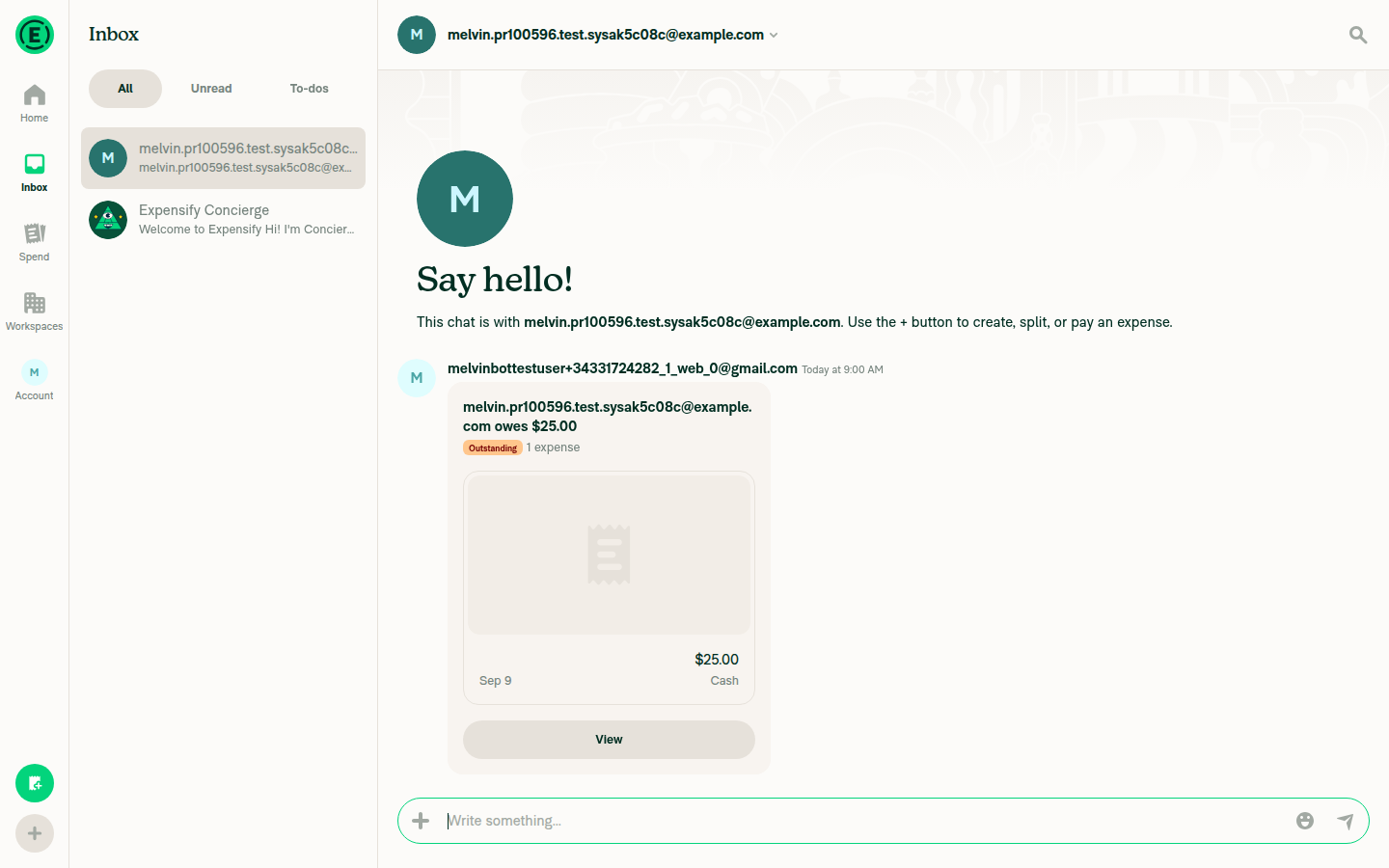
3. Create expense navigates to the new DM with the expense previewThe app navigated to a new 1:1 DM with that email, the LHN updated with the new chat, and the conversation shows "owes $25.00" with an "Outstanding · 1 expense" preview card.
New DM opened with expense preview and no Email not found error
✅
4. No "Email not found" error appears in the new DMOnly the "Say hello!" intro and the expense preview card are shown — no createChat error banner and no "Email not found" text. The RequestMoney and follow-up OpenReport calls both returned 200.
New DM opened with expense preview and no Email not found error
⚠️
5. Reload while on that DM and confirm it reopens cleanlyNot attempted — Melvin's web session policy forbids reloading the page during a drive. Needs manual verification.
⚠️
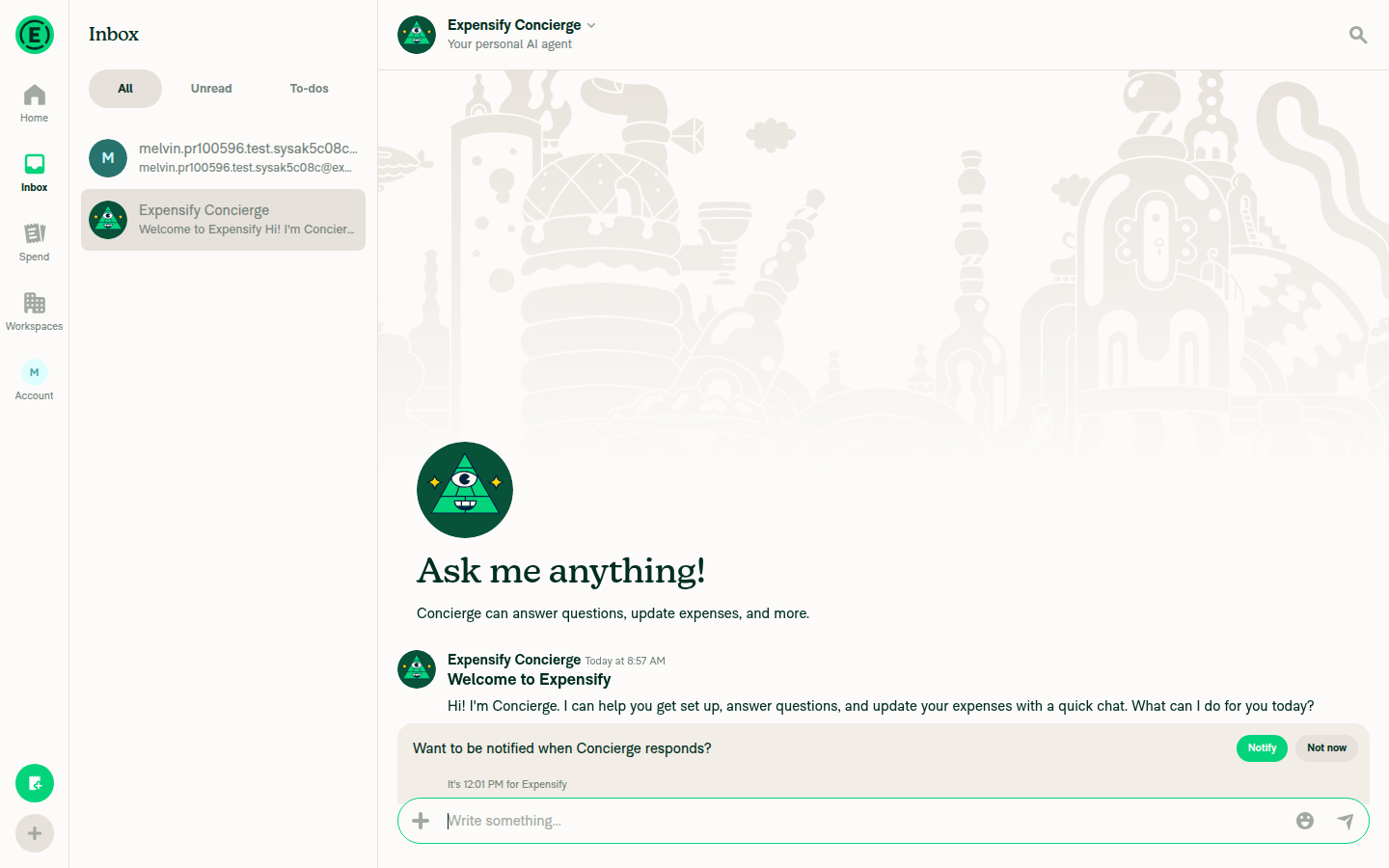
6. Regression: open an existing 1:1 DM from the LHN, reload, no "Report not found"Opened the existing Concierge 1:1 DM (the only pre-existing DM on this fresh account) from the LHN — it opened normally with full history and no error. The reload half was not attempted, same policy reason as step 5.
Existing 1:1 DM opened with no error
⚠️
7. Regression: open a group chat and confirm it opens normallyNo group chat pre-existed on this fresh account, so one was created via FAB → Start chat. It opened normally showing "Say hello!" with both participants and no error.
Group chat opened with no error
✅

Step 4 is marked ⚠️ rather than ✅ only because the reload variant of the same check (step 5) is unverified; the non-reload path passed cleanly. No console errors were observed during the run.


view run · no recording available

@marufsharifi

Copy link
Copy Markdown
Contributor

@ahmdshrif, could you please check the above comments. thanks.

…erated ones

Gate on isOptimisticPersonalDetail instead of stripping accountID for every DM participant, so the server still gets a real accountID to disambiguate a stale or secondary cached login. Add an integration test asserting OpenReport is called with an empty accountIDList and a populated emailList for an invited user who has no account yet.
@ahmdshrif

Copy link
Copy Markdown
Contributor Author

@marufsharifi Updated in 4d38877 and replied on both threads:

  • getOneOnOneChatParticipants now keeps a real accountID and only omits it when the personal detail is optimistic (read from the parameter), signature back to multi-line.
  • Added the integration test in tests/actions/ReportTest.ts asserting OpenReport gets emailList: 'new@user.com' and accountIDList: ''; it fails on main and passes with the fix.

Ready for another look.

Comment thread src/libs/ReportUtils.ts Resolved
Comment thread tests/unit/ReportUtilsTest.ts Resolved
Comment thread tests/actions/ReportTest.ts Resolved
Comment thread src/libs/ReportUtils.ts Resolved
@marufsharifi

Copy link
Copy Markdown
Contributor

@ahmdshrif, could you please check the above comments? thanks.

…the optimistic flag

Gating on isOptimisticPersonalDetail is not reliable: sendMoney writes the recipient's optimistic personal detail without the flag, so a locally generated accountID would still reach OpenReport from the Pay someone flow. The server resolves a 1:1 DM from emailList alone, so the accountID is never sent. Update the JSDoc to say so, drop the duplicated inline comment, tighten the unit tests to toStrictEqual, add the unflagged optimistic detail case and annotate the integration test fixtures.
@ahmdshrif

Copy link
Copy Markdown
Contributor Author

@marufsharifi Addressed the second round in 0005267 and replied on each thread.

The key change: the isOptimisticPersonalDetail gate was not reliable because sendMoney writes the recipient's optimistic detail without the flag, so I went back to login-only for getOneOnOneChatParticipants and recorded that decision on the original thread. JSDoc updated to match, duplicated comment removed, unit tests tightened to toStrictEqual with the unflagged case added, integration fixtures annotated. The PR description already describes login-only, so it is accurate.

Ready for another look.

@marufsharifi

marufsharifi commented Sep 10, 2026 •

Copy link
Copy Markdown
Contributor

Reviewer Checklist

  • I have verified the author checklist is complete (all boxes are checked off).
  • I verified the correct issue is linked in the ### Fixed Issues section above
  • I verified testing steps are clear and they cover the changes made in this PR
    • I verified the steps for local testing are in the Tests section
    • I verified the steps for Staging and/or Production testing are in the QA steps section
    • I verified the steps cover any possible failure scenarios (i.e. verify an input displays the correct error message if the entered data is not correct)
    • I turned off my network connection and tested it while offline to ensure it matches the expected behavior (i.e. verify the default avatar icon is displayed if app is offline)
  • I checked that screenshots or videos are included for tests on all platforms
  • I included screenshots or videos for tests on all platforms
  • I verified that the composer does not automatically focus or open the keyboard on mobile unless explicitly intended. This includes checking that returning the app from the background does not unexpectedly open the keyboard.
  • I verified tests pass on all platforms & I tested again on:
    • Android: HybridApp
    • Android: mWeb Chrome
    • iOS: HybridApp
    • iOS: mWeb Safari
    • MacOS: Chrome / Safari
  • If there are any errors in the console that are unrelated to this PR, I either fixed them (preferred) or linked to where I reported them in Slack
  • I verified proper code patterns were followed (see Reviewing the code)
    • I verified that comments were added to code that is not self explanatory
    • I verified that any new or modified comments were clear, correct English, and explained "why" the code was doing something instead of only explaining "what" the code was doing.
    • I verified any copy / text that was added to the app is grammatically correct in English. It adheres to proper capitalization guidelines (note: only the first word of header/labels should be capitalized), and is either coming verbatim from figma or has been approved by marketing (in order to get marketing approval, ask the Bug Zero team member to add the Waiting for copy label to the issue)
  • If a new code pattern is added I verified it was agreed to be used by multiple Expensify engineers
  • I verified that this PR follows the guidelines as stated in the Review Guidelines
  • I verified other components that can be impacted by these changes have been tested, and I retested again (i.e. if the PR modifies a shared library or component like Avatar, I verified the components using Avatar have been tested & I retested again)
  • If a new component is created I verified that:
    • A similar component doesn't exist in the codebase
    • All props are defined accurately
    • The component has a clear name that is non-ambiguous and the purpose of the component can be inferred from the name alone
    • The only data being stored in the state is data necessary for rendering and nothing else
    • The component has the minimum amount of code necessary for its purpose, and it is broken down into smaller components in order to separate concerns and functions
  • If a new CSS style is added I verified that:
    • A similar style doesn't already exist
    • The style can't be created with an existing StyleUtils function (i.e. StyleUtils.getBackgroundAndBorderStyle(theme.componentBG)
  • If the PR modifies code that runs when editing or sending messages, I tested and verified there is no unexpected behavior for all supported markdown - URLs, single line code, code blocks, quotes, headings, bold, strikethrough, and italic.
  • If the PR modifies a generic component, I tested and verified that those changes do not break usages of that component in the rest of the App (i.e. if a shared library or component like Avatar is modified, I verified that Avatar is working as expected in all cases)
  • If the PR modifies a component related to any of the existing Storybook stories, I tested and verified all stories for that component are still working as expected.
  • If the PR modifies a component or page that can be accessed by a direct deeplink, I verified that the code functions as expected when the deeplink is used - from a logged in and logged out account.
  • If the PR modifies the UI (e.g. new buttons, new UI components, changing the padding/spacing/sizing, moving components, etc) or modifies the form input styles:
    • I verified that all the inputs inside a form are aligned with each other.
    • I added Design label and/or tagged @Expensify/design so the design team can review the changes.
  • For any bug fix or new feature in this PR, I verified that sufficient unit tests are included to prevent regressions in this flow.
  • If the main branch was merged into this PR after a review, I tested again and verified the outcome was still expected according to the Test steps.
  • I have checked off every checkbox in the PR reviewer checklist, including those that don't apply to this PR.

Screenshots/Videos

Android: HybridApp
Screen.Recording.2026-09-10.at.6.31.47.PM.mov
Android: mWeb Chrome
Screen.Recording.2026-09-10.at.5.10.21.PM.mov
iOS: HybridApp
Screen.Recording.2026-09-10.at.10.22.24.PM.mov
iOS: mWeb Safari
Screen.Recording.2026-09-10.at.5.15.03.PM.mov
MacOS: Chrome / Safari
Screen.Recording.2026-09-10.at.5.12.26.PM.mov

@marufsharifi marufsharifi left a comment

Copy link
Copy Markdown
Contributor

Choose a reason for hiding this comment

The reason will be displayed to describe this comment to others. Learn more.

LGTM

@neil-marcellini neil-marcellini left a comment

Copy link
Copy Markdown
Contributor

Choose a reason for hiding this comment

The reason will be displayed to describe this comment to others. Learn more.

Good to go, thanks.

@neil-marcellini
neil-marcellini merged commit f756c36 into Expensify:main Sep 10, 2026
36 of 48 checks passed
@github-actions

Copy link
Copy Markdown
Contributor

🚧 neil-marcellini has triggered a test Expensify/App build. You can view the workflow run here.

@OSBotify

Copy link
Copy Markdown
Contributor

🚀 Deployed to staging by https://github.com/neil-marcellini in version: 9.4.77-0 🚀

platform result
🕸 web 🕸 success ✅
🤖 android 🤖 success ✅
🍎 iOS 🍎 success ✅

@MelvinBot

MelvinBot commented Sep 11, 2026 •

Copy link
Copy Markdown
Contributor

🤖 No help site changes are required for this PR. I did not create a docs PR.

Why: This is an internal bug fix, not a behavior or feature change. The only production change is in src/libs/ReportUtils.ts:2934, where getOneOnOneChatParticipants now returns the login only instead of {login, accountID}. The other two files are tests.

What I checked
  • No user-facing surface changes. No copy, no labels, no buttons, no new settings, no new flow. Nothing in the diff adds or renames anything a help article would document.
  • Documented behavior is unchanged. Creating an expense (or paying someone) for an email that has no Expensify account yet already worked as documented — the invited person gets a DM and the expense. The fix only removes the spurious "Email not found" error that appeared in that DM.
  • Error strings are not documented. I searched docs/articles for Email not found and for Pay someone — no matches, so no article describes the broken state that this PR fixes.
  • Nothing to correct. Because the docs never described the buggy behavior, there is no stale text to update now that it works.

Per HELP_AUTHORING_GUIDELINES.md, help articles cover what a customer needs to do in the product. A payload-level fix that restores the already-documented outcome does not change any of that.

If you think a specific article does describe this flow in a way that is now wrong, point me at it and I will open the draft PR.

@ahmdshrif, since no docs changes are needed, there is no linked help site PR to review — nothing further is required from you here.


view run · no recording available

@OSBotify

Copy link
Copy Markdown
Contributor

🚀 Deployed to production by https://github.com/luacmartins in version: 9.4.77-4 🚀

platform result
🕸 web 🕸 success ✅
🤖 android 🤖 success ✅
🍎 iOS 🍎 success ✅

Bundle Size Analysis (Sentry):

Sign up for free to join this conversation on GitHub. Already have an account? Sign in to comment

Labels

None yet

Projects

None yet

Development

Successfully merging this pull request may close these issues.

5 participants