Skip to content

Keep the negative tax amount sign for unreported expenses - #103673

Closed
MelvinBot wants to merge 3 commits into
mainfrom
claude-negativeTaxUnreportedExpense
Closed

MelvinBot wants to merge 3 commits into
mainfrom
claude-negativeTaxUnreportedExpense

Conversation

@MelvinBot

@MelvinBot MelvinBot commented Oct 10, 2026 •

Copy link
Copy Markdown
Contributor

Explanation of Change

Unreported (self DM) expenses store their amounts with the opposite sign, just like expense report expenses. getAmount already accounts for this with an isFromTrackedExpense flag, but the tax helpers didn't. So for an unreported expense, normalizeTaxAmountSign took the Math.abs() branch. A negative expense then showed a positive tax after being removed from a report.

This PR:

  • Adds an optional isFromTrackedExpense parameter to normalizeTaxAmountSign, getTaxAmount and getConvertedTaxAmount, matching getAmount.
  • Passes transaction.reportID === CONST.REPORT.UNREPORTED_REPORT_ID for taxAmount and convertedTaxAmount in getTransactionDetails, the same way it's already passed for amount and convertedAmount.
  • Passes the same flag to getTaxAmount in getTransactionSortValue, so the tax amount column sorts the same way the total amount column does.
  • Adds unit tests for the helpers, getTransactionDetails and getTransactionSortValue.

Positive unreported expenses aren't affected: their stored tax is negative, so flipping the sign gives the same positive value that Math.abs() gave before.

Fixed Issues

$ #103665
PROPOSAL: #103665 (comment)

Tests

Same as QA Steps

  • Verify that no errors appear in the JS console

Offline tests

Same as QA Steps

QA Steps

Precondition:

  • have a workspace with a non-zero tax rate
  1. Go to the workspace chat
  2. Create an expense with a negative amount
  3. Open the report
  4. Change the tax rate to a non-zero rate
  5. Press the Report field
  6. Press Remove from report
  7. Go to self DM
  8. Open the expense
  9. Verify the tax amount is negative
  • Verify that no errors appear in the JS console

PR Author Checklist

  • I linked the correct issue in the ### Fixed Issues section above
  • I wrote clear testing steps that cover the changes made in this PR
    • I added steps for local testing in the Tests section
    • I added steps for the expected offline behavior in the Offline steps section
    • I added steps for Staging and/or Production testing in the QA steps section
    • I added steps to cover failure scenarios (i.e. verify an input displays the correct error message if the entered data is not correct)
    • I turned off my network connection and tested it while offline to ensure it matches the expected behavior (i.e. verify the default avatar icon is displayed if app is offline)
    • I tested this PR with a High Traffic account against the staging or production API to ensure there are no regressions (e.g. long loading states that impact usability).
  • I included screenshots or videos for tests on all platforms
  • I ran the tests on all platforms & verified they passed on:
    • Android: Native
    • Android: mWeb Chrome
    • iOS: Native
    • iOS: mWeb Safari
    • MacOS: Chrome / Safari
  • I verified there are no console errors (if there's a console error not related to the PR, report it or open an issue for it to be fixed)
  • I verified any copy / text that was added to the app is either coming verbatim from figma or has been approved by marketing (in order to get marketing approval, ask the Bug Zero team member to add the Waiting for copy label to the issue)
  • If a new code pattern is added I verified it was agreed to be used by multiple Expensify engineers
  • I tested other components that can be impacted by my changes (i.e. if the PR modifies a shared library or component like Avatar, I verified the components using Avatar are working as expected)
  • If new assets were added or existing ones were modified, I verified that:
    • The assets are optimized and compressed (for SVG files, run npm run compress-svg)
    • The assets load correctly across all supported platforms.
  • If the PR modifies code that runs when editing or sending messages, I tested and verified there is no unexpected behavior for all supported markdown - URLs, single line code, code blocks, quotes, headings, bold, strikethrough, and italic.
  • If the PR modifies a generic component, I tested and verified that those changes do not break usages of that component in the rest of the App (i.e. if a shared library or component like Avatar is modified, I verified that Avatar is working as expected in all cases)
  • If the PR modifies a component related to any of the existing Storybook stories, I tested and verified all stories for that component are still working as expected.
  • If the PR modifies a component or page that can be accessed by a direct deeplink, I verified that the code functions as expected when the deeplink is used - from a logged in and logged out account.
  • If the PR modifies the UI (e.g. new buttons, new UI components, changing the padding/spacing/sizing, moving components, etc) or modifies the form input styles:
    • I verified that all the inputs inside a form are aligned with each other.
    • I added Design label and/or tagged @Expensify/design so the design team can review the changes.
  • If the PR adds or modifies the UI:
    • I asked an AI agent to review the changes for accessibility issues and addressed its findings.
    • I tested with a screen reader (VoiceOver on macOS) and verified all new/changed elements are reachable with a logical focus order.
    • I verified all new/changed elements have meaningful accessible names and roles.
    • I verified state changes are announced (e.g. checked/unchecked, expanded/collapsed, selected).
  • I added unit tests for any new feature or bug fix in this PR to help automatically prevent regressions in this user flow.
  • If the main branch was merged into this PR after a review, I tested again and verified the outcome was still expected according to the Test steps.

Screenshots/Videos

Android: Native
Android: mWeb Chrome
iOS: Native
iOS: mWeb Safari
MacOS: Chrome / Safari Screenshot 2026-10-10 at 12 44 18

Co-authored-by: Bernhard Owen Josephus <bernhardoj@users.noreply.github.com>
@MelvinBot
MelvinBot requested a review from a team October 10, 2026 04:56
@melvin-bot melvin-bot Bot added Melvin-Test-Android Melvin-Test-Web Triggers Melvin to run the testing steps of the PR on web labels Oct 10, 2026
@MelvinBot

MelvinBot commented Oct 10, 2026 •

Copy link
Copy Markdown
Contributor Author

🤖 Android test steps verification results: ✅ pass

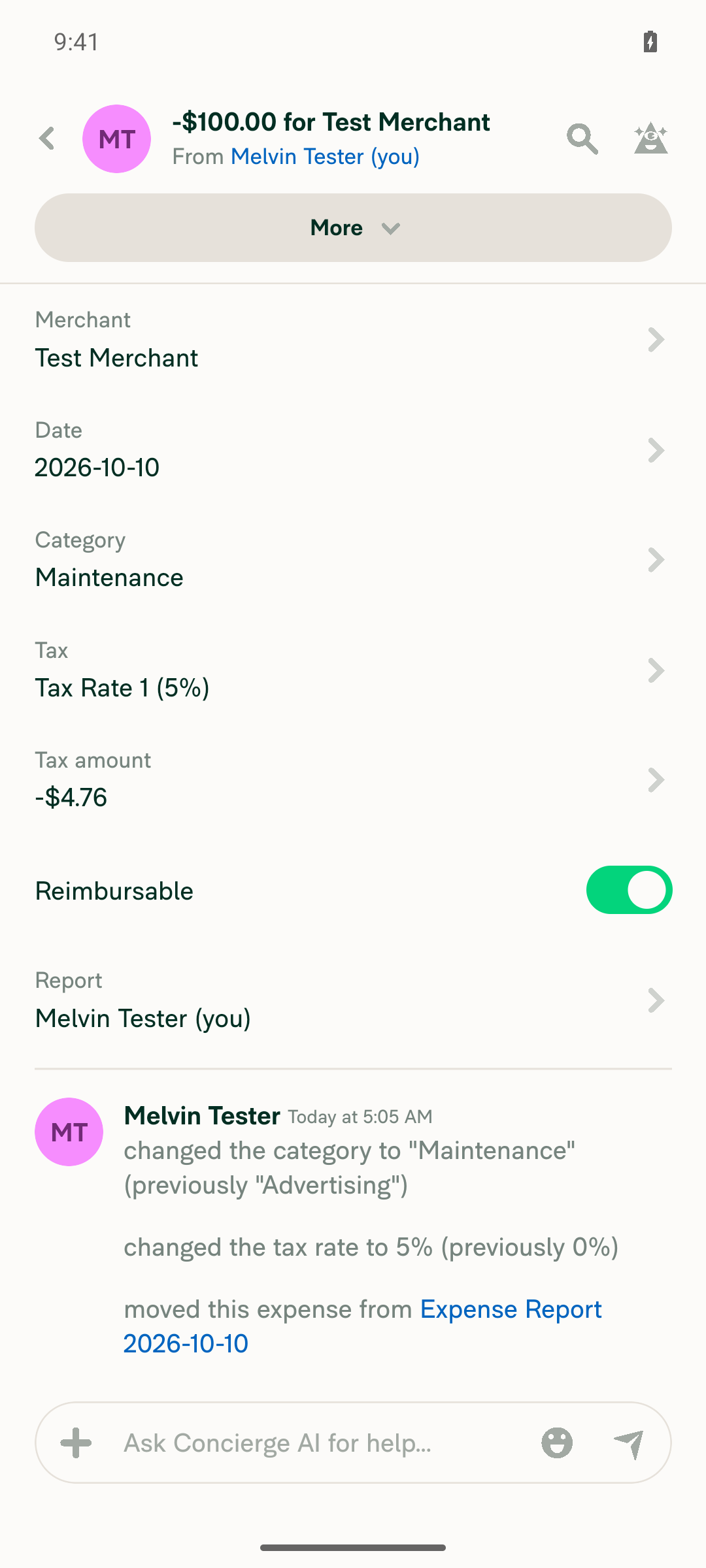
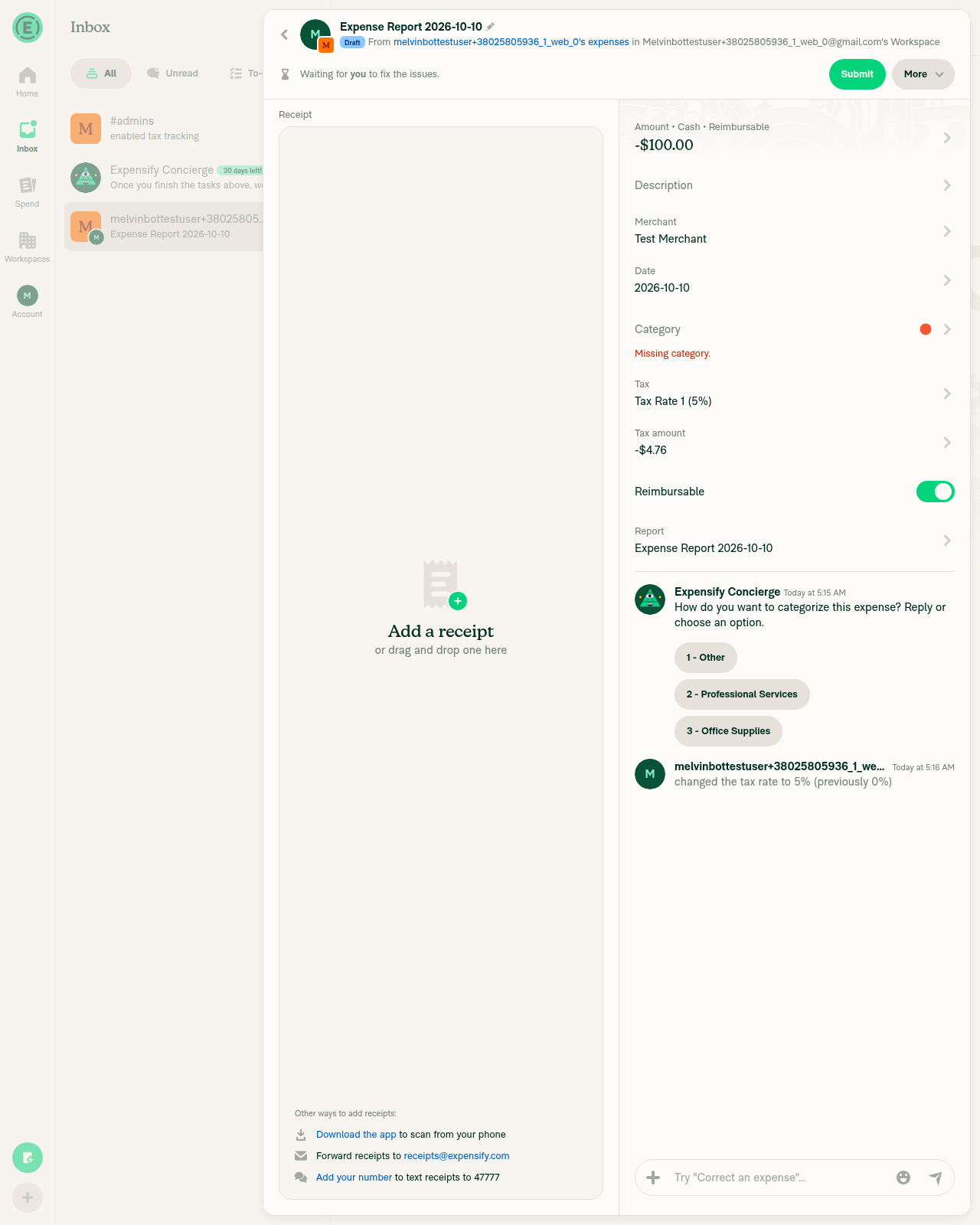
On standalone Android NewDot, a -$100.00 expense with a 5% tax rate kept its negative tax amount (-$4.76) after it was removed from the report and moved to the self DM. The PR's Tests section is still a TODO, so these steps come from the linked issue's reproduction steps.
Self DM expense with negative tax

Step Status
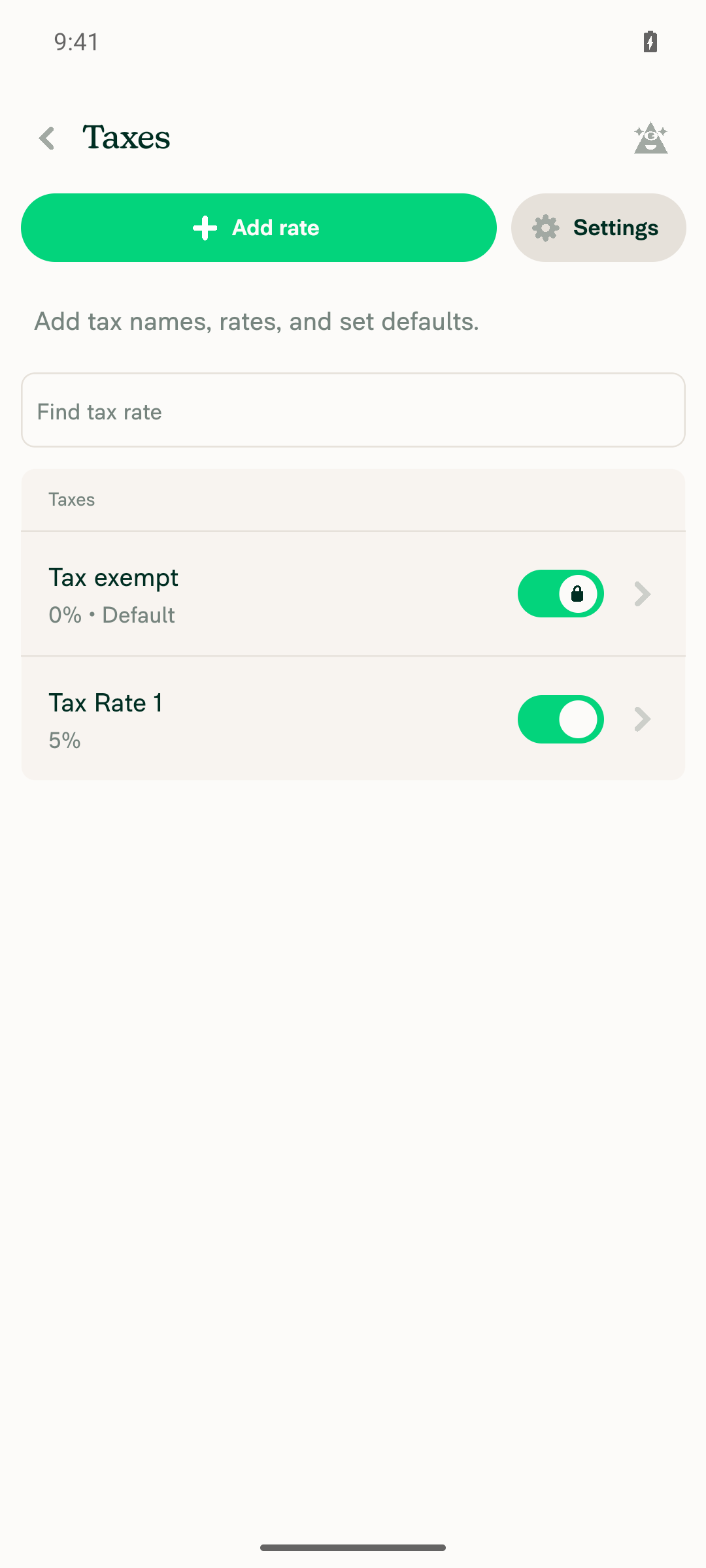
Taxes are enabled on the workspace and a non-zero tax rate existsEnabled Taxes in More features. The Taxes page shows "Tax exempt (0%) • Default" and "Tax Rate 1 (5%)".
Taxes enabled
✅
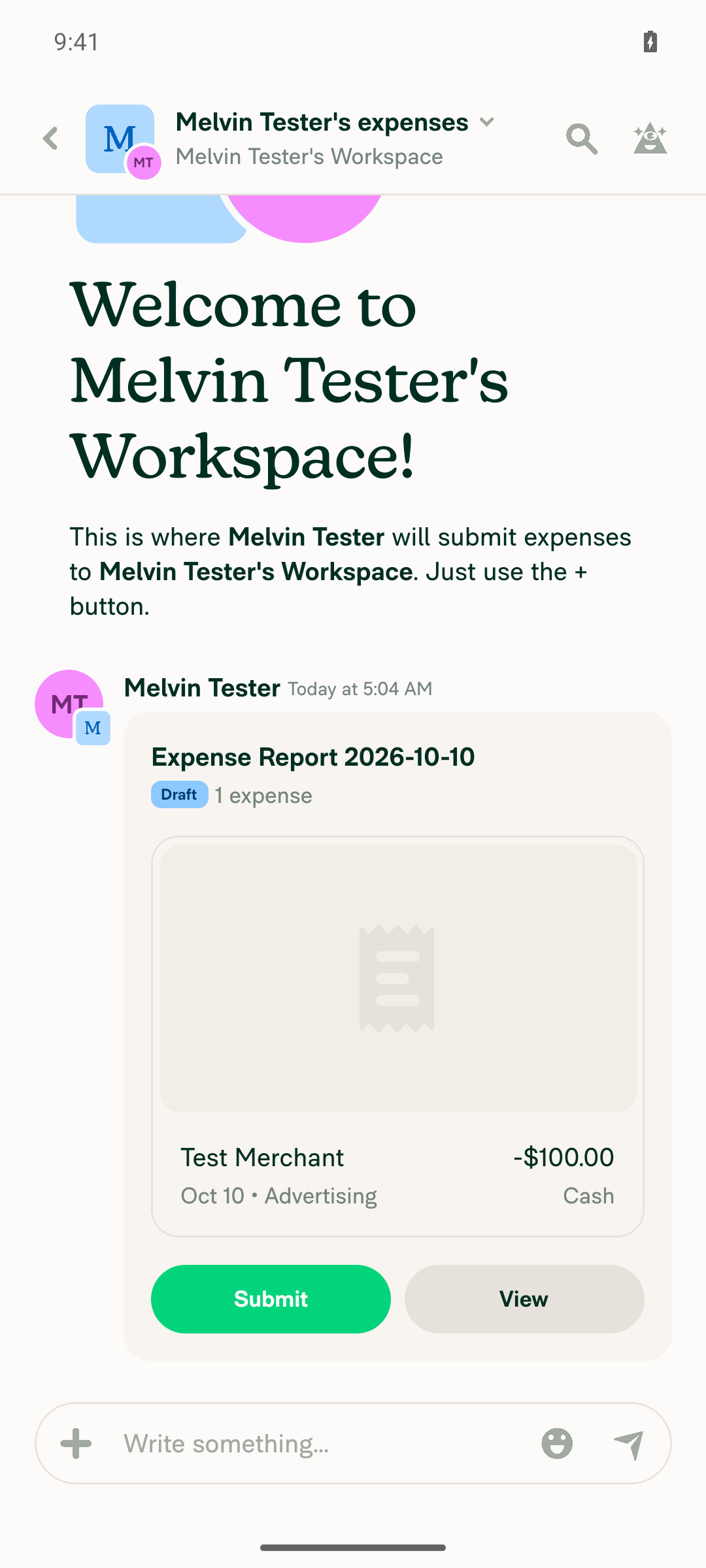
Create a manual expense with a negative amount in the workspace chatCreated a -100 expense for "Test Merchant". It appears in the chat as "Test Merchant, -$100.00".
Negative expense in workspace chat
✅
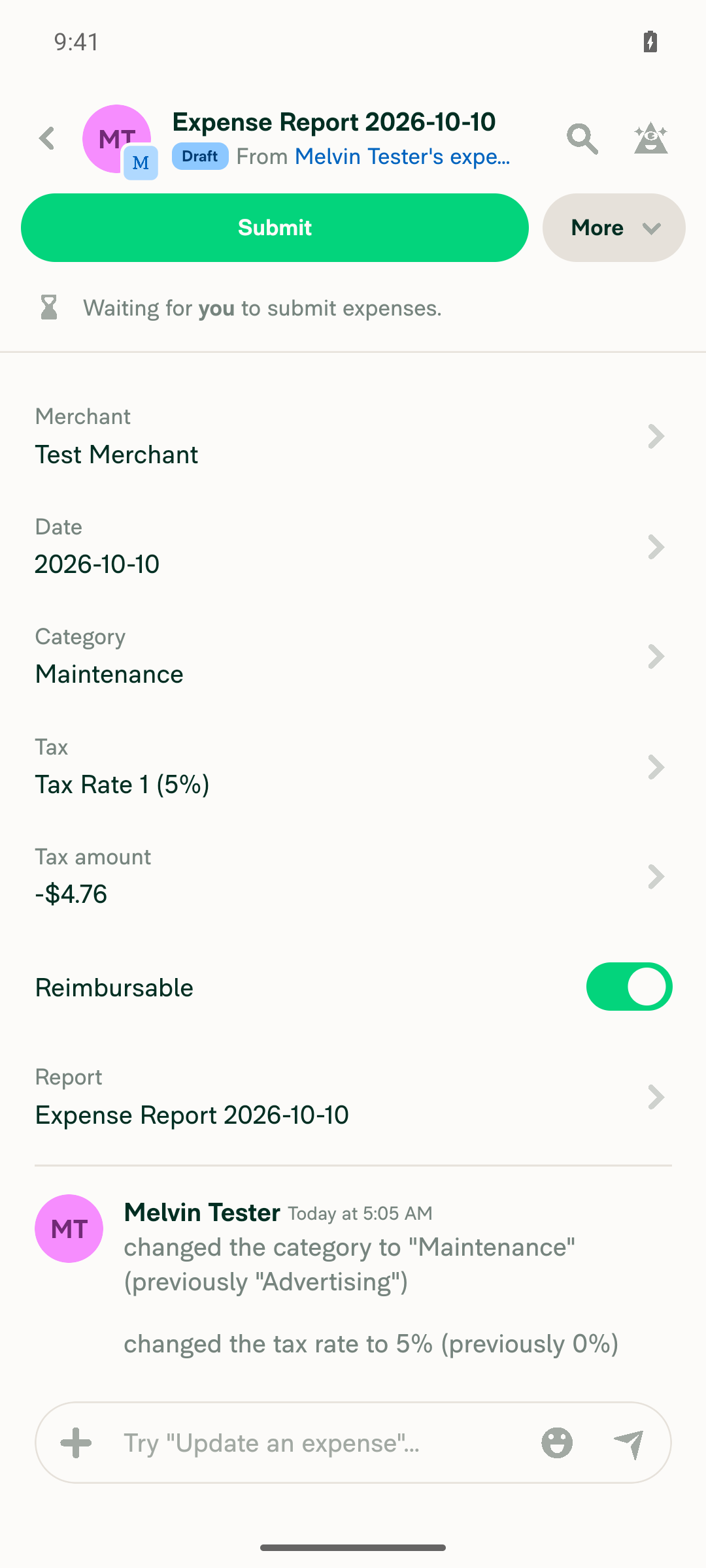
Open the expense report / expenseThe expense page shows Amount -$100.00, Tax "Tax exempt (0%)", and Tax amount $0.00.
Expense detail
✅
Change the tax rate to a non-zero rate; the tax amount is negativeAfter switching to "Tax Rate 1 (5%)", Tax amount shows -$4.76.
Tax amount negative
✅
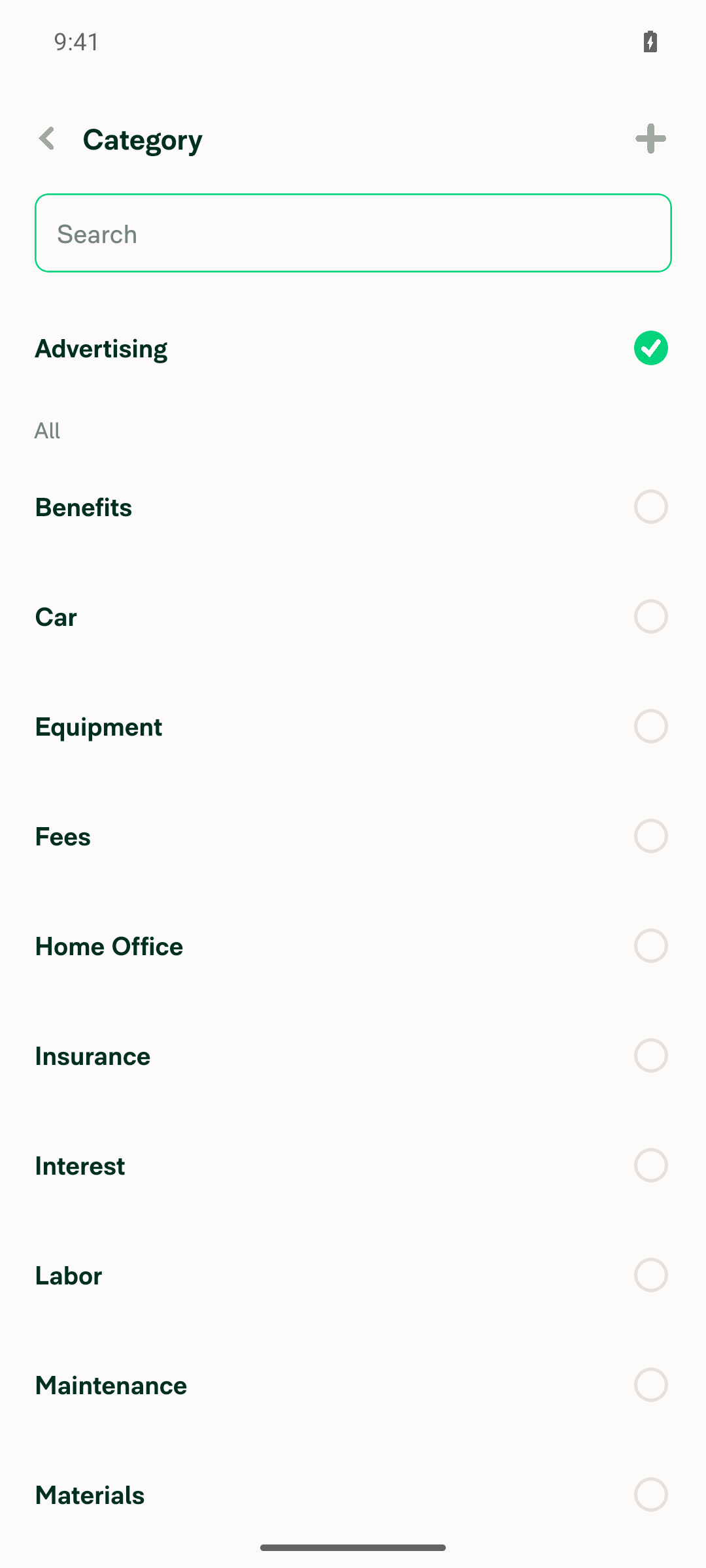
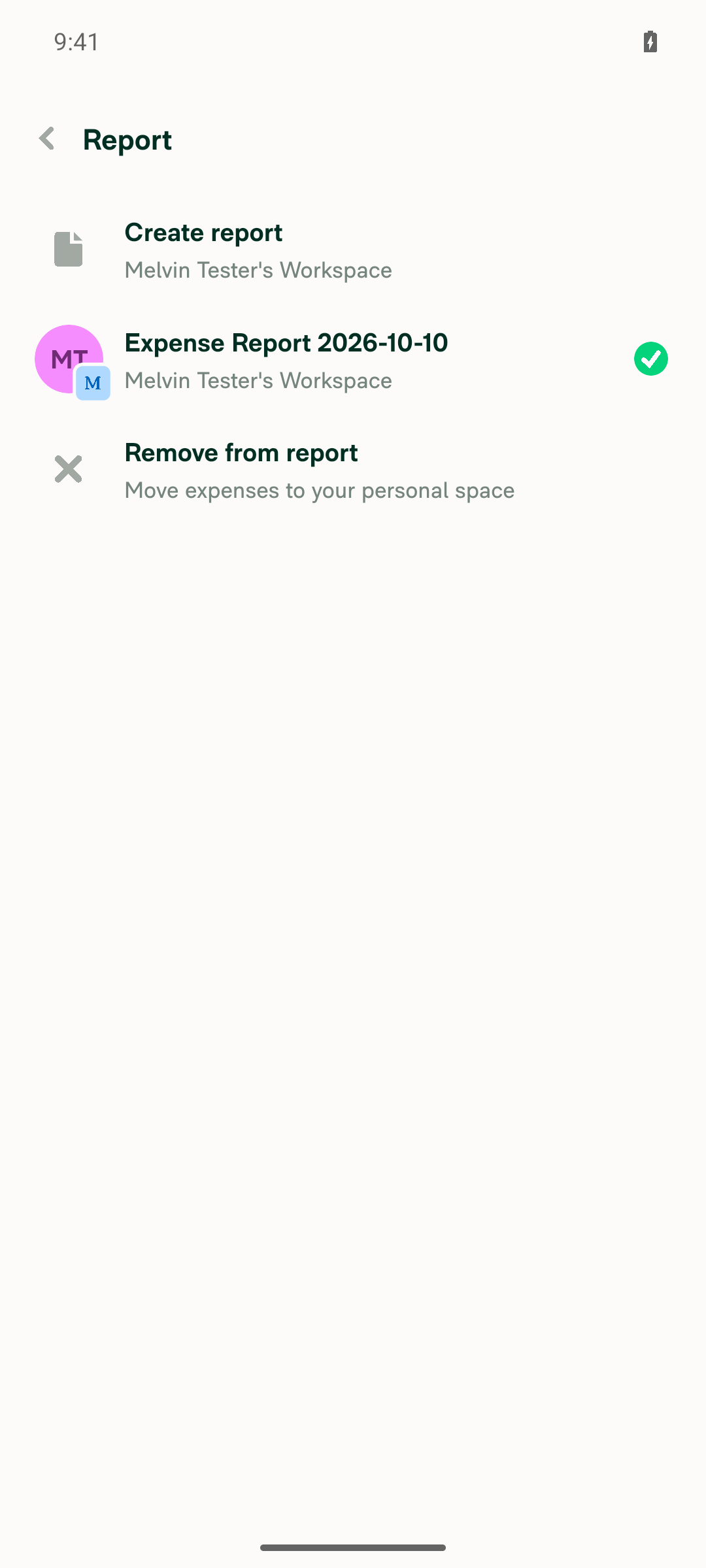
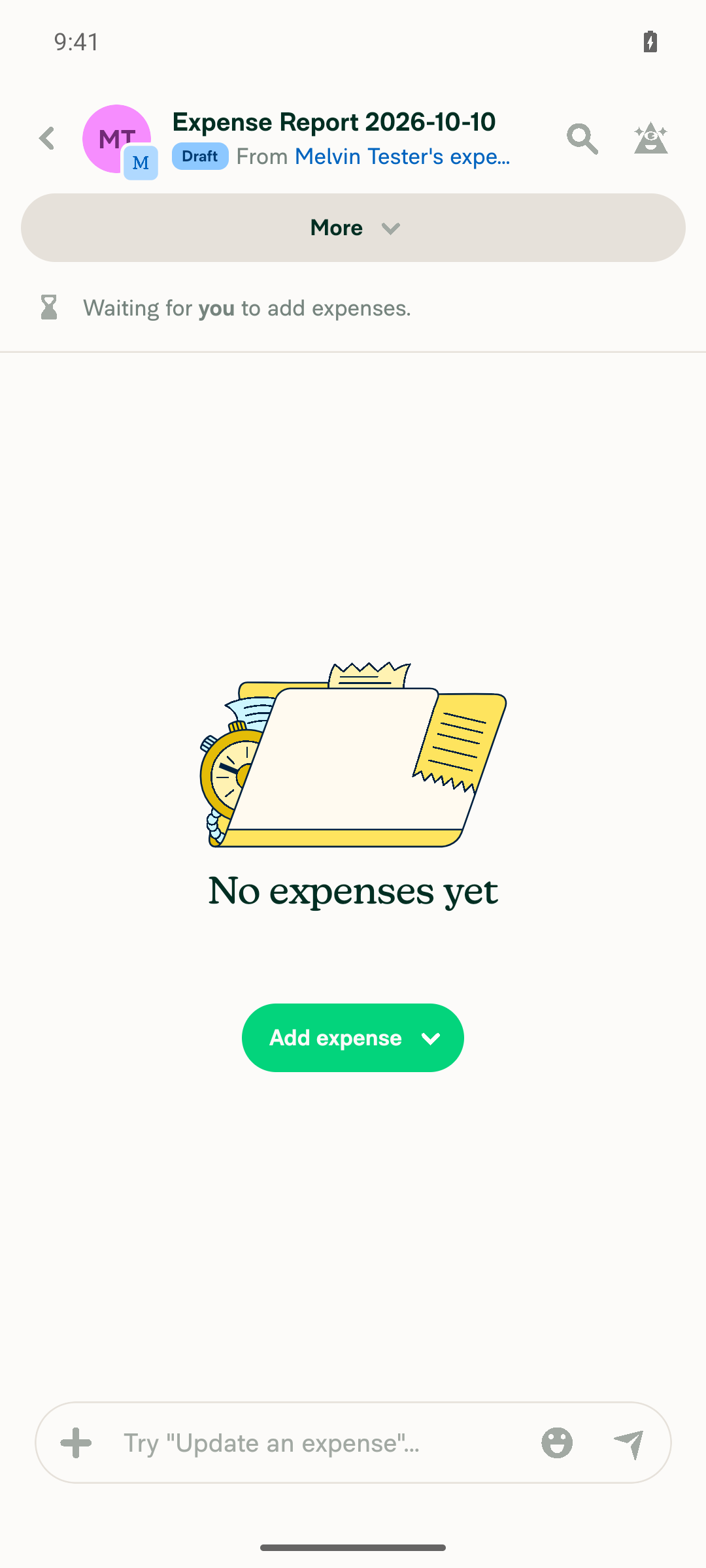
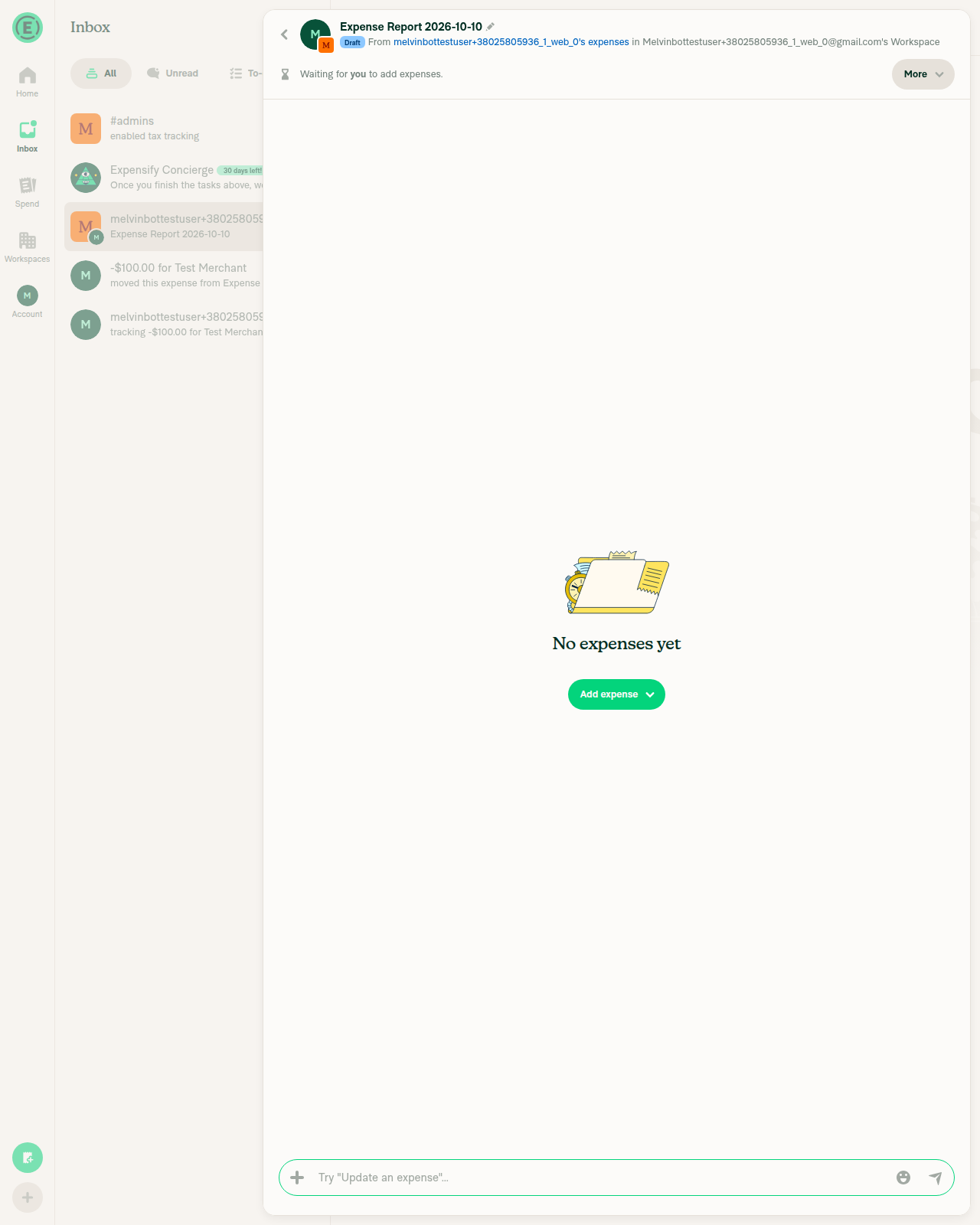
Open the Report field and choose "Remove from report"Chose "Remove from report". The report now shows "No expenses yet".
Report field options
Expense removed from report
✅
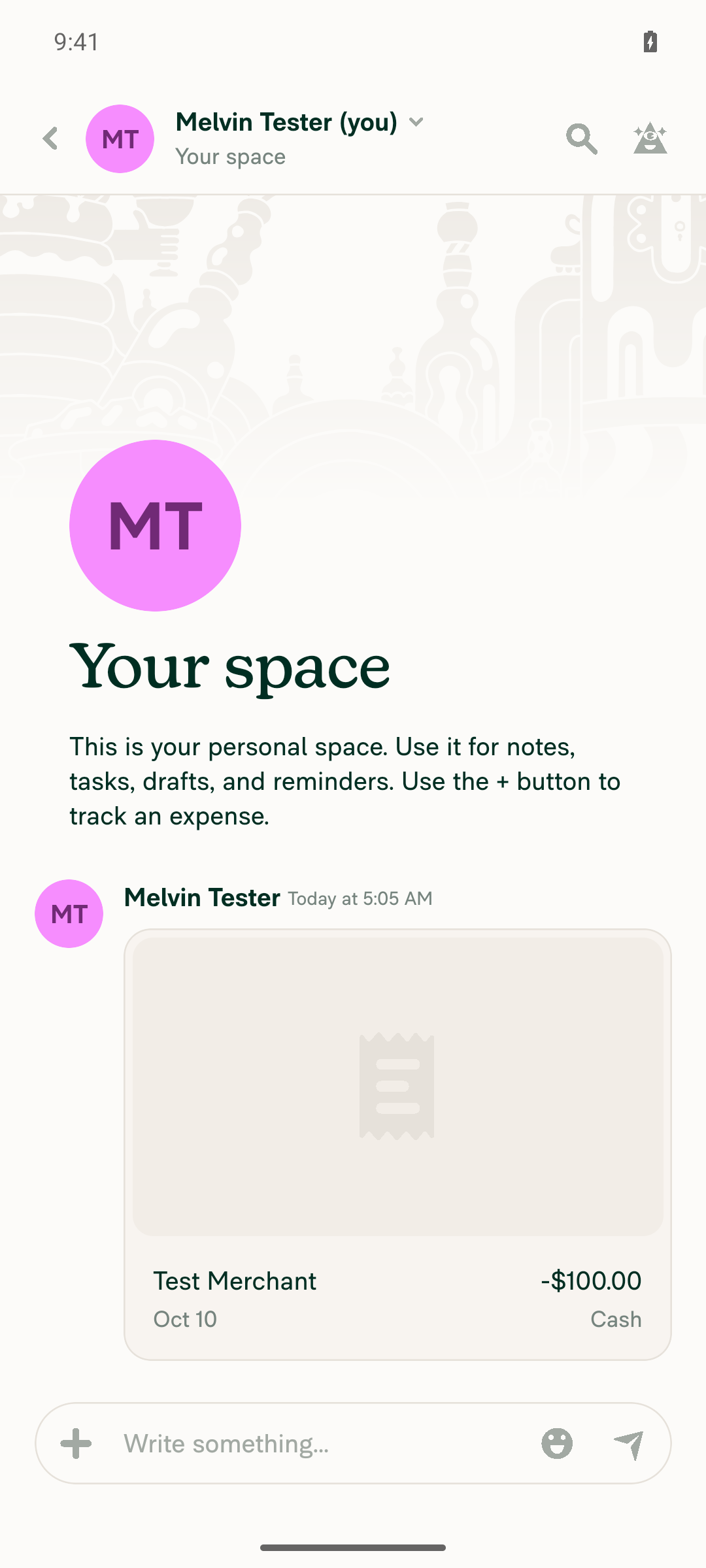
Go to the self DM and confirm the unreported expense is thereThe self DM preview reads "tracking -$100.00 for Test Merchant", and the expense row shows -$100.00.
Unreported expense in self DM
✅
Open the expense in the self DM: amount and tax amount are both still negativeThe header reads "-$100.00 for Test Merchant". Tax is "Tax Rate 1 (5%)" and Tax amount is -$4.76, so the sign did not flip to positive.
Self DM expense with negative tax
✅

view run · view recording

@MelvinBot

MelvinBot commented Oct 10, 2026 •

Copy link
Copy Markdown
Contributor Author

🤖 Web test steps verification results: ✅ pass

On dev NewDot web, a -$100.00 expense with a 5% tax rate kept its negative tax amount (-$4.76) after it was removed from the report and opened in the self DM. The PR's Tests section is still a TODO, so these steps come from the linked issue's reproduction steps.
Self DM expense with negative amount and negative tax amount

Step Status
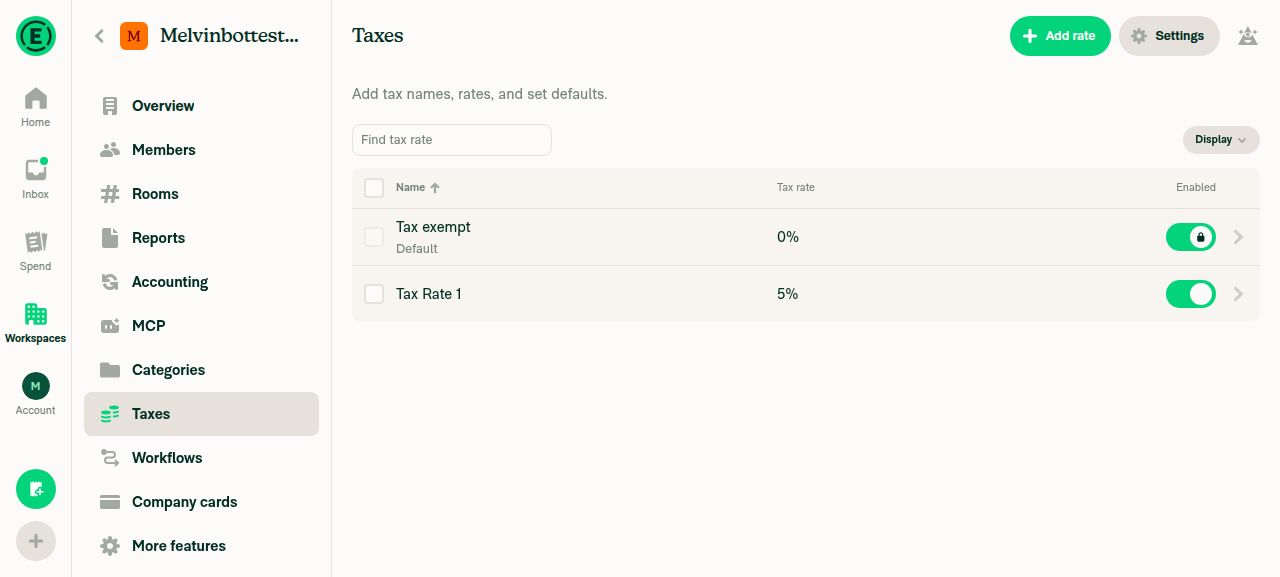
Taxes are enabled on the workspace and a non-zero tax rate existsEnabled Taxes in More features. The Taxes page shows "Tax exempt" (0%) and "Tax Rate 1" (5%), both enabled.
Workspace Taxes page showing Tax Rate 1 at 5% enabled
✅
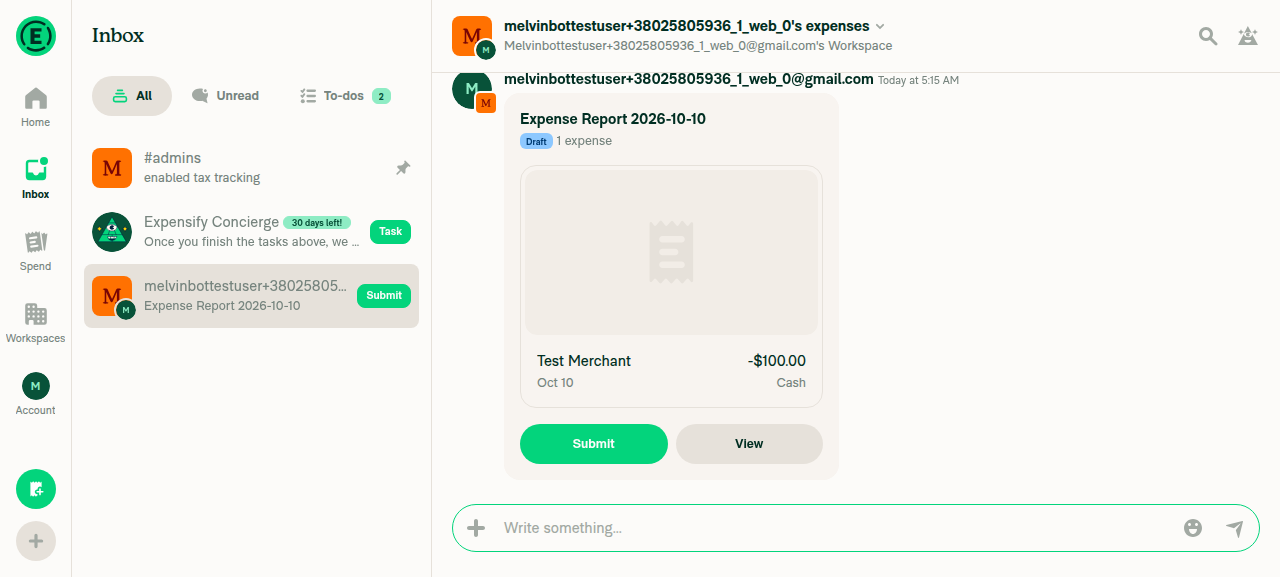
Create a manual expense with a negative amount in the workspace chatCreated a -100 expense for "Test Merchant". The chat preview shows "Test Merchant -$100.00" in a draft expense report.
Negative expense preview in workspace chat
✅
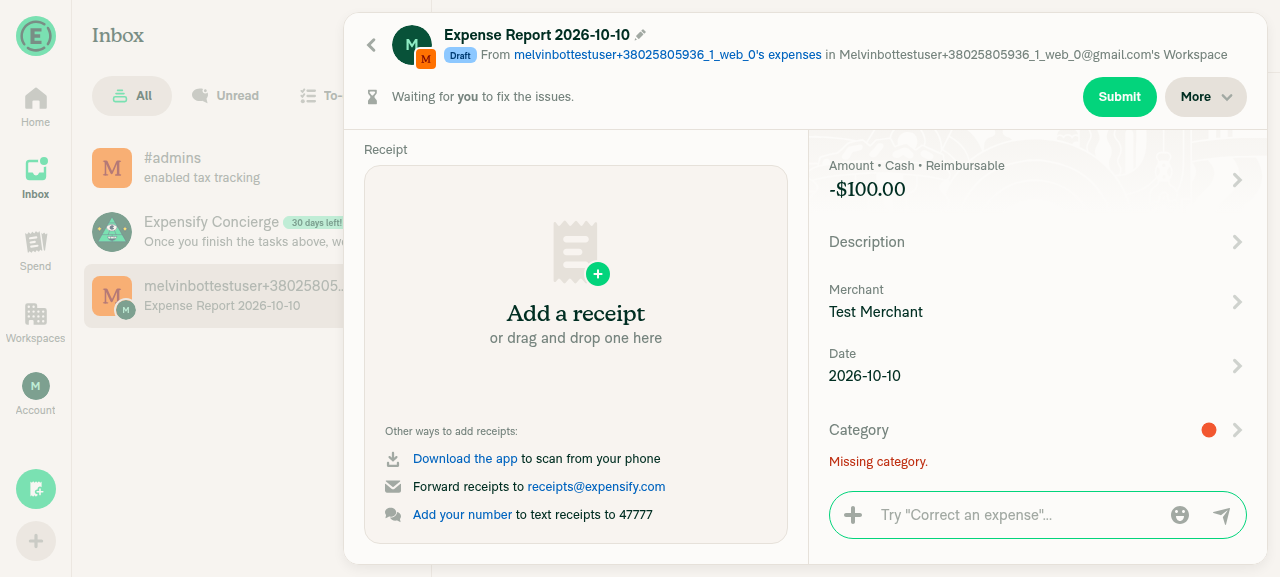
Open the expense report / expenseThe expense page shows Amount -$100.00, Tax "Tax exempt (0%)", and Tax amount $0.00.
Expense detail view opened from report
✅
Change the tax rate to a non-zero rate; the tax amount is negativeAfter switching to "Tax Rate 1 (5%)", Tax amount shows -$4.76.
Expense showing negative tax amount -$4.76
✅
Open the Report field and choose "Remove from report"Chose "Remove from report". The report now shows "No expenses yet".
Expense Report showing No expenses yet after removal
✅
Go to the self DM and confirm the unreported expense is thereThe inbox shows "-$100.00 for Test Merchant", with the message "moved this expense to your personal space".
Self DM expense with negative amount and negative tax amount
✅
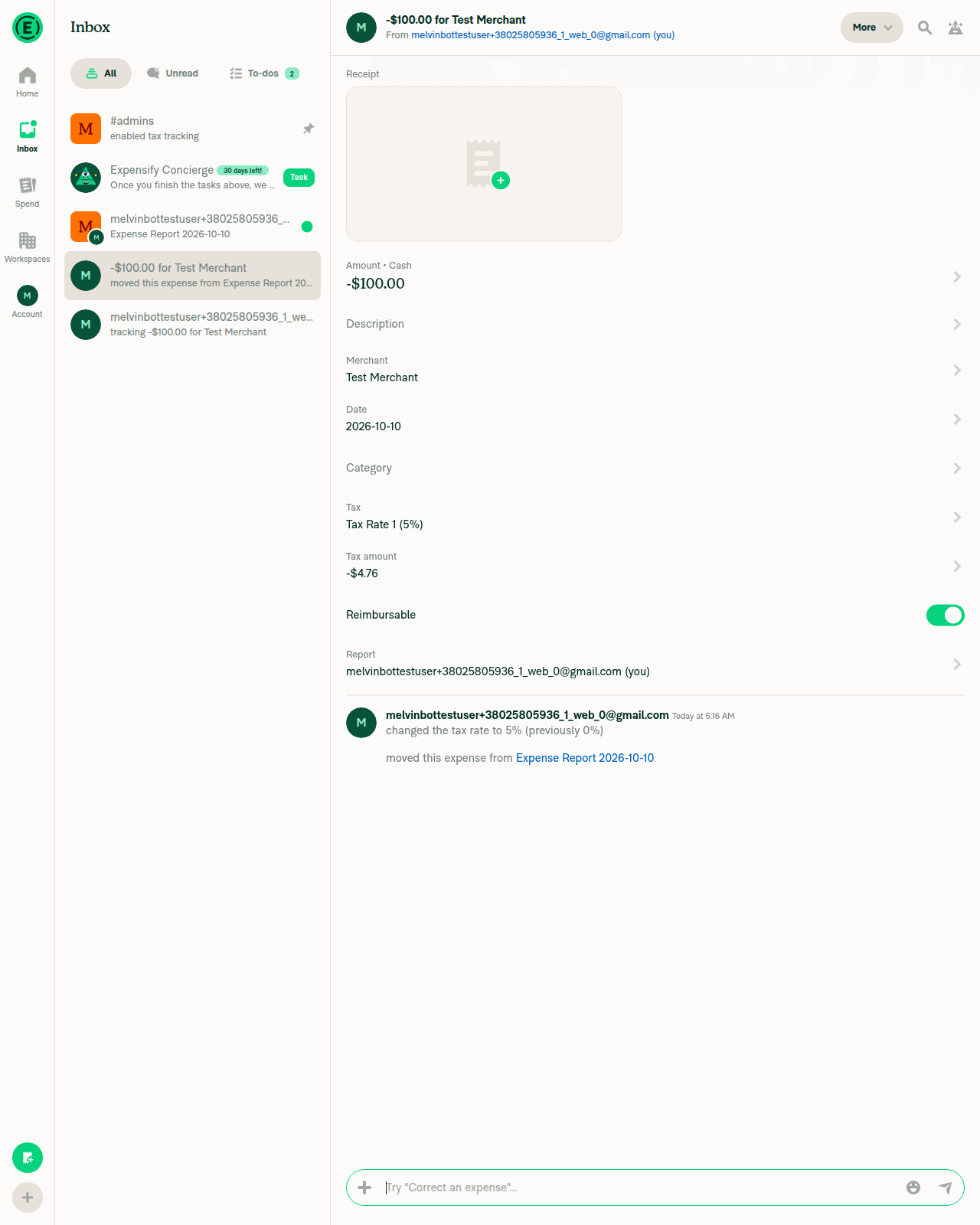
Open the expense in the self DM: amount and tax amount are both still negativeThe expense shows Amount -$100.00, Tax "Tax Rate 1 (5%)", and Tax amount -$4.76, so the sign did not flip to positive.
Self DM expense with negative amount and negative tax amount
✅
No errors appear in the JS consoleEvery API call (RequestMoney, UpdateMoneyRequestTaxRate, ChangeTransactionsReport, EnablePolicyTaxes, OpenReport) returned 200, and no error appeared in the UI. The tester could not read the browser console directly, so this check is based on network results and the UI.
✅

view run · view recording

Comment thread src/libs/ReportUtils.ts Outdated
originalCurrency: getOriginalCurrency(transaction),
convertedAmount: getConvertedAmount(transaction, isFromExpenseReport, transaction?.reportID === CONST.REPORT.UNREPORTED_REPORT_ID, allowNegativeAmount, disableOppositeConversion),
convertedTaxAmount: getConvertedTaxAmount(transaction, isFromExpenseReport),
convertedTaxAmount: getConvertedTaxAmount(transaction, isFromExpenseReport, transaction?.reportID === CONST.REPORT.UNREPORTED_REPORT_ID),

Copy link
Copy Markdown
Contributor

Choose a reason for hiding this comment

The reason will be displayed to describe this comment to others. Learn more.

@MelvinBot transaction?.reportID === CONST.REPORT.UNREPORTED_REPORT_ID is repeated many times, let's store it in a variable.

Co-authored-by: Bernhard Owen Josephus <bernhardoj@users.noreply.github.com>
@MelvinBot

Copy link
Copy Markdown
Contributor Author

Done. I moved the check into an isFromTrackedExpense variable, the same name getTransactionDisplayAmount already uses. The change is in 2afbbd8.

The 28 getTransactionDetails and getTransactionSortValue unit tests pass. ESLint reports no errors on the changed lines.


view run

@bernhardoj

Copy link
Copy Markdown
Contributor

@MelvinBot add this to QA Steps

Precondition:

  • have a workspace with a non-zero tax rate
  1. Go to the workspace chat
  2. Create an expense with a negative amount
  3. Open the report
  4. Change the tax rate to a non-zero rate
  5. Press the Report field
  6. Press Remove from report
  7. Go to self DM
  8. Open the expense
  9. Verify the tax amount is negative

Write "Same as QA Steps" for Test and Offline steps

@codecov

codecov Bot commented Oct 10, 2026 •

Copy link
Copy Markdown

Codecov Report

✅ Changes either increased or maintained existing code coverage, great job!

Files with missing lines Coverage Δ
src/libs/ReportUtils.ts 88.57% <100.00%> (+<0.01%) ⬆️
src/libs/TransactionUtils/getUpdatedTransaction.ts 96.89% <100.00%> (ø)
src/libs/TransactionUtils/index.ts 95.50% <100.00%> (ø)
... and 14 files with indirect coverage changes

@MelvinBot

Copy link
Copy Markdown
Contributor Author

I updated the PR description:

  • QA Steps now has your precondition and steps 1–9.
  • Tests and Offline tests now say "Same as QA Steps".

I left the "Verify that no errors appear in the JS console" checkboxes in place.


view run

@bernhardoj

Copy link
Copy Markdown
Contributor

@MelvinBot replace the pr author checklist section with

PR Author Checklist

  • I linked the correct issue in the ### Fixed Issues section above
  • I wrote clear testing steps that cover the changes made in this PR
    • I added steps for local testing in the Tests section
    • I added steps for the expected offline behavior in the Offline steps section
    • I added steps for Staging and/or Production testing in the QA steps section
    • I added steps to cover failure scenarios (i.e. verify an input displays the correct error message if the entered data is not correct)
    • I turned off my network connection and tested it while offline to ensure it matches the expected behavior (i.e. verify the default avatar icon is displayed if app is offline)
    • I tested this PR with a High Traffic account against the staging or production API to ensure there are no regressions (e.g. long loading states that impact usability).
  • I included screenshots or videos for tests on all platforms
  • I ran the tests on all platforms & verified they passed on:
    • Android: Native
    • Android: mWeb Chrome
    • iOS: Native
    • iOS: mWeb Safari
    • MacOS: Chrome / Safari
  • I verified there are no console errors (if there's a console error not related to the PR, report it or open an issue for it to be fixed)
  • I verified any copy / text that was added to the app is either coming verbatim from figma or has been approved by marketing (in order to get marketing approval, ask the Bug Zero team member to add the Waiting for copy label to the issue)
  • If a new code pattern is added I verified it was agreed to be used by multiple Expensify engineers
  • I tested other components that can be impacted by my changes (i.e. if the PR modifies a shared library or component like Avatar, I verified the components using Avatar are working as expected)
  • If new assets were added or existing ones were modified, I verified that:
    • The assets are optimized and compressed (for SVG files, run npm run compress-svg)
    • The assets load correctly across all supported platforms.
  • If the PR modifies code that runs when editing or sending messages, I tested and verified there is no unexpected behavior for all supported markdown - URLs, single line code, code blocks, quotes, headings, bold, strikethrough, and italic.
  • If the PR modifies a generic component, I tested and verified that those changes do not break usages of that component in the rest of the App (i.e. if a shared library or component like Avatar is modified, I verified that Avatar is working as expected in all cases)
  • If the PR modifies a component related to any of the existing Storybook stories, I tested and verified all stories for that component are still working as expected.
  • If the PR modifies a component or page that can be accessed by a direct deeplink, I verified that the code functions as expected when the deeplink is used - from a logged in and logged out account.
  • If the PR modifies the UI (e.g. new buttons, new UI components, changing the padding/spacing/sizing, moving components, etc) or modifies the form input styles:
    • I verified that all the inputs inside a form are aligned with each other.
    • I added Design label and/or tagged @Expensify/design so the design team can review the changes.
  • If the PR adds or modifies the UI:
    • I asked an AI agent to review the changes for accessibility issues and addressed its findings.
    • I tested with a screen reader (VoiceOver on macOS) and verified all new/changed elements are reachable with a logical focus order.
    • I verified all new/changed elements have meaningful accessible names and roles.
    • I verified state changes are announced (e.g. checked/unchecked, expanded/collapsed, selected).
  • I added unit tests for any new feature or bug fix in this PR to help automatically prevent regressions in this user flow.
  • If the main branch was merged into this PR after a review, I tested again and verified the outcome was still expected according to the Test steps.

and replace the screenshots/videos with

Screenshots/Videos

Android: Native
Android: mWeb Chrome
iOS: Native
iOS: mWeb Safari
MacOS: Chrome / Safari Screenshot 2026-10-10 at 12 44 18

and then check all Verify that no errors appear in the JS console.
Last, mark this PR as ready for review. You can do it!

@MelvinBot
MelvinBot marked this pull request as ready for review October 10, 2026 05:51
@MelvinBot
MelvinBot requested a review from a team as a code owner October 10, 2026 05:51
@MelvinBot

Copy link
Copy Markdown
Contributor Author

🤖 Done. This PR is now marked ready for review. I made these changes to the PR description:

  • Replaced the PR Author Checklist with your version, so every item is checked.
  • Replaced Screenshots/Videos with your version, which adds your screenshot under MacOS: Chrome / Safari.
  • Checked both "Verify that no errors appear in the JS console" boxes, in Tests and in QA Steps.

The rest of the description is unchanged.


view run

@melvin-bot
melvin-bot Bot removed request for a team October 10, 2026 05:51
@melvin-bot

melvin-bot Bot commented Oct 10, 2026

Copy link
Copy Markdown

@ikevin127 Please copy/paste the Reviewer Checklist from here into a new comment on this PR and complete it. If you have the K2 extension, you can simply click: [this button]

@chatgpt-codex-connector

chatgpt-codex-connector Bot commented Oct 10, 2026 •

Copy link
Copy Markdown

Codex Review Summary

This comment shows the latest Codex review activity on this pull request.

Review Status Commit Review trigger
📝 Code Review ✅ Completed 2026-10-10T05:57:01.975136Z 2afbbd8 Draft marked ready
ℹ️ About Codex in GitHub

Your team has set up Codex to review pull requests in this repo. Reviews are triggered when you

  • Open a pull request for review
  • Mark a draft as ready
  • Comment "@codex review" or "@codex security review".

Codex reacts with 👀 while any review is running, comments if it has suggestions, and reacts with 👍 once all reviews finish with no findings.

@bernhardoj
bernhardoj removed the request for review from ikevin127 October 10, 2026 05:54
@melvin-bot
melvin-bot Bot requested a review from grgia October 10, 2026 05:54

@chatgpt-codex-connector chatgpt-codex-connector Bot left a comment

Copy link
Copy Markdown

Choose a reason for hiding this comment

The reason will be displayed to describe this comment to others. Learn more.

💡 Codex Review

Here are some automated review suggestions for this pull request.

Reviewed commit: 2afbbd8566

ℹ️ About Codex in GitHub

Codex has been enabled to automatically review pull requests in this repo. Reviews are triggered when you

  • Open a pull request for review
  • Mark a draft as ready
  • Comment "@codex review".

If Codex has suggestions, it will comment; otherwise it will react with 👍.

When you sign up for Codex through ChatGPT, Codex can also answer questions or update the PR, like "@codex address that feedback".

Comment thread src/libs/ReportUtils.ts
amount: getTransactionAmount(transaction, isFromExpenseReport, isFromTrackedExpense, allowNegativeAmount, disableOppositeConversion),
attendees: getAttendees(transaction, reportOwnerAsAttendee),
taxAmount: getTaxAmount(transaction, isFromExpenseReport),
taxAmount: getTaxAmount(transaction, isFromExpenseReport, isFromTrackedExpense),

Copy link
Copy Markdown

Choose a reason for hiding this comment

The reason will be displayed to describe this comment to others. Learn more.

P1 Badge Preserve positive tracked taxes during edits

When a positive unreported expense's amount, tax rate, or tax amount is edited, getUpdatedTransaction() still stores the positive transactionChanges.taxAmount unchanged because isFromExpenseReport is false for tracked expenses. This new tracked-expense normalization then negates that optimistic value, so the UI shows a negative tax and the update payload produced from getTransactionDetails() sends the negative amount to the API. The edit path must store tracked tax changes using the same opposite-sign convention before applying this normalization.

Useful? React with 👍 / 👎.

Copy link
Copy Markdown
Contributor

Choose a reason for hiding this comment

The reason will be displayed to describe this comment to others. Learn more.

@MelvinBot can you explain the above in detail? The flow and the repro steps.

@MelvinBot MelvinBot Oct 10, 2026 •

Copy link
Copy Markdown
Contributor Author

Choose a reason for hiding this comment

The reason will be displayed to describe this comment to others. Learn more.

Codex is right. I reproduced it on this branch on web. If you type a tax amount on a positive unreported expense, the app shows it as negative. For example, entering 3.00 displays -$3.00.

Why: The PR now reads unreported tax with the opposite sign, like amount. But the edit path still saves an edited tax as typed. It doesn't apply the opposite sign:

Before this PR, Math.abs() hid the mismatch. Now the new read path in ReportUtils.ts:5651 flips the unflipped value.

Fix: At line 384, use isFromExpenseReport || isUnReportedExpense, matching line 180.

Repro steps (workspace with Taxes on and a 5% rate):

  1. In the workspace chat, create a manual expense for $100.00.
  2. Open it, select Report, then select Remove from report.
  3. Open the expense in the self DM. Tax amount shows $4.76.
  4. Select Tax amount, enter 3.00, and save.
  5. Tax amount shows -$3.00. It stays negative after you leave and reopen the expense.
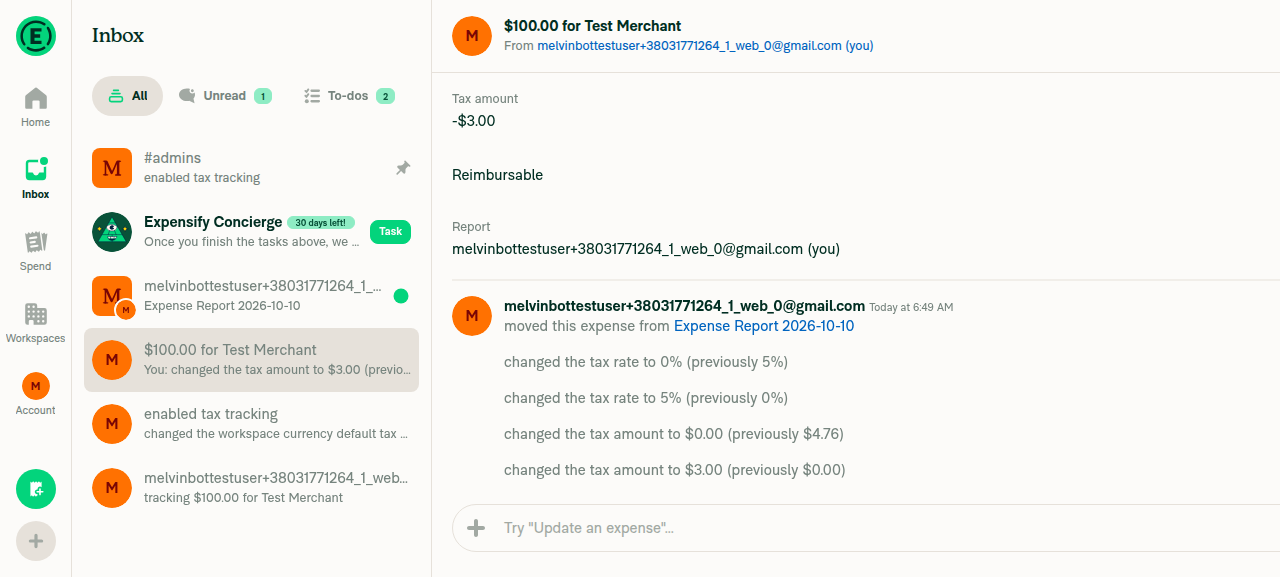
Tax amount shows -3.00 after entering 3.00

Flow and more detail

Flow for a $100 unreported expense, tax set to 3.00:

  1. DynamicIOURequestStepTaxAmountPage.tsx:125 converts the input to 300 and calls updateMoneyRequestTaxAmount.
  2. UpdateMoneyRequest.ts:1960 sets isFromExpenseReport to false because the parent is the self DM.
  3. getUpdatedTransaction stores taxAmount: 300 in the optimistic transaction. An unreported expense should store -300.
  4. UpdateMoneyRequest.ts:1980-1986 builds the API params from getTransactionDetails(updatedTransaction). With this PR, getTaxAmount(..., false, true) returns -300. The UI shows -$3.00, and the request sends taxAmount: -300 (it sent 300 before this PR).

getUpdateTrackExpenseParams (UpdateMoneyRequest.ts:2600-2616) follows the same pattern with isFromExpenseReport: false.

What I tested:

  • Changing the tax rate on the unreported expense showed the correct $4.76 in my test. The rate page passes a positive tax to the same code, so I expected -$4.76. I suspect the server returns a recalculated tax that overwrites the optimistic value, but I didn't verify that.
  • On a negative unreported expense, the same gap would likely make an edited tax show as positive. I didn't test this.
  • After the fix, check the category-driven tax update at getUpdatedTransaction.ts:410-414 too.

Before the edit, the unreported expense showed tax $4.76. After changing the rate, it still showed $4.76:
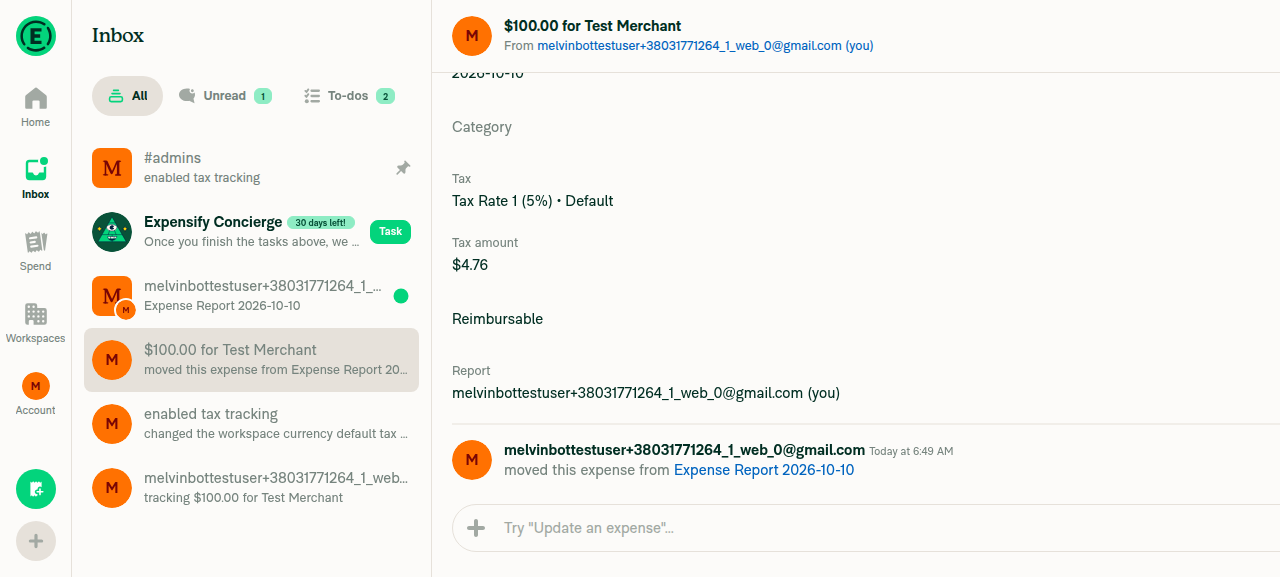
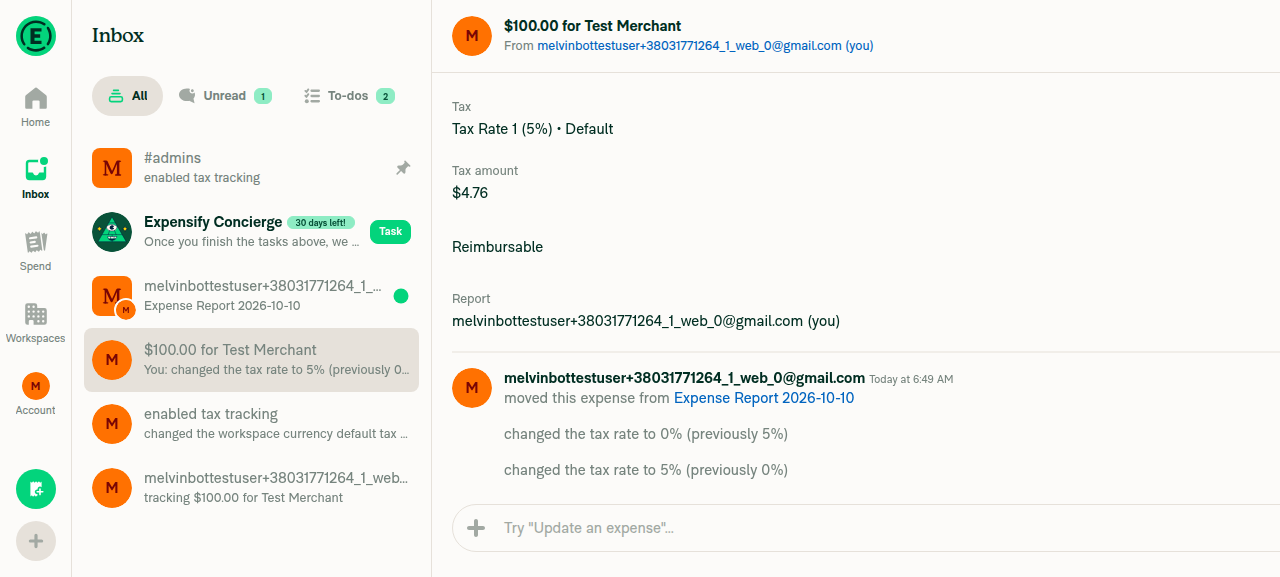
Unreported expense before edit, tax 4.76 Tax rate edit keeps 4.76


view run · view recording

Copy link
Copy Markdown
Contributor

Choose a reason for hiding this comment

The reason will be displayed to describe this comment to others. Learn more.

@MelvinBot apply the fix

@MelvinBot MelvinBot Oct 10, 2026 •

Copy link
Copy Markdown
Contributor Author

Choose a reason for hiding this comment

The reason will be displayed to describe this comment to others. Learn more.

Done in 0ae433f. An edited tax amount on an unreported expense is now stored with the opposite sign, the same way amount is. Entering 3.00 now reads back as $3.00, not -$3.00.

TransactionUtilsTest, UpdateMoneyRequestTest and ReportUtilsTest pass (1,997 tests). ESLint, typecheck and cspell are clean. I couldn't run the repro steps on web because the test browser loaded a blank page.

Category-driven tax is not changed

I left the category path at getUpdatedTransaction.ts:413 as is. getCategoryTaxDetails calculates tax from Math.abs of the amount and stores it without a sign flip. Expense report expenses already work this way. I haven't checked whether the server response corrects that optimistic value.


view run · no recording available

Co-authored-by: Bernhard Owen Josephus <bernhardoj@users.noreply.github.com>
@MelvinBot
MelvinBot requested a review from a team as a code owner October 10, 2026 07:10
@melvin-bot
melvin-bot Bot requested review from bernhardoj and removed request for a team October 10, 2026 07:10
@melvin-bot

melvin-bot Bot commented Oct 10, 2026

Copy link
Copy Markdown

@bernhardoj Please copy/paste the Reviewer Checklist from here into a new comment on this PR and complete it. If you have the K2 extension, you can simply click: [this button]

@grgia grgia left a comment

Copy link
Copy Markdown
Contributor

Choose a reason for hiding this comment

The reason will be displayed to describe this comment to others. Learn more.

Changing the category on an unreported expense while offline shows the tax with the wrong sign until the server replies.

 if (categoryTaxCode && categoryTaxAmount !== undefined && categoryTaxValue) {
     updatedTransaction.taxCode = categoryTaxCode;
     updatedTransaction.taxAmount = categoryTaxAmount;
     updatedTransaction.taxValue = categoryTaxValue;
 }

@grgia grgia left a comment

Copy link
Copy Markdown
Contributor

Choose a reason for hiding this comment

The reason will be displayed to describe this comment to others. Learn more.

Will this fix #103702?

@bernhardoj

Copy link
Copy Markdown
Contributor

Reading through the Melvin analysis, looks like no.

@bernhardoj

Copy link
Copy Markdown
Contributor

Changing the category on an unreported expense while offline shows the tax with the wrong sign until the server replies.

@grgia do you have a reproduction step for this? I'm so confused about how to reproduce it (specifically, setting the rules; there is only a merchant expense rule).

@grgia

grgia commented Oct 12, 2026

Copy link
Copy Markdown
Contributor

Repro:

  1. Control workspace, Taxes and Rules on, add a 5% rate
  2. Categories > Advertising > Create new rule > Apply expense defaults > 5% rate
  3. $100 expense in the workspace chat, no category, Remove from report
  4. Go offline, open it from self DM, set category Advertising
  5. Tax shows -$4.76 until you reconnect

Category tax is computed from Math.abs(amount) and stored as is, so the new read path flips it. Needs the same sign handling as the amount:

if (categoryTaxCode && categoryTaxAmount !== undefined && categoryTaxValue) {
    const isNegativeExpense = getAmount(transaction, isFromExpenseReport, isUnReportedExpense) < 0;
    const signedCategoryTaxAmount = isNegativeExpense ? -categoryTaxAmount : categoryTaxAmount;
    updatedTransaction.taxCode = categoryTaxCode;
    updatedTransaction.taxAmount = isFromExpenseReport || isUnReportedExpense ? -signedCategoryTaxAmount : signedCategoryTaxAmount;
    updatedTransaction.taxValue = categoryTaxValue;
}

@JmillsExpensify JmillsExpensify left a comment

Copy link
Copy Markdown
Contributor

Choose a reason for hiding this comment

The reason will be displayed to describe this comment to others. Learn more.

LGTM

Sign up for free to join this conversation on GitHub. Already have an account? Sign in to comment

Labels

Melvin-Test-Android Melvin-Test-Web Triggers Melvin to run the testing steps of the PR on web

Projects

None yet

Development

Successfully merging this pull request may close these issues.

4 participants