Skip to content

Let Android back leave onboarding work email when the intent list opened it - #104025

Merged
carlosmiceli merged 4 commits into
mainfrom
claude-fixOnboardingWorkEmailBackButton
Oct 15, 2026
Merged

carlosmiceli merged 4 commits into
mainfrom
claude-fixOnboardingWorkEmailBackButton

Conversation

@MelvinBot

@MelvinBot MelvinBot commented Oct 14, 2026 •

Copy link
Copy Markdown
Contributor

Explanation of Change

The join-workspace intent added a second way to reach the "What's your work email?" screen: from the intent list. On Android, OnboardingWorkEmail/index.native.tsx still blocked every hardware back press and set the "Please finish the setup questions" error. That made sense when the screen always opened onboarding, but now it traps users who came from the intent list.

Android back now runs the same logic as the header Back button. Both live in one place in BaseOnboardingWorkEmail:

  1. Same check: Back goes to the intent list when isJoiningCompanyWorkspace && !isConciergeTaskFlow. This replaces the routeIndex !== 0 check, which was wrong after a cold start or deep link. In that case the onboarding stack is rebuilt with work email as its only route, so the index is 0 even though the user chose the join intent.
  2. Same action: Back calls clearOnboardingMergeAccountBlocked() and then Navigation.goBack(ROUTES.ONBOARDING_PURPOSE.getRoute()). This pops to the intent list when it's in the stack, or replaces work email with it. Either way, the user stays in onboarding. A plain stack pop would close the onboarding modal when work email is the only route.
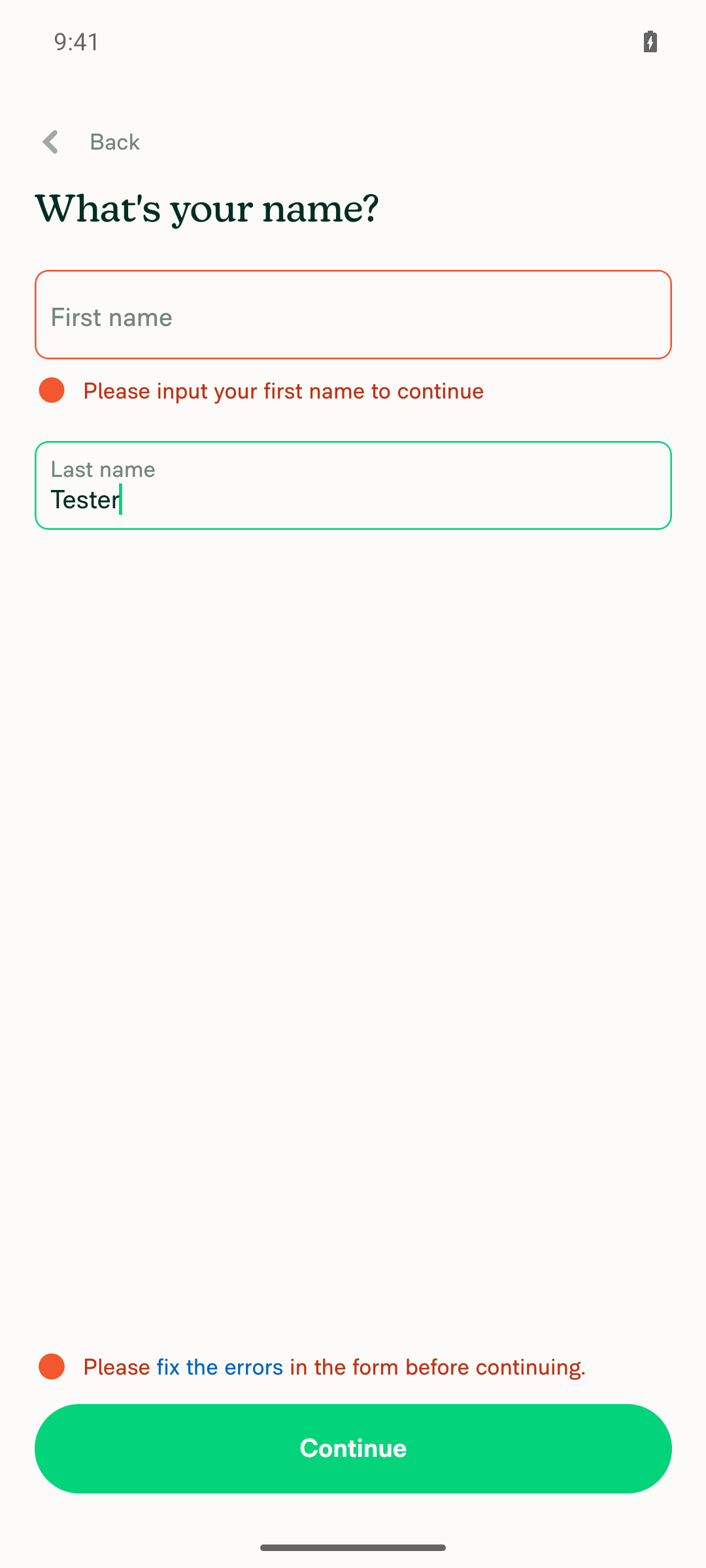
  3. Every other case: Android back is still swallowed and sets the "Please finish the setup questions" error.

The handler is registered with useAndroidBackButtonHandler, which does nothing on web and iOS. The BackHandler code in index.native.tsx is removed.

Tests in tests/ui/WorkEmailOnboardingNativeBack.tsx:

  • When work email is the first screen and the join intent isn't chosen, back is swallowed and the error is set.
  • When the intent list pushed work email, back returns to the intent list and clears the work email errors.
  • When the join intent is saved but work email is the only route (cold start), back replaces work email with the intent list and shows no error. This test fails without the fix.

Fixed Issues

$ #104023
PROPOSAL: #104023 (comment)

Tests

Precondition: Test it on Android

  1. Open the Expensify app.
  2. Sign up with a new account.
  3. Select "Join my company workspace" during onboarding.
  4. On "What´s your work Email?", use device´s back button to return to previous step.
  5. Verify user returns to previous step using device´s back button or app´s back button.
  • Verify that no errors appear in the JS console

Offline tests

QA Steps

Same as tests

  • Verify that no errors appear in the JS console

PR Author Checklist

  • I linked the correct issue in the ### Fixed Issues section above
  • I wrote clear testing steps that cover the changes made in this PR
    • I added steps for local testing in the Tests section
    • I added steps for the expected offline behavior in the Offline steps section
    • I added steps for Staging and/or Production testing in the QA steps section
    • I added steps to cover failure scenarios (i.e. verify an input displays the correct error message if the entered data is not correct)
    • I turned off my network connection and tested it while offline to ensure it matches the expected behavior (i.e. verify the default avatar icon is displayed if app is offline)
    • I tested this PR with a High Traffic account against the staging or production API to ensure there are no regressions (e.g. long loading states that impact usability).
  • I included screenshots or videos for tests on all platforms
  • I ran the tests on all platforms & verified they passed on:
    • Android: Native
    • Android: mWeb Chrome
    • iOS: Native
    • iOS: mWeb Safari
    • MacOS: Chrome / Safari
  • I verified there are no console errors (if there's a console error not related to the PR, report it or open an issue for it to be fixed)
  • I verified any copy / text that was added to the app is either coming verbatim from figma or has been approved by marketing (in order to get marketing approval, ask the Bug Zero team member to add the Waiting for copy label to the issue)
  • If a new code pattern is added I verified it was agreed to be used by multiple Expensify engineers
  • I tested other components that can be impacted by my changes (i.e. if the PR modifies a shared library or component like Avatar, I verified the components using Avatar are working as expected)
  • If new assets were added or existing ones were modified, I verified that:
    • The assets are optimized and compressed (for SVG files, run npm run compress-svg)
    • The assets load correctly across all supported platforms.
  • If the PR modifies code that runs when editing or sending messages, I tested and verified there is no unexpected behavior for all supported markdown - URLs, single line code, code blocks, quotes, headings, bold, strikethrough, and italic.
  • If the PR modifies a generic component, I tested and verified that those changes do not break usages of that component in the rest of the App (i.e. if a shared library or component like Avatar is modified, I verified that Avatar is working as expected in all cases)
  • If the PR modifies a component related to any of the existing Storybook stories, I tested and verified all stories for that component are still working as expected.
  • If the PR modifies a component or page that can be accessed by a direct deeplink, I verified that the code functions as expected when the deeplink is used - from a logged in and logged out account.
  • If the PR modifies the UI (e.g. new buttons, new UI components, changing the padding/spacing/sizing, moving components, etc) or modifies the form input styles:
    • I verified that all the inputs inside a form are aligned with each other.
    • I added Design label and/or tagged @Expensify/design so the design team can review the changes.
  • If the PR adds or modifies the UI:
    • I asked an AI agent to review the changes for accessibility issues and addressed its findings.
    • I tested with a screen reader (VoiceOver on macOS) and verified all new/changed elements are reachable with a logical focus order.
    • I verified all new/changed elements have meaningful accessible names and roles.
    • I verified state changes are announced (e.g. checked/unchecked, expanded/collapsed, selected).
  • I added unit tests for any new feature or bug fix in this PR to help automatically prevent regressions in this user flow.
  • If the main branch was merged into this PR after a review, I tested again and verified the outcome was still expected according to the Test steps.

Screenshots/Videos

Android: Native
Android: mWeb Chrome
iOS: Native
iOS: mWeb Safari
MacOS: Chrome / Safari

AI Tests

  • npm run lint on the changed files: passed
  • npm run typecheck: passed
  • npm run react-compiler-compliance-check check on the changed files: passed
  • npm run spell-changed on the changed files: passed
  • Jest tests/ui/WorkEmailOnboardingNativeBack.tsx, WorkEmailOnboarding.tsx, WorkEmailOnboardingNavigation.tsx: 64/64 passed
  • Not run locally: the full npm test suite, the Storybook smoke test, and the oxfmt format check (blocked in this environment)

…ned it

Co-authored-by: Carlos Miceli <carlosmiceli@users.noreply.github.com>
@MelvinBot
MelvinBot requested a review from a team October 14, 2026 17:46
@melvin-bot melvin-bot Bot added Melvin-Test-Android Melvin-Test-Web Triggers Melvin to run the testing steps of the PR on web labels Oct 14, 2026
@carlosmiceli
carlosmiceli marked this pull request as ready for review October 14, 2026 17:57
@carlosmiceli
carlosmiceli requested a review from a team as a code owner October 14, 2026 17:57
@melvin-bot
melvin-bot Bot requested review from linhvovan29546 and removed request for a team October 14, 2026 17:57
@melvin-bot

melvin-bot Bot commented Oct 14, 2026

Copy link
Copy Markdown

@linhvovan29546 Please copy/paste the Reviewer Checklist from here into a new comment on this PR and complete it. If you have the K2 extension, you can simply click: [this button]

@melvin-bot
melvin-bot Bot requested a review from JmillsExpensify October 14, 2026 17:57
@chatgpt-codex-connector

chatgpt-codex-connector Bot commented Oct 14, 2026 •

Copy link
Copy Markdown

Codex Review Summary

This comment shows the latest Codex review activity on this pull request.

Review Status Commit Review trigger
📝 Code Review ✅ Completed 2026-10-14T18:07:50.148238Z 1bcda5d Draft marked ready
ℹ️ About Codex in GitHub

Your team has set up Codex to review pull requests in this repo. Reviews are triggered when you

  • Open a pull request for review
  • Mark a draft as ready
  • Comment "@codex review" or "@codex security review".

Codex reacts with 👀 while any review is running, comments if it has suggestions, and reacts with 👍 once all reviews finish with no findings.

@melvin-bot
melvin-bot Bot removed the request for review from a team October 14, 2026 17:57
@MelvinBot

MelvinBot commented Oct 14, 2026 •

Copy link
Copy Markdown
Contributor Author

🤖 Web test steps verification results: ⚠️ partial

The PR's Tests section is still a placeholder, so I ran the repro steps from the linked issue on web. The header Back button on "What's your work email?" returns to the intent list with no "Please finish the setup questions" error, so the fix works. I couldn't test the browser back button because the test tool doesn't support it on web. The Android hardware-back part of the fix is native-only and wasn't covered by this run.
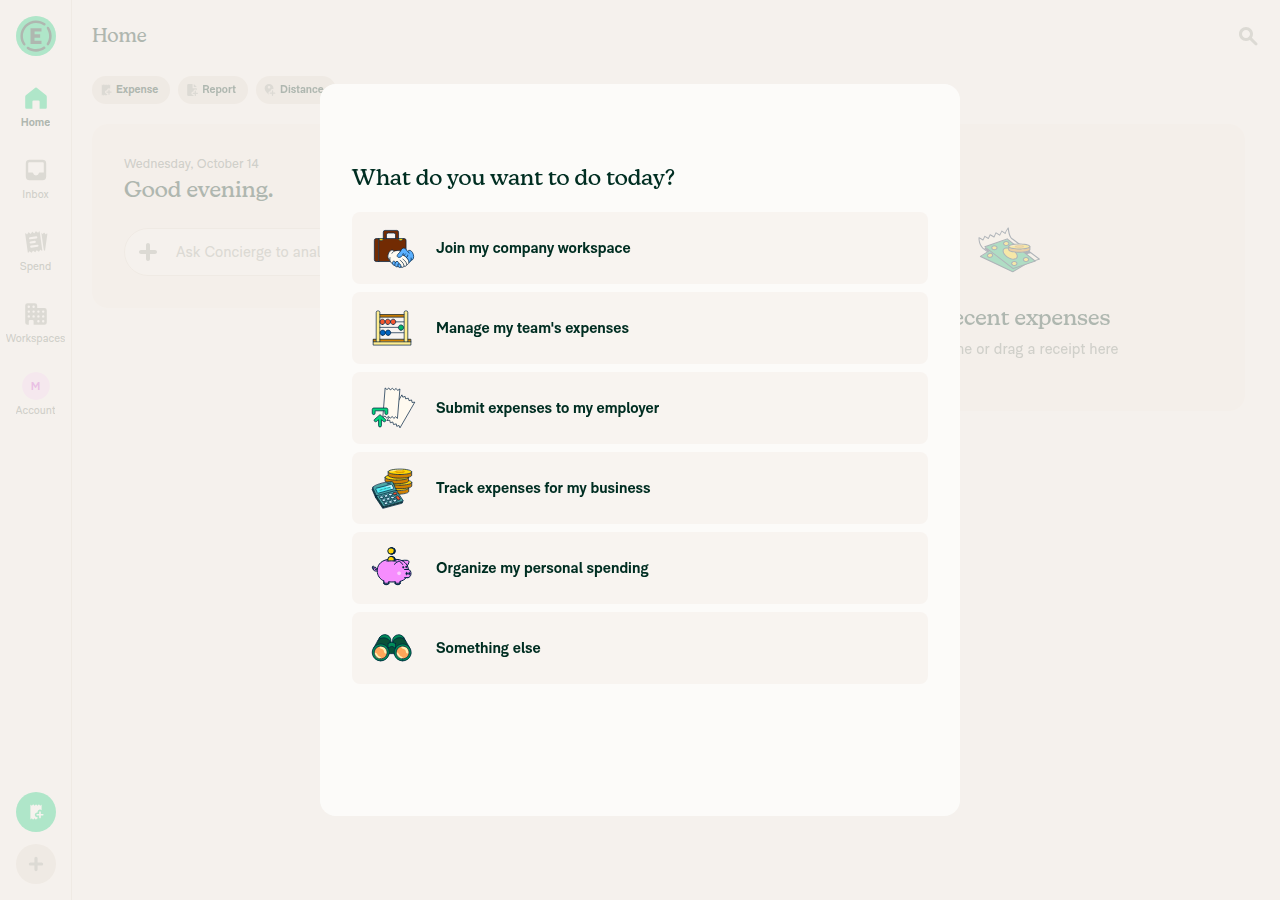
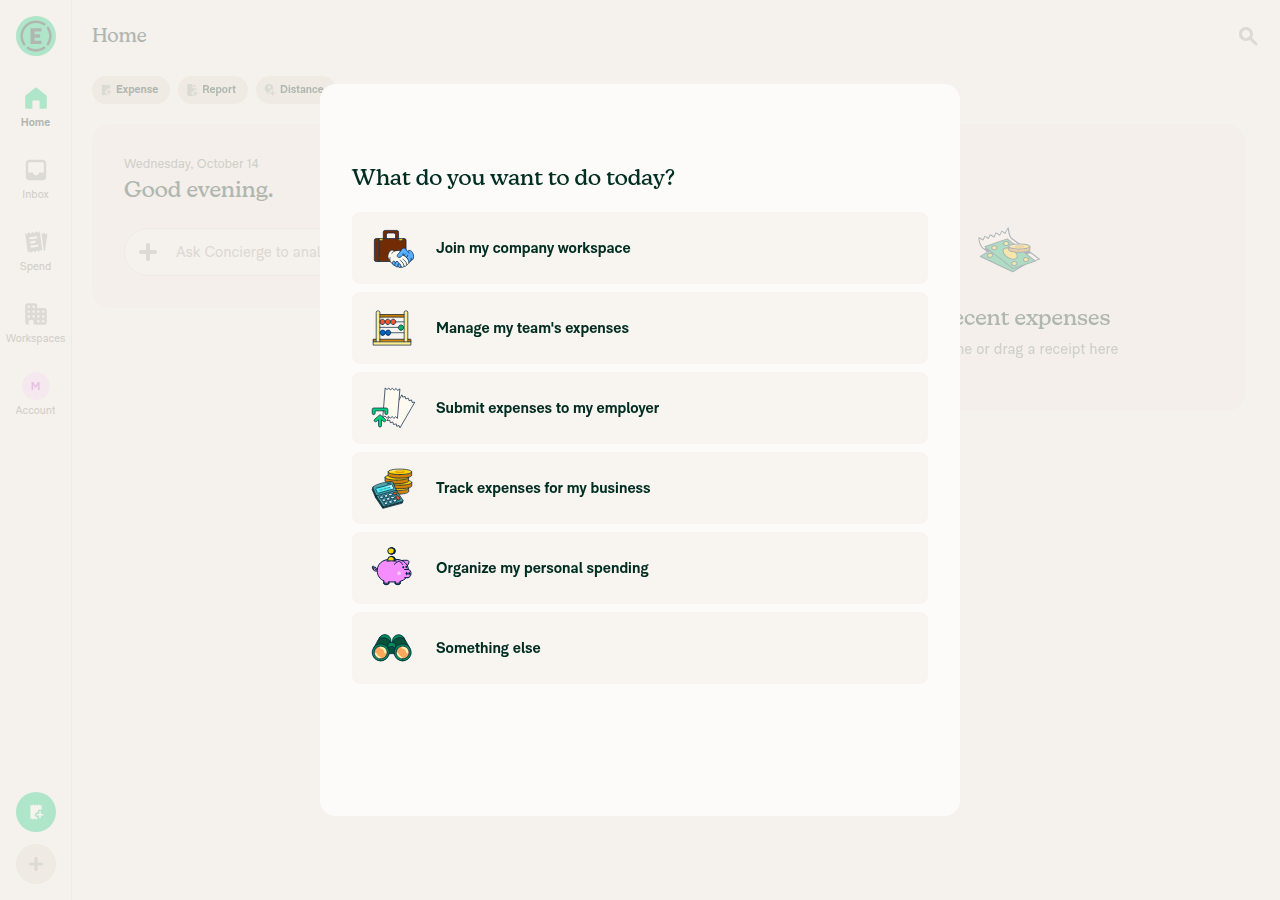
Intent list after header Back, no error

Step Status
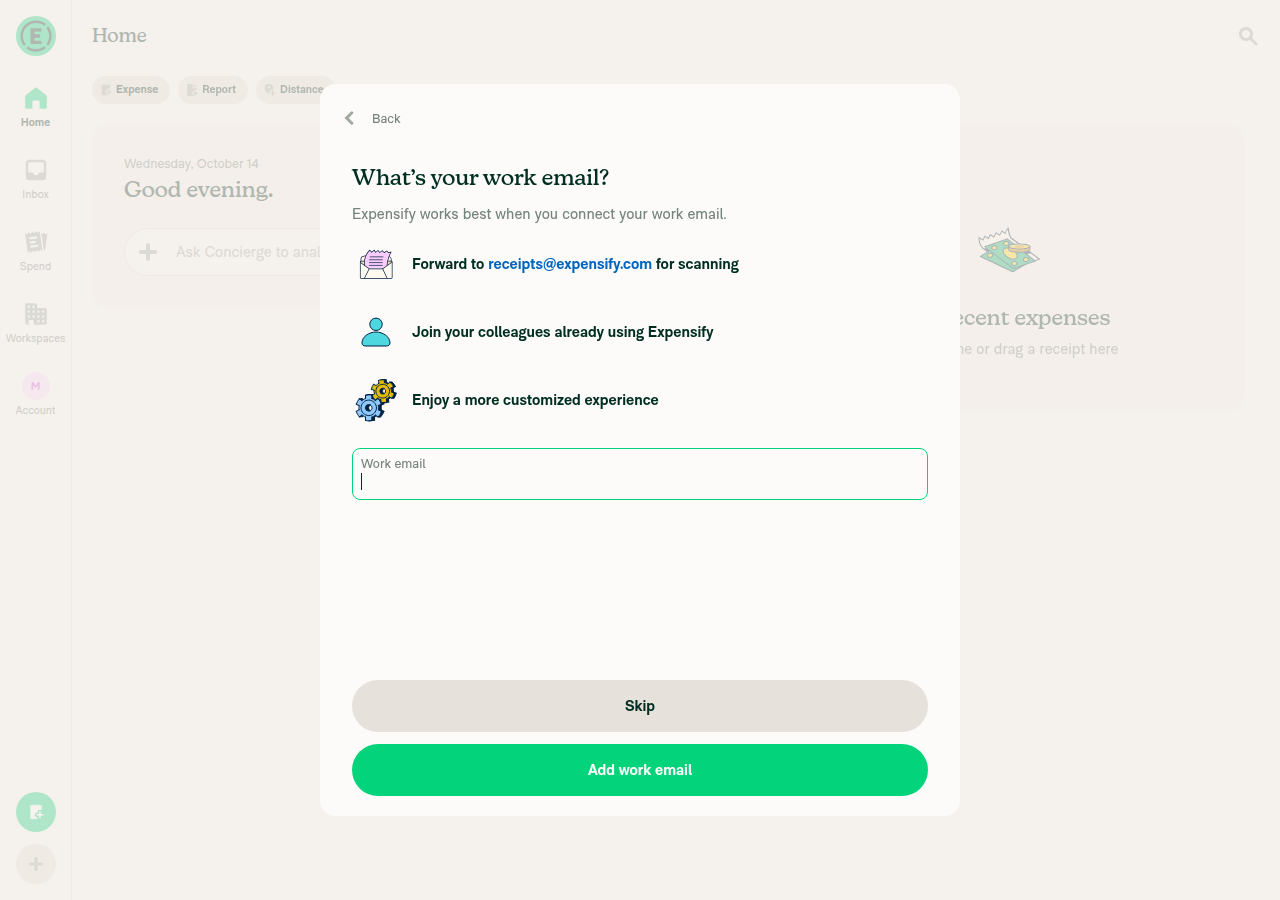
Selecting "Join my company workspace" from the intent list opens "What's your work email?"Clicking the option opened the work email screen, which has a header Back button.
Intent listWork email screen with header Back
✅
Browser back on "What's your work email?" returns to the intent listNot tested. The test tool's back command isn't supported on web, so I couldn't press the browser back button. This tells us nothing about the app's behavior.
⚠️
Header Back on "What's your work email?" returns to the intent listTapping the top-left Back button returned to "What do you want to do today?" with all six intent options shown.
Intent list after header Back, no error
✅
No "Please finish the setup questions to start using the app" error after header BackThe intent list showed only the heading and the option buttons. No error text was rendered or present in the accessibility tree.
Intent list after header Back, no error
✅

view run · view recording

@carlosmiceli

Copy link
Copy Markdown
Contributor

@MelvinBot fix conflicts

@chatgpt-codex-connector chatgpt-codex-connector Bot left a comment

Copy link
Copy Markdown

Choose a reason for hiding this comment

The reason will be displayed to describe this comment to others. Learn more.

💡 Codex Review

Here are some automated review suggestions for this pull request.

Reviewed commit: 1bcda5d9c2

ℹ️ About Codex in GitHub

Your team has set up Codex to review pull requests in this repo. Reviews are triggered when you

  • Open a pull request for review
  • Mark a draft as ready
  • Comment "@codex review".

If Codex has suggestions, it will comment; otherwise it will react with 👍.

Codex can also answer questions or update the PR. Try commenting "@codex address that feedback".

@MelvinBot

MelvinBot commented Oct 14, 2026 •

Copy link
Copy Markdown
Contributor Author

🤖 Android test steps verification results: ❌ fail

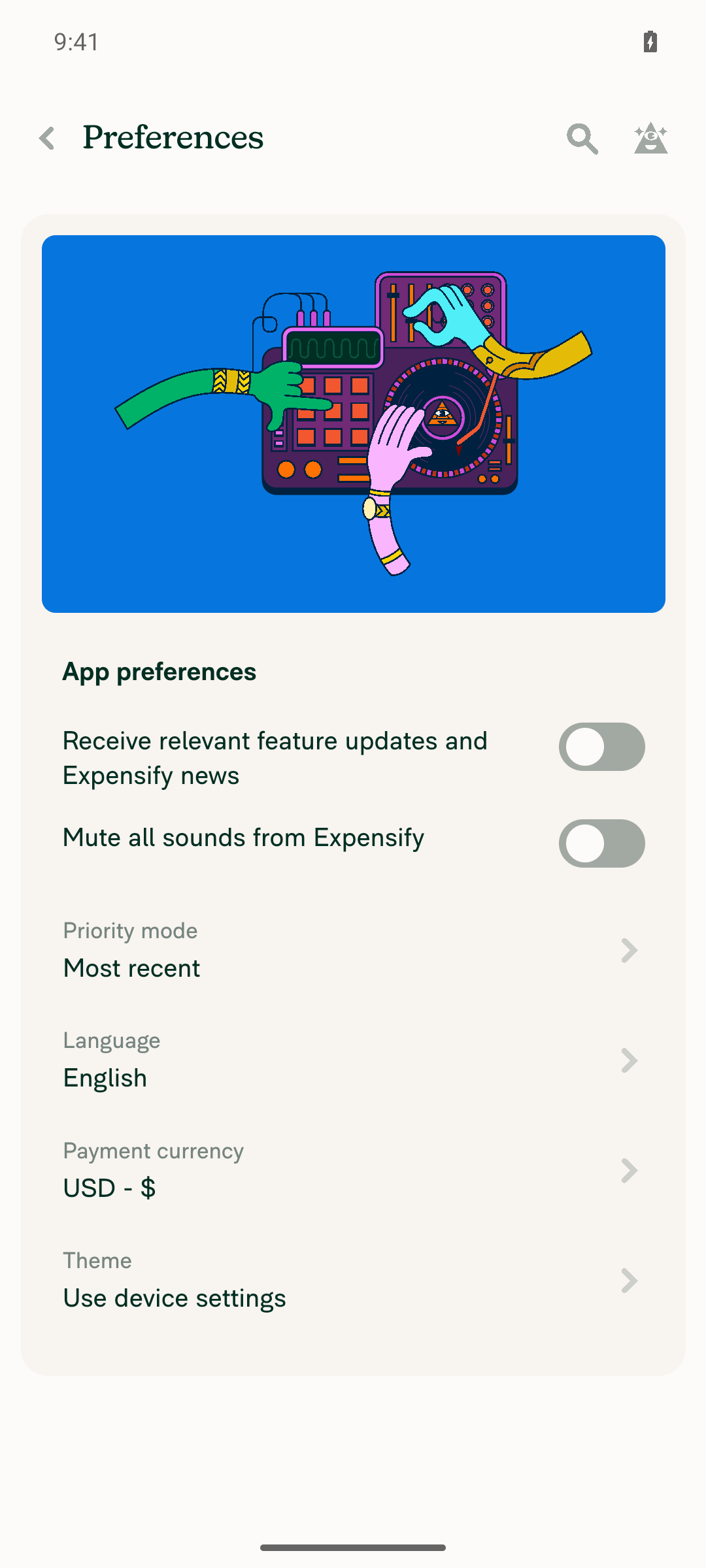
I couldn't test the fix on Android. The test account already had an onboarding purpose saved, so onboarding skipped the intent list and "Join my company workspace" never appeared. This result says nothing about whether the fix works. To test it, rerun with a new account that hasn't reached the intent list yet. I used the linked issue's repro steps because the PR's Tests section is still a placeholder.
Preferences, no reset-onboarding option

Step Status
Selecting "Join my company workspace" from the intent list opens "What's your work email?"Not tested. Onboarding opened on "What's your name?". After I submitted a name, the app finished onboarding and went straight to Home, skipping the intent list. The name screen does this when an onboarding purpose is already saved.
Onboarding opens on What's your name?Home screen right after submitting name, intent list skipped
⚠️
Android back on "What's your work email?" returns to the intent list with no "Please finish the setup questions" errorNot tested. The work email screen couldn't be reached.
⚠️
Header Back on "What's your work email?" returns to the intent listNot tested. The work email screen couldn't be reached.
⚠️
No "Please finish the setup questions to start using the app" error after header BackNot tested. The work email screen couldn't be reached.
⚠️

view run · view recording

…orkEmailBackButton

Co-authored-by: Carlos Miceli <carlosmiceli@users.noreply.github.com>

# Conflicts:
#	src/pages/OnboardingWorkEmail/BaseOnboardingWorkEmail.tsx
#	tests/ui/WorkEmailOnboardingNativeBack.tsx
@MelvinBot
MelvinBot requested a review from a team as a code owner October 14, 2026 18:33
@melvin-bot
melvin-bot Bot requested review from FitseTLT, carlosmiceli and iwiznia and removed request for a team October 14, 2026 18:33
@melvin-bot

melvin-bot Bot commented Oct 14, 2026

Copy link
Copy Markdown

@FitseTLT @iwiznia @carlosmiceli One of you needs to copy/paste the Reviewer Checklist from here into a new comment on this PR and complete it. If you have the K2 extension, you can simply click: [this button]

@MelvinBot

Copy link
Copy Markdown
Contributor Author

I merged main into this branch and fixed the conflicts in a3ad69f. The branch also merges cleanly with the latest main.

  • BaseOnboardingWorkEmail.tsx: Clear the onboarding work email error when pressing Back to the intent list already added the same clearOnboardingMergeAccountBlocked() call to the header Back button. I kept main's comment. This PR's header-back change is now already in main, so the PR's remaining change is the Android hardware-back fix in index.native.tsx.
  • tests/ui/WorkEmailOnboardingNativeBack.tsx: I kept main's new test and this PR's two hardware-back tests.

Checks:

  • Jest: WorkEmailOnboardingNativeBack, WorkEmailOnboarding, and WorkEmailOnboardingNavigation passed (63/63).
  • npm run lint-changed passed.

view run

@carlosmiceli
carlosmiceli removed the request for review from iwiznia October 14, 2026 18:35
@FitseTLT

Copy link
Copy Markdown
Contributor

Should I review this @carlosmiceli ?

@carlosmiceli

Copy link
Copy Markdown
Contributor

@FitseTLT yes, that'd be great

@MelvinBot

Copy link
Copy Markdown
Contributor Author

I agree with both comments. They point to the same fix: Android back should use the same check and the same action as the header Back button.

  • Comment 2 (condition): routeIndex !== 0 doesn't reliably mean "the intent list opened this screen." After a cold start or deep link, getOnboardingAdaptedState rebuilds the stack with work email as the only route. So the index is 0 even when the user already chose the join intent. In that state, the header shows Back, but Android back shows the "finish setup" error. The header's check, isJoiningCompanyWorkspace && !isConciergeTaskFlow, handles this case.
  • Comment 1 (action): return false only pops the current stack. When work email is the only screen in that stack, the whole onboarding modal closes. Navigation.goBack(ROUTES.ONBOARDING_PURPOSE.getRoute()) goes back to the intent list if it's in the stack. If it isn't, it replaces work email with the intent list. Either way, the user stays in onboarding.

Suggested change: Pull the header's back logic into one handler in BaseOnboardingWorkEmail. Register that handler with useAndroidBackButtonHandler and return true. Keep the "finish setup" error for every other case, and remove the BackHandler code from index.native.tsx. Then the header and Android back can't drift apart again.

carlosmiceli, reply @MelvinBot implement this if you want me to make this change.


view run

@FitseTLT

Copy link
Copy Markdown
Contributor

@MelvinBot implement it

@MelvinBot

Copy link
Copy Markdown
Contributor Author

I can't make this change yet. The planned change is in my earlier comment: move the header Back logic (isJoiningCompanyWorkspace && !isConciergeTaskFlow plus Navigation.goBack(ROUTES.ONBOARDING_PURPOSE.getRoute())) into one handler in BaseOnboardingWorkEmail. Then register it for Android back and remove the BackHandler code from index.native.tsx.

I can only make code changes when directed by the PR author, an assignee, or an existing co-author. To have me implement this, the PR assignee or author should reply with a request tagging me. carlosmiceli, reply @MelvinBot implement this if you want this change.


view run

@FitseTLT FitseTLT self-assigned this Oct 14, 2026
@FitseTLT

Copy link
Copy Markdown
Contributor

@MelvinBot implement it

Android back now uses the header's check (join intent, not the Concierge task flow) instead of the route index, and goes back to the intent list the same way. This keeps the user in onboarding after a cold start, when work email is the only route.

Co-authored-by: Fitsum Abebe <FitseTLT@users.noreply.github.com>
@MelvinBot

Copy link
Copy Markdown
Contributor Author

I made the change in 0a90839. Android back now uses the same check and the same action as the header Back button, so the two can't drift apart.

  • BaseOnboardingWorkEmail.tsx:309-330: one goBackToPurpose handler serves both buttons. When isJoiningCompanyWorkspace && !isConciergeTaskFlow, Android back clears the work email errors and calls Navigation.goBack(ROUTES.ONBOARDING_PURPOSE.getRoute()). In every other case it still shows the "finish setup" error. Both paths return true, so the press can't close the onboarding modal.
  • index.native.tsx: the BackHandler and routeIndex code is removed.
  • WorkEmailOnboardingNativeBack.tsx:468-506: a new test covers the cold-start case, where work email is the only route but the join intent is saved. Back now replaces work email with the intent list. This test fails without the fix. I also changed the intent-list test to expect back to land on the intent list.

I also updated the PR description to match.

Checks:

  • Jest: WorkEmailOnboardingNativeBack, WorkEmailOnboarding, and WorkEmailOnboardingNavigation passed (64/64).
  • Lint, typecheck, React Compiler check, and spell check passed on the changed files.
  • Not run: the format check, the full npm test suite, and a manual test on Android. This change only affects native Android back, plus a header Back refactor that Jest already covers.

view run

@abzokhattab

Copy link
Copy Markdown
Contributor

Thanks @FitseTLT for reviewing this one. Can you please test the changes on Android

@FitseTLT

Copy link
Copy Markdown
Contributor

Thanks @FitseTLT for reviewing this one. Can you please test the changes on Android

Yes Done.

@FitseTLT FitseTLT left a comment

Copy link
Copy Markdown
Contributor

Choose a reason for hiding this comment

The reason will be displayed to describe this comment to others. Learn more.

LGTM

@melvin-bot
melvin-bot Bot requested a review from iwiznia October 14, 2026 22:56
@FitseTLT

Copy link
Copy Markdown
Contributor

@MelvinBot update test steps to
Precondition : Test it on Android
Open the Expensify app.
Sign up with a new account.
Select "Join my company workspace" during onboarding.
On "What´s your work Email?", use device´s back button to return to previous step.
Verify user returns to previous step using device´s back button or app´s back button.

@MelvinBot

Copy link
Copy Markdown
Contributor Author

I updated the Tests section of the PR description with your steps:

Precondition: Test it on Android

  1. Open the Expensify app.
  2. Sign up with a new account.
  3. Select "Join my company workspace" during onboarding.
  4. On "What´s your work Email?", use device´s back button to return to previous step.
  5. Verify user returns to previous step using device´s back button or app´s back button.

The QA Steps section still has the TODO placeholder. Tell me if you want it set to "Same as tests" or to different steps.


view run

@JmillsExpensify JmillsExpensify left a comment

Copy link
Copy Markdown
Contributor

Choose a reason for hiding this comment

The reason will be displayed to describe this comment to others. Learn more.

Testing steps LGTM

@FitseTLT

Copy link
Copy Markdown
Contributor

yes @MelvinBot set it to Same as tests

@MelvinBot

Copy link
Copy Markdown
Contributor Author

I set the QA Steps section of the PR description to "Same as tests". I left the JS console checkbox as it was.


view run

@FitseTLT FitseTLT left a comment

Copy link
Copy Markdown
Contributor

Choose a reason for hiding this comment

The reason will be displayed to describe this comment to others. Learn more.

LGTM

@carlosmiceli
carlosmiceli merged commit b362544 into main Oct 15, 2026
48 of 50 checks passed
@carlosmiceli
carlosmiceli deleted the claude-fixOnboardingWorkEmailBackButton branch October 15, 2026 12:48
@github-actions

Copy link
Copy Markdown
Contributor

🚧 carlosmiceli has triggered a test Expensify/App build. You can view the workflow run here.

@OSBotify

Copy link
Copy Markdown
Contributor

✋ This PR was not deployed to staging yet because QA is ongoing. It will be automatically deployed to staging after the next production release.

@OSBotify

Copy link
Copy Markdown
Contributor

🚀 Deployed to staging by https://github.com/carlosmiceli in version: 9.5.10-0 🚀

platform result
🕸 web 🕸 success ✅
🤖 android 🤖 success ✅
🍎 iOS 🍎 success ✅

@MelvinBot

Copy link
Copy Markdown
Contributor Author

No help site update needed. This bug fix lets the back button leave the "What's your work email?" step during onboarding and stops a stray error, which is what users already expect, and no article describes the old behavior.


view run

@OSBotify

Copy link
Copy Markdown
Contributor

🚀 Deployed to staging by https://github.com/carlosmiceli in version: 9.5.12-0 🚀

platform result
🕸 web 🕸 success ✅
🤖 android 🤖 success ✅
🍎 iOS 🍎 success ✅

@MelvinBot

Copy link
Copy Markdown
Contributor Author

No help site update needed. This bug fix lets the back button leave the "What's your work email?" onboarding screen and stops a stray setup error, which is what users already expect, and no article under docs/articles describes this behavior.


view run

@OSBotify

Copy link
Copy Markdown
Contributor

🚀 Deployed to production by https://github.com/cristipaval in version: 9.5.12-1 🚀

platform result
🕸 web 🕸 success ✅
🤖 android 🤖 success ✅
🍎 iOS 🍎 success ✅

Bundle Size Analysis (Sentry):

Sign up for free to join this conversation on GitHub. Already have an account? Sign in to comment

Labels

Melvin-Test-Android Melvin-Test-Web Triggers Melvin to run the testing steps of the PR on web

Projects

None yet

Development

Successfully merging this pull request may close these issues.

6 participants