Repository navigation
Keep the default workspace first in the expense participant picker - #104453
Conversation


Rank the user's own expense chat in the default workspace with the self-DM
in the 500-report pre-filter, and first within the separated workspace chats,
so recency limits can't drop a quiet default workspace from the pick list.

Co-authored-by: nkdengineer <nkdengineer@users.noreply.github.com>

 melvin-bot
Bot
added
Melvin-Test-Android
Melvin-Test-Web

|
I created this PR from an upstream branch since I don't have push access to your fork. To take ownership of this branch and be able to push updates, run: Then you can close this PR and open a new one from your fork. |
|
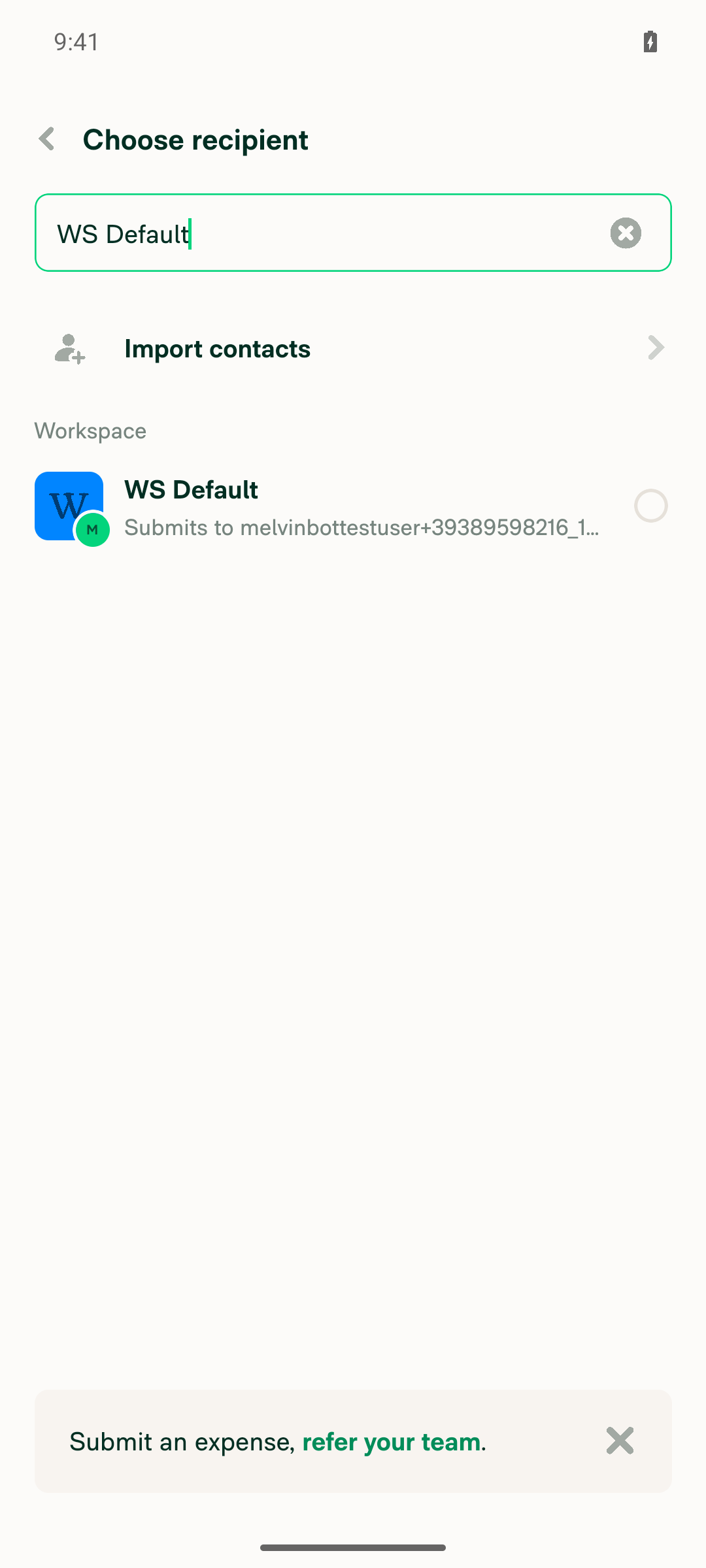
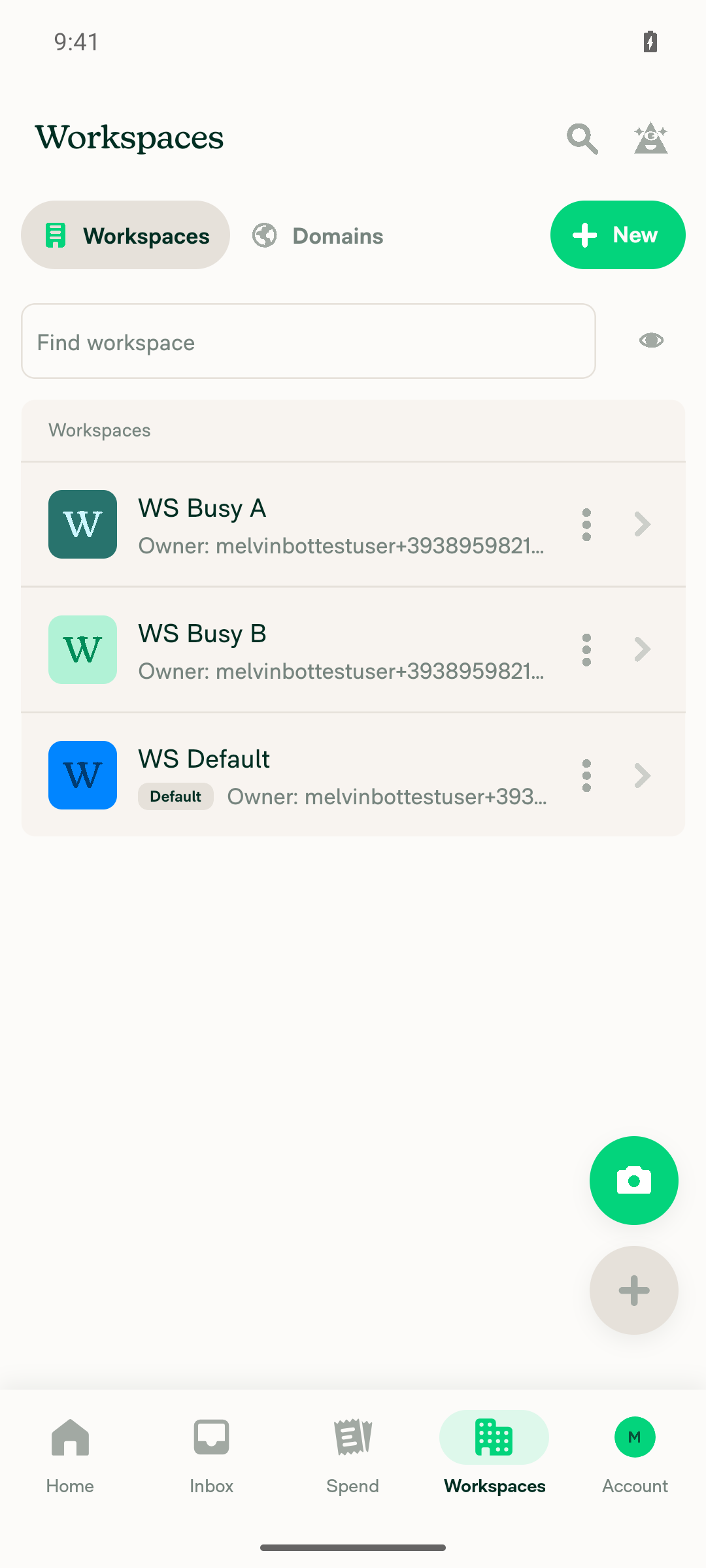
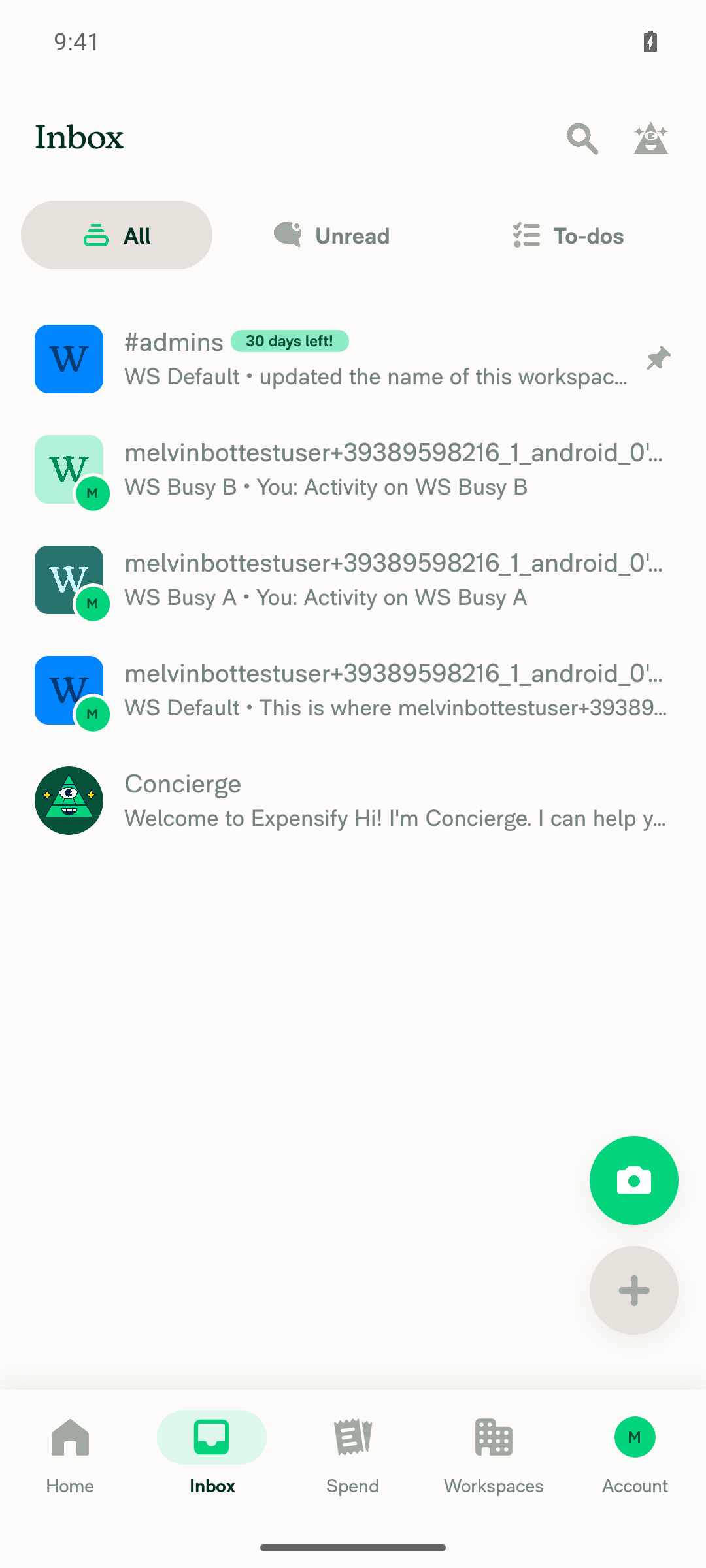
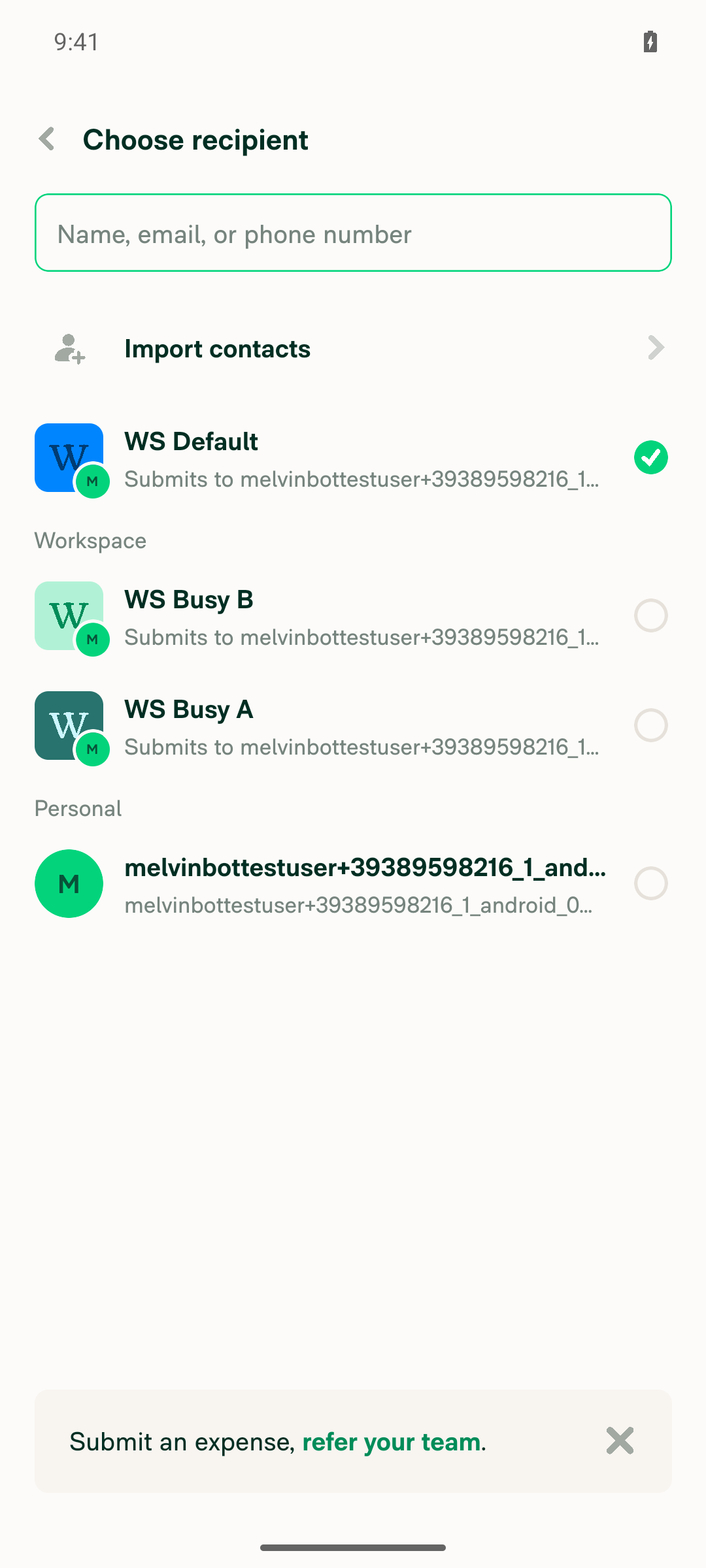
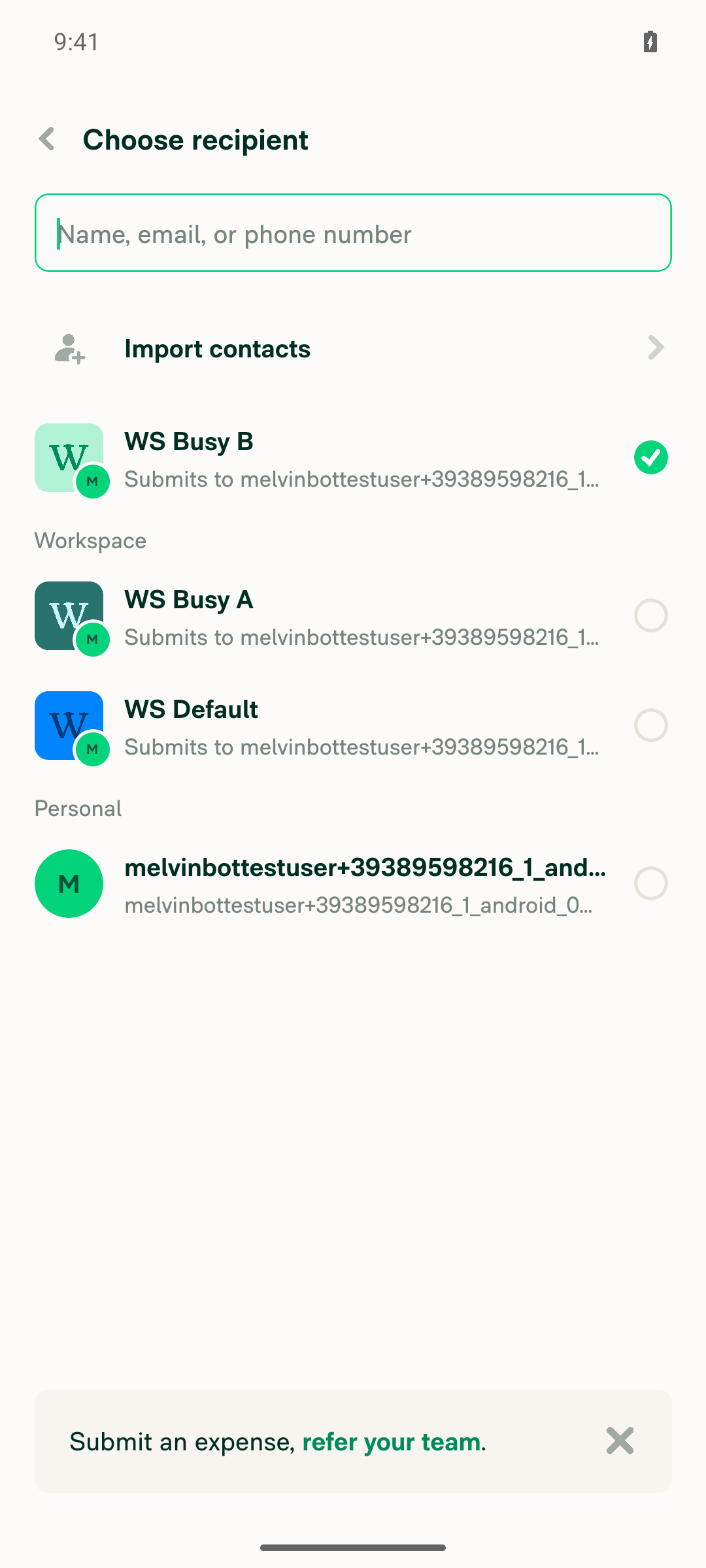
🤖 Android test steps verification results: ✅ pass On Android, the expense participant picker shows the default workspace first with an empty search, both before and after changing the default, and search still finds workspaces by name. The PR's Tests section is still a TODO, so these steps come from the linked issue, scaled down to 3 workspaces; the 50-workspace and 500-report limits were not reproduced on this test account.
|
|
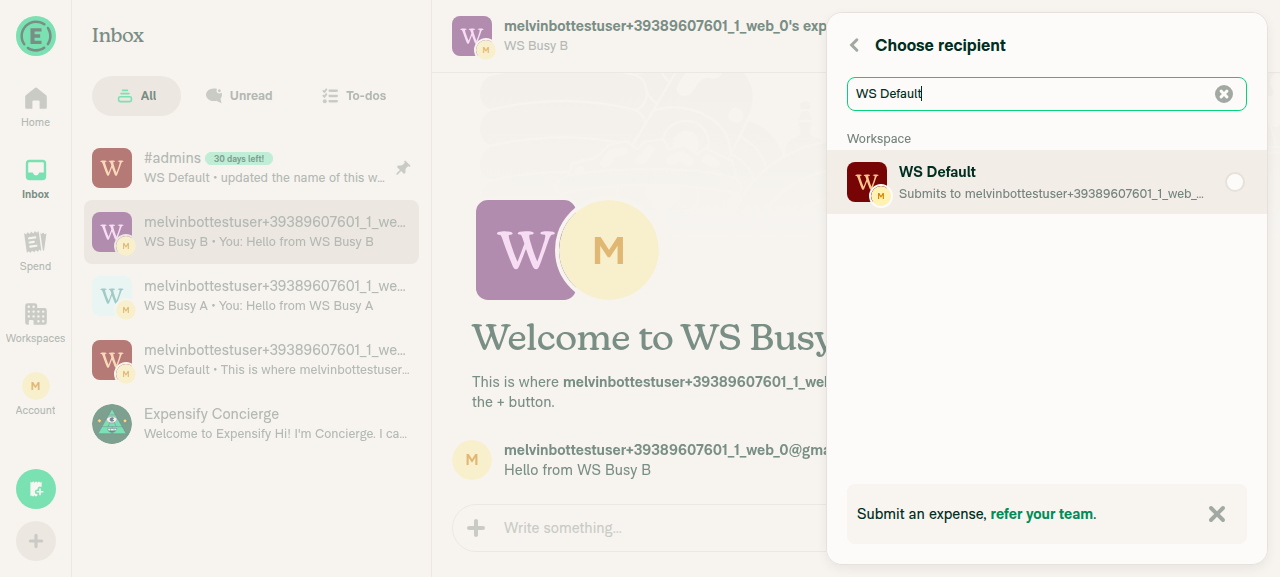
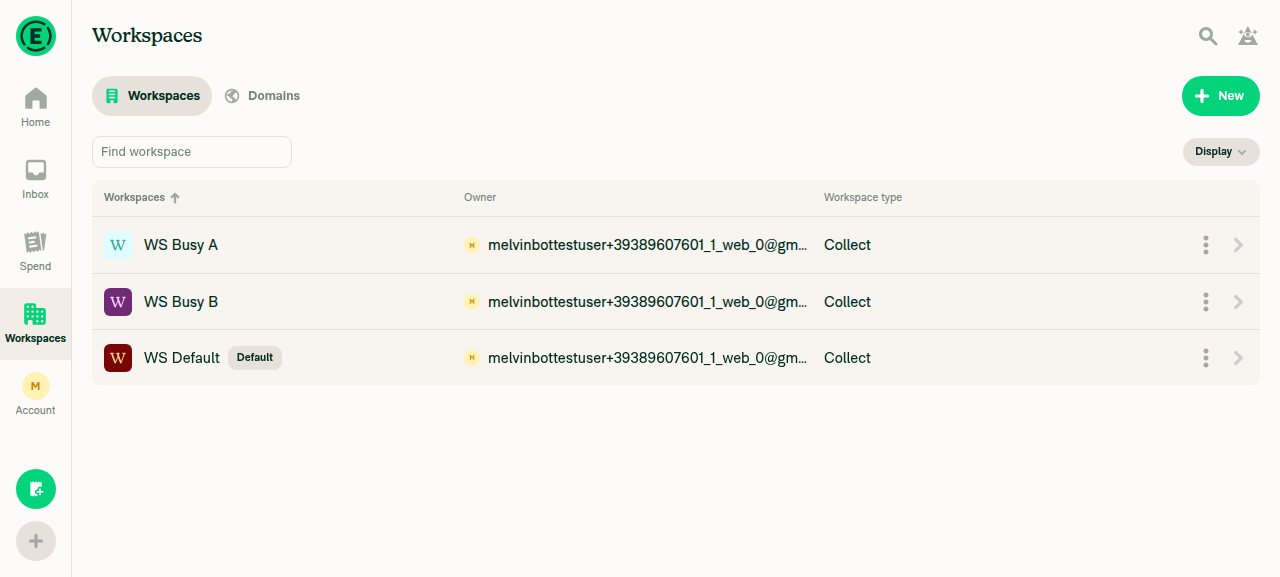
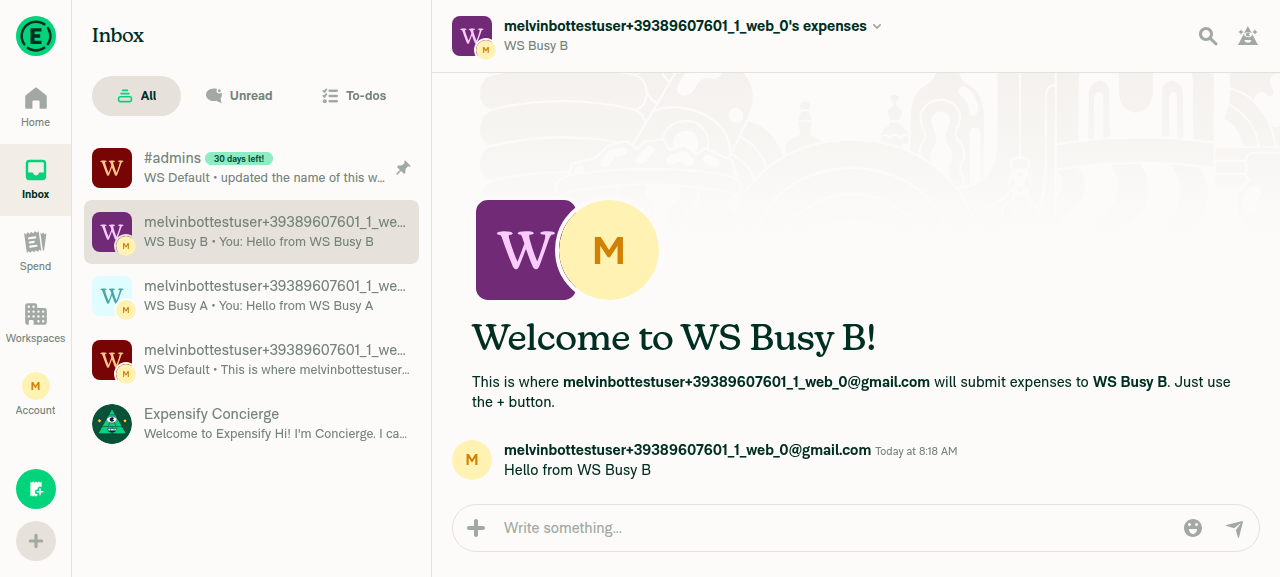
🤖 Web test steps verification results: ✅ pass On Web, the picker's Workspace section lists the default workspace first even when other workspaces have newer activity, and the order updates when the default changes. These steps come from the linked issue (the PR's Tests section is still a TODO), scaled down to 3 workspaces, so the 50-workspace and 500-report limits were not reproduced.
|
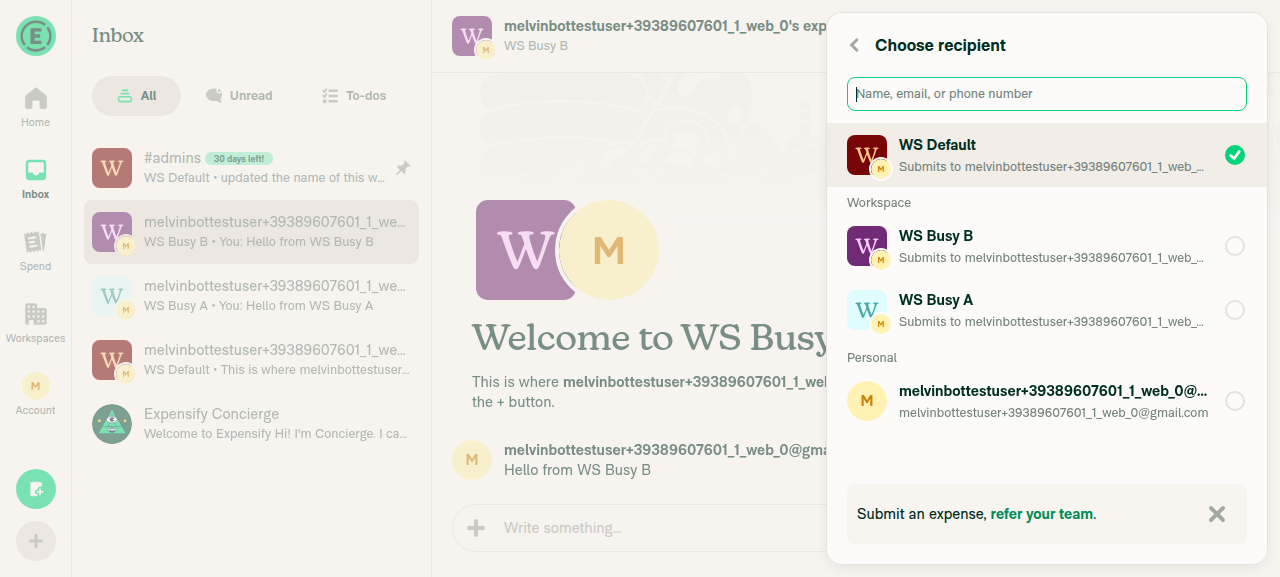
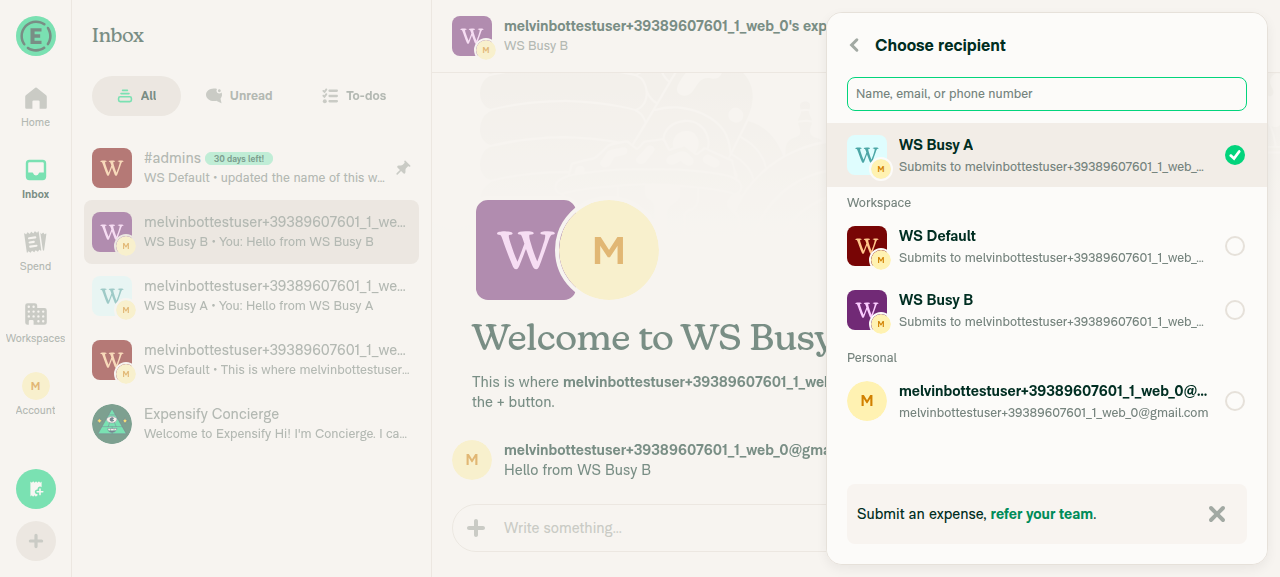
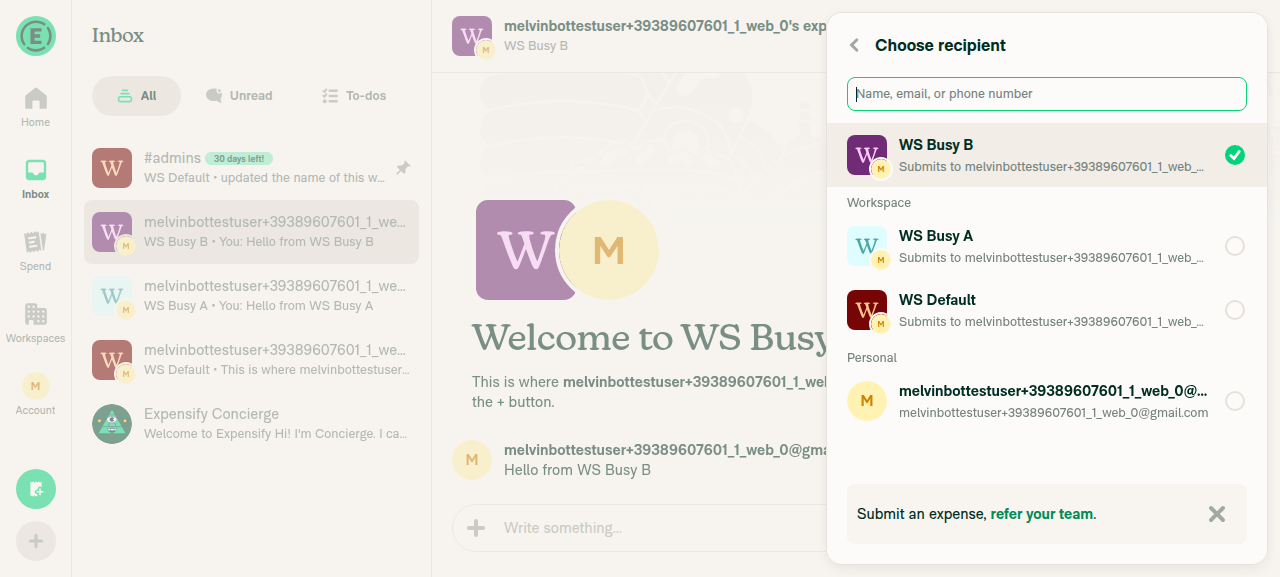
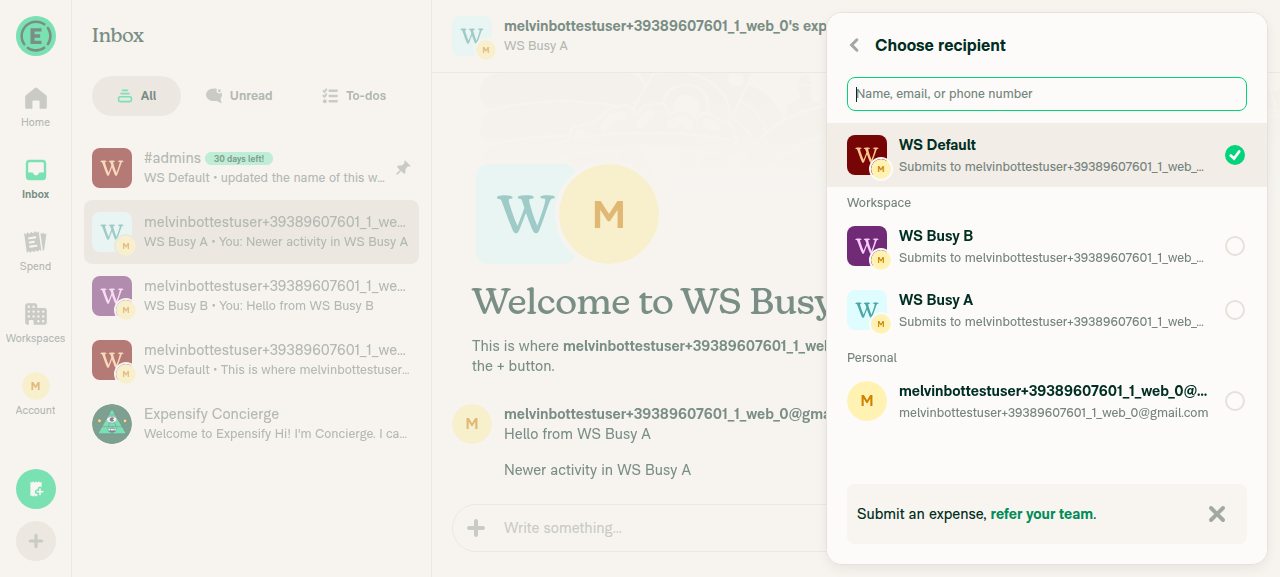

|
🚧 JmillsExpensify has triggered a test Expensify/App build. You can view the workflow run here. |
This comment has been minimized.
This comment has been minimized.

|
This fixed my issue! |

|
@codex Review. |

Codex Review SummaryThis comment shows the latest Codex review activity on this pull request.
ℹ️ About Codex in GitHubYour team has set up Codex to review pull requests in this repo. Reviews are triggered when you
Codex reacts with 👀 while any review is running, comments if it has suggestions, and reacts with 👍 once all reviews finish with no findings. |
|
Codex Review: Didn't find any major issues. Swish! Reviewed commit: ℹ️ About Codex in GitHubCodex has been enabled to automatically review pull requests in this repo. Reviews are triggered when you
If Codex has suggestions, it will comment; otherwise it will react with 👍. When you sign up for Codex through ChatGPT, Codex can also answer questions or update the PR, like "@codex address that feedback". |
|
@MelvinBot, fill out the Test section Note: In the onyx state, the default WS is the WS contain
Then update |
|
I updated the PR description:
I kept the "Verify that no errors appear in the JS console" checkbox in Tests and QA Steps. I didn't change any other section. |
|
@MelvinBot, fill the Screenshots/VideosAndroid: NativeScreen.Recording.2026-10-20.at.15.46.06.movAndroid: mWeb ChromeScreen.Recording.2026-10-20.at.15.47.06.moviOS: NativeScreen.Recording.2026-10-20.at.15.42.34.moviOS: mWeb SafariScreen.Recording.2026-10-20.at.15.47.47.movMacOS: Chrome / SafariScreen.Recording.2026-10-20.at.15.48.12.mov |
|
🤖 I added your 5 videos to the |
|
@MelvinBot, Update the Author Checklist section. Also, I verified there's no console error; then let's check for PR Author Checklist
|

|
@nkdengineer Please copy/paste the Reviewer Checklist from here into a new comment on this PR and complete it. If you have the K2 extension, you can simply click: [this button] |
|
Done. I made these changes:
The rest of the description is unchanged. |


There was a problem hiding this comment.
💡 Codex Review
Here are some automated review suggestions for this pull request.
Reviewed commit: cac235bd9d
ℹ️ About Codex in GitHub
Codex has been enabled to automatically review pull requests in this repo. Reviews are triggered when you
- Open a pull request for review
- Mark a draft as ready
- Comment "@codex review".
If Codex has suggestions, it will comment; otherwise it will react with 👍.
When you sign up for Codex through ChatGPT, Codex can also answer questions or update the PR, like "@codex address that feedback".
| preferRecentExpenseReports: action === CONST.IOU.ACTION.CREATE, | ||
| isRestrictedToPreferredPolicy, | ||
| preferredPolicyID, | ||
| activePolicyID, |
There was a problem hiding this comment.

When this shared component is used for an invoice (iouType === CONST.IOU.TYPE.INVOICE) or with shouldExcludeWorkspaces, it still forwards activePolicyID, so useFilteredOptions promotes the default expense chat into the 500-report raw slice even though includeOwnedWorkspaceChats is false and isValidReport later rejects that chat. On accounts above the raw cap, the ineligible chat can therefore evict a newer eligible invoice room or report from the empty-query results until the user loads another page or searches; only enable this boost when owned workspace chats can actually be displayed.
Useful? React with 👍 / 👎.

There was a problem hiding this comment.
This is valid, and I fixed it in 9035aff.
For invoices and pickers with shouldExcludeWorkspaces, includeOwnedWorkspaceChats is false. Before this fix, activePolicyID was still passed, so the default workspace chat was ranked into the 500 recent reports and then filtered out, which wasted one slot. Now activePolicyID is passed only when includeOwnedWorkspaceChats is true (ParticipantSearchResults.tsx:203-226). Submit, create, split, and track pickers work the same as before.
Checks: npm run typecheck and the React Compiler check passed. The OptionsListUtilsTest and useSearchSelectorTest suites passed (390 tests). ESLint found no new errors in the changed file.

| }; | ||
|
|
||
| // Rank the user's default workspace chat first among workspace chats, so the per-group limit keeps it even when it has no recent activity | ||
| const isDefaultWorkspaceChat = (report: SearchOption<Report>) => |

There was a problem hiding this comment.
❌ CONSISTENCY-3 (docs)
This PR introduces the same "is the current user's own expense chat in the default workspace" predicate in two places. Here in getValidOptions:
const isDefaultWorkspaceChat = (report: SearchOption<Report>) =>
    !!activePolicyID && isWorkspaceChat(report) && report.policyID === activePolicyID && report.ownerAccountID === currentUserAccountID;
and again in reportSortComparator (around line 1042):
const isDefaultWorkspaceChat =
    !!activePolicyID && report.chatType === CONST.REPORT.CHAT_TYPE.POLICY_EXPENSE_CHAT && report.policyID === activePolicyID && report.ownerAccountID === currentUserAccountID;
The ownership + default-policy core (report.policyID === activePolicyID && report.ownerAccountID === currentUserAccountID) is identical in both, and both exist only to give that chat top sort priority. If the definition of "default workspace chat" ever changes (e.g. ownership rules), both copies must be kept in sync.
Consider extracting a small shared predicate, e.g.:
function isOwnDefaultWorkspaceChat(report: Pick<Report, 'policyID' | 'ownerAccountID'>, currentUserAccountID: number, activePolicyID: string | undefined): boolean {
    return !!activePolicyID && report.policyID === activePolicyID && report.ownerAccountID === currentUserAccountID;
}
and call it from both sites (combining with the respective isWorkspaceChat/chatType check), so the ownership rule lives in one place.
Reviewed at: cac235b | Please rate this suggestion with 👍 or 👎 to help us improve! Reactions are used to monitor reviewer efficiency.
There was a problem hiding this comment.
Done in 9beeb96. I added isOwnDefaultWorkspaceChat (src/libs/OptionsListUtils/index.ts:1033-1036). It holds the default workspace and ownership check in one place. reportSortComparator and getValidOptions now both call it, each with its own workspace chat check. Behavior is unchanged.
Checks: npm run typecheck passed, and the OptionsListUtilsTest and useSearchSelectorTest suites passed (390 tests). ESLint reports no errors on the changed lines.
There was a problem hiding this comment.
This is already done, and no new changes were needed. The PR head is 9beeb96. The shared check lives in isOwnDefaultWorkspaceChat at src/libs/OptionsListUtils/index.ts:1034. Both places now call it:
I didn't act on your request about the Codex invoice comment in this run.
Reviewer Checklist
Screenshots/VideosAndroid: HybridAppScreen.Recording.2026-10-20.at.15.46.06.movAndroid: mWeb ChromeScreen.Recording.2026-10-20.at.15.47.06.moviOS: HybridAppScreen.Recording.2026-10-20.at.15.42.34.moviOS: mWeb SafariScreen.Recording.2026-10-20.at.15.47.47.movMacOS: Chrome / SafariScreen.Recording.2026-10-20.at.15.48.12.mov |

 JmillsExpensify
left a comment
JmillsExpensify
left a comment
There was a problem hiding this comment.
Confirmed that this resolved my issue.
Co-authored-by: nkdengineer <nkdengineer@users.noreply.github.com>
|
@puneetlath Please copy/paste the Reviewer Checklist from here into a new comment on this PR and complete it. If you have the K2 extension, you can simply click: [this button] |
Co-authored-by: nkdengineer <nkdengineer@users.noreply.github.com>

Codecov Report❌ Looks like you've decreased code coverage for some files. Please write tests to increase, or at least maintain, the existing level of code coverage. See our documentation here for how to interpret this table.
|


|
🚧 puneetlath has triggered a test Expensify/App build. You can view the workflow run here. |
|
🧪🧪 Use the links below to test this adhoc build on Android, iOS, and Web. Happy testing! 🧪🧪
|


|
✋ This PR was not deployed to staging yet because QA is ongoing. It will be automatically deployed to staging after the next production release. |

|
🚀 Deployed to staging by https://github.com/puneetlath in version: 9.5.15-1 🚀
|
|
No help site update needed. This bug fix makes the default workspace show up first in the expense participant picker, which is what users already expect, and no article under |
|
🚀 Deployed to production by https://github.com/grgia in version: 9.5.15-3 🚀
Bundle Size Analysis (Sentry): |


Explanation of Change
On large accounts, the expense participant picker (Share Sheet > Submit, and FAB > Create expense) dropped a quiet default workspace from the "Workspace" list. Two recency limits apply when the search is empty, and both rank workspace chats only by recent activity:
createFilteredOptionListkeeps only the 500 most recently active reports.getValidOptionscaps each group, including the separated workspace chats, at the page size (50).This PR ranks the user's own expense chat in the default workspace (
activePolicyID) first in both places:reportSortComparatorgives that chat the same top priority the self-DM already gets, so the 500-report pre-filter always keeps it.getValidOptionsacceptsactivePolicyIDand ranks that chat first within the separated workspace chats, so the page cap keeps it and the picker shows it at the top.ParticipantSearchResultspassesactivePolicyIDin itsgetValidOptionsConfig.useSearchSelectorforwards it touseFilteredOptions→createFilteredOptionList. Other pickers don't pass it, so their behavior is unchanged.Unit tests cover both limits and confirm another member's expense chat in the same workspace is not boosted.
Fixed Issues
$ #104373
PROPOSAL: #104373 (comment)
Tests
Note: In the Onyx state, the default workspace is the workspace whose name contains
DEFAULT.Web/mWeb
TosectionNative
WorkspacessectionOffline tests
Same as test
QA Steps
Same as test
PR Author Checklist
### Fixed Issuessection aboveTestssectionOffline stepssectionQA stepssectionAvatar, I verified the components usingAvatarare working as expected)StyleUtils.getBackgroundAndBorderStyle(theme.componentBG))npm run compress-svg)Avataris modified, I verified thatAvataris working as expected in all cases)Designlabel and/or tagged@Expensify/designso the design team can review the changes.mainbranch was merged into this PR after a review, I tested again and verified the outcome was still expected according to theTeststeps.AI Tests
Melvin ran these locally:
npm test -- tests/unit/OptionsListUtilsTest.tsx tests/unit/useSearchSelectorTest.tsx tests/unit/LhnSearchPreviewParityTest.ts tests/unit/SearchAutocompleteListTest.tsx: 569 passed, including 3 new tests.npm run typecheck: passed.npm run lint-changed: passed.npm run fmt(oxfmt): applied before commit.npm run spell-changed: no issues.npm run react-compiler-compliance-check checkon the changed hooks and component: passed. (check-changedcouldn't resolve the base branch in this environment.)Screenshots/Videos
Android: Native
Screen.Recording.2026-10-20.at.15.46.06.mov
Android: mWeb Chrome
Screen.Recording.2026-10-20.at.15.47.06.mov
iOS: Native
Screen.Recording.2026-10-20.at.15.42.34.mov
iOS: mWeb Safari
Screen.Recording.2026-10-20.at.15.47.47.mov
MacOS: Chrome / Safari
Screen.Recording.2026-10-20.at.15.48.12.mov