Skip to content

Apply the selected recipient to every receipt in a multi-scan batch - #105200

Merged
neil-marcellini merged 1 commit into
mainfrom
claude-multiScanApplyRecipientToAllReceipts
Oct 28, 2026
Merged

neil-marcellini merged 1 commit into
mainfrom
claude-multiScanApplyRecipientToAllReceipts

Conversation

@MelvinBot

@MelvinBot MelvinBot commented Oct 27, 2026 •

Copy link
Copy Markdown
Contributor

Explanation of Change

On the multi-scan confirmation page, the in-place To picker only wrote the selected recipient (and its report, category/tag resets and distance rate) to the receipt on screen. Submitting, however, sends every receipt in the batch to the visible receipt's recipient, report and policy. So each receipt could show a different recipient while all of them ended up in the workspace of whichever receipt was on screen when Submit was tapped.

This brings back the behavior of the legacy participants step (useParticipantSubmission), which applied the selection to every draft transaction:

  • useParticipantPickerState now receives the full transactions list from the confirmation page.
  • When there is more than one receipt, handleParticipantsAdded applies the participants, report, category/tag resets and rate updates to every receipt. A single optimistic report ID is generated so all receipts share the same new P2P chat.
  • Single-receipt flows are unchanged (the list is just the current transaction).

The To field now shows the same recipient on every page, matching where the expenses are actually submitted. The submit hooks need no change.

Added a UI test that confirms two scanned receipts and checks that selecting a new workspace moves both of them (it fails without this change).

Fixed Issues

$ #104236
PROPOSAL: #104236 (comment)

Tests

// TODO: The human co-author must fill out the tests you ran before marking this PR as "ready for review"
// Please describe what tests you performed that validates your changed worked.

  • Verify that no errors appear in the JS console

Offline tests

QA Steps

Precondition:

  • Account is a member of at least 2 workspaces (Workspace A, Workspace B)

Test 1: Changing To applies to every receipt

  1. Open the app
  2. Tap + > Create expense > Scan
  3. Turn on multi-scan and capture 3 receipts
  4. Proceed to the confirmation page
  5. On receipt 1, tap To and select Workspace A
  6. Switch to receipt 2 and receipt 3
  7. Verify To shows Workspace A on every receipt
  8. On receipt 3, tap To and select Workspace B
  9. Switch back to receipt 1 and receipt 2
  10. Verify To shows Workspace B on every receipt
  11. Tap Create 3 expenses
  12. Verify all 3 expenses are added to Workspace B

Test 2: Submit from a different receipt

  1. Repeat steps 1-4 of Test 1
  2. On receipt 2, tap To and select Workspace A
  3. Switch to receipt 3 and tap Create 3 expenses
  4. Verify all 3 expenses are added to Workspace A

Test 3: Category and tag reset on workspace change

  1. Repeat steps 1-4 of Test 1
  2. Select Workspace A in To, then set a category on receipt 1 and receipt 2
  3. On receipt 3, change To to Workspace B
  4. Switch through all receipts
  5. Verify the Workspace A categories and tags are cleared on every receipt
  6. Tap Create 3 expenses
  7. Verify all 3 expenses are added to Workspace B without Workspace A categories

Test 4: Individual recipient

  1. Repeat steps 1-4 of Test 1
  2. On receipt 2, tap To and select a user who has no existing chat with you (enter a new email)
  3. Verify To shows that user on every receipt
  4. Tap Create 3 expenses
  5. Verify all 3 expenses are added to one IOU report in the chat with that user

Test 5: Self DM

  1. Repeat steps 1-4 of Test 1
  2. On receipt 1, tap To and select Workspace A
  3. On receipt 3, tap To and select yourself
  4. Verify To shows yourself on every receipt
  5. Tap Create 3 expenses
  6. Verify all 3 expenses are tracked in your self DM and none are added to Workspace A

Test 6: Single scan (regression test)

  1. Tap + > Create expense > Scan with multi-scan off and capture 1 receipt
  2. Tap To and select Workspace B
  3. Tap Create expense
  4. Verify the expense is added to Workspace B

Expected Result:

Changing To on any receipt in a multi-scan batch updates every receipt. All expenses are added to the selected recipient.

  • Verify that no errors appear in the JS console

PR Author Checklist

  • I linked the correct issue in the ### Fixed Issues section above
  • I wrote clear testing steps that cover the changes made in this PR
    • I added steps for local testing in the Tests section
    • I added steps for the expected offline behavior in the Offline steps section
    • I added steps for Staging and/or Production testing in the QA steps section
    • I added steps to cover failure scenarios (i.e. verify an input displays the correct error message if the entered data is not correct)
    • I turned off my network connection and tested it while offline to ensure it matches the expected behavior (i.e. verify the default avatar icon is displayed if app is offline)
    • I tested this PR with a High Traffic account against the staging or production API to ensure there are no regressions (e.g. long loading states that impact usability).
  • I included screenshots or videos for tests on all platforms
  • I ran the tests on all platforms & verified they passed on:
    • Android: Native
    • Android: mWeb Chrome
    • iOS: Native
    • iOS: mWeb Safari
    • MacOS: Chrome / Safari
  • I verified there are no console errors (if there's a console error not related to the PR, report it or open an issue for it to be fixed)
  • I verified any copy / text that was added to the app is either coming verbatim from figma or has been approved by marketing (in order to get marketing approval, ask the Bug Zero team member to add the Waiting for copy label to the issue)
  • If a new code pattern is added I verified it was agreed to be used by multiple Expensify engineers
  • I tested other components that can be impacted by my changes (i.e. if the PR modifies a shared library or component like Avatar, I verified the components using Avatar are working as expected)
  • If new assets were added or existing ones were modified, I verified that:
    • The assets are optimized and compressed (for SVG files, run npm run compress-svg)
    • The assets load correctly across all supported platforms.
  • If the PR modifies code that runs when editing or sending messages, I tested and verified there is no unexpected behavior for all supported markdown - URLs, single line code, code blocks, quotes, headings, bold, strikethrough, and italic.
  • If the PR modifies a generic component, I tested and verified that those changes do not break usages of that component in the rest of the App (i.e. if a shared library or component like Avatar is modified, I verified that Avatar is working as expected in all cases)
  • If the PR modifies a component related to any of the existing Storybook stories, I tested and verified all stories for that component are still working as expected.
  • If the PR modifies a component or page that can be accessed by a direct deeplink, I verified that the code functions as expected when the deeplink is used - from a logged in and logged out account.
  • If the PR modifies the UI (e.g. new buttons, new UI components, changing the padding/spacing/sizing, moving components, etc) or modifies the form input styles:
    • I verified that all the inputs inside a form are aligned with each other.
    • I added Design label and/or tagged @Expensify/design so the design team can review the changes.
  • If the PR adds or modifies the UI:
    • I asked an AI agent to review the changes for accessibility issues and addressed its findings.
    • I tested with a screen reader (VoiceOver on macOS) and verified all new/changed elements are reachable with a logical focus order.
    • I verified all new/changed elements have meaningful accessible names and roles.
    • I verified state changes are announced (e.g. checked/unchecked, expanded/collapsed, selected).
  • I added unit tests for any new feature or bug fix in this PR to help automatically prevent regressions in this user flow.
  • If the main branch was merged into this PR after a review, I tested again and verified the outcome was still expected according to the Test steps.

Screenshots/Videos

Android: Native
Android: mWeb Chrome
iOS: Native
iOS: mWeb Safari
MacOS: Chrome / Safari

AI Tests

  • ✅ npm run lint-changed
  • ✅ npm run typecheck
  • ✅ npm run fmt (no formatting changes)
  • ✅ npm run spell-changed
  • ✅ npm run react-compiler-compliance-check check <changed files>
  • ✅ npm test -- tests/ui/components/IOURequestStepConfirmationPageTest.tsx tests/ui/IOURequestStartPageManualTabTest.tsx tests/ui/TimeExpenseConfirmationTest.tsx (58 passed; the new test fails without the fix)
  • ⚠️ Not run locally: full npm test, npm run lint, Storybook smoke test (left to CI)
  • ⚠️ Web UI verification was attempted but the test browser session rendered a blank page, so the flow wasn't exercised in the app

Co-authored-by: mkhutornyi <mkhutornyi@users.noreply.github.com>
@codecov

codecov Bot commented Oct 27, 2026 •

Copy link
Copy Markdown

Codecov Report

❌ Looks like you've decreased code coverage for some files. Please write tests to increase, or at least maintain, the existing level of code coverage. See our documentation here for how to interpret this table.

Files with missing lines Coverage Δ
.../request/step/IOURequestStepConfirmation/index.tsx 90.95% <100.00%> (+0.02%) ⬆️
...questStepConfirmation/useParticipantPickerState.ts 84.61% <68.96%> (-2.99%) ⬇️
... and 29 files with indirect coverage changes

@MelvinBot

MelvinBot commented Oct 27, 2026 •

Copy link
Copy Markdown
Contributor Author

🤖 Android test steps verification results: ✅ pass

On standalone Android NewDot, choosing a recipient on one receipt in a multi-scan batch now applies to every receipt, and both expenses were created under the recipient selected at submit time (WS B), with none in WS A. The PR's Tests section is still a TODO, so these steps come from the linked issue's reproduction steps and the PR's explanation.
WS A expenses chat still empty

Step Status
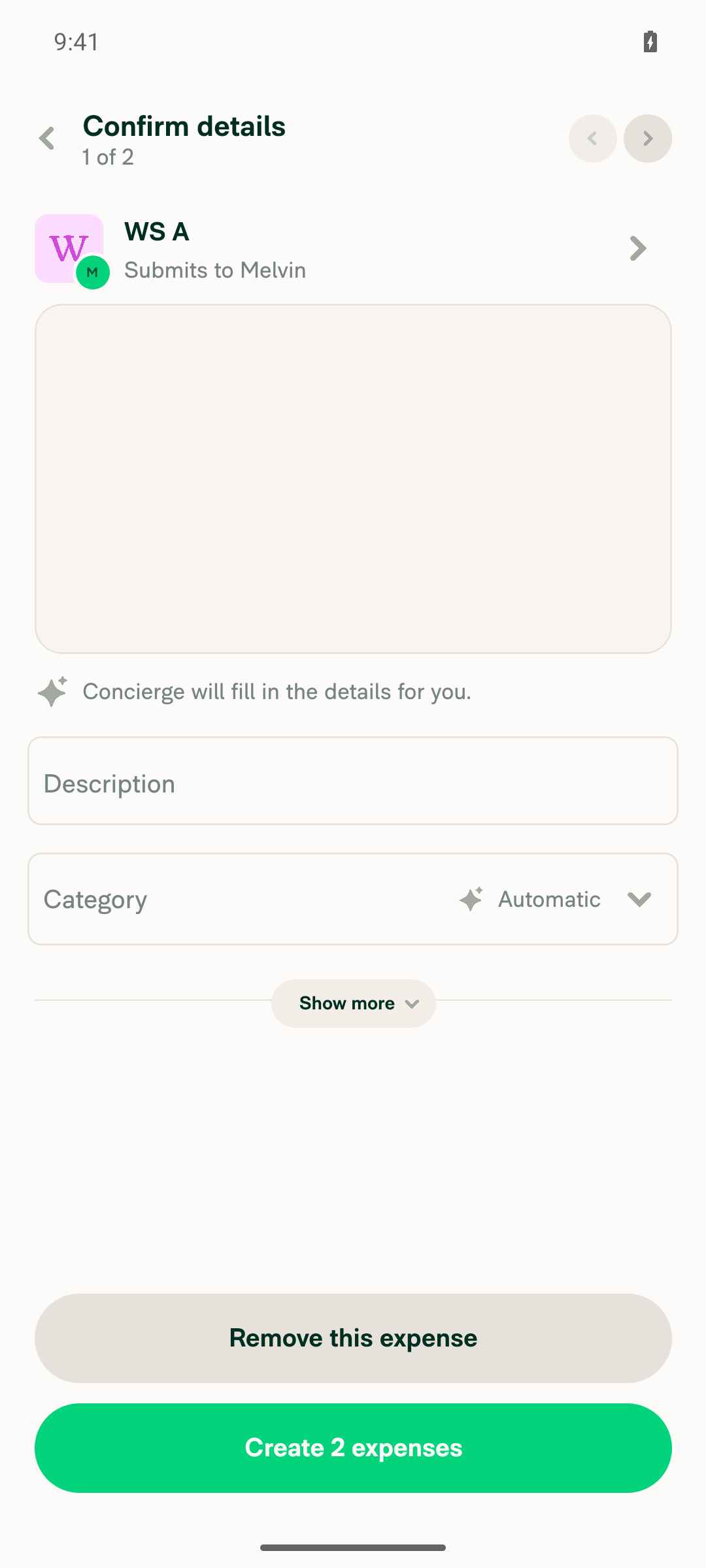
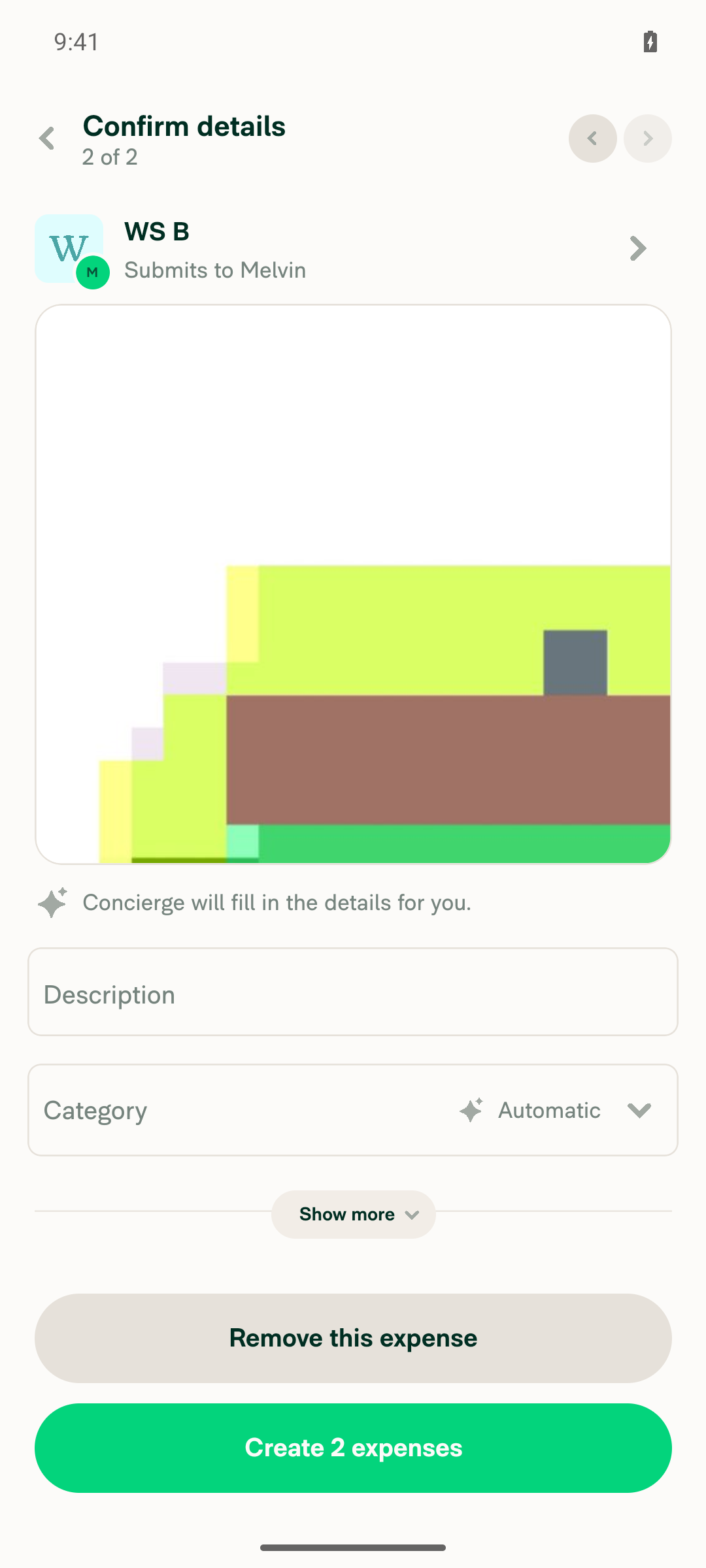
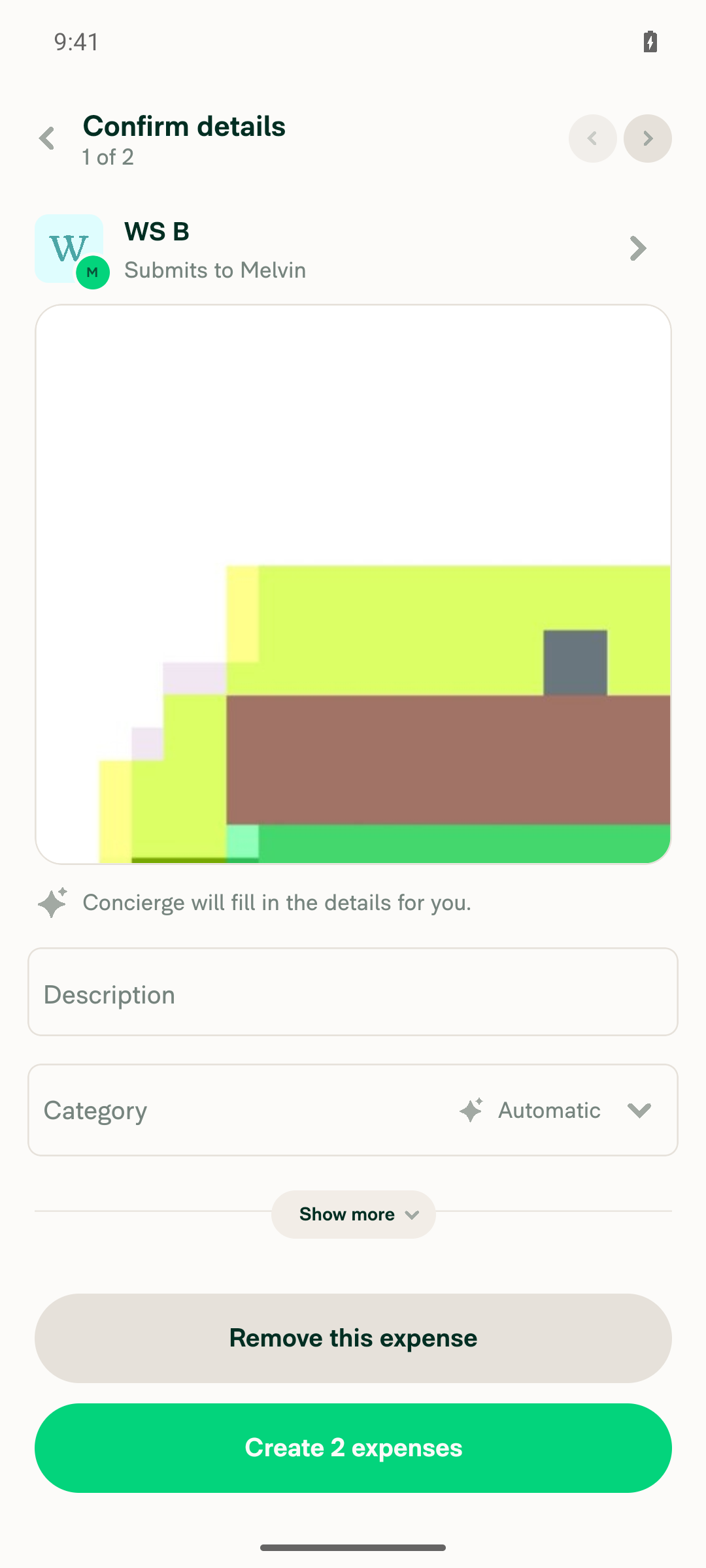
Start a Scan expense, add 2 receipts in multi-scan mode, continue to the confirmation page showing 2 receiptsConfirmation page header read "Confirm details 1 of 2" with a "Create 2 expenses" button after capturing 2 photos in multi-scan mode.
Confirm details 1 of 2, Create 2 expenses button
✅
On receipt 1, tap To and select WS A; the To field on receipt 1 shows WS AThe recipient row read "WS A, Submits to Melvin" after selecting WS A in the Choose recipient picker.
Receipt 1 of 2 showing WS A as recipient
✅
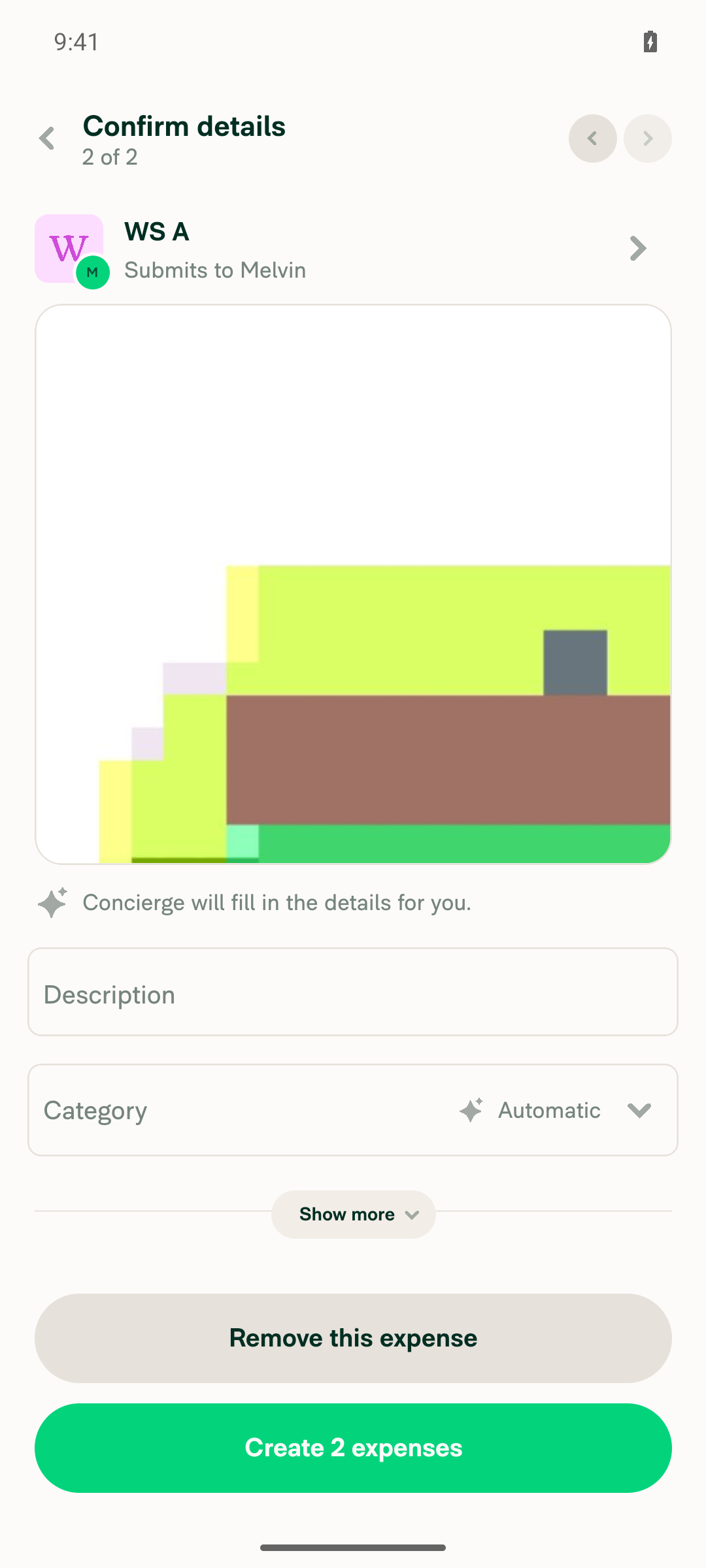
Move to receipt 2; its To field also shows WS A"Confirm details 2 of 2" showed "WS A, Submits to Melvin" without selecting it again.
Receipt 2 of 2 showing WS A as recipient
✅
On receipt 2, change To to WS B; moving back to receipt 1 shows WS B there tooAfter selecting WS B on receipt 2, receipt 1 of 2 also showed "WS B, Submits to Melvin".
Receipt 2 of 2 changed to WS BReceipt 1 of 2 now shows WS B
✅
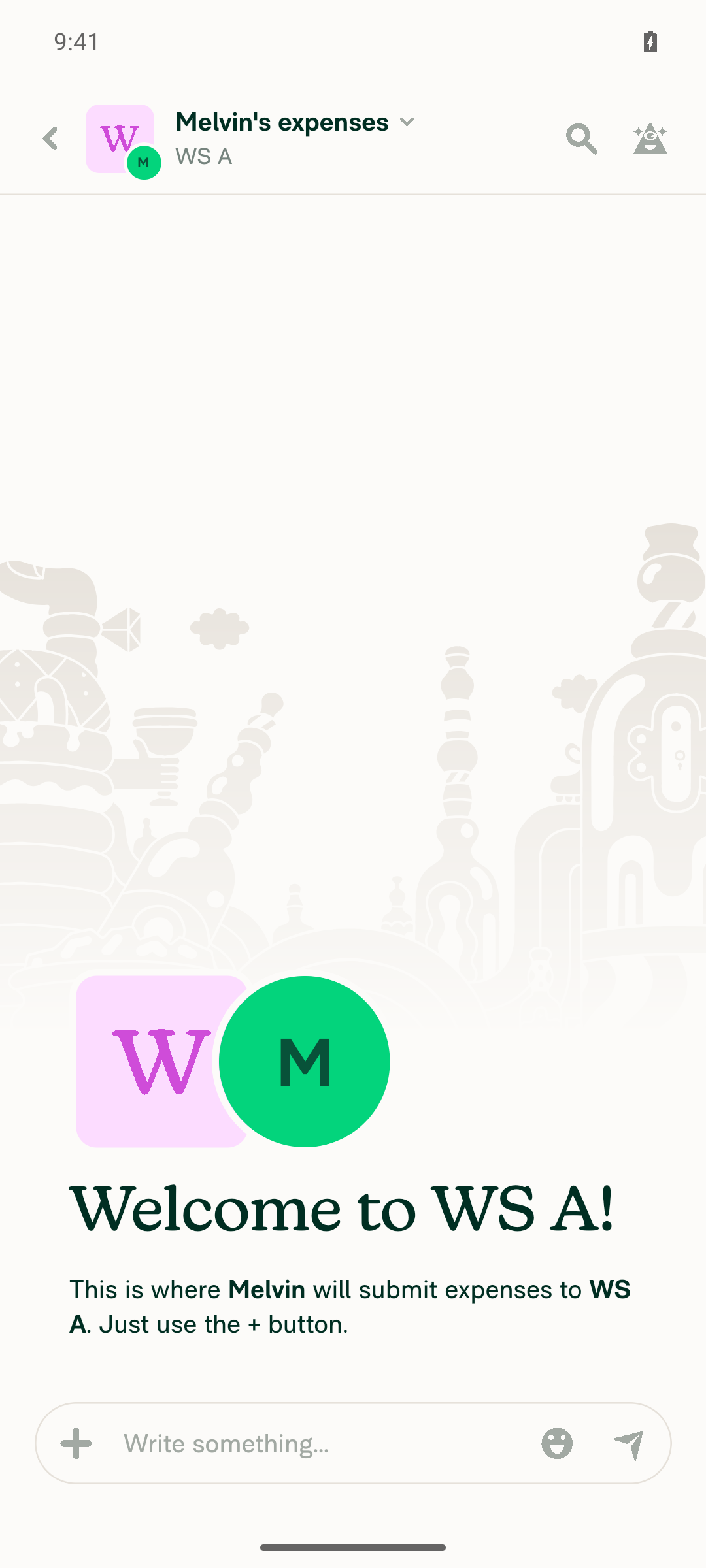
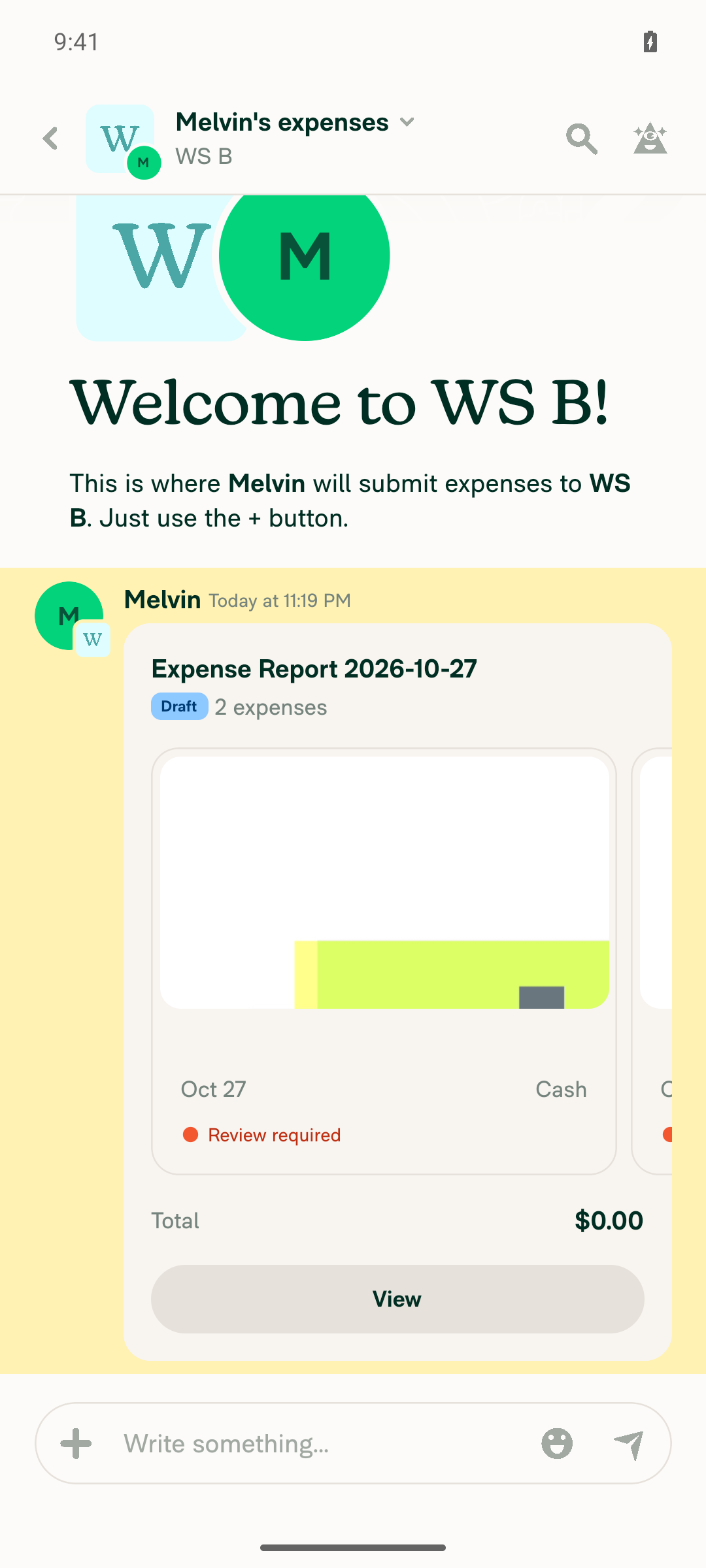
Tap Submit; both expenses are created in WS B and WS A gets noneAfter tapping "Create 2 expenses", the WS B expenses chat showed "Expense Report 2026-10-27 — Draft, 2 expenses" with two receipt cards. The WS A expenses chat still showed only the "Welcome to WS A!" placeholder.
WS B report showing Draft, 2 expensesWS A expenses chat still empty
✅
No crash or error during the flowNo crash, error dialog, or ANR occurred. The only notices were the expected "Receipt scanning failed" messages, because the emulator camera captured test-pattern images instead of real receipts.
✅

view run · view recording

@MelvinBot

MelvinBot commented Oct 27, 2026 •

Copy link
Copy Markdown
Contributor Author

🤖 Web test steps verification results: ❌ fail

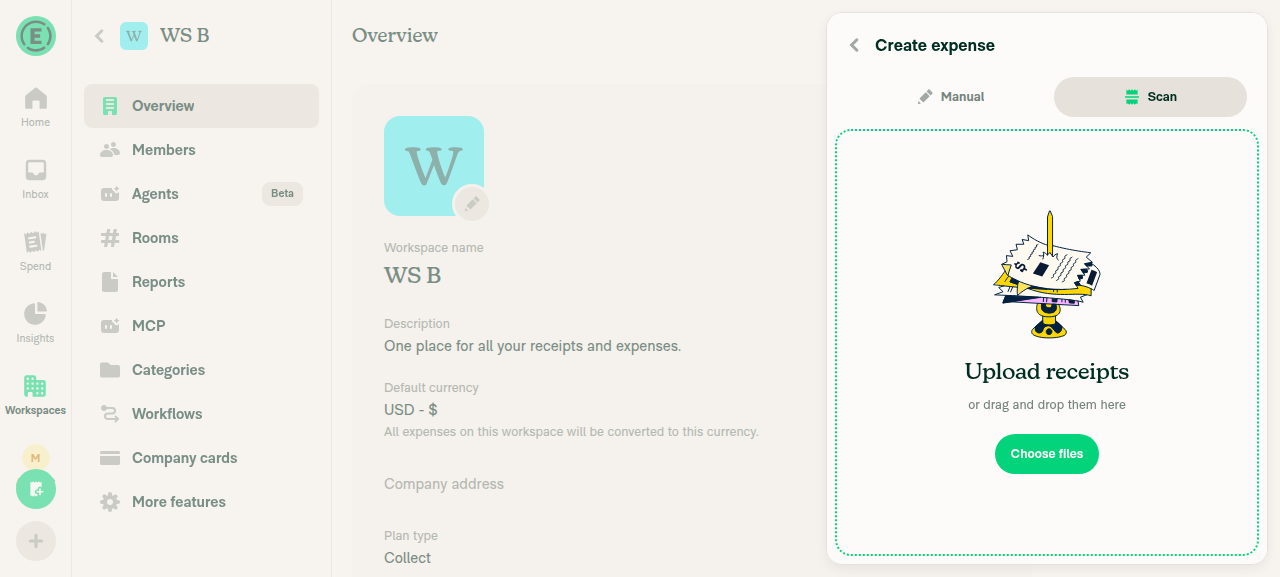
The test was blocked before it reached the fix, not failed by the fix. The web test tool can't upload files, and the multi-receipt Scan confirmation page that this PR changes can only be reached by uploading receipt images.
Scan screen showing only a Choose files upload control

Step Status
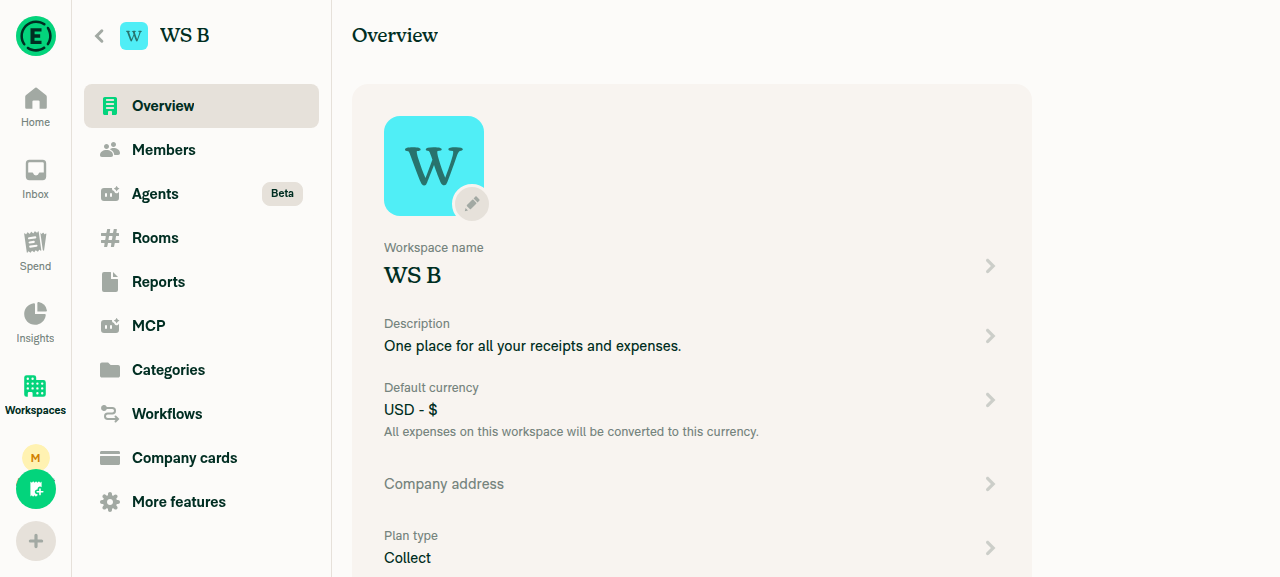
Prerequisite: account has two workspaces (WS A, WS B)The Workspaces list shows WS A, WS B, and the default workspace, each owned by the test account.
WS B workspace overview after WS A and WS B were created
✅
Start a Scan expense and add 2 receipts to reach the multi-receipt confirmation pageCreate expense › Scan offers only a "Choose files" button or drag-and-drop zone, which opens the operating system's file picker. The web test tool doesn't support file uploads, and the app has no other way to add receipts.
Scan screen showing only a Choose files upload control
❌
Selecting WS A, then WS B, on one receipt applies to all receiptsNot run. This step needs the two-receipt confirmation page, which requires the blocked upload step.
❌
Submitting creates both expenses in WS B and none in WS ANot run, for the same reason.
❌
No JS console errors during the flowNot checked. The flow didn't get far enough, and the web test tool can't read the browser console.
❌

view run · view recording

@mkhutornyi

Copy link
Copy Markdown
Contributor

@codex review

@mkhutornyi

Copy link
Copy Markdown
Contributor

@MelvinBot review

@chatgpt-codex-connector

chatgpt-codex-connector Bot commented Oct 28, 2026 •

Copy link
Copy Markdown

Codex Review Summary

This comment shows the latest Codex review activity on this pull request.

Review Status Commit Review trigger
📝 Code Review ✅ Completed 2026-10-28T10:17:05.855702Z ac0741f Draft marked ready
ℹ️ About Codex in GitHub

Your team has set up Codex to review pull requests in this repo. Reviews are triggered when you

  • Open a pull request for review
  • Mark a draft as ready
  • Comment "@codex review" or "@codex security review".

Codex reacts with 👀 while any review is running, comments if it has suggestions, and reacts with 👍 once all reviews finish with no findings.

@MelvinBot

Copy link
Copy Markdown
Contributor Author

🤖 Code review

Looks good to merge. I found no blocking issues. The change brings the in-place To picker in line with the legacy participants step (useParticipantSubmission.addParticipant / goToNextStep), which already wrote the selection to every draft. All CI checks pass except Check independent approval, which is expected before approval. Android testing passed earlier on this PR.

What I checked

  • A single participantReportID is generated outside the loop, so every receipt sent to a new P2P recipient shares one optimistic chat (useParticipantPickerState.ts:210).
  • Per-receipt fields (created, customUnitRateID) now come from each receipt instead of the visible one (L243-L253).
  • Single-receipt flows run the same code as before, because transactionsToUpdate falls back to [transaction] (L162).
  • The new UI test covers the bug, and Onyx.clear() in afterEach cleans up the extra draft.

Non-blocking notes

  1. Duplicated test helper. The new test copies the Onyx.connect body of getDraftTransaction (test:2570). Consider giving the helper a parameter, getDraftTransaction(transactionID = TRANSACTION_ID), and calling it twice.
  2. Negative-amount check reads only the visible receipt. shouldKeepOnSelfDM checks the amount and participants of the receipt on screen (L157-L158). Now that the result applies to the whole batch, a negative receipt that isn't on screen could still be moved to a P2P recipient. The legacy step has the same limit, and scans are usually $0 at this point, so this isn't a regression. It may be worth a follow-up.
  3. Category reset compares against the visible receipt's policy. The firstParticipant.policyID !== policyID check (L261) uses policyID from the visible receipt for every receipt. Each selection now syncs all receipts, so they share one policy and this works in practice.

view run

@MelvinBot

MelvinBot commented Oct 28, 2026 •

Copy link
Copy Markdown
Contributor Author

🤖 Web test steps verification results: ⚠️ partial

I found no regressions in the flows I could run on web: a manual expense to a new P2P recipient, a distance expense switched between workspace and P2P recipients, and a split expense all worked with no errors. I couldn't run the 4 scan and multi-scan checks because the web test tool can't upload receipt files, so those rows are marked ⚠️ as not run, not as failures.
Split expense posted in group chat

Step Status
1. Single scan expense: change To from WS A to WS B and submit; it lands in WS B with no errorNot run. The Scan tab only offers a native "Choose files" picker, and the web test tool can't upload files.
⚠️
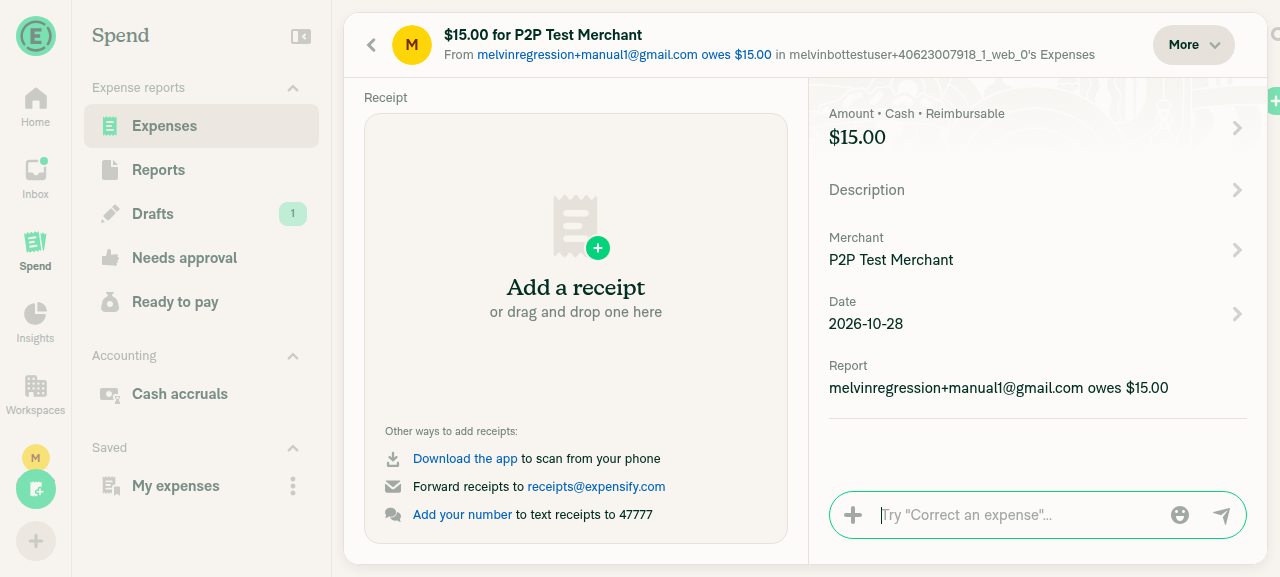
2. Single manual expense: change To to a new P2P email and submit; it appears in that chat with no errorA $15 manual expense was sent to melvinregression+manual1@gmail.com from the in-place To picker. It landed in a 1:1 chat with that user, with no error.
Manual expense created in P2P chat with new recipient
✅
3. Multi-scan, 2 receipts: pick a new P2P recipient on receipt 1; both expenses land in one chatNot run. This needs 2 uploaded receipts, which the web test tool can't provide.
⚠️
4. Multi-scan, 2 receipts: switching receipt 1 from WS A to WS B clears receipt 2's category but keeps its description and merchantNot run. This needs 2 uploaded receipts, which the web test tool can't provide.
⚠️
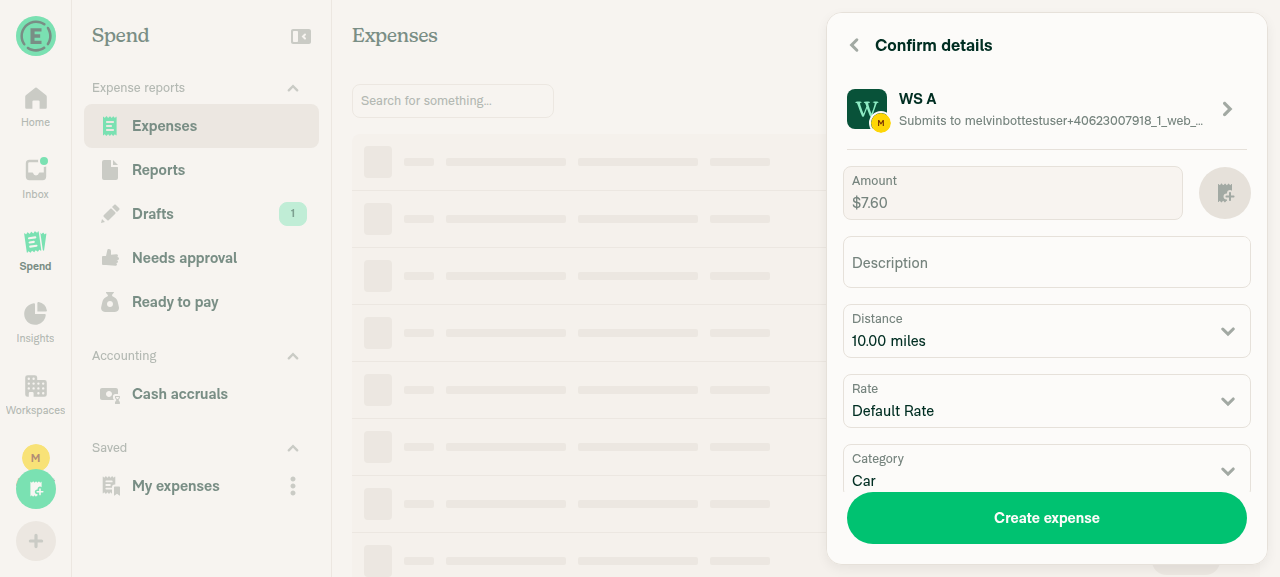
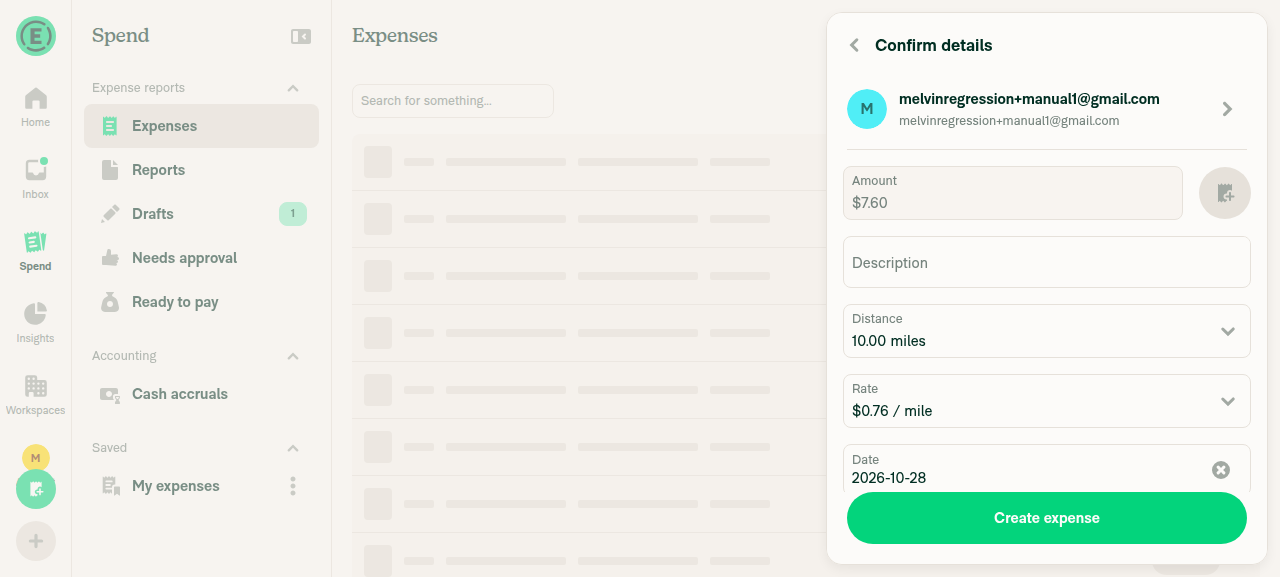
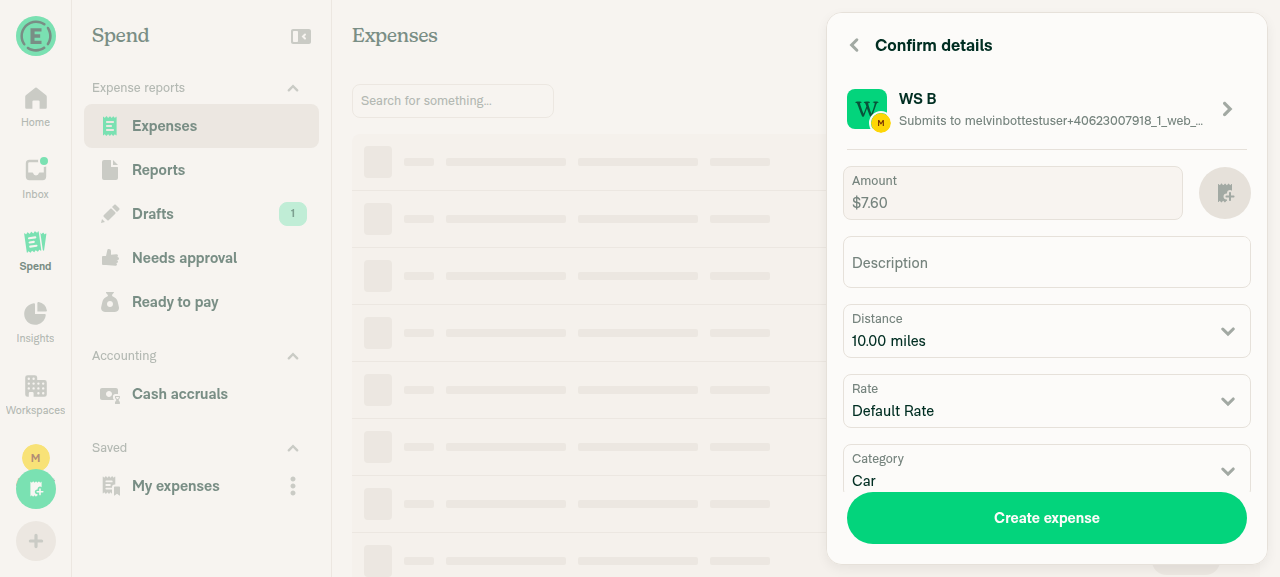
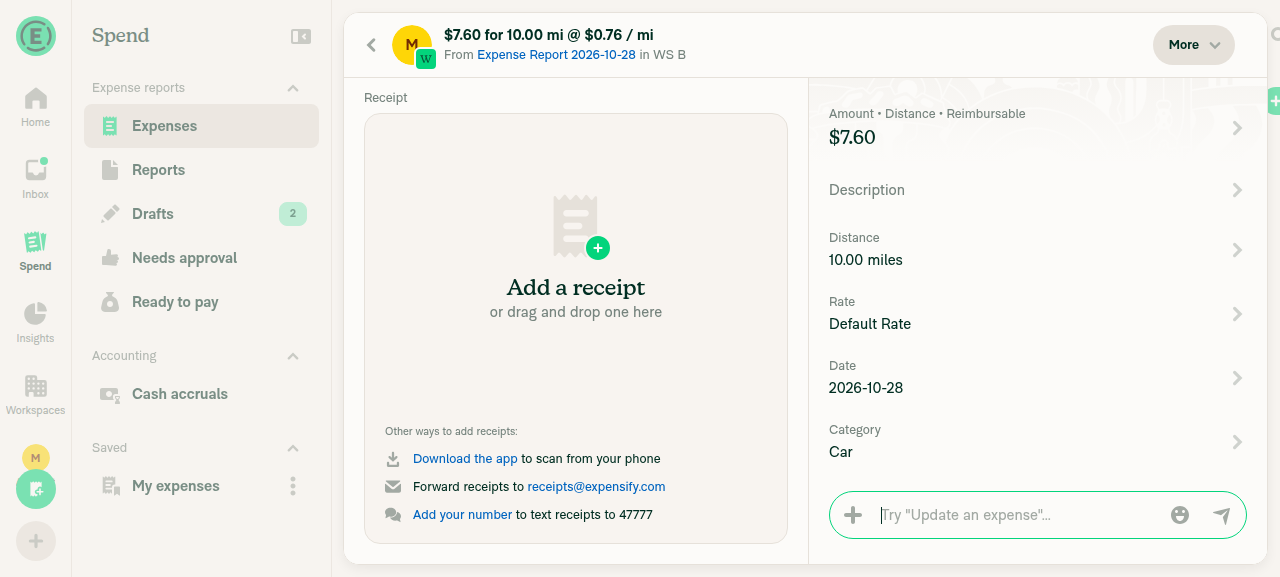
5. Distance expense: switch To from a workspace to P2P and back; Rate and amount stay valid and submit succeedsA 10-mile expense started on WS A (Default Rate, Category "Car"). After switching to a P2P recipient, the rate changed to $0.76 / mile right away, never showing "Pending..." or a blank amount, and Category was hidden. After switching to WS B, the rate went back to Default Rate and Category "Car" came back. Submitting created $7.60 for 10.00 mi in a WS B report.
Distance confirmation, To = WS ADistance confirmation after switching To to P2P, rate recalculatedDistance confirmation after switching To to WS B, rate validSubmitted distance expense in WS B report
✅
6. Multi-scan, 2 receipts: choosing the self DM / track option on receipt 1 carries over to receipt 2Not run. This needs 2 uploaded receipts, which the web test tool can't provide.
⚠️
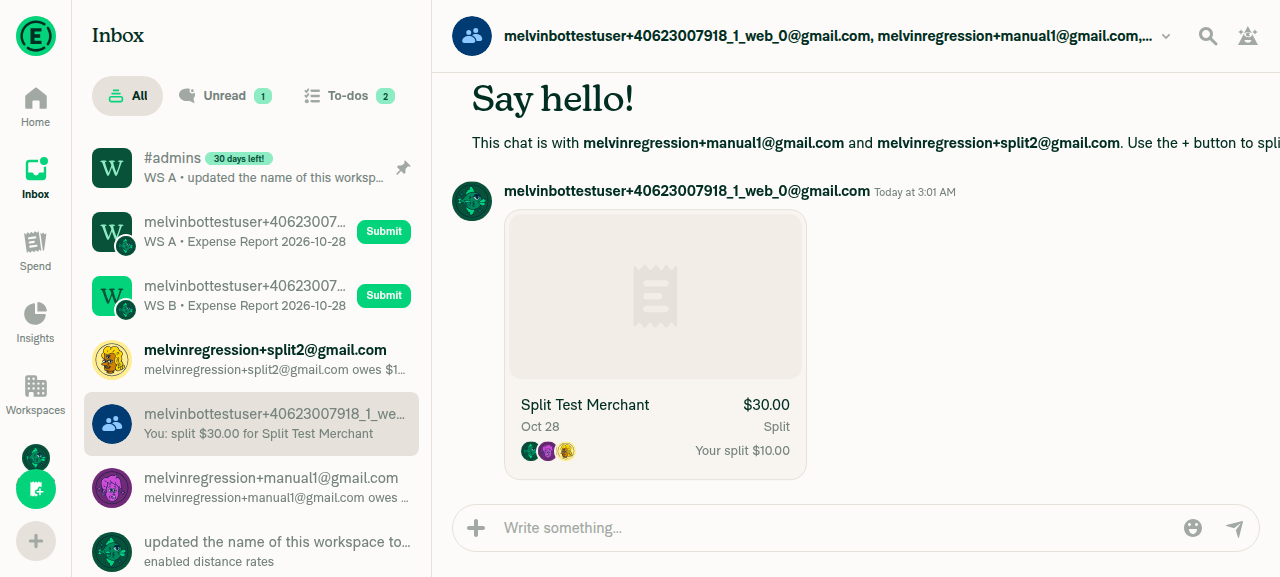
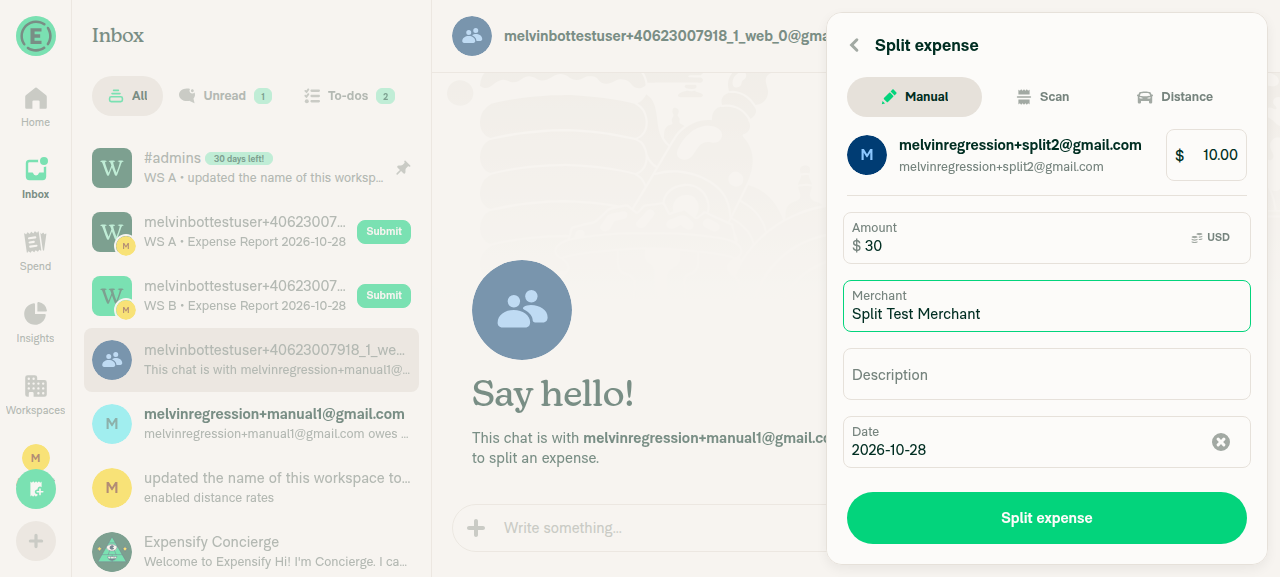
7. Split expense with two participants: the split is created with no errorA $30 split across two new P2P participants and the test account came to $10.00 each. It posted in the group chat with no error.
Split expense form with two P2P participantsSplit expense posted in group chat
✅
8. No crash or participant-picker errors throughoutNo crash, error toast, or error dialog appeared in any flow I ran. The web test tool can't read the browser console, so this covers visible errors only.
✅

view run · view recording

@mkhutornyi

Copy link
Copy Markdown
Contributor

@MelvinBot add QA steps below and mark this PR ready for review

Precondition:

  • Account is a member of at least 2 workspaces (Workspace A, Workspace B)

Test 1: Changing To applies to every receipt

  1. Open the app
  2. Tap + > Create expense > Scan
  3. Turn on multi-scan and capture 3 receipts
  4. Proceed to the confirmation page
  5. On receipt 1, tap To and select Workspace A
  6. Switch to receipt 2 and receipt 3
  7. Verify To shows Workspace A on every receipt
  8. On receipt 3, tap To and select Workspace B
  9. Switch back to receipt 1 and receipt 2
  10. Verify To shows Workspace B on every receipt
  11. Tap Create 3 expenses
  12. Verify all 3 expenses are added to Workspace B

Test 2: Submit from a different receipt

  1. Repeat steps 1-4 of Test 1
  2. On receipt 2, tap To and select Workspace A
  3. Switch to receipt 3 and tap Create 3 expenses
  4. Verify all 3 expenses are added to Workspace A

Test 3: Category and tag reset on workspace change

  1. Repeat steps 1-4 of Test 1
  2. Select Workspace A in To, then set a category on receipt 1 and receipt 2
  3. On receipt 3, change To to Workspace B
  4. Switch through all receipts
  5. Verify the Workspace A categories and tags are cleared on every receipt
  6. Tap Create 3 expenses
  7. Verify all 3 expenses are added to Workspace B without Workspace A categories

Test 4: Individual recipient

  1. Repeat steps 1-4 of Test 1
  2. On receipt 2, tap To and select a user who has no existing chat with you (enter a new email)
  3. Verify To shows that user on every receipt
  4. Tap Create 3 expenses
  5. Verify all 3 expenses are added to one IOU report in the chat with that user

Test 5: Self DM

  1. Repeat steps 1-4 of Test 1
  2. On receipt 1, tap To and select Workspace A
  3. On receipt 3, tap To and select yourself
  4. Verify To shows yourself on every receipt
  5. Tap Create 3 expenses
  6. Verify all 3 expenses are tracked in your self DM and none are added to Workspace A

Test 6: Single scan (regression test)

  1. Tap + > Create expense > Scan with multi-scan off and capture 1 receipt
  2. Tap To and select Workspace B
  3. Tap Create expense
  4. Verify the expense is added to Workspace B

Expected Result:

Changing To on any receipt in a multi-scan batch updates every receipt. All expenses are added to the selected recipient.

@MelvinBot
MelvinBot marked this pull request as ready for review October 28, 2026 10:13
@MelvinBot
MelvinBot requested a review from a team as a code owner October 28, 2026 10:13
@melvin-bot
melvin-bot Bot requested a review from mkhutornyi October 28, 2026 10:13
@MelvinBot

Copy link
Copy Markdown
Contributor Author

I added your QA steps to the QA Steps section and marked this PR ready for review.

I kept the JS console check at the end of the section. I also changed your ### and ## headings to #### so they stay inside QA Steps and don't break the PR template's sections.

The Tests section still has the TODO placeholder. You can fill it in or ask me to copy the QA steps there.


view run

@melvin-bot
melvin-bot Bot removed the request for review from a team October 28, 2026 10:13
@melvin-bot

melvin-bot Bot commented Oct 28, 2026

Copy link
Copy Markdown

@mkhutornyi Please copy/paste the Reviewer Checklist from here into a new comment on this PR and complete it. If you have the K2 extension, you can simply click: [this button]

@melvin-bot
melvin-bot Bot requested review from heyjennahay and removed request for a team October 28, 2026 10:13
@mkhutornyi

Copy link
Copy Markdown
Contributor

Reviewer Checklist

  • I have verified the author checklist is complete (all boxes are checked off).
  • I verified the correct issue is linked in the ### Fixed Issues section above
  • I verified testing steps are clear and they cover the changes made in this PR
    • I verified the steps for local testing are in the Tests section
    • I verified the steps for Staging and/or Production testing are in the QA steps section
    • I verified the steps cover any possible failure scenarios (i.e. verify an input displays the correct error message if the entered data is not correct)
    • I turned off my network connection and tested it while offline to ensure it matches the expected behavior (i.e. verify the default avatar icon is displayed if app is offline)
  • I checked that screenshots or videos are included for tests on all platforms
  • I included screenshots or videos for tests on all platforms
  • I verified that the composer does not automatically focus or open the keyboard on mobile unless explicitly intended. This includes checking that returning the app from the background does not unexpectedly open the keyboard.
  • I verified tests pass on all platforms & I tested again on:
    • Android: HybridApp
    • Android: mWeb Chrome
    • iOS: HybridApp
    • iOS: mWeb Safari
    • MacOS: Chrome / Safari
  • If there are any errors in the console that are unrelated to this PR, I either fixed them (preferred) or linked to where I reported them in Slack
  • I verified any copy / text that was added to the app is either coming verbatim from figma or has been approved by marketing (in order to get marketing approval, ask the Bug Zero team member to add the Waiting for copy label to the issue)
  • If a new code pattern is added I verified it was agreed to be used by multiple Expensify engineers
  • I verified other components that can be impacted by these changes have been tested, and I retested again (i.e. if the PR modifies a shared library or component like Avatar, I verified the components using Avatar have been tested & I retested again)
  • If a new component is created I verified that:
    • A similar component doesn't exist in the codebase
    • All props are defined accurately
    • The component has a clear name that is non-ambiguous and the purpose of the component can be inferred from the name alone
    • The only data being stored in the state is data necessary for rendering and nothing else
    • The component has the minimum amount of code necessary for its purpose, and it is broken down into smaller components in order to separate concerns and functions
  • If the PR modifies code that runs when editing or sending messages, I tested and verified there is no unexpected behavior for all supported markdown - URLs, single line code, code blocks, quotes, headings, bold, strikethrough, and italic.
  • If the PR modifies a generic component, I tested and verified that those changes do not break usages of that component in the rest of the App (i.e. if a shared library or component like Avatar is modified, I verified that Avatar is working as expected in all cases)
  • If the PR modifies a component related to any of the existing Storybook stories, I tested and verified all stories for that component are still working as expected.
  • If the PR modifies a component or page that can be accessed by a direct deeplink, I verified that the code functions as expected when the deeplink is used - from a logged in and logged out account.
  • If the PR modifies the UI (e.g. new buttons, new UI components, changing the padding/spacing/sizing, moving components, etc) or modifies the form input styles:
    • I verified that all the inputs inside a form are aligned with each other.
    • I added Design label and/or tagged @Expensify/design so the design team can review the changes.
  • If the PR adds or modifies the UI:
    • I asked an AI agent to review the changes for accessibility issues and addressed its findings.
    • I tested with a screen reader (VoiceOver on macOS) and verified all new/changed elements are reachable with a logical focus order.
    • I verified all new/changed elements have meaningful accessible names and roles.
    • I verified state changes are announced (e.g. checked/unchecked, expanded/collapsed, selected).
  • For any bug fix or new feature in this PR, I verified that sufficient unit tests are included to prevent regressions in this flow.
  • If the main branch was merged into this PR after a review, I tested again and verified the outcome was still expected according to the Test steps.
  • I have checked off every checkbox in the PR reviewer checklist, including those that don't apply to this PR.

Screenshots/Videos

Android: HybridApp
1.mov
2.3.mov
4.5.mov
6.mov
Android: mWeb Chrome
iOS: HybridApp
iOS: mWeb Safari
MacOS: Chrome / Safari

@melvin-bot

melvin-bot Bot commented Oct 28, 2026

Copy link
Copy Markdown

We did not find an internal engineer to review this PR, trying to assign a random engineer to #104236 as well as to this PR... Please reach out for help on Slack if no one gets assigned!

@melvin-bot
melvin-bot Bot requested a review from neil-marcellini October 28, 2026 10:15

@chatgpt-codex-connector chatgpt-codex-connector Bot left a comment

Copy link
Copy Markdown

Choose a reason for hiding this comment

The reason will be displayed to describe this comment to others. Learn more.

💡 Codex Review

Here are some automated review suggestions for this pull request.

Reviewed commit: ac0741fab6

ℹ️ About Codex in GitHub

Codex has been enabled to automatically review pull requests in this repo. Reviews are triggered when you

  • Open a pull request for review
  • Mark a draft as ready
  • Comment "@codex review".

If Codex has suggestions, it will comment; otherwise it will react with 👍.

When you sign up for Codex through ChatGPT, Codex can also answer questions or update the PR, like "@codex address that feedback".

// Every receipt in a multi-scan batch is submitted to the visible receipt's recipient, report and policy, so
// the selection must apply to all of them, the same way the legacy participants step (useParticipantSubmission) did.
// Otherwise each receipt shows its own recipient but they all land on whichever one was on screen at submit.
const transactionsToUpdate = transactions.length > 1 ? transactions : [transaction];

Copy link
Copy Markdown

Choose a reason for hiding this comment

The reason will be displayed to describe this comment to others. Learn more.

P1 Badge Validate every receipt before assigning a P2P recipient

In a multi-scan batch containing both positive and negative amounts, selecting a P2P recipient while a positive receipt is displayed now assigns that recipient to every transaction, even though shouldKeepOnSelfDM and the picker's P2P exclusion inspect only the displayed transaction. The negative receipt is therefore moved to a P2P chat, which this hook explicitly notes does not support negative amounts, causing the batch to fail at submission; evaluate the guard across transactionsToUpdate before propagating the selection.

Useful? React with 👍 / 👎.

Copy link
Copy Markdown
Contributor

Choose a reason for hiding this comment

The reason will be displayed to describe this comment to others. Learn more.

(Neil's AI agent)

Valid edge case, but not blocking for this PR. The PR doesn't introduce it:

  • On main, submit already sends every receipt in the batch to the visible receipt's recipient (selectedParticipants.at(0), reused in the loop over transactions). So a negative receipt in a batch submitted to a P2P recipient already failed the same way.
  • The legacy participants step has the same single-receipt check (shouldKeepNegativeExpenseOnSelfDM reads only the initial transaction) and still applies the selection to every draft.
  • Mixed positive and negative receipts in one multi-scan batch are rare, since scans start at 0 and need a manually entered negative amount.

This PR makes the To field match where the receipts actually go. Checking transactionsToUpdate.some((t) => (t.amount ?? 0) < 0) would be a good follow-up.

@neil-marcellini neil-marcellini left a comment

Copy link
Copy Markdown
Contributor

Choose a reason for hiding this comment

The reason will be displayed to describe this comment to others. Learn more.

(Neil's AI agent, human reviewed)

Looks good, one non-blocking comment.


// Then the receipt that isn't on screen is moved too, because submitting sends every receipt in the batch to
// the visible receipt's recipient, so a different recipient on another receipt would be silently ignored
const secondDraftTransaction = await new Promise<OnyxEntry<Transaction>>((resolve) => {

Copy link
Copy Markdown
Contributor

Choose a reason for hiding this comment

The reason will be displayed to describe this comment to others. Learn more.

(Neil's AI agent, human reviewed)

NAB: this is the same as getDraftTransaction apart from the key. Could getDraftTransaction take an optional transactionID (defaulting to TRANSACTION_ID) so this becomes getDraftTransaction(SECOND_TRANSACTION_ID)?

@neil-marcellini

Copy link
Copy Markdown
Contributor

I'm going to skip the review from the product person Jenna because we already discussed with product people in Slack, as linked in the proposal comment on the issue.

@neil-marcellini
neil-marcellini merged commit 6ac2aca into main Oct 28, 2026
58 of 61 checks passed
@neil-marcellini
neil-marcellini deleted the claude-multiScanApplyRecipientToAllReceipts branch October 28, 2026 17:24
@OSBotify

Copy link
Copy Markdown
Contributor

✋ This PR was not deployed to staging yet because QA is ongoing. It will be automatically deployed to staging after the next production release.

@github-actions

Copy link
Copy Markdown
Contributor

🚧 neil-marcellini has triggered a test Expensify/App build. You can view the workflow run here.

@github-actions

Copy link
Copy Markdown
Contributor

@OSBotify

Copy link
Copy Markdown
Contributor

🚀 Deployed to staging by https://github.com/neil-marcellini in version: 9.5.25-0 🚀

platform result
🕸 web 🕸 success ✅
🤖 android 🤖 success ✅
🍎 iOS 🍎 success ✅

@MelvinBot

Copy link
Copy Markdown
Contributor Author

No help site update needed. This bug fix makes the To field on the multi-scan confirmation page match where the expenses already go, and no existing article says otherwise. Create an Expense is still accurate.


view run

@OSBotify

Copy link
Copy Markdown
Contributor

🚀 Deployed to production by https://github.com/jasperhuangg in version: 9.5.25-2 🚀

platform result
🕸 web 🕸 success ✅
🤖 android 🤖 success ✅
🍎 iOS 🍎 success ✅

Bundle Size Analysis (Sentry):

Sign up for free to join this conversation on GitHub. Already have an account? Sign in to comment

Labels

Melvin-Test-Android Melvin-Test-Web Triggers Melvin to run the testing steps of the PR on web

Projects

None yet

Development

Successfully merging this pull request may close these issues.

4 participants