Skip to content

Fix floating labels after currency changes - #106152

Merged
stitesExpensify merged 3 commits into
mainfrom
claude-amountCurrencyLabel
Nov 6, 2026
Merged

stitesExpensify merged 3 commits into
mainfrom
claude-amountCurrencyLabel

Conversation

@MelvinBot

@MelvinBot MelvinBot commented Nov 5, 2026 •

Copy link
Copy Markdown
Contributor

Explanation of Change

Keep empty, blurred input labels floated when a currency prefix, suffix, or forced-active setting is added after mount. This prevents labels from overlapping restored currency prefixes. Apply the same activation rule to web and native without changing autofill handling or ordinary empty-field behavior.

Add 10 regression cases across the real web/native input implementations, covering dynamic prefix, suffix, forced-active settings, currency round-trips, and populated inputs.

Include the selected currency code (or localized Any currency) in Amount and Purchase amount inputs' accessible names, so their units are available when editing. Honor explicit accessible labels in the shared text-input mode without changing numeric values or the separate currency-picker labels. Add eight regression cases for overrides, fallbacks, and currency changes.

AI Tests

  • Accessibility update (abc6cd27): 122 tests passed across NumberWithSymbolForm, AmountFilterContent, BaseTextInputLabel, and BaseTextInput suites. Typecheck, explicit changed-file lint, explicit changed-file React Compiler checks, spelling, repository formatting, diff whitespace checks, and Storybook smoke test passed. Staged coding-standards review found no violations (shallow history required staged/PR-diff fallback).
  • Accessibility update limitations: full Jest exceeded 10 minutes with no failures reported before timeout; full lint exceeded 3 minutes; lint-changed and compiler check-changed exceeded 2 minutes during change discovery. Explicit-file lint/compiler checks passed instead. CI still needs to complete for the new commit.
  • Web accessibility verification: both Amount and Purchase amount bounds expose currency-aware accessible names across currency changes; Amount retained 123.45 after switching currencies. Actual screen-reader speech remains unverified in the headless browser.
  • Formatting correction (06601225): npm run fmt succeeded across the repository; a second run produced no unstaged diff. git diff --cached --check passed. Only test-file line wrapping changed; no application behavior changed.
  • After formatting: 15 tests passed across BaseTextInputLabelTest and BaseTextInputTest. Staged coding-standards review found no violations; shallow history required a staged-diff/PR-diff fallback.
  • Local rechecks after formatting: full Jest timed out after 10 minutes with no failures reported before timeout; lint timed out after 3 minutes; changed-file lint, typecheck, Storybook smoke test, and spelling each timed out after 2 minutes. These are incomplete checks, not passes. Earlier CI passed these code-quality/test gates; the new commit must complete CI again.
  • Passed: 45 tests across the label regression suite, existing BaseTextInput suites, and AmountFilterContent suite. Removing the activation-condition fix makes 8 new cases fail; restoring it makes all 10 new cases pass.
  • Passed: npm run typecheck, Storybook smoke test, git diff --check, and staged coding-standards review (no violations).
  • Incomplete: full Jest suite exceeded the 10-minute limit without reporting a failure before timeout. Lint and changed-file lint also timed out; spelling did not complete.
  • Initial-run tooling limitations: the requested prettier npm script no longer exists; formatting is now corrected using the repository's npm run fmt script. The initial compiler changed-file check lacked a CI base reference; the pre-correction CI compiler check subsequently passed.
  • Web verification is partial: confirmed upper-bound floating labels and reverse transitions in Amount and Purchase amount. A blank browser session blocked the remaining lower-bound blurred-geometry check. Native device testing was not performed.

Fixed Issues

$ #106002
PROPOSAL: #106002 (comment)

Tests

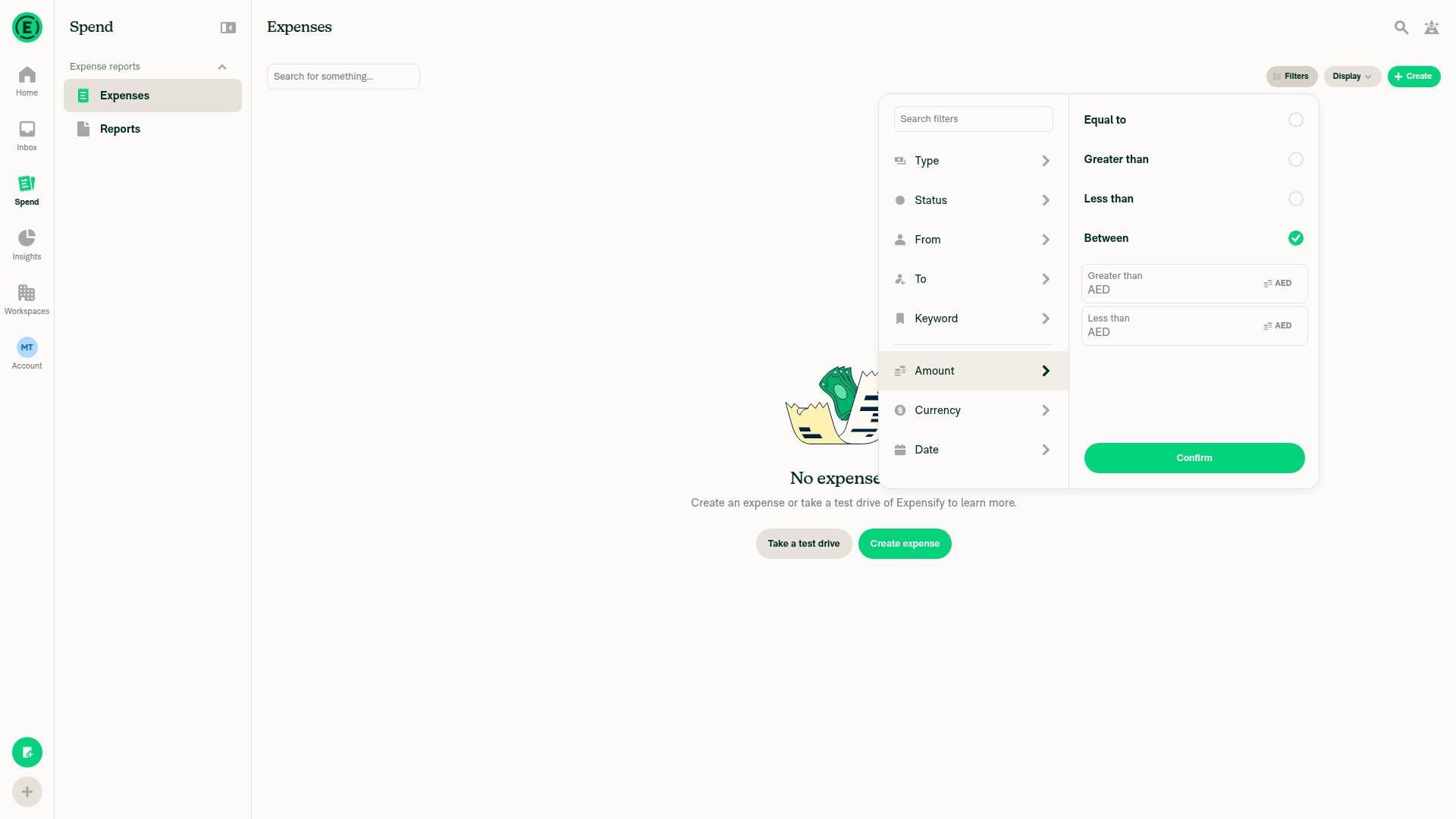
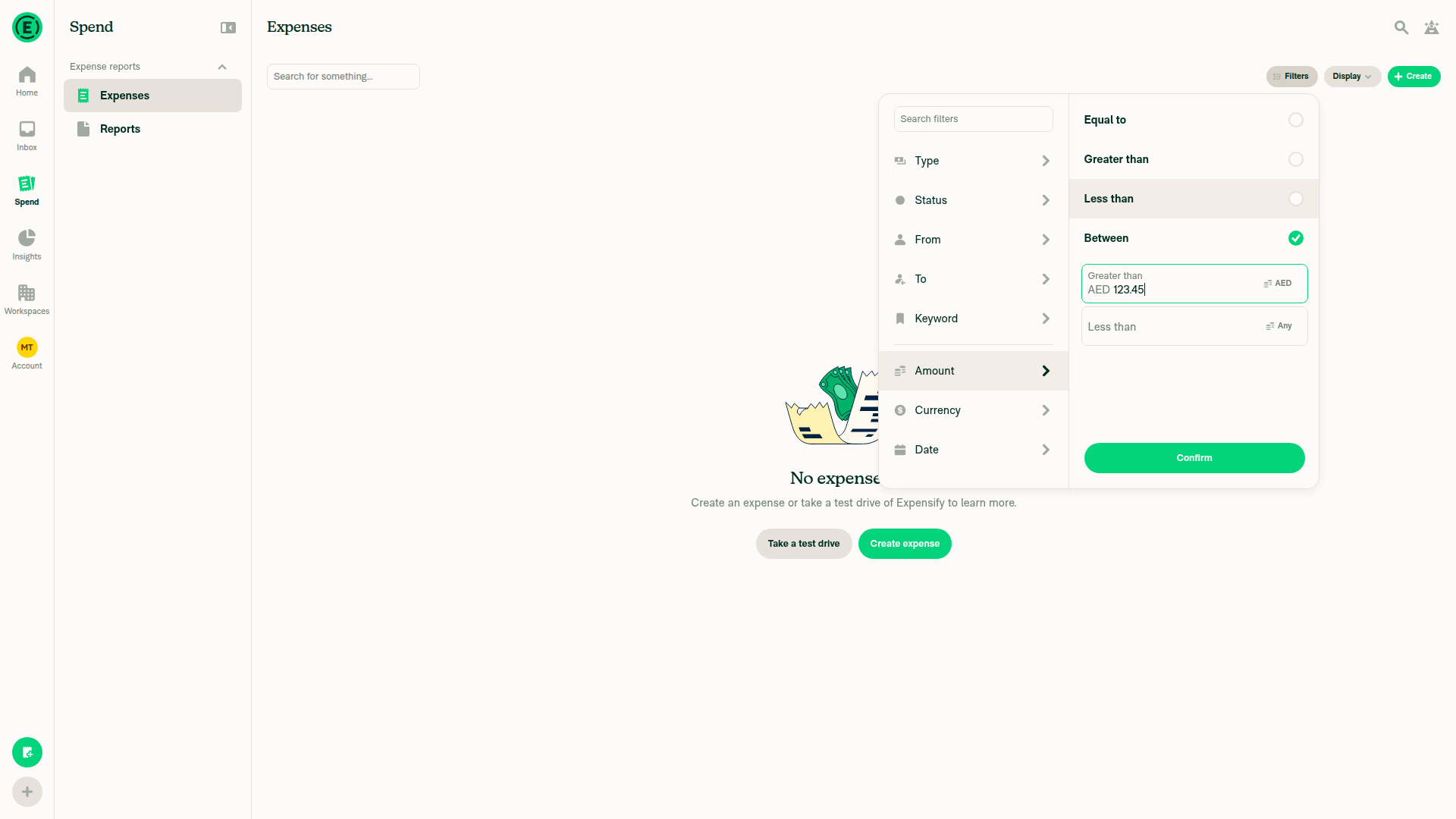
  1. Go to Spend > Expenses.
  2. Click Filters > Amount.
  3. Select Between.
  4. Remove focus from the amount fields.
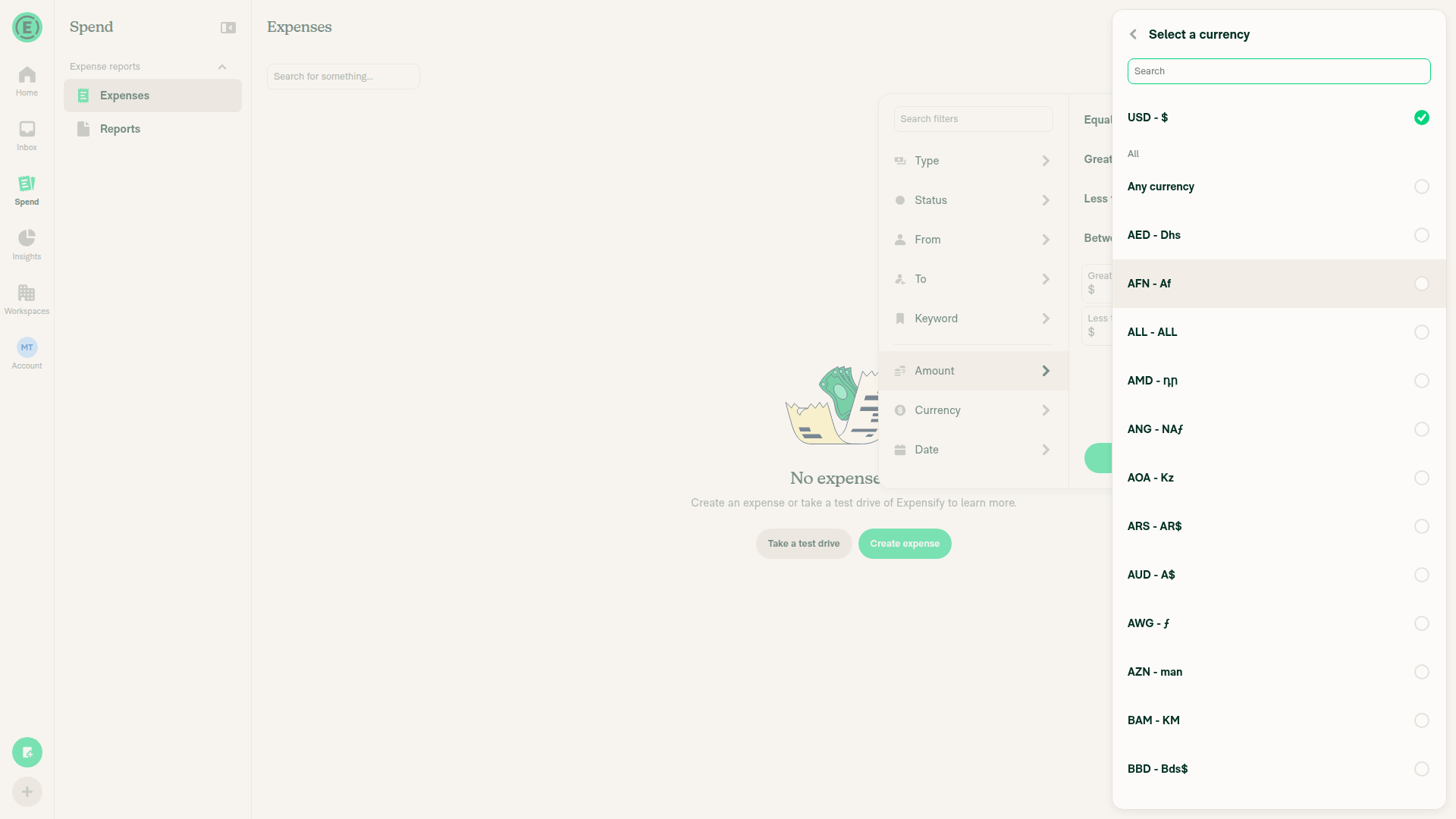
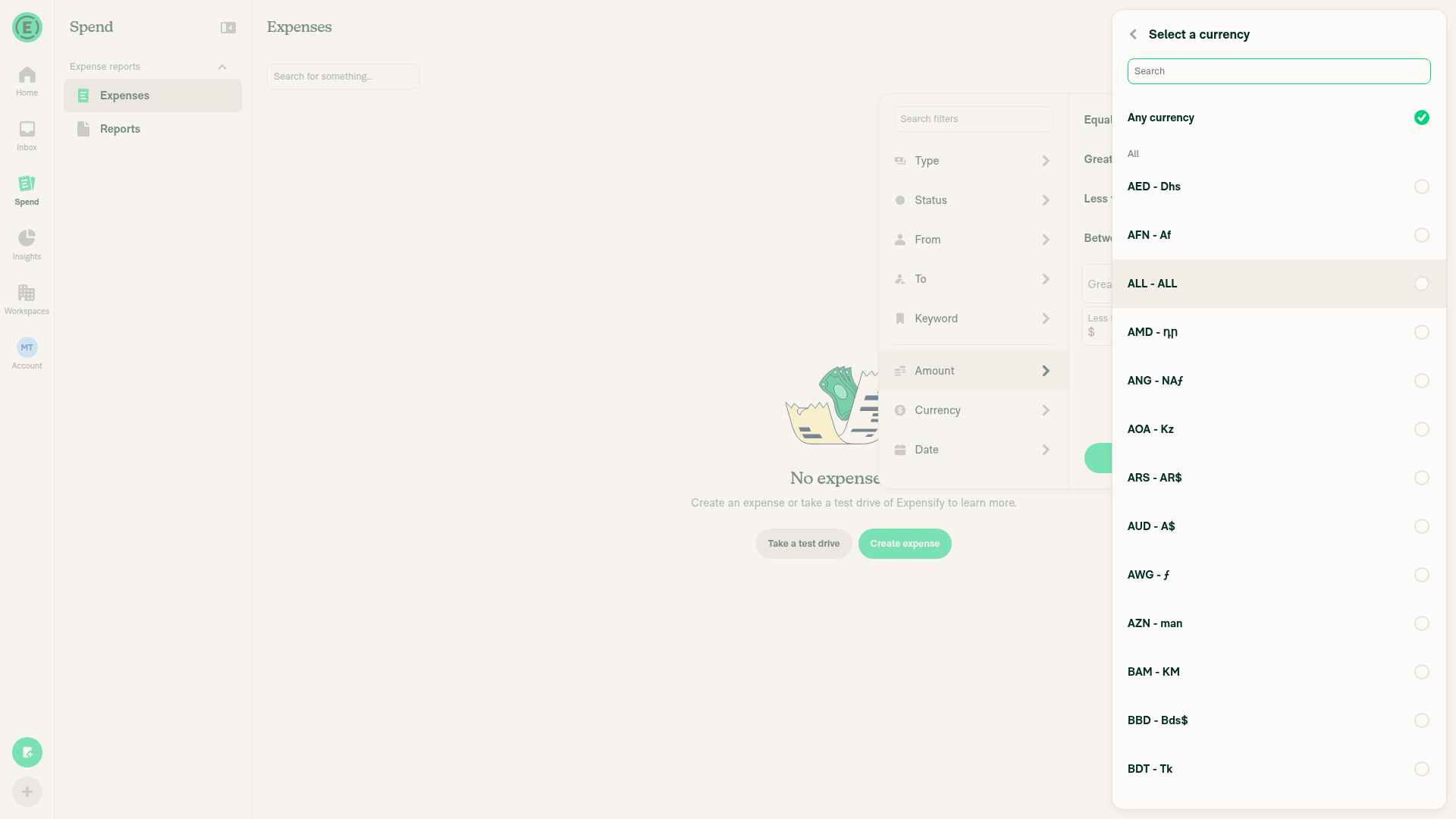
  5. Click the currency on either field.
  6. Change it to Any currency.
  7. Click Currency.
  8. Change to a different currency.
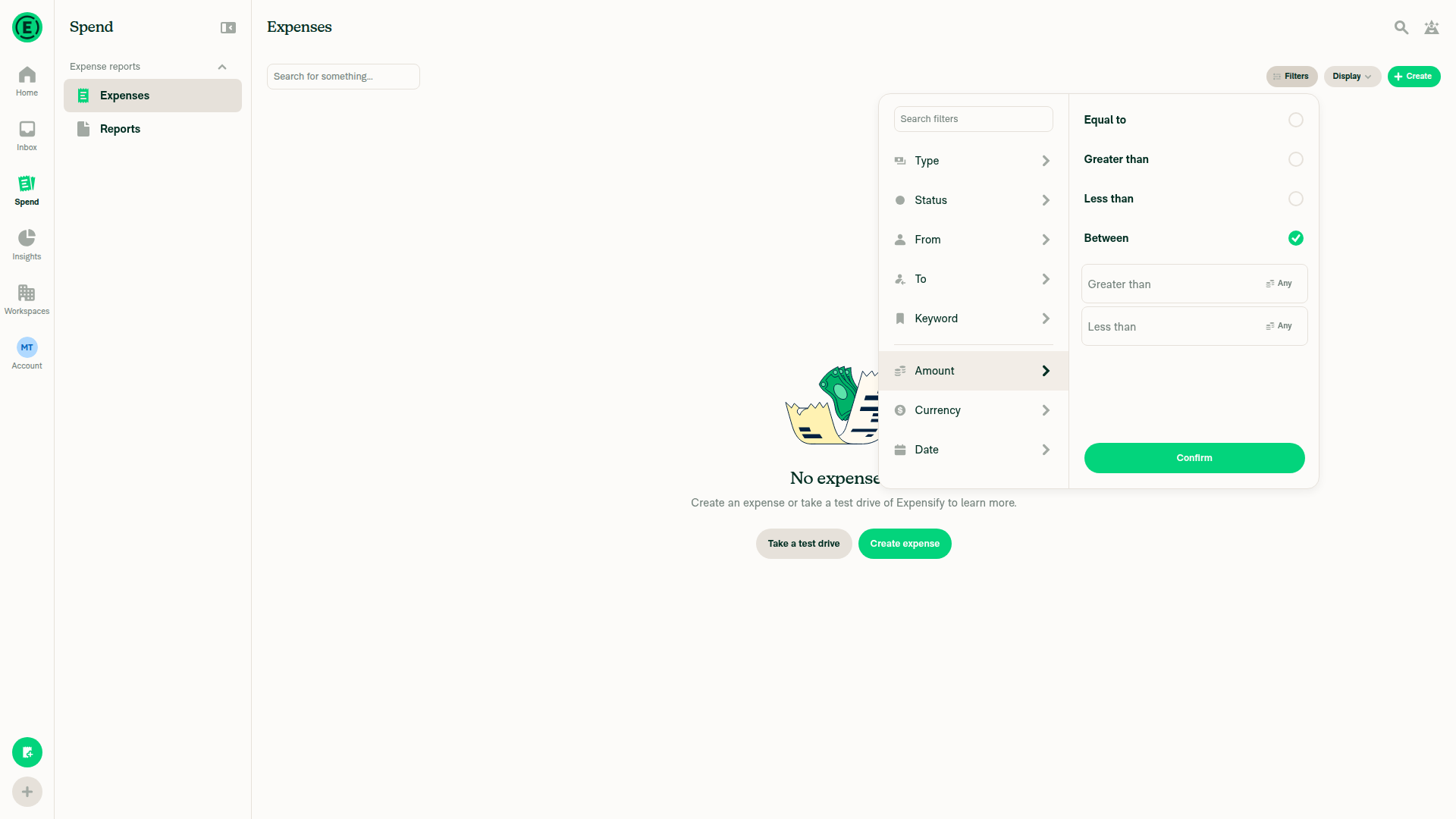
  9. Verify the field label doesn't overlap with the currency label.
  • Verify that no errors appear in the JS console

Offline tests

QA Steps

  1. Go to Spend > Expenses.
  2. Click Filters > Amount.
  3. Select Between.
  4. Remove focus from the amount fields.
  5. Click the currency on either field.
  6. Change it to Any currency.
  7. Click Currency.
  8. Change to a different currency.
  9. Verify the field label doesn't overlap with the currency label.
  • Verify that no errors appear in the JS console

PR Author Checklist

  • I linked the correct issue in the ### Fixed Issues section above
  • I wrote clear testing steps that cover the changes made in this PR
    • I added steps for local testing in the Tests section
    • I added steps for the expected offline behavior in the Offline steps section
    • I added steps for Staging and/or Production testing in the QA steps section
    • I added steps to cover failure scenarios (i.e. verify an input displays the correct error message if the entered data is not correct)
    • I turned off my network connection and tested it while offline to ensure it matches the expected behavior (i.e. verify the default avatar icon is displayed if app is offline)
    • I tested this PR with a High Traffic account against the staging or production API to ensure there are no regressions (e.g. long loading states that impact usability).
  • I included screenshots or videos for tests on all platforms
  • I ran the tests on all platforms & verified they passed on:
    • Android: Native
    • Android: mWeb Chrome
    • iOS: Native
    • iOS: mWeb Safari
    • MacOS: Chrome / Safari
  • I verified there are no console errors (if there's a console error not related to the PR, report it or open an issue for it to be fixed)
  • I verified any copy / text that was added to the app is either coming verbatim from figma or has been approved by marketing (in order to get marketing approval, ask the Bug Zero team member to add the Waiting for copy label to the issue)
  • If a new code pattern is added I verified it was agreed to be used by multiple Expensify engineers
  • I tested other components that can be impacted by my changes (i.e. if the PR modifies a shared library or component like Avatar, I verified the components using Avatar are working as expected)
  • If new assets were added or existing ones were modified, I verified that:
    • The assets are optimized and compressed (for SVG files, run npm run compress-svg)
    • The assets load correctly across all supported platforms.
  • If the PR modifies code that runs when editing or sending messages, I tested and verified there is no unexpected behavior for all supported markdown - URLs, single line code, code blocks, quotes, headings, bold, strikethrough, and italic.
  • If the PR modifies a generic component, I tested and verified that those changes do not break usages of that component in the rest of the App (i.e. if a shared library or component like Avatar is modified, I verified that Avatar is working as expected in all cases)
  • If the PR modifies a component related to any of the existing Storybook stories, I tested and verified all stories for that component are still working as expected.
  • If the PR modifies a component or page that can be accessed by a direct deeplink, I verified that the code functions as expected when the deeplink is used - from a logged in and logged out account.
  • If the PR modifies the UI (e.g. new buttons, new UI components, changing the padding/spacing/sizing, moving components, etc) or modifies the form input styles:
    • I verified that all the inputs inside a form are aligned with each other.
    • I added Design label and/or tagged @Expensify/design so the design team can review the changes.
  • If the PR adds or modifies the UI:
    • I asked an AI agent to review the changes for accessibility issues and addressed its findings.
    • I tested with a screen reader (VoiceOver on macOS) and verified all new/changed elements are reachable with a logical focus order.
    • I verified all new/changed elements have meaningful accessible names and roles.
    • I verified state changes are announced (e.g. checked/unchecked, expanded/collapsed, selected).
  • I added unit tests for any new feature or bug fix in this PR to help automatically prevent regressions in this user flow.
  • If the main branch was merged into this PR after a review, I tested again and verified the outcome was still expected according to the Test steps.

Screenshots/Videos

Android: Native
Android: mWeb Chrome
iOS: Native
iOS: mWeb Safari
MacOS: Chrome / Safari

AI web verification (partial):

Accessibility update verified by computed accessible-name read-back; screenshots are visual evidence, not proof of spoken announcements:

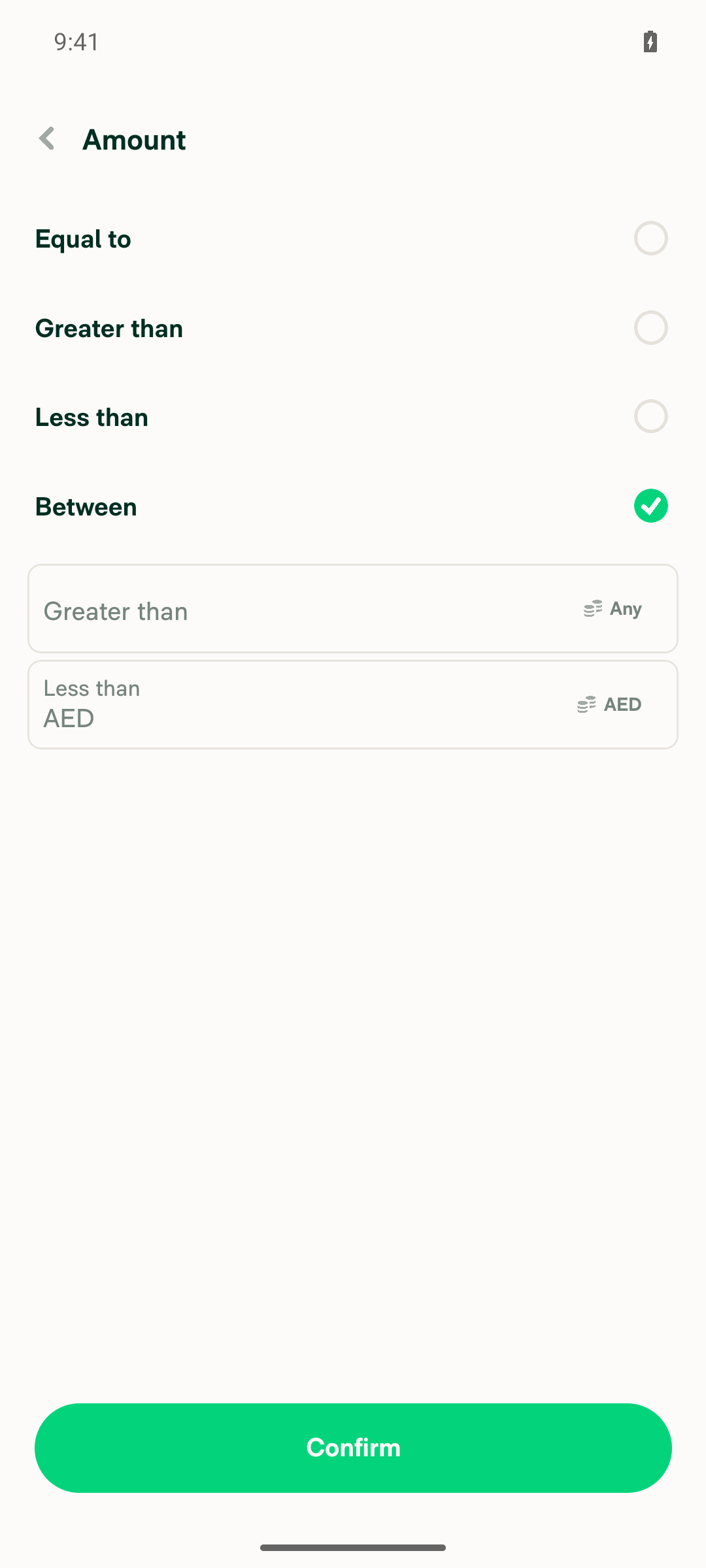
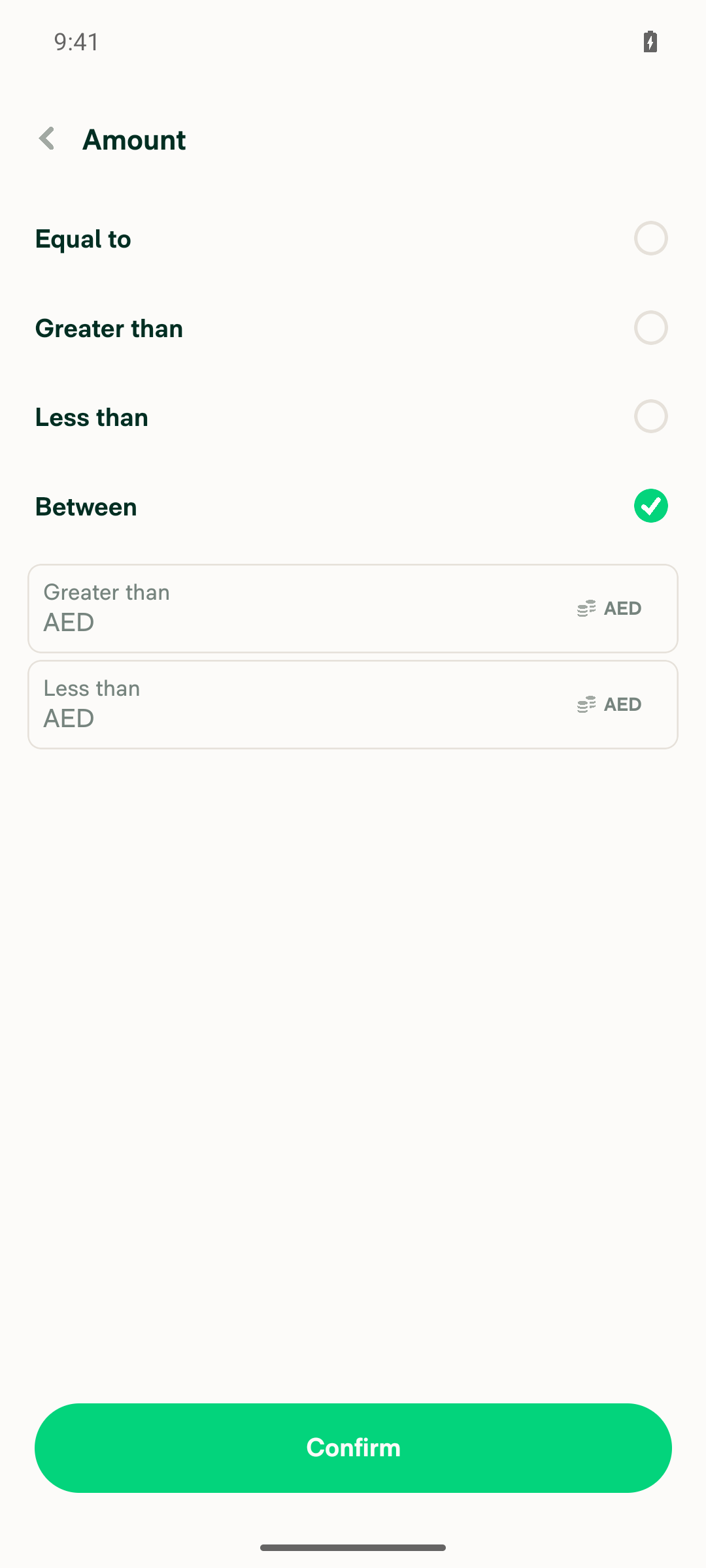
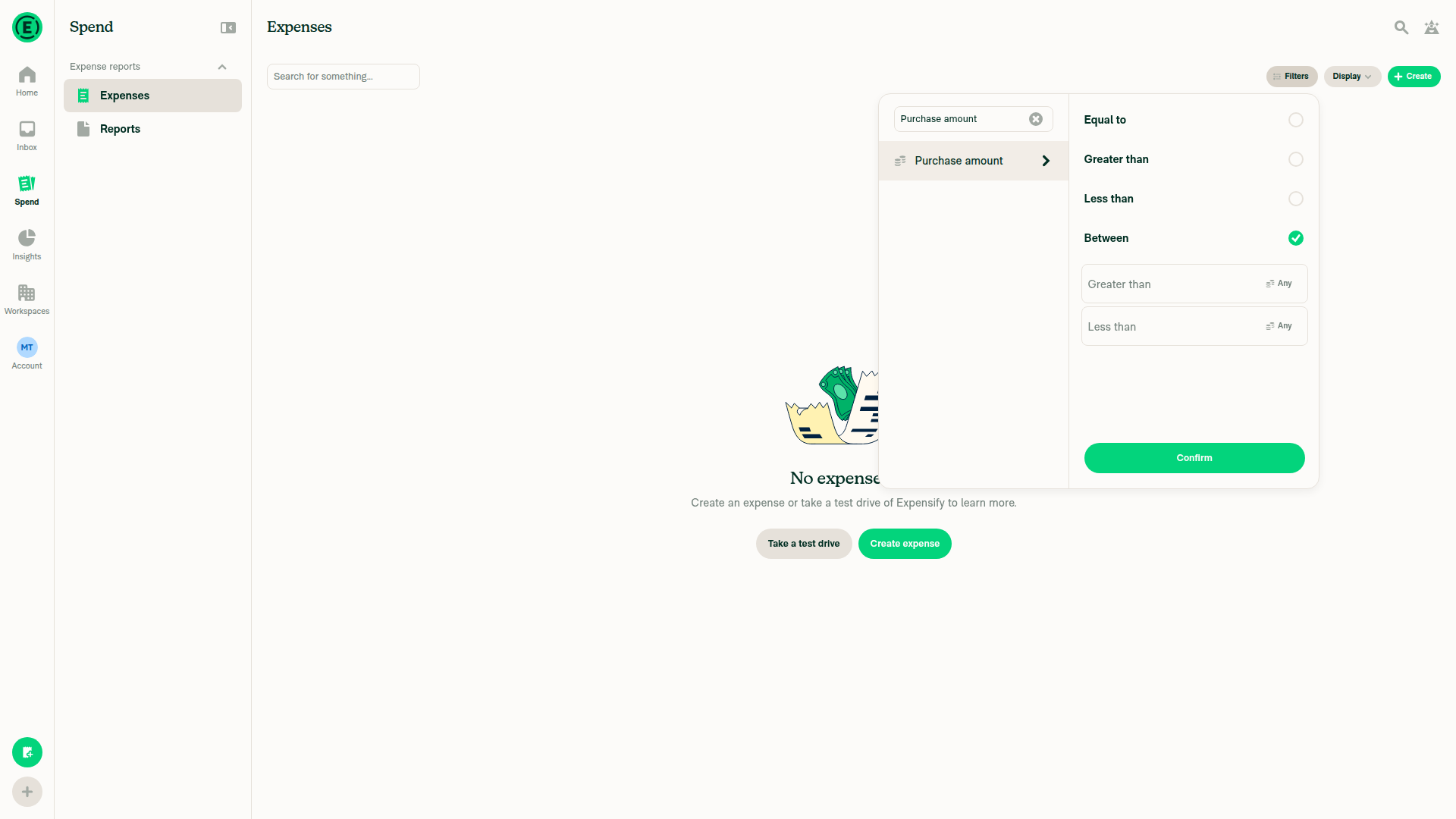
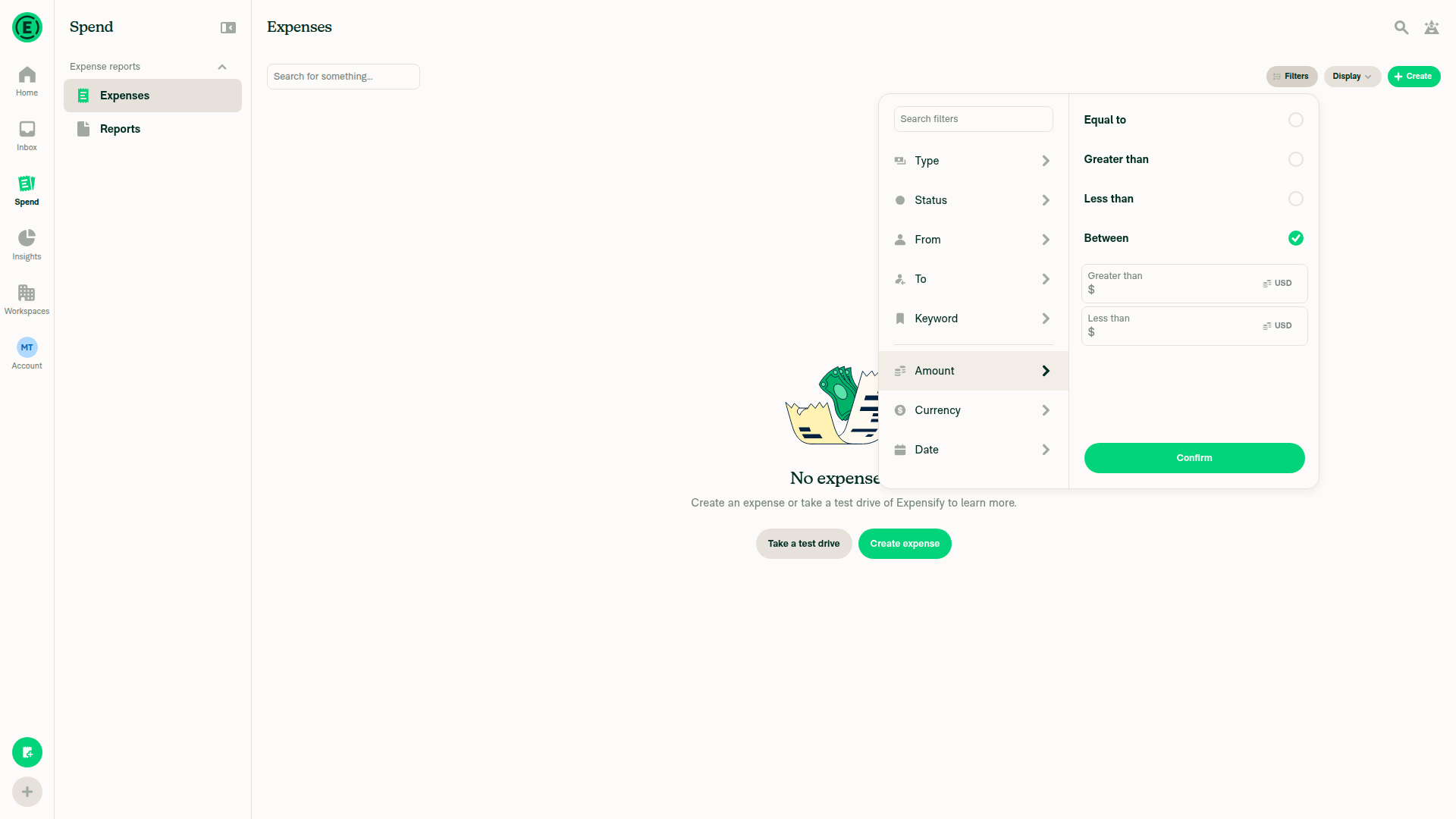
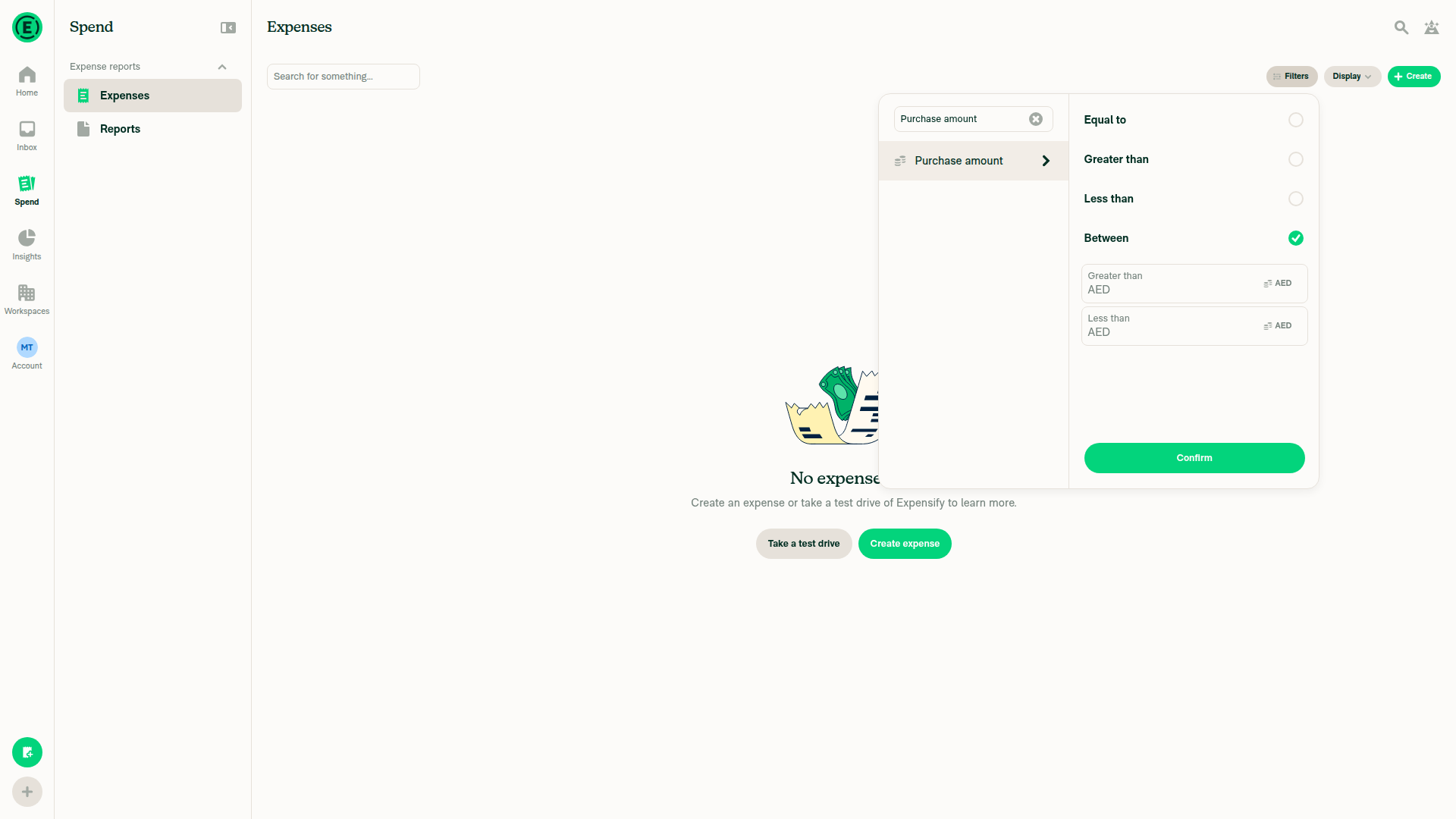
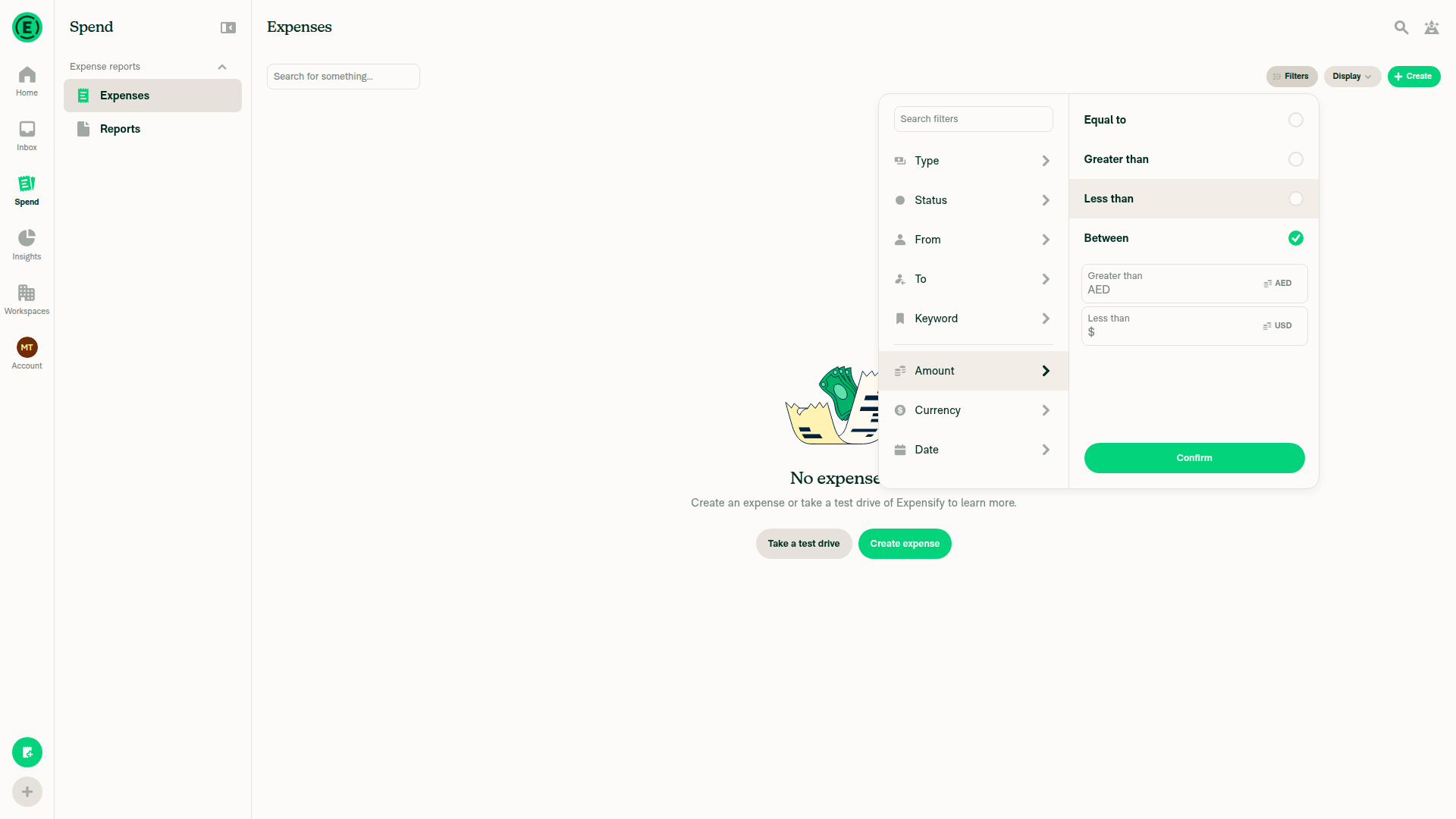
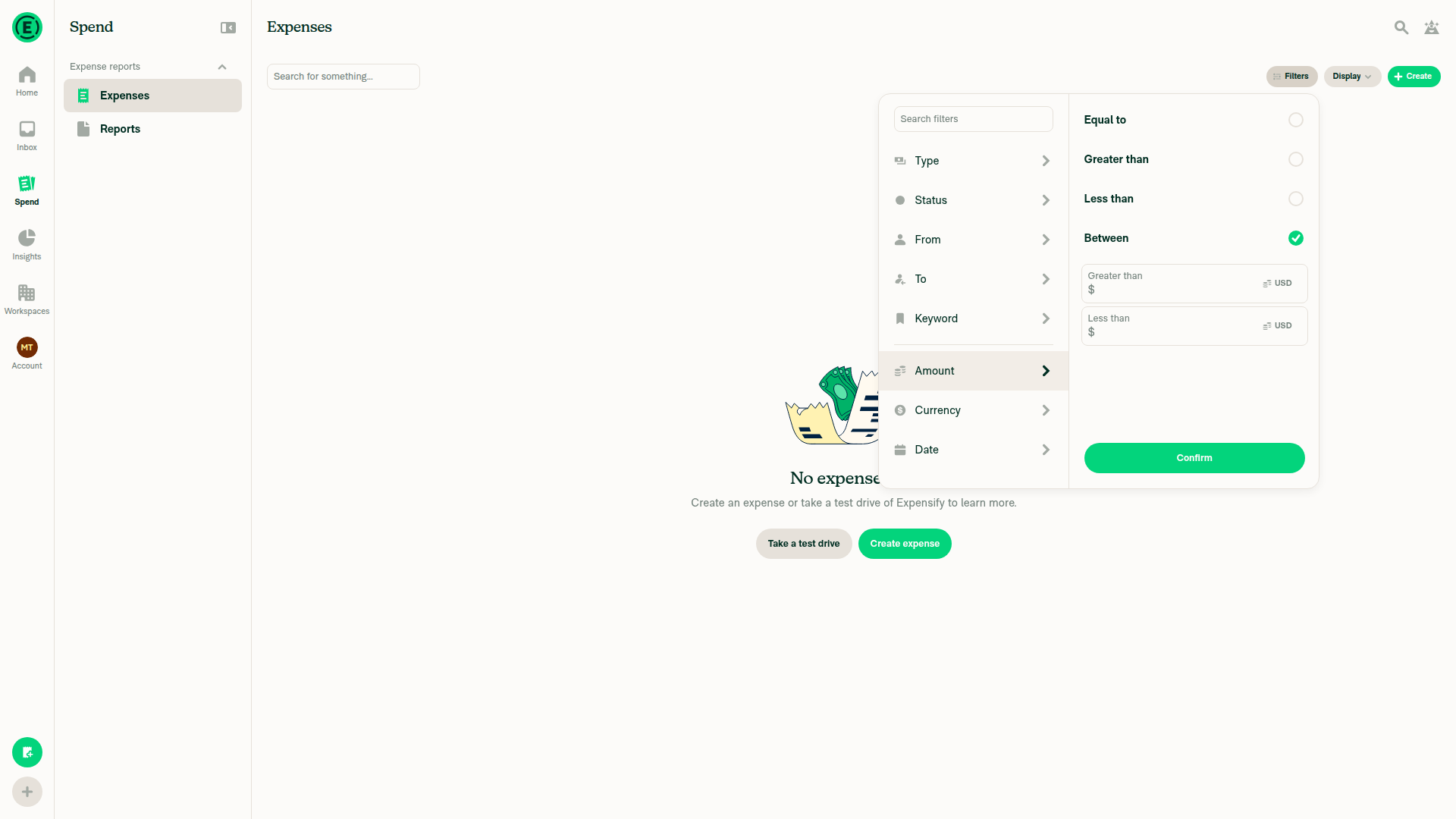
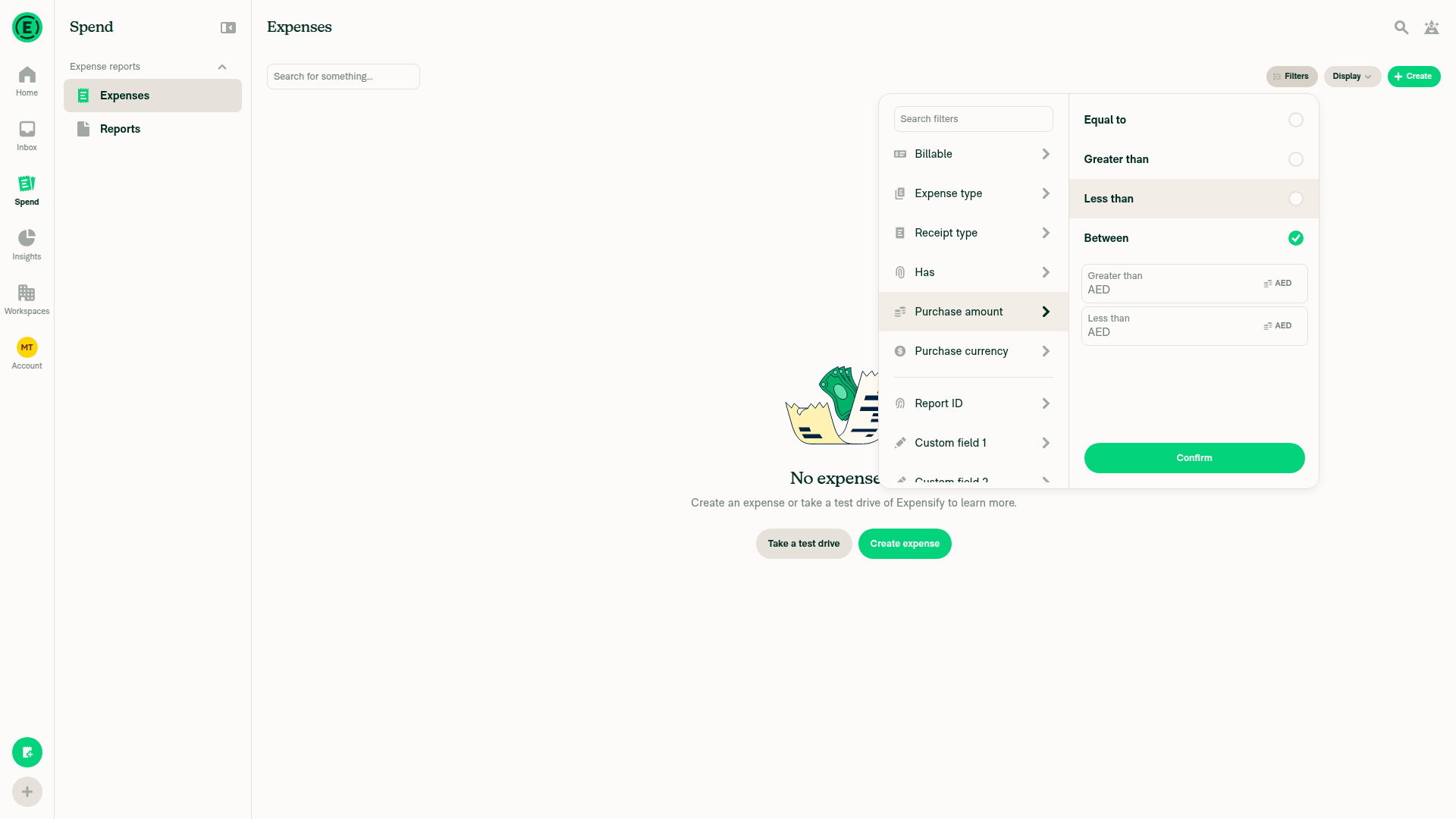
Amount retains 123.45 after switching to AED; accessible name verified separately Purchase amount Between with both empty bounds set to AED; accessible names include currency Earlier Amount state with lower bound Any and upper bound AED Amount bounds fully blurred, with upper AED label floating without overlap Purchase amount fully blurred: lower Any label inline and upper AED label floating

The browser subsequently went blank, blocking the remaining lower-bound check:

Blank session blocking remaining Purchase amount lower-bound check

Co-authored-by: Qichen Zhu <QichenZhu@users.noreply.github.com>
@MelvinBot
MelvinBot requested a review from a team November 5, 2026 22:30
@melvin-bot

melvin-bot Bot commented Nov 5, 2026

Copy link
Copy Markdown

Hey! I see that you made changes to our Form component. Make sure to update the docs in FORMS.md accordingly. Cheers!

@melvin-bot melvin-bot Bot added Melvin-Test-Android Melvin-Test-Web Triggers Melvin to run the testing steps of the PR on web labels Nov 5, 2026
@MelvinBot

Copy link
Copy Markdown
Contributor Author

I created this PR from an upstream branch because I don't have push access to QichenZhu's fork.

To copy the branch to your fork:

git remote add upstream https://github.com/Expensify/App.git
git fetch upstream claude-amountCurrencyLabel
git checkout -b claude-amountCurrencyLabel upstream/claude-amountCurrencyLabel
git push -u origin claude-amountCurrencyLabel

You can then close this draft and open a PR from your fork.


view run

@MelvinBot

MelvinBot commented Nov 5, 2026 •

Copy link
Copy Markdown
Contributor Author

🤖 Android test steps verification results: ⚠️ partial

Verified on standalone Android NewDot: Amount’s two empty blurred labels float without AED-prefix overlap after Any currency → AED. The first bound returns inline after AED → Any currency; Purchase amount coverage and JS-console verification remain incomplete.

First Amount bound returns inline with Any currency; second remains floating with AED

Step Status
1. Open appAuthenticated and completed onboarding; reached the native Amount filter.
Both empty blurred Amount labels float above AED prefixes
✅
2. Spend > ExpensesNavigation read-back confirmed Spend and Expenses selected.
✅
3. Filters > AmountOpened Amount and confirmed its heading.
Both empty blurred Amount labels float above AED prefixes
✅
4. Select BetweenBetween read back checked, with both bounds present.
Both empty blurred Amount labels float above AED prefixes
✅
5. Blur empty amount fieldBoth values read back empty, with neither input focused.
Both empty blurred Amount labels float above AED prefixes
✅
6. Open currency on either boundPicker read-back included USD, Any currency, and AED.
✅
7. Change to Any currencyFirst bound selector read back Any currency.
✅
8. Reopen CurrencyPicker reopened with Any currency checked.
✅
9. Select AED; empty blurred label floats without overlapFirst bound remained empty and blurred. Read-back showed its label above the AED prefix with non-overlapping vertical bounds.
Both empty blurred Amount labels float above AED prefixes
✅
10. Repeat Any currency → AED on other boundSecond bound transitioned successfully. Read-back confirmed both empty blurred labels above their prefixes without overlap.
Both empty blurred Amount labels float above AED prefixes
✅
11. Return to Any currency; label returns inlineFirst bound remained empty and blurred; label geometry changed from floating to inline.
First Amount bound returns inline with Any currency; second remains floating with AED
✅
12. Purchase amount transitions on both boundsSelected Between and changed the first bound USD → Any currency → AED, remaining empty and blurred. Label geometry, reverse transition, and second-bound transitions were not completed within the testing budget.
⚠️
13. Verify no JS console errorsLogging was enabled, but log inspection was unavailable to the tester. No error-free verdict is justified.
⚠️

view run · view recording

@MelvinBot

MelvinBot commented Nov 5, 2026 •

Copy link
Copy Markdown
Contributor Author

🤖 Web test steps verification results: ⚠️ partial

On dev NewDot web, snapshot read-back confirmed Any currency → AED → Any currency for both bounds in Amount and Purchase amount. Screenshots show floating AED labels without overlap and inline Any currency labels, but focus/geometry could not be independently asserted through supported read-back; JS console inspection was unavailable, and no product failure was confirmed.

Purchase amount labels inline with Any currency

Step Status
1. Open NewDotSnapshot confirmed the authenticated dev NewDot page.
Amount Between filter with empty bounds
✅
2. Go to Spend > ExpensesSnapshot confirmed Spend and Expenses.
Amount Between filter with empty bounds
✅
3. Click Filters > AmountSnapshot confirmed Amount operators and currency controls.
Amount Between filter with empty bounds
✅
4. Select BetweenSnapshot confirmed Greater than and Less than fields.
Amount Between filter with empty bounds
✅
5. Remove focus from an empty amount fieldClicked the empty field, then outside both fields. Screenshot shows neutral borders, but focused-state selectors did not resolve; blur remains read-back-unverified.
Both Amount labels above AED prefixes
⚠️
6. Click currency on either boundSnapshot confirmed the currency picker opened from Greater than.
Currency picker opened
✅
7. Change to Any currencyCoordinate fallback succeeded; snapshot confirmed Greater than changed from USD to Any currency.
Currency picker after selecting Any currency
✅
8. Reopen CurrencySnapshot confirmed the reopened picker with Any currency and AED available.
Currency picker after selecting Any currency
✅
9. Change to AED; verify empty blurred label floats without overlapSnapshot confirmed Greater than changed to AED. Screenshot shows its label above the prefix without overlap; exact geometry and blur remain read-back-unverified.
Both Amount labels above AED prefixes
⚠️
10. Repeat Any currency → AED for the other boundSnapshots confirmed Less than transitioned through Any currency to AED. Screenshot shows no overlap; geometry and blur remain read-back-unverified.
Both Amount labels above AED prefixes
⚠️
11. Reverse to Any currency; empty blurred label returns inlineSnapshots confirmed both Amount bounds reversed to Any currency. Screenshot shows inline labels without prefixes; inline geometry remains read-back-unverified.
Both Amount labels inline with Any currency
⚠️
12. Equivalent transitions for both Purchase amount boundsSelected Between; snapshots confirmed Any currency → AED → Any currency independently for both bounds. Screenshots after outside clicks show floating AED labels without overlap and inline Any currency labels; blur/geometry remain read-back-unverified.
Purchase amount labels above AED prefixes
Purchase amount labels inline with Any currency
⚠️
13. No errors appear in the JS consoleUnverified: supported testing commands do not expose JS console inspection. Dialog hit-test errors were automation errors, not confirmed JS errors.
⚠️

view run · view recording

@QichenZhu

Copy link
Copy Markdown
Contributor

@MelvinBot the workflow is failing.

@MelvinBot

Copy link
Copy Markdown
Contributor Author

The actionable failure is Oxfmt check: formatting changes are required in BaseTextInputLabelTest.tsx.

Run npm run fmt and commit the resulting test-file formatting. I couldn't complete that correction because formatter execution was blocked by tooling permissions; no changes were pushed.

The separate independent approval check requires human review. All other reported checks passed or were skipped, including Jest, Storybook, lint, and typecheck.


view run

@QichenZhu

Copy link
Copy Markdown
Contributor

@MelvinBot, your code shouldn't fail Oxfmt in the first place. Please write it correctly.

Co-authored-by: Qichen Zhu <QichenZhu@users.noreply.github.com>
@MelvinBot

Copy link
Copy Markdown
Contributor Author

You’re right—I should have caught this before opening the PR, rather than asking you to fix it.

Corrected and pushed 06601225. Only test-file line wrapping changed.

  • npm run fmt passed; running it again produced no changes.
  • All 15 focused BaseTextInput tests passed.
  • Broader local checks timed out; details are recorded in the PR. The new Oxfmt CI check is still running.

view run

@QichenZhu

Copy link
Copy Markdown
Contributor

@MelvinBot mark this pr as ready for review.

@MelvinBot
MelvinBot marked this pull request as ready for review November 6, 2026 00:11
@MelvinBot
MelvinBot requested a review from a team as a code owner November 6, 2026 00:11
@melvin-bot
melvin-bot Bot requested a review from QichenZhu November 6, 2026 00:11
@MelvinBot

Copy link
Copy Markdown
Contributor Author

Marked Fix floating labels after currency changes as ready for review.


view run

@melvin-bot
melvin-bot Bot removed the request for review from a team November 6, 2026 00:11
@melvin-bot

melvin-bot Bot commented Nov 6, 2026

Copy link
Copy Markdown

@QichenZhu Please copy/paste the Reviewer Checklist from here into a new comment on this PR and complete it. If you have the K2 extension, you can simply click: [this button]

@melvin-bot
melvin-bot Bot requested review from twisterdotcom and removed request for a team November 6, 2026 00:11
@chatgpt-codex-connector

chatgpt-codex-connector Bot commented Nov 6, 2026 •

Copy link
Copy Markdown

Codex Review Summary

This comment shows the latest Codex review activity on this pull request.

Review Status Commit Review trigger
📝 Code Review ✅ Completed 2026-11-06T11:04:25.202506Z 0660122 Manual request
ℹ️ About Codex in GitHub

Your team has set up Codex to review pull requests in this repo. Reviews are triggered when you

  • Open a pull request for review
  • Mark a draft as ready
  • Comment "@codex review" or "@codex security review".

Codex reacts with 👀 while any review is running, comments if it has suggestions, and reacts with 👍 once all reviews finish with no findings.

@QichenZhu

Copy link
Copy Markdown
Contributor

@codex review this for accessibility issues

@chatgpt-codex-connector

Copy link
Copy Markdown

Codex Review: Didn't find any major issues. 🚀

Reviewed commit: 0660122588

ℹ️ About Codex in GitHub

Codex has been enabled to automatically review pull requests in this repo. Reviews are triggered when you

  • Open a pull request for review
  • Mark a draft as ready
  • Comment "@codex review".

If Codex has suggestions, it will comment; otherwise it will react with 👍.

When you sign up for Codex through ChatGPT, Codex can also answer questions or update the PR, like "@codex address that feedback".

@QichenZhu

Copy link
Copy Markdown
Contributor

Reviewer Checklist

  • I have verified the author checklist is complete (all boxes are checked off).
  • I verified the correct issue is linked in the ### Fixed Issues section above
  • I verified testing steps are clear and they cover the changes made in this PR
    • I verified the steps for local testing are in the Tests section
    • I verified the steps for Staging and/or Production testing are in the QA steps section
    • I verified the steps cover any possible failure scenarios (i.e. verify an input displays the correct error message if the entered data is not correct)
    • I turned off my network connection and tested it while offline to ensure it matches the expected behavior (i.e. verify the default avatar icon is displayed if app is offline)
  • I checked that screenshots or videos are included for tests on all platforms
  • I included screenshots or videos for tests on all platforms
  • I verified that the composer does not automatically focus or open the keyboard on mobile unless explicitly intended. This includes checking that returning the app from the background does not unexpectedly open the keyboard.
  • I verified tests pass on all platforms & I tested again on:
    • Android: HybridApp
    • Android: mWeb Chrome
    • iOS: HybridApp
    • iOS: mWeb Safari
    • MacOS: Chrome / Safari
  • If there are any errors in the console that are unrelated to this PR, I either fixed them (preferred) or linked to where I reported them in Slack
    https://expensify.slack.com/archives/C049HHMV9SM/p1764642854883869
  • I verified any copy / text that was added to the app is either coming verbatim from figma or has been approved by marketing (in order to get marketing approval, ask the Bug Zero team member to add the Waiting for copy label to the issue)
  • If a new code pattern is added I verified it was agreed to be used by multiple Expensify engineers
  • I verified other components that can be impacted by these changes have been tested, and I retested again (i.e. if the PR modifies a shared library or component like Avatar, I verified the components using Avatar have been tested & I retested again)
  • If a new component is created I verified that:
    • A similar component doesn't exist in the codebase
    • All props are defined accurately
    • The component has a clear name that is non-ambiguous and the purpose of the component can be inferred from the name alone
    • The only data being stored in the state is data necessary for rendering and nothing else
    • The component has the minimum amount of code necessary for its purpose, and it is broken down into smaller components in order to separate concerns and functions
  • If the PR modifies code that runs when editing or sending messages, I tested and verified there is no unexpected behavior for all supported markdown - URLs, single line code, code blocks, quotes, headings, bold, strikethrough, and italic.
  • If the PR modifies a generic component, I tested and verified that those changes do not break usages of that component in the rest of the App (i.e. if a shared library or component like Avatar is modified, I verified that Avatar is working as expected in all cases)
  • If the PR modifies a component related to any of the existing Storybook stories, I tested and verified all stories for that component are still working as expected.
  • If the PR modifies a component or page that can be accessed by a direct deeplink, I verified that the code functions as expected when the deeplink is used - from a logged in and logged out account.
  • If the PR modifies the UI (e.g. new buttons, new UI components, changing the padding/spacing/sizing, moving components, etc) or modifies the form input styles:
    • I verified that all the inputs inside a form are aligned with each other.
    • I added Design label and/or tagged @Expensify/design so the design team can review the changes.
  • If the PR adds or modifies the UI:
    • I asked an AI agent to review the changes for accessibility issues and addressed its findings.
    • I tested with a screen reader (VoiceOver on macOS) and verified all new/changed elements are reachable with a logical focus order.
    • I verified all new/changed elements have meaningful accessible names and roles.
    • I verified state changes are announced (e.g. checked/unchecked, expanded/collapsed, selected).
  • For any bug fix or new feature in this PR, I verified that sufficient unit tests are included to prevent regressions in this flow.
  • If the main branch was merged into this PR after a review, I tested again and verified the outcome was still expected according to the Test steps.
  • I have checked off every checkbox in the PR reviewer checklist, including those that don't apply to this PR.

Screenshots/Videos

Android: HybridApp
android-native.webm
Android: mWeb Chrome
android-web.webm
iOS: HybridApp
ios-native.mov
iOS: mWeb Safari
ios-web.mov
MacOS: Chrome / Safari
mac-web.mov

@QichenZhu

Copy link
Copy Markdown
Contributor

@MelvinBot the prefix is not announced by screen readers.

prefix.webm

@MelvinBot

MelvinBot commented Nov 6, 2026 •

Copy link
Copy Markdown
Contributor Author

🤖 Web test steps verification results: ⚠️ partial

Verified on dev NewDot web: the empty Amount filter input excludes currency from its accessible name, while the separate currency button includes it. Actual screen-reader speech was not tested.

Greater than bound with AED selected; input accessible name omits AED

Step Status
1. Empty input and currency button names with USDConfirmed the accessibility gap: the input is named “Greater than”, without USD or its prefix. The separate button is named “Greater than, Select a currency, USD”.
Empty USD Amount bounds; accessible names checked separately
❌
2. Any currency → AED updates the input name and currency buttonThe button updates to “Greater than, Select a currency, AED”, but the input remains “Greater than”. This is pre-existing: NumberWithSymbolForm.tsx:550–570 supplies the field label as its accessible name and the prefix separately; this PR only changes label animation. A scoped follow-up should let this component honor an explicit accessibility label and have AmountFilterInput.tsx:70–86 supply the field name plus currency code, with regression tests. No code changes made.
Greater than bound with AED selected; input accessible name omits AED
❌
3. Actual screen-reader spoken announcementsUnavailable in the headless browser. Accessibility snapshots and attribute read-back confirm the missing currency context, but do not prove actual spoken output.
⚠️

view run · view recording

@QichenZhu

Copy link
Copy Markdown
Contributor

@MelvinBot, do you think the prefix should be announced by screen readers? If so, please fix it.

Co-authored-by: Qichen Zhu <QichenZhu@users.noreply.github.com>
@MelvinBot
MelvinBot requested a review from a team as a code owner November 6, 2026 11:51
@melvin-bot
melvin-bot Bot requested review from stitesExpensify and removed request for a team November 6, 2026 11:52
@melvin-bot

melvin-bot Bot commented Nov 6, 2026

Copy link
Copy Markdown

@stitesExpensify Please copy/paste the Reviewer Checklist from here into a new comment on this PR and complete it. If you have the K2 extension, you can simply click: [this button]

@MelvinBot

MelvinBot commented Nov 6, 2026 •

Copy link
Copy Markdown
Contributor Author

🤖 Web test steps verification results: ⚠️ partial

Verified the local fix in commit abc6cd27: currency-aware computed accessible names and numeric-value preservation passed for Amount and Purchase amount. Real screen-reader speech remains unverified; screenshots do not prove spoken output.

Purchase amount Between with both empty bounds set to AED; accessible names include currency

Step Status
1. Amount > Between: input and currency-picker namesYes—the currency is essential context when editing, so it belongs in the input's accessible name. Fixed and pushed: inputs now expose “Greater than, USD” / “Less than, USD”; picker buttons retain “Select a currency”. Added eight regression cases; all 122 focused tests passed, along with typecheck, formatting, changed-file lint/compiler checks, spelling, and Storybook smoke. Broader local checks timed out; CI remains required.
✅
2. Both Amount bounds: Any currency → AED → Any currencyBoth names tracked currency selection, empty values stayed empty, and floating-label presentation remained intact.
Amount retains 123.45 after switching to AED; accessible name verified separately
✅
3. Enter an amount and change currencyRead-back retained 123.45 while the name changed from “Greater than, Any currency” to “Greater than, AED”.
Amount retains 123.45 after switching to AED; accessible name verified separately
✅
4. Purchase amount: both names track Any currency → AEDRead-back confirmed “Greater than, Any currency” / “Less than, Any currency”, then “Greater than, AED” / “Less than, AED”. Picker names retained their selection instruction.
Purchase amount Between with both empty bounds set to AED; accessible names include currency
✅
5. Actual screen-reader speechUnavailable in the headless browser. Accessible-name verification passed, but VoiceOver/TalkBack spoken output still needs manual verification.
⚠️

view run · no recording available

@MelvinBot

Copy link
Copy Markdown
Contributor Author

⚠️ Something went wrong. This may be a transient issue. Try again. If it persists, check status.openai.com.

Run details

@QichenZhu

Copy link
Copy Markdown
Contributor

MelvinBot doesn't provide QA steps, so I suggest the following:

  1. Go to Spend > Expenses.
  2. Click Filters > Amount.
  3. Select Between.
  4. Remove focus from the amount fields.
  5. Click the currency on either field.
  6. Change it to Any currency.
  7. Click Currency.
  8. Change to a different currency.
  9. Verify the field label doesn't overlap with the currency label.

@stitesExpensify

Copy link
Copy Markdown
Contributor

Those QA steps look good to me, added to the OP

@stitesExpensify
stitesExpensify merged commit fb96597 into main Nov 6, 2026
47 of 49 checks passed
@stitesExpensify
stitesExpensify deleted the claude-amountCurrencyLabel branch November 6, 2026 16:03
@OSBotify

OSBotify commented Nov 6, 2026

Copy link
Copy Markdown
Contributor

✋ This PR was not deployed to staging yet because QA is ongoing. It will be automatically deployed to staging after the next production release.

@github-actions

github-actions Bot commented Nov 6, 2026

Copy link
Copy Markdown
Contributor

🚧 stitesExpensify has triggered a test Expensify/App build. You can view the workflow run here.

@github-actions

github-actions Bot commented Nov 6, 2026

Copy link
Copy Markdown
Contributor

@OSBotify OSBotify mentioned this pull request Nov 7, 2026
85 tasks done
@OSBotify

OSBotify commented Nov 7, 2026

Copy link
Copy Markdown
Contributor

🚀 Deployed to staging by https://github.com/stitesExpensify in version: 9.5.34-0 🚀

platform result
🕸 web 🕸 success ✅
🤖 android 🤖 success ✅
🍎 iOS 🍎 success ✅

@MelvinBot

Copy link
Copy Markdown
Contributor Author

No FullStory changes needed — this PR only fixes overlapping floating labels and missing currency context for screen readers in existing amount filters.


view run

@MelvinBot

Copy link
Copy Markdown
Contributor Author

No help site update needed—this PR fixes overlapping input labels and missing currency context for screen readers, restoring expected behavior without introducing a new workflow or making existing article instructions incorrect.


view run

@OSBotify

OSBotify commented Nov 9, 2026

Copy link
Copy Markdown
Contributor

🚀 Deployed to production by https://github.com/yuwenmemon in version: 9.5.34-1 🚀

platform result
🕸 web 🕸 success ✅
🤖 android 🤖 success ✅
🍎 iOS 🍎 success ✅

Bundle Size Analysis (Sentry):

Sign up for free to join this conversation on GitHub. Already have an account? Sign in to comment

Labels

Melvin-Test-Android Melvin-Test-Web Triggers Melvin to run the testing steps of the PR on web

Projects

None yet

Development

Successfully merging this pull request may close these issues.

4 participants