Repository navigation
Conversation


Co-authored-by: Hans Vu <hungvu193@users.noreply.github.com>
 MelvinBot
added
the
HelpDot

bump on this @hungvu193! |

|
🤖 Web test steps verification results: I checked the changed doc against current behavior on web. The comment claims are correct, but the invite steps are not — on
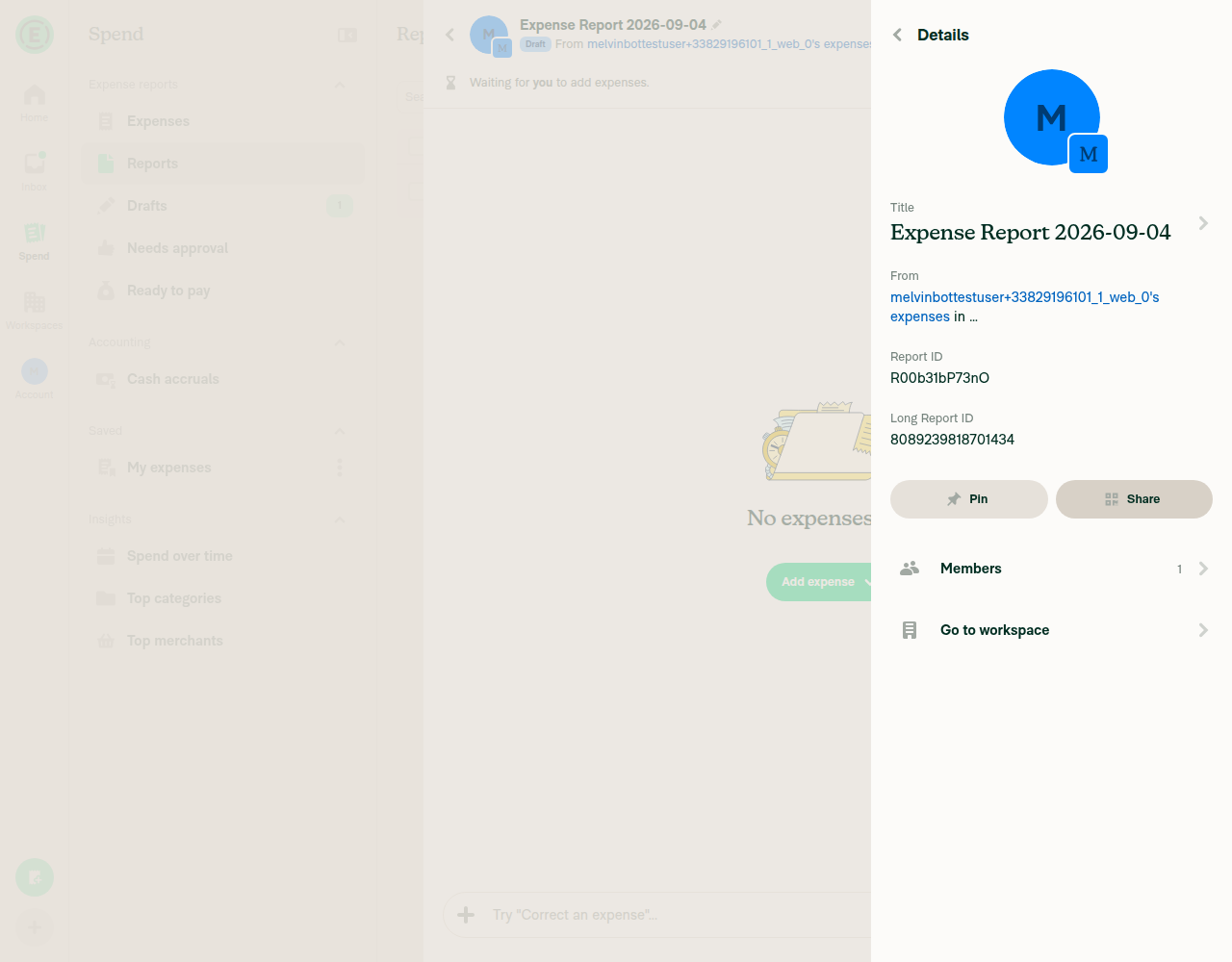
What to change in the docThe comment content is accurate and can stay. The invite steps need rework before this is ready. EvidenceAccurate — keep:
Wrong — fix:
Note the pre-existing FAQ ("Open the report, select the header, then select Members and choose Invite.") had the same problem — this PR made the wrong steps more specific rather than introducing the error. Caveat: tested on dev web with a workspace and expense report created fresh in this run, so I only exercised the workspace-expense-report path. If invites reach a report through a different entry point (for example the parent expense chat, or a flow that is behind a beta), the steps should describe that path instead. I have not marked this ready for review — |
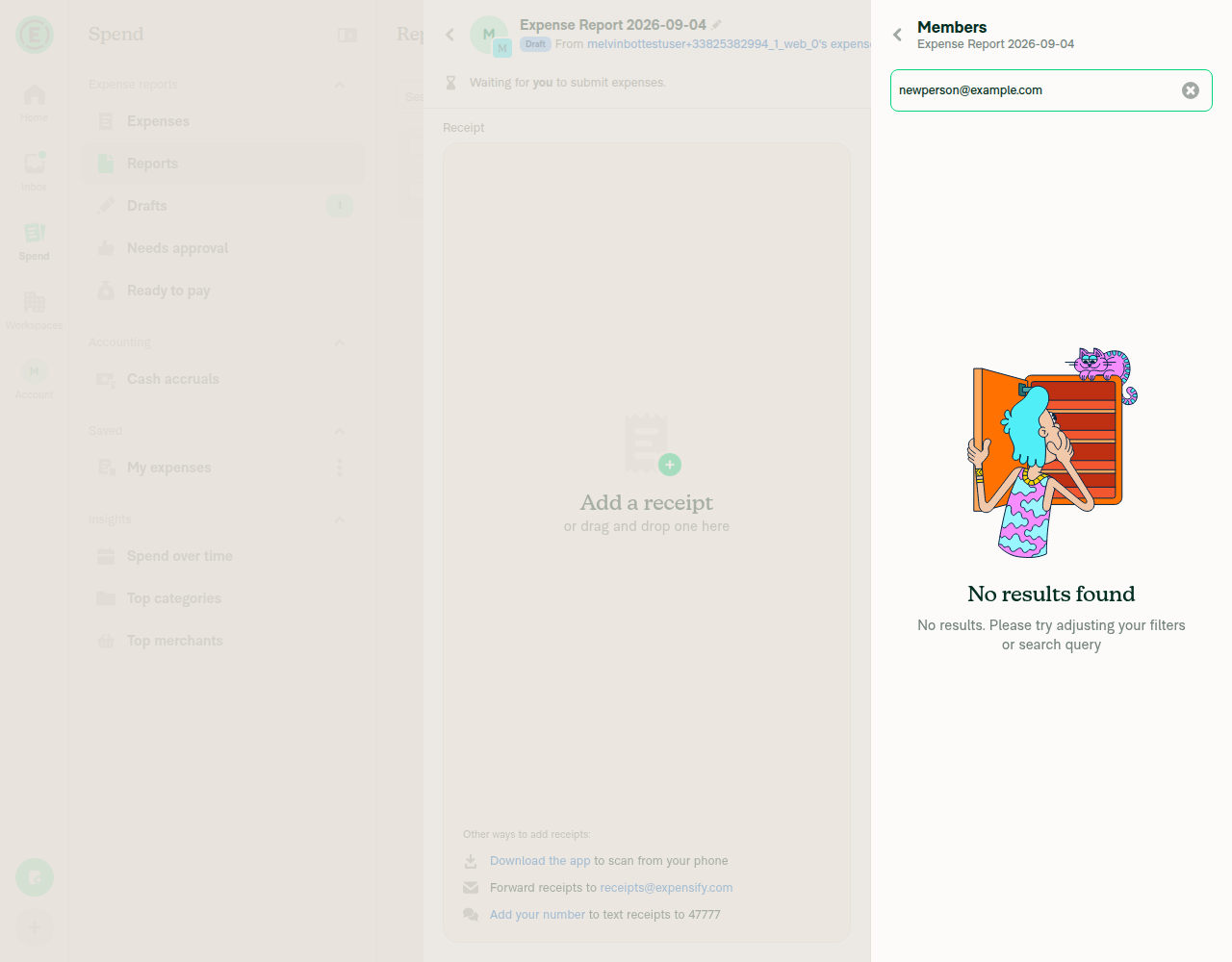
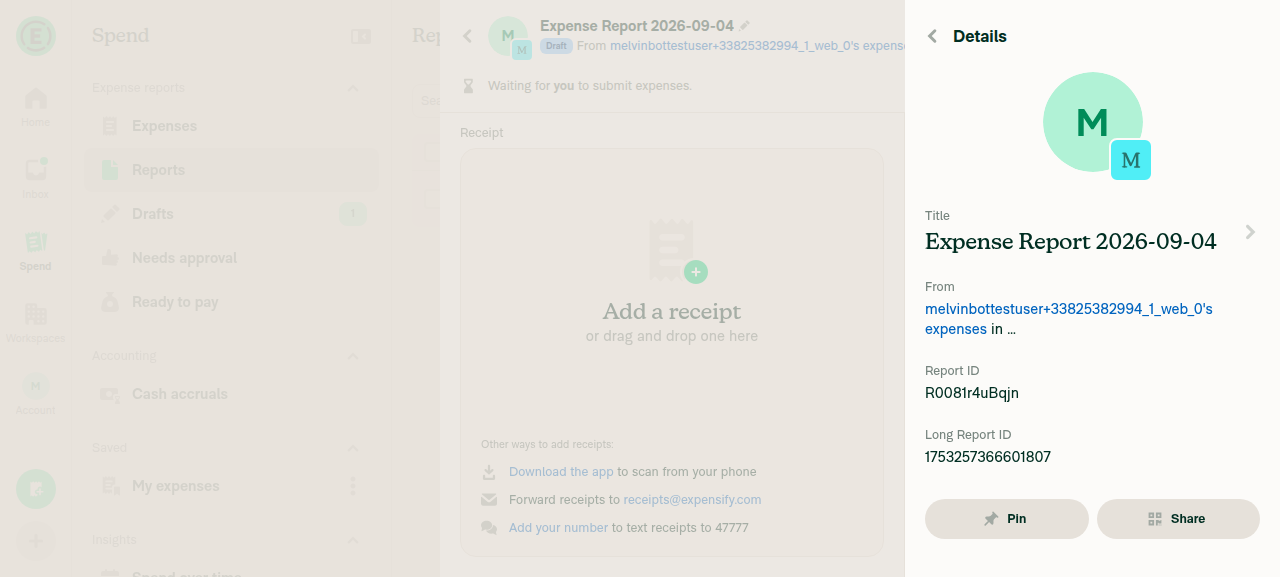
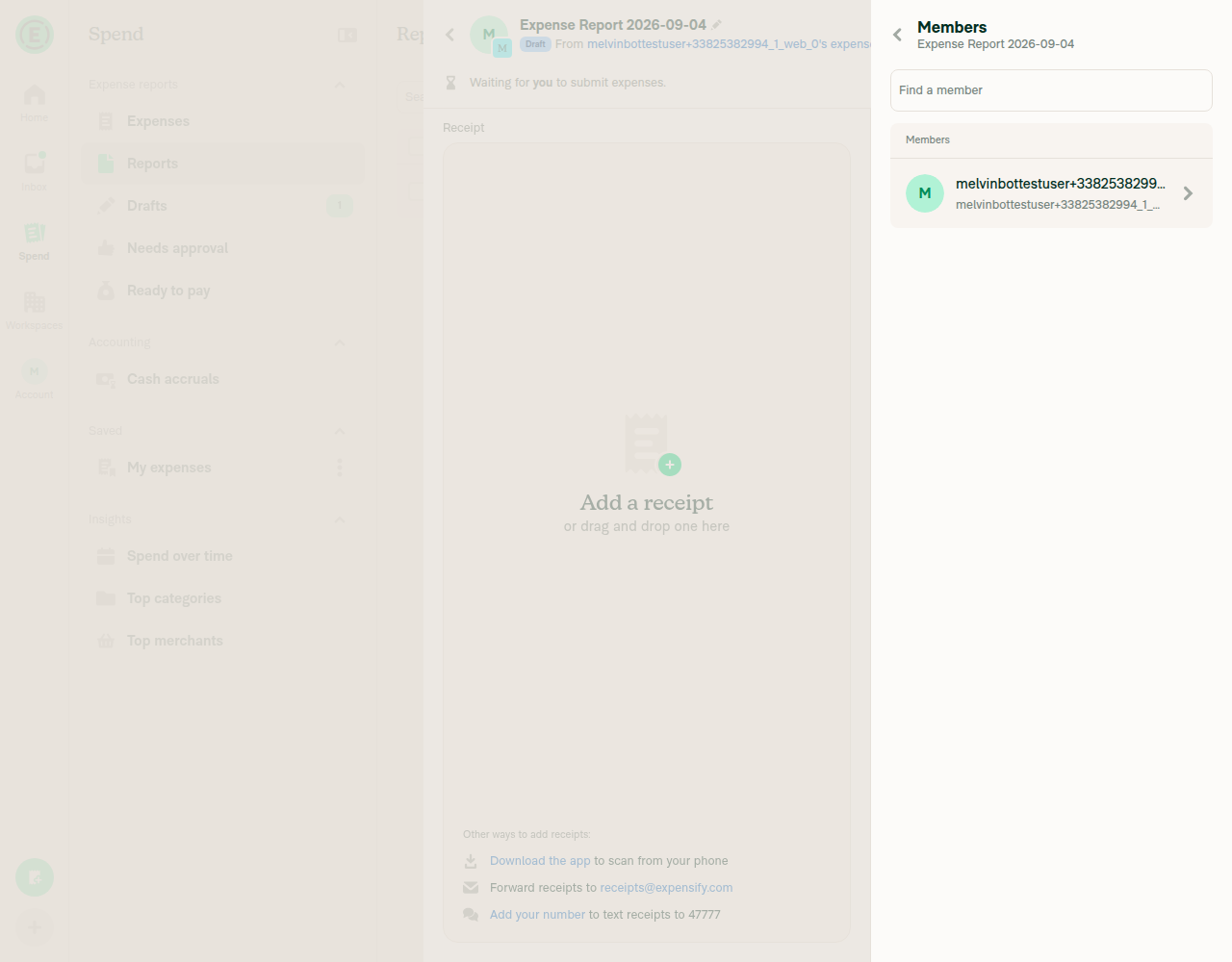

|
@MelvinBot The correct steps should be:
Screen.Recording.2026-09-04.at.09.17.54.mov |
Co-authored-by: Hans Vu <hungvu193@users.noreply.github.com>
|
🤖 Web test steps verification results: Thanks — I've applied your steps and pushed
What I changed and what to confirmThe doc now matches your steps. Two things need your eye before this is ready:
Diff of 226b0d8
I could not run cspell in this environment, so the new wording is unverified by the spell checker. It uses only common English words. The PR body's "Explanation of Change" still describes the old steps — worth updating when you fill in the Tests and QA sections. |
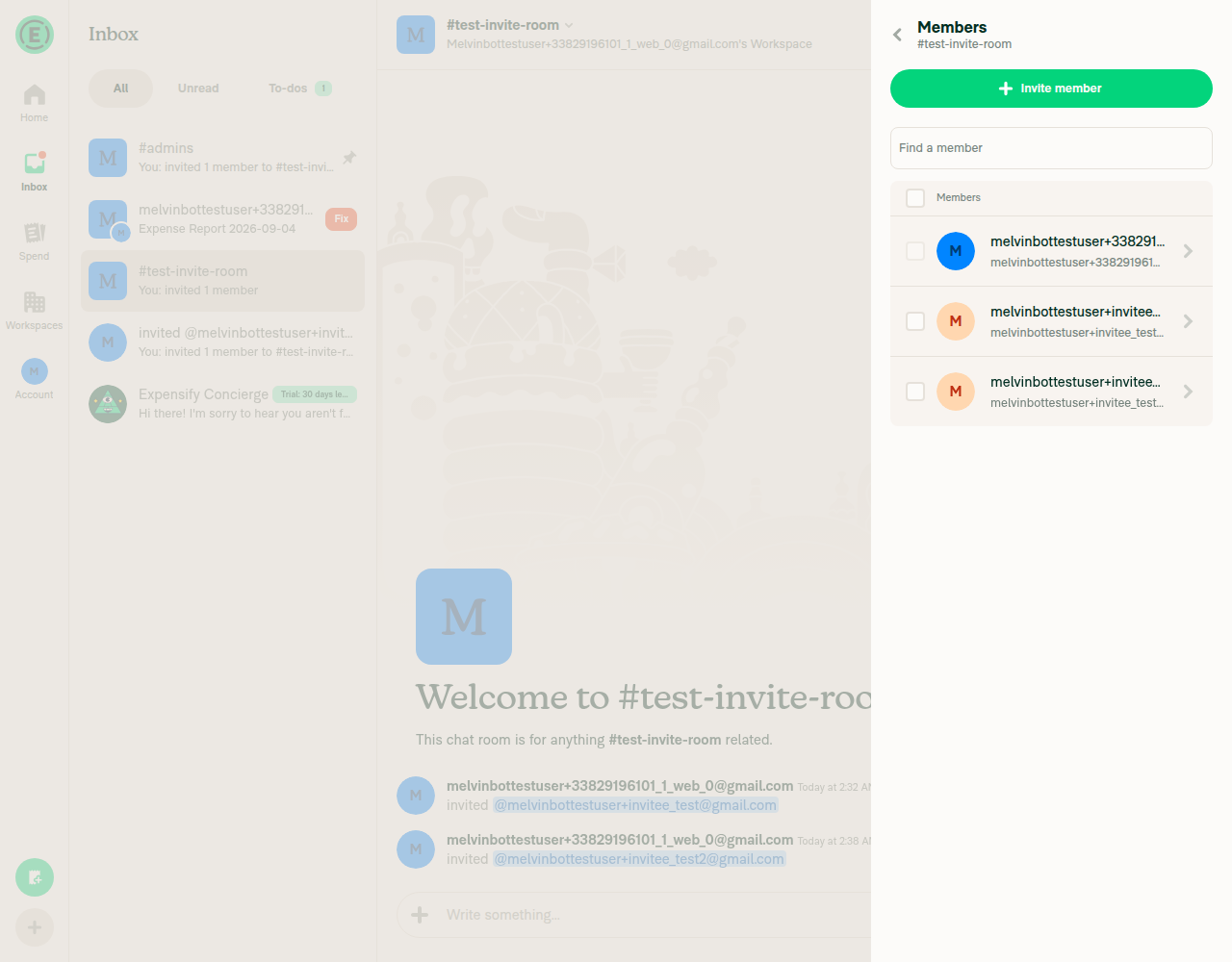
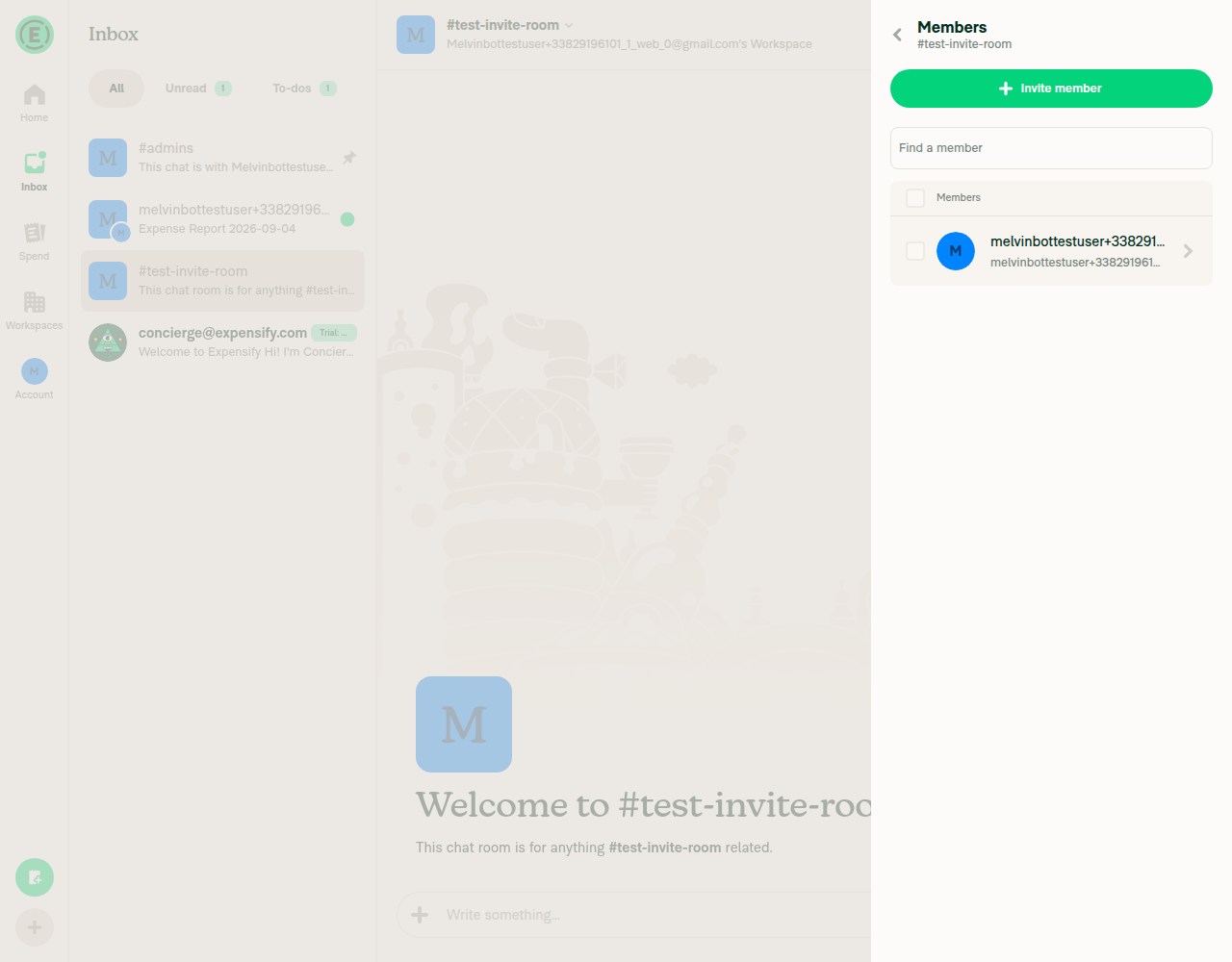
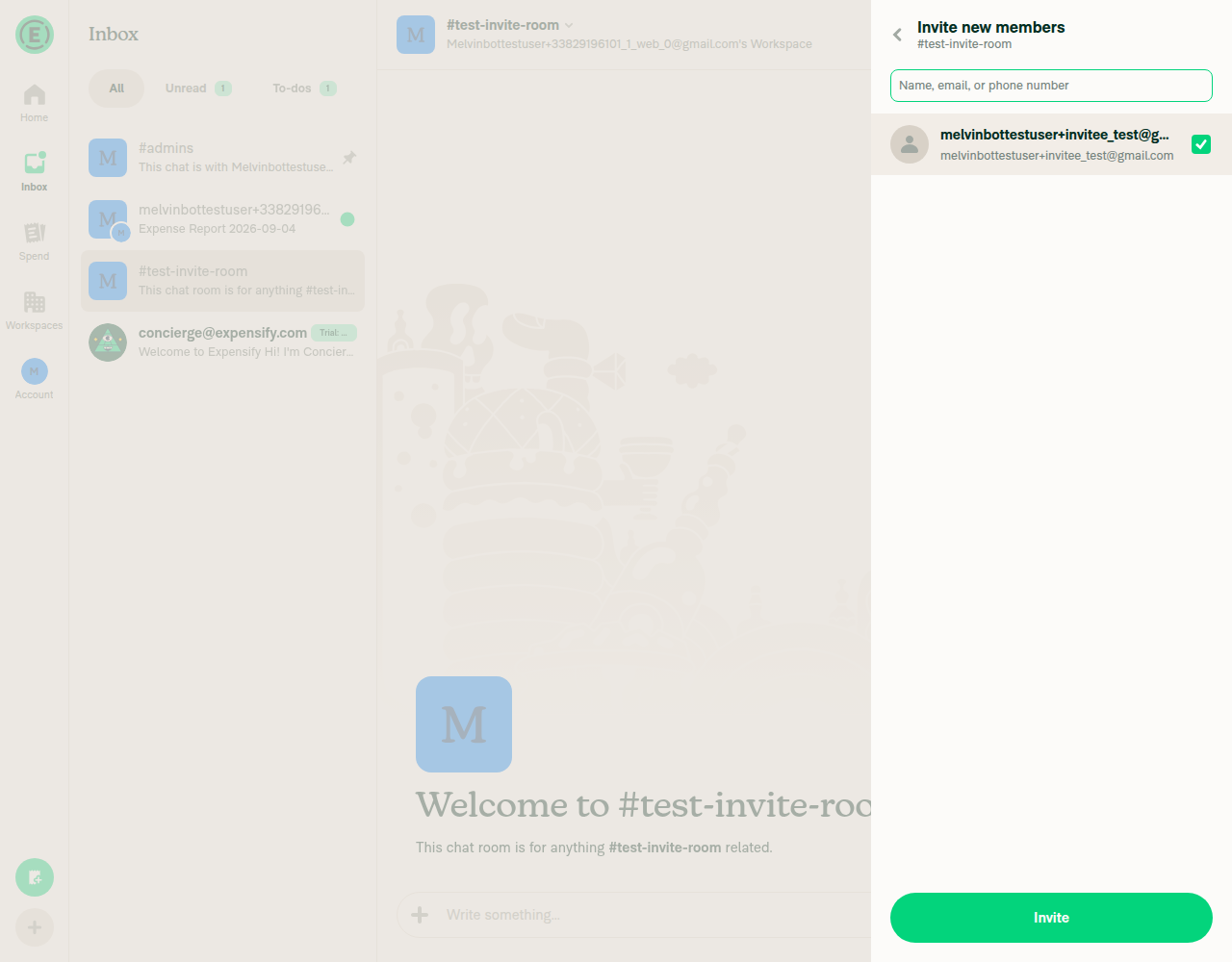
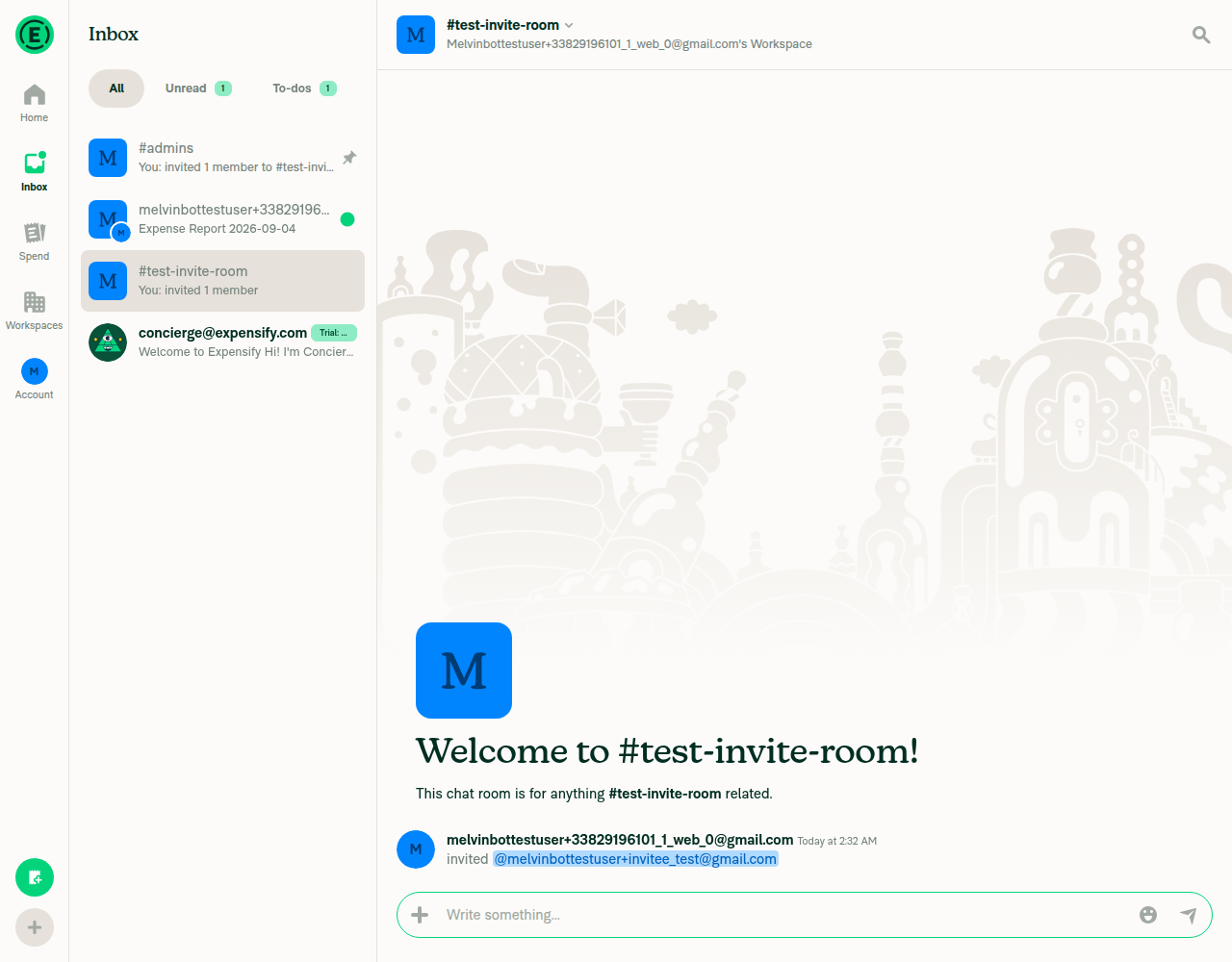
|
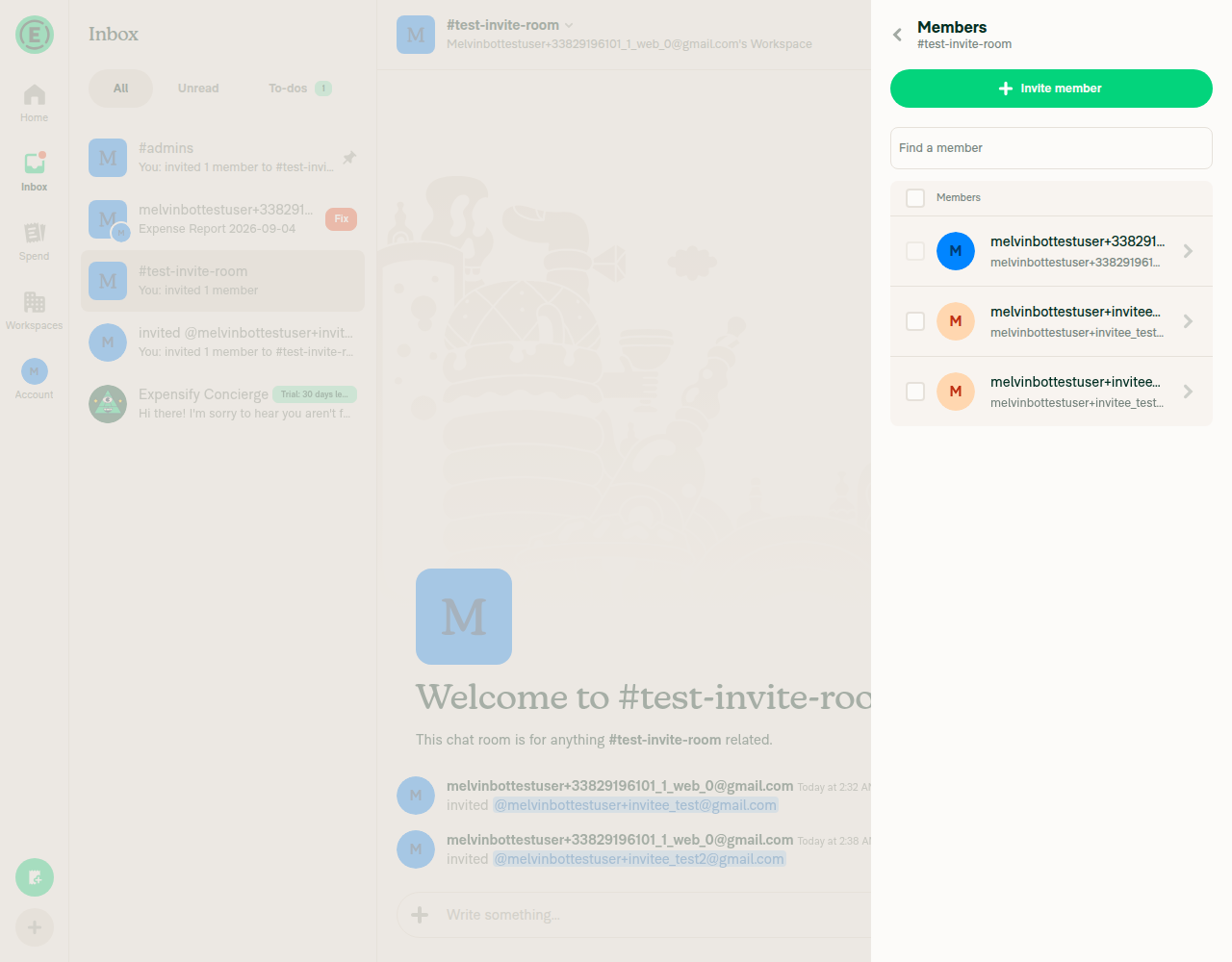
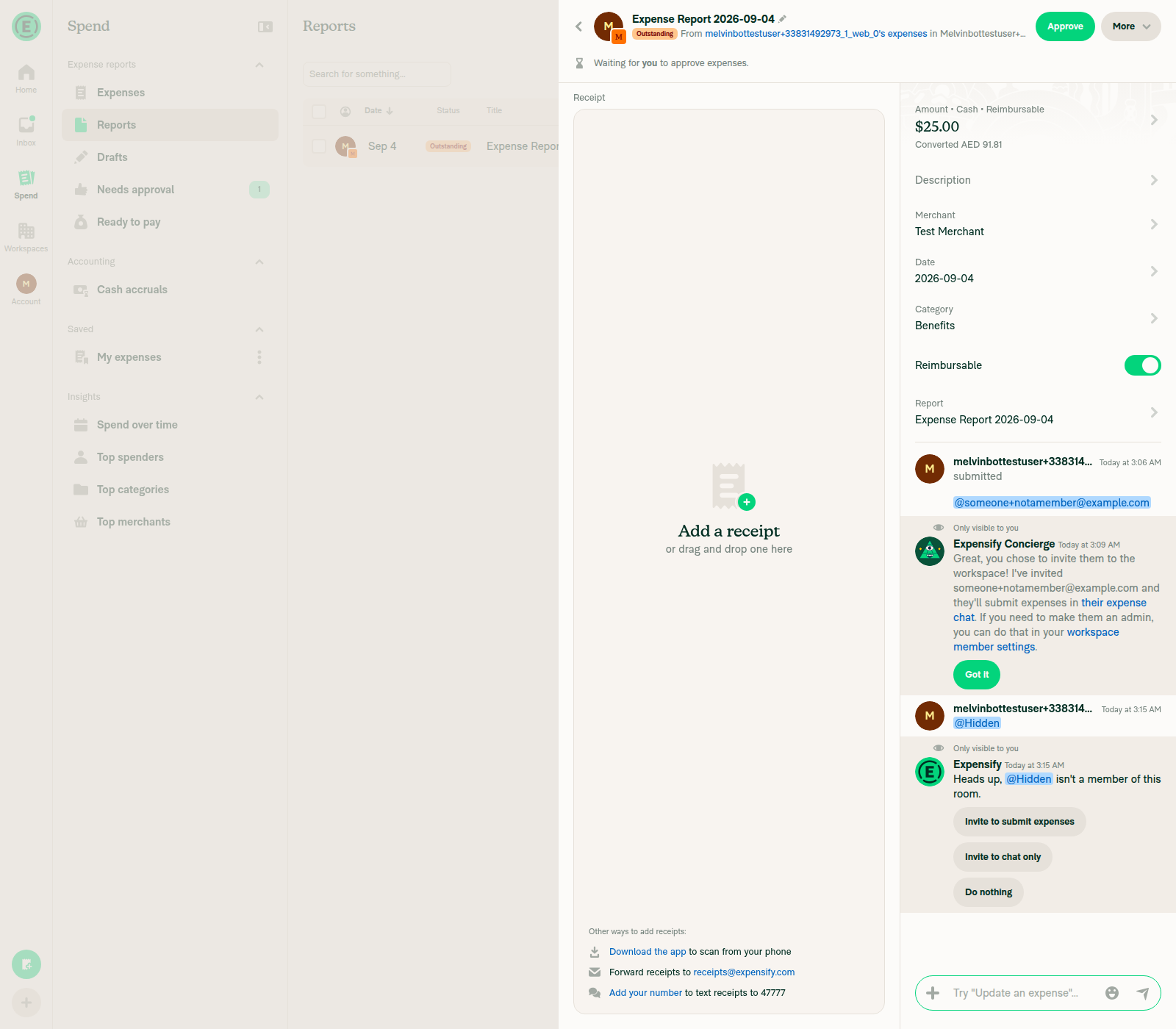
@MelvinBot You should invite user in a money report, then whisper will appear. |
 github-actions
Bot
changed the title

This comment has been minimized.
This comment has been minimized.
…flow

Co-authored-by: Hans Vu <hungvu193@users.noreply.github.com>
|
🤖 Web test steps verification results: ✅ pass You're right — the whisper is the entry point, and I confirmed the whole flow on web. The doc still opened its steps with "Select Invite member", which is the button that doesn't exist, so I pushed
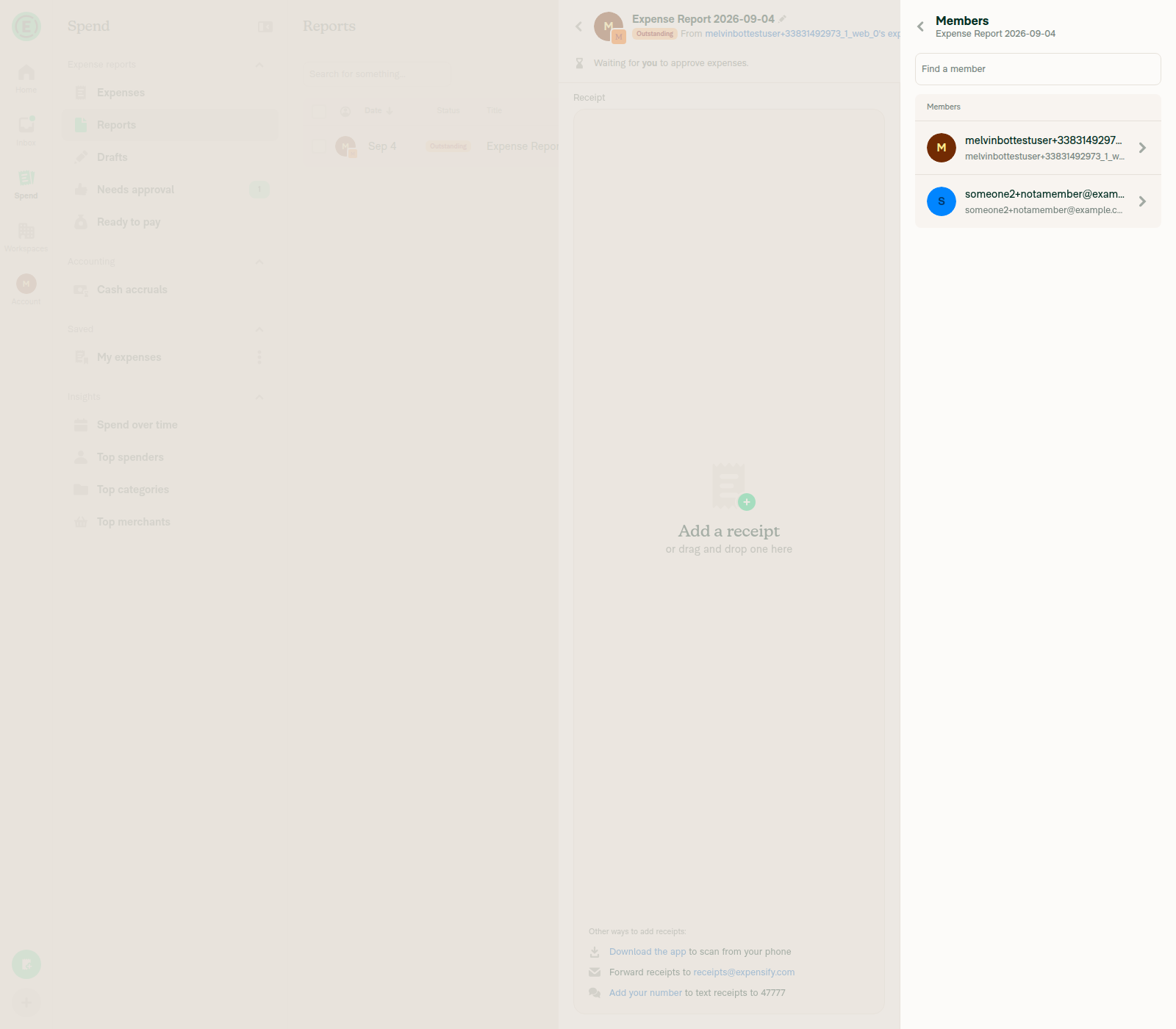
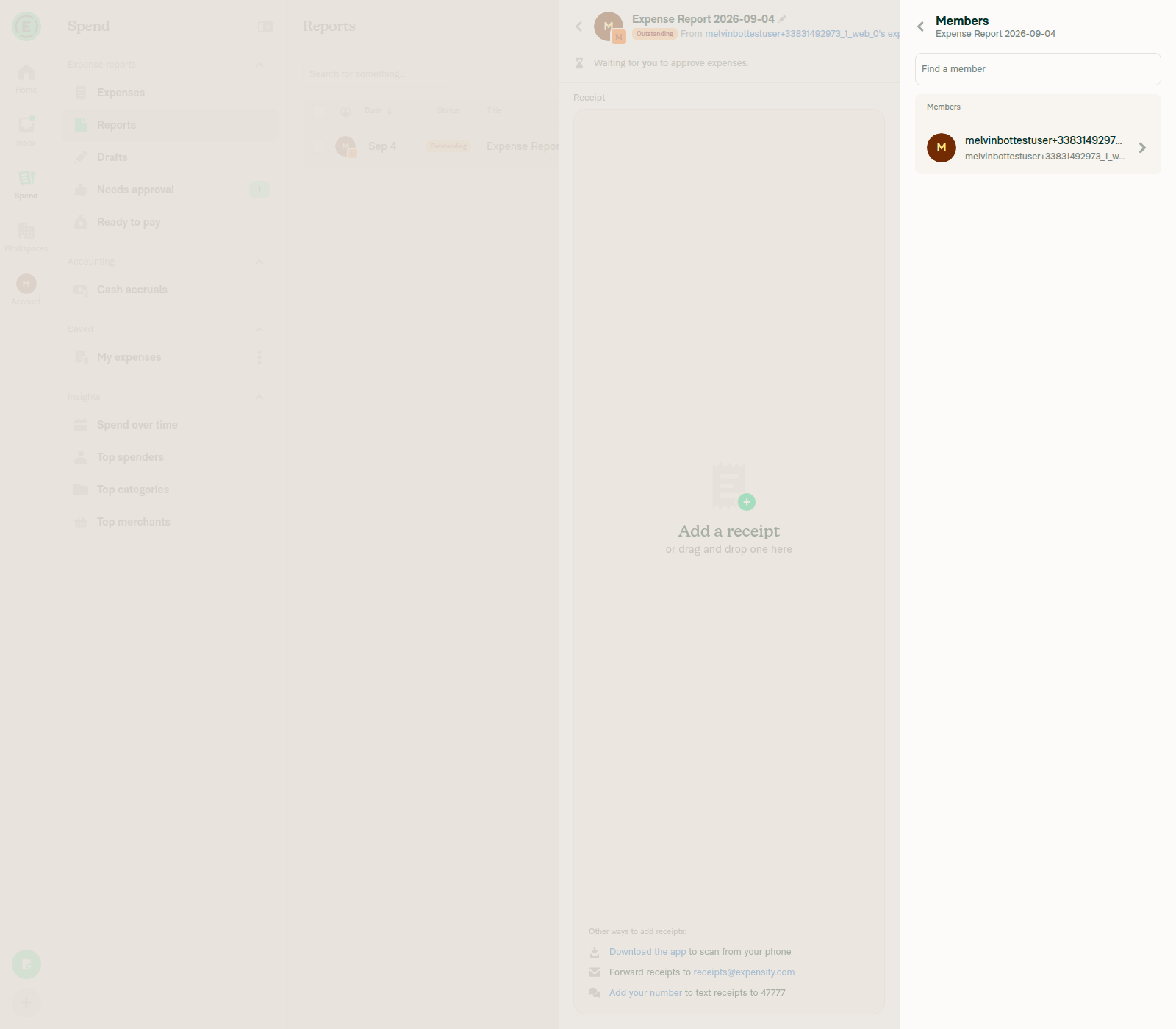
What changed in the docThe FAQ steps now start with the mention instead of a Invite member button, and the action-table row is renamed from Invite member to Invite to chat only. Why the two whisper buttons are not interchangeableOnly the Invite to chat only resolution adds people to I tested Invite to submit expenses first and it behaved differently: it added the person to the workspace Members list (1 → 2 members, role Member) and left the report's own Members count at 1. So the doc's "Does inviting someone to a report add them to my workspace?" answer needs to keep distinguishing the two options, which it does. Invite to submit expenses is also admin/owner-only — The whisper copy is built in Two things left for you: I couldn't run cspell locally in this environment, so CI's spell check is the first real pass on the new wording; and the Tests and QA Steps sections still need a human before this can go ready for review. |
|
@MelvinBot mark this PR as ready for review |

Concierge reviewer checklist:
For more detailed instructions on completing this checklist, see How do I review a HelpDot PR as a Concierge Team member? |

|
@VictoriaExpensify Please copy/paste the Reviewer Checklist from here into a new comment on this PR and complete it. If you have the K2 extension, you can simply click: [this button] |
|
Done — this PR is now marked ready for review. One thing left for you: the Tests and QA Steps sections in the PR body still have their |

HelpDot Documentation ReviewOverall AssessmentThis PR is a well-scoped, content-only follow-up to #98113, documenting that a member invited to an expense report can now comment instead of being read-only. All changes land in one article ( Scores Summary
Key Findings
Recommendations
Files Reviewed
Note: Detailed line-by-line feedback has been provided as inline comments. |


There was a problem hiding this comment.
💡 Codex Review
Here are some automated review suggestions for this pull request.
Reviewed commit: 86c3b89aec
ℹ️ About Codex in GitHub
Codex has been enabled to automatically review pull requests in this repo. Reviews are triggered when you
- Open a pull request for review
- Mark a draft as ready
- Comment "@codex review".
If Codex has suggestions, it will comment; otherwise it will react with 👍.
When you sign up for Codex through ChatGPT, Codex can also answer questions or update the PR, like "@codex address that feedback".
| | **Print** | Any report except Draft | All roles | Opens print view | | ||
| | **Reject** | Submitted reports | Approver | Sends report back for changes | | ||
| | **Invite member** | Draft and Outstanding reports | All roles | Adds a member to the report | | ||
| | **Invite to chat only** | After you mention a non-member in a report comment | All roles | Adds that person to the report so they can view and comment on it | |
There was a problem hiding this comment.

This table is explicitly described as containing actions available from the More menu, but Invite to chat only is an inline button rendered by MentionWhisperContent after the sender mentions a non-member and receives an actionable message. A reader looking for this action in More will therefore not find it; move this row to a separate section/table or change the grouping so its actual location is clear.
Useful? React with 👍 / 👎.

There was a problem hiding this comment.
I agree with this, I actally don't see where the option to Invite Member or Invite to Chat lives, it doesn't seem to live alongside the other options listed
There was a problem hiding this comment.
Hmm View details > Members > Add member is the only way I can find a similar option - do we need to make this more clear?
This comment has been minimized.
This comment has been minimized.

There was a problem hiding this comment.
I've commented on MelvinBots feedback, I think it's right - it's unclear where to find the Invite Member and Invite to chat only report options. @stephanieelliott could you please take a look?


|
A preview of your ExpensifyHelp changes have been deployed to https://e2b16ff8.helpdot.pages.dev ⚡️ Updated articles: |


Explanation of Change
Help site follow-up for #98113, which added the
commentpermission so a member invited to an expense report can post in that report instead of being read-only.The help site did not describe what an invited member can do.
Expense-and-Report-Actions.mdalready documents the Invite member action and has an FAQ on inviting someone to a report, but it said nothing about the invitee's access level — so a reader had no way to know the invitee was previously read-only, or that they can now comment.Changes to
docs/articles/new-expensify/reports-and-expenses/Expense-and-Report-Actions.md:## What a member you invite to a report can dosection stating that an invited member can view the report and comment on the report and on individual expenses, and cannot submit, approve, pay, export, or edit expenses.invite member to reportandcomment on a reporttokeywords.UI labels were verified against
src/languages/en.tsonmain(common.members=Members,workspace.invite.member=Invite member,common.invite=Invite,readOnlyConversation=This conversation is read-only.). The web test session could not boot past the splash screen in this run, so the labels were confirmed from source rather than from a running build.Applied
docs/HELPSITE_NAMING_CONVENTIONS.md,docs/HELP_AUTHORING_GUIDELINES.md, anddocs/TEMPLATE.md: one#title plus# FAQ, all sections##and task-based, bolded UI labels in Sentence case, and a single relative cross-link.Fixed Issues
$ https://github.com/Expensify/Expensify/issues/667959
PROPOSAL: N/A
Tests
// TODO: The human co-author must fill out the tests they ran before marking this PR as "ready for review".
// This PR only changes Markdown under
docs/articles; there is no app behavior to test.Offline tests
N/A
QA Steps
// TODO: The human co-author must fill out the QA steps before marking this PR as "ready for review".
// This is a help site content change only.
PR Author Checklist
### Fixed Issuessection aboveTestssectionOffline stepssectionQA stepssectionAvatar, I verified the components usingAvatarare working as expected)StyleUtils.getBackgroundAndBorderStyle(theme.componentBG))npm run compress-svg)Avataris modified, I verified thatAvataris working as expected in all cases)Designlabel and/or tagged@Expensify/designso the design team can review the changes.mainbranch was merged into this PR after a review, I tested again and verified the outcome was still expected according to theTeststeps.Screenshots/Videos
Android: Native
Android: mWeb Chrome
iOS: Native
iOS: mWeb Safari
MacOS: Chrome / Safari
@hungvu193, please review the files changed and confirm they reflect the current behavior. Then post a new comment saying
@MelvinBot mark this PR as ready for review.