
- about
- features
- requirements
- installation
- building
- security information
- keybindings
- configuration
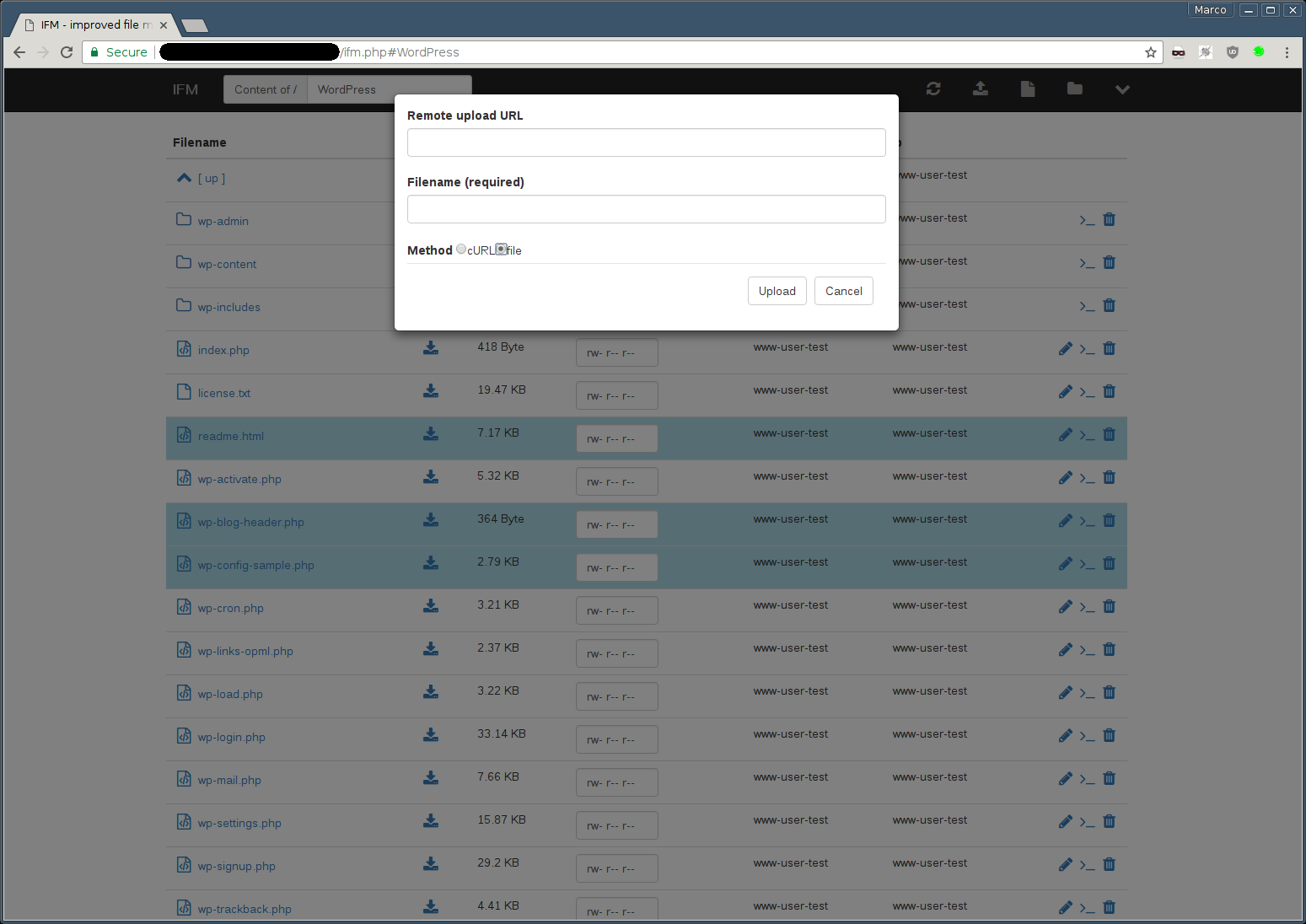
- screenshots
- issues
The IFM is a web-based filemanager, which comes as a single file solution using HTML5, CSS3, JavaScript and PHP. You can test a demo here.

The IFM uses the following resources:
- create/edit files and directories
- copy/move files and directories
- download files and directories
- upload files directly, remotely via URL or per drag & drop
- extract archives (tar, tgz, tar.gz, tar.bz2, zip)
- change permissions
- image preview
- simple authentication (LDAP via
ldap_bindpossible)
- Client
- HTML5 and CSS3 compatible browser
- activated javascript
- Server
- PHP >= 8.1 (tested with PHP 8.1 to 8.5)
- extensions
- bz2
- curl (for remote upload)
- fileinfo
- json
- ldap (only if LDAP based authentication is used)
- mbstring
- openssl (for remote uploads from https sources)
- phar
- posix
- zip
- zlib
- Build (only if you build from source — see Building)
- Composer (for the local build)
make(for the local build)- Docker / Docker Compose (for the docker-based builds)
IFM can be deployed in three ways. Each maps to one of the three flavours described in Building — pick whichever fits your infrastructure.
Download the latest release from GitHub Releases, or build the project yourself (Building → Local) — the compiled files land in ./dist.
You can choose between the CDN version (dependencies like bootstrap, jquery etc. are loaded via CDN) or the bundled version, which inlines all these dependencies. Drop the chosen *.php file into a directory served by your PHP-enabled web server.
The minified versions (*.min.php) are zipped via gzip. These versions are not recommended; if the filesize of the IFM is an issue for you, consider using the CDN versions.
The docker image is based on the official php docker images (alpine version) and exposes port 80. After building the image (Building → Docker), start the container:
docker run --rm -d --name ifm -p 8080:80 -v /path/to/data:/var/www ifm:latestBy default IFM runs as user www-data (uid/gid 33). If you need to change that, you can set the UID and GID with the following environment variables:
docker run ... -e IFM_DOCKER_UID=1000 -e IFM_DOCKER_GID=100 ifm:latestThe script is located at /usr/local/share/webapps/ifm/index.php. By default the root_dir is set to /var/www, so you can mount any directory at this location. If you want to bind the corresponding host directory, you can do the following:
docker run --rm -i -p "8080:80" -v "/var/www:/var/www" ifmThe scripts configuration can be changed by adjusting the corresponding environment variables. For example:
docker run --rm -i -p "8080:80" -v /var/www:/var/www \
  -e IFM_AUTH=1 -e IFM_AUTH \
  -e IFM_AUTH_SOURCE="inline;admin:$2y$05$LPdE7u/5da/TCE8ZhqQ1o.acuV50HqB3OrHhNwxbXYeWmmZKdQxrC" \
  ifm
Tip
You can get a complete list of environment variables here.
A docker-compose.yml is included for convenience. After building the image (Building → Docker Compose) bring the service up:
docker compose up -dStop and remove the container with:
docker compose downNote
Adjust ports, volumes and environment in docker-compose.yml to suit your setup — the default mounts /tmp into /var/www.
Caution
The shipped docker-compose.yml uses inline authentication with the hard-coded credentials admin / admin for quick local testing. Before deploying to production, you must change the authentication method — either replace the inline credentials with a secure, secret-managed value or switch to a different IFM_AUTH_SOURCE (e.g. LDAP). See Configuration → Authentication for the available options.
You can build IFM from source in three different ways — locally, via Docker, or via Docker Compose. All of them produce the same compiler output; they differ only in how the build environment is set up.
The compiler can produce two flavours of the final single-file PHP script:
- Bundled (default) — third-party assets (Bootstrap, jQuery, ACE editor, etc.) are inlined into the output. The resulting file is self-contained and works without internet access on the client.
- CDN — third-party assets are loaded from public CDNs at runtime. The output file is much smaller, but clients need network access to the CDN hosts.
Build directly on your machine with Composer and make.
Build-time dependencies are managed via Composer. To stay independent of your distribution's package manager, install Composer directly with PHP into the project (or somewhere on your $PATH):
php -r "copy('https://getcomposer.org/installer', 'composer-setup.php');"
php composer-setup.php
php -r "unlink('composer-setup.php');"
This produces a local composer.phar you can invoke as php composer.phar <command>. For an up-to-date installer and signature verification see the official instructions.
From the project root:
php composer.phar installThis installs the build-time dependencies declared in composer.json into ./vendor:
matthiasmullie/minify— JS/CSS minifier used by the compilerphpstan/phpstan— static analysis used bymake analysephpunit/phpunit&guzzlehttp/guzzle— used by the test suite (make test)
The Makefile wraps the compiler and helper scripts. Run make help to see all targets:
| Target | Description |
|---|---|
make help |
List available targets |
make analyse |
Run PHPStan static analysis on ./src |
make syntax-check |
Run php -l against every tracked *.php file |
make test |
Build dist and run the full PHPUnit suite |
make build |
Compile the regular (bundled) dist files into ./dist |
make build-cdn |
Compile the CDN dist files into ./dist |
make build-all |
Compile both bundled and CDN flavours |
make clean |
Remove the ./dist directory |
You can override the PHP binary with the PHP variable, e.g. make build PHP=/usr/bin/php8.2.
Build everything in one go:
make build-allThe compiled files land in ./dist. Use make clean to wipe the directory before a fresh build.
The Dockerfile produces a runnable image with the compiler output already baked in. The CDN build argument selects the flavour:
CDN=false(default) — bundled build (assets inlined intoindex.php).CDN=true— CDN build (assets loaded from public CDNs at runtime).
# bundled (default)
docker build -t ifm .

# CDN
docker build --build-arg CDN=true -t ifm:cdn .
The build context doesn't include the git metadata, so pass the version shown in the UI explicitly (otherwise it's v0.0.0-dev):
docker build --build-arg IFM_VERSION="$(git describe --tags)" -t ifm .See Installation → Docker for how to run the resulting image.
docker-compose.yml exposes the CDN build arg via a CDN environment variable so you can toggle the flavour without editing files:
# bundled build (default)
docker compose build

# CDN build
CDN=true docker compose build

# build + start in one go
CDN=true docker compose up -d --build

# with the version shown in the UI (see above)
IFM_VERSION="$(git describe --tags)" docker compose build
See Installation → Docker Compose for how to run the resulting service.
IFM follows Semantic Versioning with a v prefix:
vMAJOR.MINOR.PATCH (e.g. v4.2.0).
Git tags are the single source of truth for the version. The version is no
longer hard-coded; compiler.php resolves it at build time, in this order:
- the
IFM_VERSIONenvironment variable (used by the release workflow), - a
VERSIONfile next tocompiler.php(for source tarballs without git), git describe --tags --always --dirty(normal development and tagged builds),v0.0.0-devas a last-resort fallback.
So local/dev builds embed a descriptive version such as
v4.1.1-9-gb86f1eb-dirty, while a clean tagged build embeds exactly the tag.
To cut a release, just create and push a tag:
git tag v4.2.0
git push origin v4.2.0
The Release GitHub Actions workflow (.github/workflows/release.yml) then
builds the artifacts with IFM_VERSION pinned to the tag, verifies the embedded
version matches, and publishes a GitHub Release with auto-generated notes and
these assets attached: ifm.php, ifm.min.php, cdn.ifm.php,
cdn.ifm.min.php. No manual file edits or uploads are required.
The IFM is usually locked to it's own directory, so you are not able to go above. You can change that by setting the root_dir in the scripts configuration.
By default, it is not allowed to show or edit the .htaccess file. This is because you can configure the IFM via environment variables. Thus if anyone has the ability to edit the .htaccess file, he could overwrite the active configuration. The same applies to the other .ht* files (e.g. .htpasswd) and to PHP's per-directory .user.ini, which can be used to inject code into every PHP script of its directory. All of them can only be shown and edited if you enable showhtdocs.
- e - edit / extract current file
- hjkl - vim-style navigation (alternative to arrow keys)
- g - focus the path input field (i.e. "goto")
- r - refresh file table
- u - upload a file
- o - remote upload a file
- a - show ajax request dialog
- F - new file
- D - new directory
- cm - show copy/move dialog
- / - search
- a - ajax request
- n - rename file
- Space - select a highlighted item
- Del - delete selected files
- Enter - open a file or change to the directory
- Ctrl-Shift-f - toggle fullscreen ace editor
See configuration.
See authentication for how to configure the credential sources (inline, file or ldap).
With authentication enabled (auth => 1 / IFM_AUTH=1), clients can authenticate in two ways:
The web UI logs in via api=checkAuth with inputLogin / inputPassword form fields and keeps a session cookie. Session-based state-changing calls (createDir, saveFile, delete, rename, extract, upload, copyMove, changePermissions, remoteUpload, createArchive) additionally require a CSRF token: fetch it once from api=getConfig (field csrf_token) and send it with every mutating POST as the X-IFM-CSRF header (or a csrf_token form field). Read-only calls like getFiles need no token.
Scripts and API clients can skip the session entirely and send credentials on every request. Two headers are recognized:
X-IFM-AUTH— accepts bothBasic <base64(user:pass)>and bare<base64(user:pass)>Authorization: Basic <base64(user:pass)>— the standard header; here theBasicscheme prefix is required, since the header can carry other schemes
Requests authenticated via X-IFM-AUTH are stateless: no cookies are involved and the CSRF token requirement does not apply, so a single self-contained request can perform any API action. This does not apply to the Authorization header, because browsers send cached Basic credentials automatically, even with requests triggered by other sites: with Authorization, state-changing calls need a CSRF token just like session-based ones. So for scripts, use X-IFM-AUTH:
# list a directory
curl -u user:pass \
  -d 'api=getFiles' -d 'dir=' https://example.com/ifm.php

# delete a file - no session, no CSRF token needed
curl -H "X-IFM-AUTH: $(printf '%s' 'user:pass' | base64)" \
  -d 'api=delete' -d 'dir=' -d 'filenames[]=old.log' https://example.com/ifm.php
The API expects regular form encoding (application/x-www-form-urlencoded or multipart/form-data); JSON request bodies are not parsed.
Header auth can be disabled with the auth_ignore_basic config option if you only ever want interactive logins.



If you happen to find an error or miss a feature, you can create an issue on Github.