Repository navigation
Conversation


 oxilor
changed the title
oxilor
changed the title

|
Possible alternative implementation would be to expose |

One of the options is to add an additional optional parameter to |
|
Tested: |
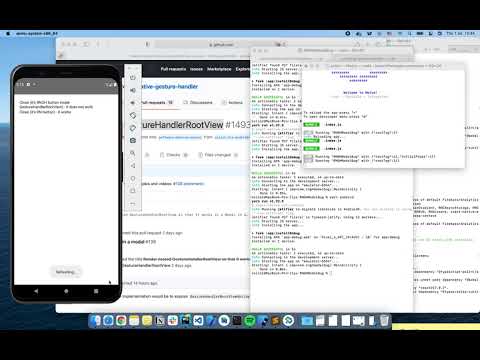
|
@jakub-gonet Is everything all right? Is it planned to merge? Why was it decided not to render the nested
What styles stays the same (all properties, including styles, are passed to the normal View) and why? In what cases, is it necessary to render a normal View instead of the If there are no such cases, then it seems to me better to remove the check whether the root view already has in a parent components using a context. Additionally, we could add a Modal component that uses the native Modal and wraps the content with the |

|
@oxilor Thanks for raising this MR. We have been facing the same issue with nested Modals using @jakub-gonet please push this fix along as fast as possible as it is a major bug fix for the system but not a big change in terms of code. |
|
@urbanclap-admin Do you know a case where it is necessary to render nested root view as a normal View? If there are no cases (in the beginning we need to consult with @jakub-gonet or may be you know any case), I think that it is better to remove this condition at all. Otherwise, we can leave the current implementation, which allows a developer to control whether the root view must be rendered as |


There was a problem hiding this comment.
Hey, sorry for the delay.
Why was it decided not to render the nested GestureHandlerRootView?
The problem with rendering nested GH root views is that they will create different root helpers which in turn will create different orchestrators. This will prevent interaction between handlers across root views as mentioned by @kmagiera and in our docs:
If you use props such as
shouldCancelWhenOutside,simultaneousHandlers,waitForetc. with gesture handlers, the handlers need to be mounted under a singleGestureHandlerRootView. So it's important to keep theGestureHandlerRootViewas close to the actual root view as possible.
That's why we render only one root view in React tree right now.
The comment above this code says:
If we already have a parent wrapped in the gesture handler root view, we don't need to wrap it again in root view we still wrap it in a normal view so our styling stays the same.
What styles stays the same (all properties, including styles, are passed to the normal View) and why?
It's explained in PR linked above. Basically we need consistent styling even if root view isn't applied so that's a difference between adding view and not adding it.
The problem with modals is that they're rendered in the same React tree but different native view hierarchy. When creating a new root view we check if we did that earlier and your change most likely doesn't show this info in logs due to modals but will if you use it without one.
I thought about the correct solution and it seems like the simplest one is to always wrap views in the root view (which will make HOC work) and remove the check for mEnabled in the native side (with an appropriate comment about modals in the following if). I haven't tested that though and I won't spend much time on RNGH in the few following weeks so feel free to experiment with that. If you come with an alternative solution, please share it with me - maybe it can be solved better.
EDIT: this won't solve the problem with the orchestrator, it probably should be shared between root views to correctly register and handle all gesture handlers.

|
@jakub-gonet Wouldn't |

If you're talking about a typical React hierarchy, then yes. But modals create their own hierarchy so there's no root view in their branch and this method returns If we remove the check from the JS side then we need to remove |
I think this would be a very niche use case if someone even needs that. Anyway, my main point was that the check on JS side isn't needed since we already check on native side and since it prevents modals from working. |
|
#1603 should fix this problem. |


|
@jakub-gonet Thank you for fixing the bug. I'm really waiting for #1603 to be published to npm. |


Detailed description with examples and videos: #139 (comment)