Please ⭐ this repo if you find it useful

With the growing amount of spam, phishing, and malicious messages, I needed a tool that would help me safely check a URL before I clicked it. There are other options, like VirusTotal, but I wanted something more, such as a preview of the final URL or IP information about the hosting service, so I combined them all into one lightweight and simple application.
SafeUrl is a small, self-hosted FastAPI web application with an AdminLTE UI. You enter a URL and SafeUrl:
- submits it to VirusTotal and shows the multi-engine verdict and the website details VirusTotal collected;
- opens it in a headless Chrome browser on the server and shows you a screenshot, so you never have to open the page yourself;
- resolves the host name and shows IP information from IPinfo.
- Features
- How it works
- Limitations
- Requirements
- Installation
- Configuration
- Checking a URL
- API endpoints
- Troubleshooting
- Security notes
- Development
- Contributing
- License
With SafeUrl, you can get the following information:
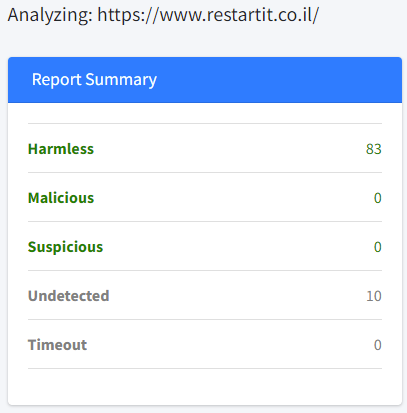
- Report summary from VirusTotal: the number of engines that rated the URL harmless, malicious, suspicious, undetected, or timed out.
- Report info: first submission date, last submission date, last analysis date, times submitted, and reputation.
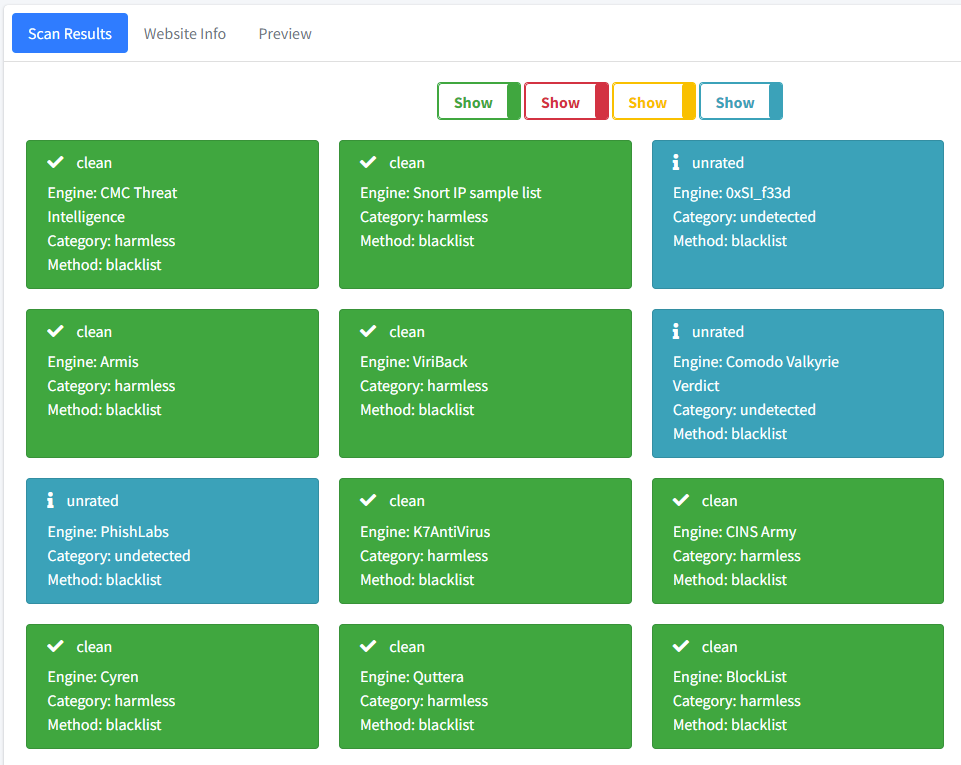
- Scan results: the verdict of every VirusTotal engine (engine, category, method), with toggles to show or hide clean, malicious, suspicious, and unrated results.
- Site preview: a screenshot of the page, taken by headless Chrome on the server.
- Website info:
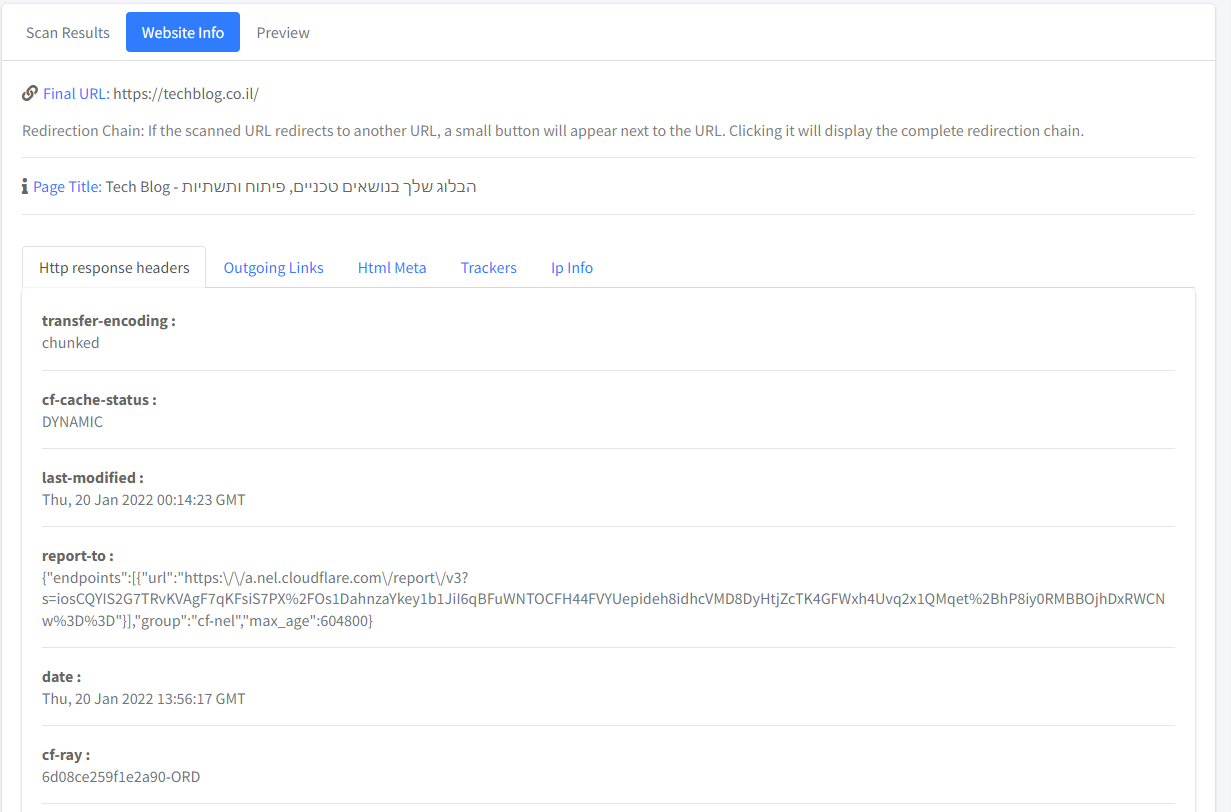
- Final URL.
- Redirection chain (if there are redirects).
- Page title.
- HTTP response headers.
- Outgoing links.
- HTML meta information.
- Trackers (Google Tag Manager, Analytics, pixels, and more), as detected by VirusTotal.
- IP information using IPinfo.
- Prometheus metrics at
/metrics(via starlette_exporter). - Several VirusTotal API keys (comma-separated) to spread requests over more quota. This is in the code on
mainbut not yet in a published Docker image; see Installation.
flowchart LR
    U[Browser] -->|"GET /analyze?url=..."| S[SafeUrl<br/>FastAPI]
    U -->|"GET /api/report"| S
    U -->|"GET /api/preview"| S
    U -->|"GET /api/ipinfo"| S
    S -->|"submit URL, then fetch report (API v3)"| VT[VirusTotal]
    S -->|"load page, take screenshot"| C[Headless Chrome<br/>Selenium]
    C --> W[Target website]
    S -->|"DNS lookup + IP details"| IP[IPinfo]
- The home page sends you to
/analyze?url=<your URL>. - The analyze page calls three API endpoints in the background:
/api/reportsubmits the URL to the VirusTotal API v3 (POST /api/v3/urls), waits 5 seconds, then fetches the URL report (GET /api/v3/urls/{id}). The report fills the summary, report info, scan results, and website info./api/previewopens the URL in headless Chrome (1920×1080 window) and saves a screenshot of the page body in thepreviewfolder. Onmainonly,http://is added if the URL has nohttp/httpsscheme (the published2.3.0image doesn't do this). On failure, a default error image is shown./api/ipinfois called with the final URL from the VirusTotal report. It resolves the host name to an IPv4 address and querieshttps://ipinfo.io/<ip>/json.
- The VirusTotal free (public) API is limited to 4 requests/minute. Each check uses 2 requests (submit + report).
- The IPinfo free plan was limited to 50,000 requests/month when this project was written.
- The report is fetched 5 seconds after submission. For a URL VirusTotal has not seen before, the analysis may not be finished yet.
- Only IPv4 addresses are looked up.
- Docker (recommended). The image is based on
techblog/selenium, which provides Chrome and ChromeDriver. Published images arelinux/amd64only. - A VirusTotal API key (required).
- An IPinfo access token (optional).
-
Open VirusTotal and click Sign up to create a free account.
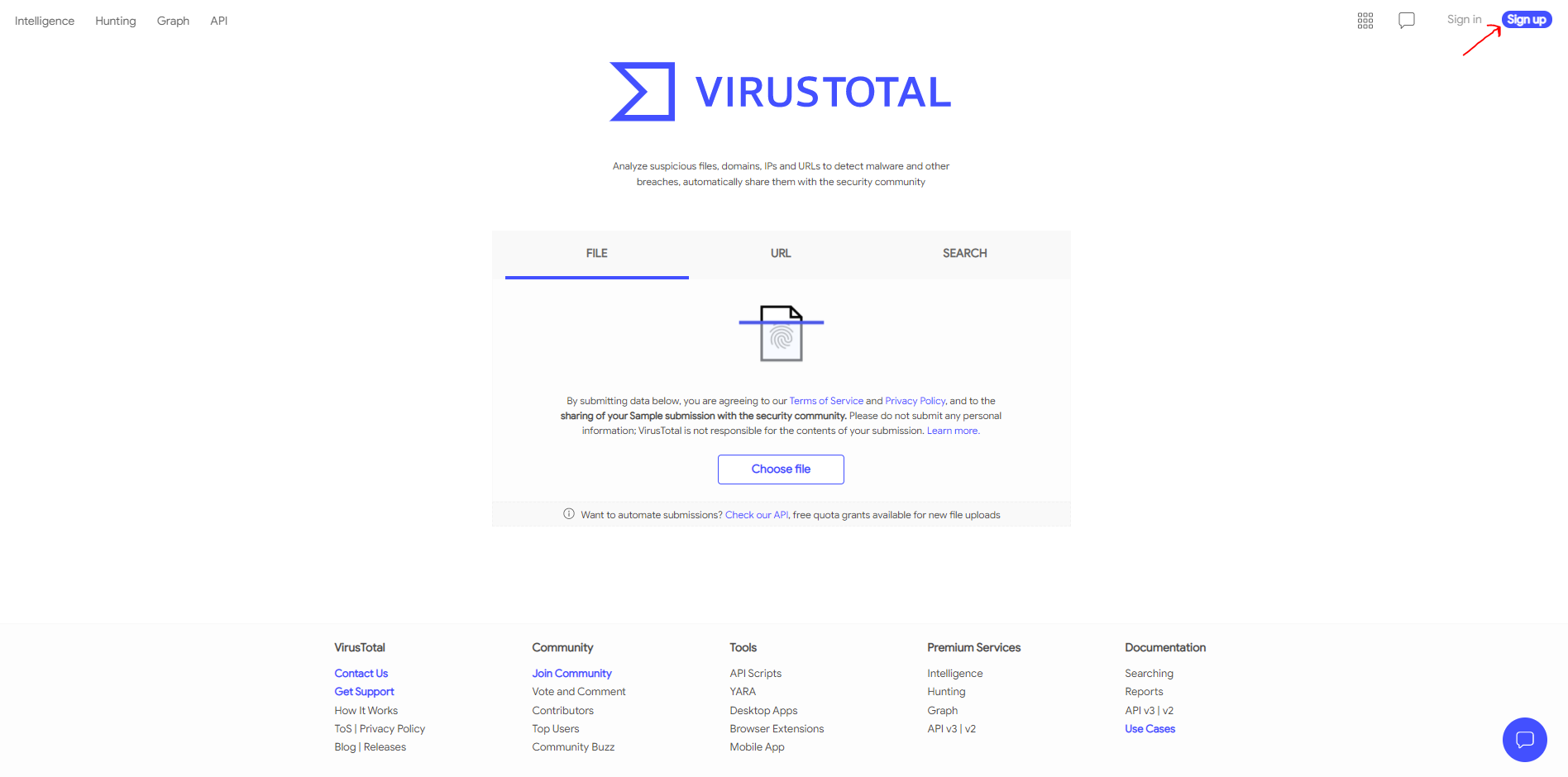
-
After signing in, open your user menu and select API key.
-
Copy your personal API key:

-
Set it as the
VT_API_KEYenvironment variable (see Configuration).
-
Open IPinfo and click Sign up to create a free account.
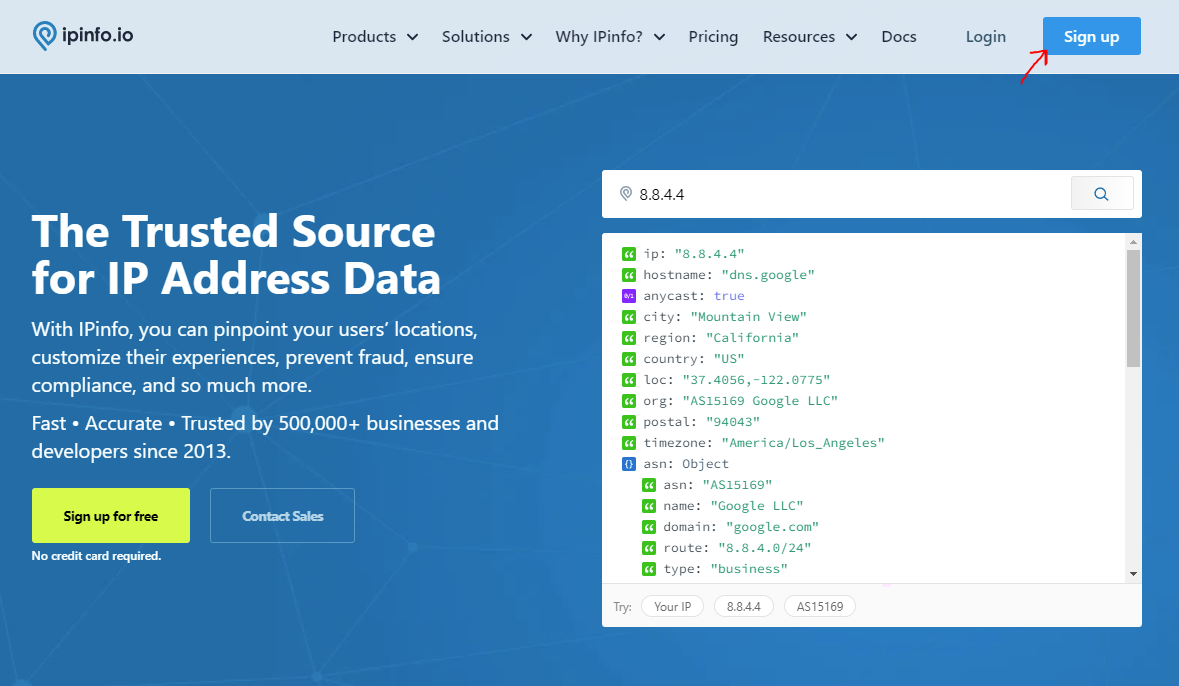
-
After signing in, open the Dashboard.
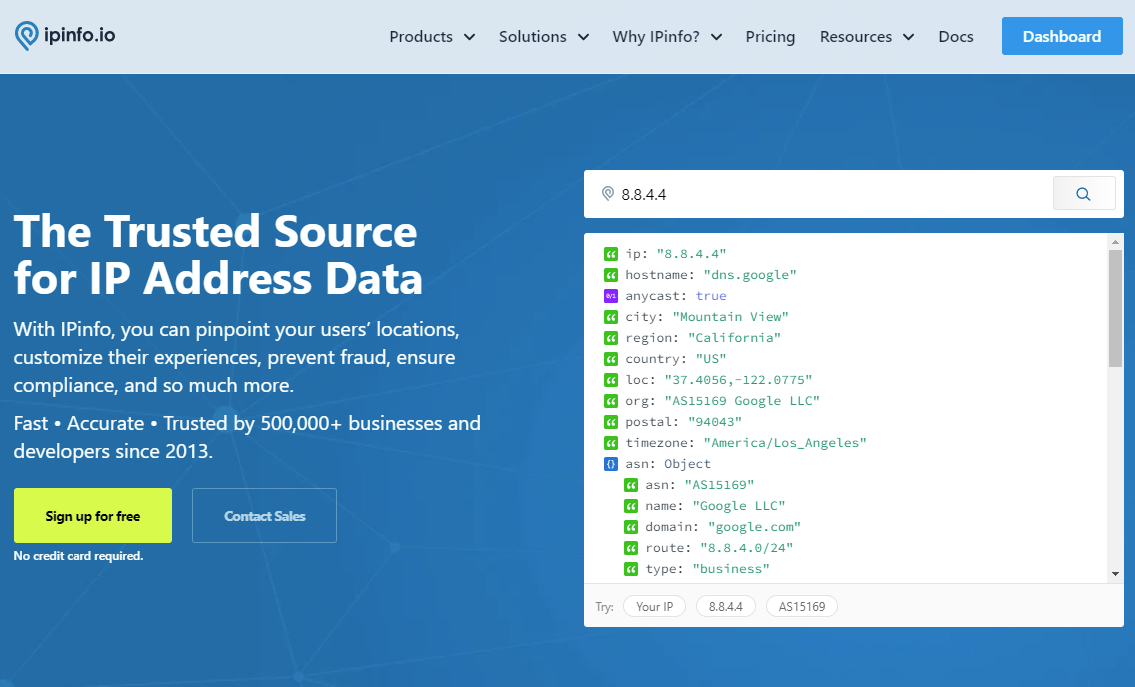
-
Open Token in the side menu and copy your access token.
-
Set it as the
IPINFO_API_KEYenvironment variable.
The Docker image is published to Docker Hub as techblog/safeurl.
Note: the newest published image is
2.3.0(also taggedlatest, March 2022). It listens on port 8080 and accepts a single VirusTotal key. The code onmain(version2.3.1, not yet released) listens on port 8081, accepts several comma-separated VirusTotal keys, addshttp://to preview URLs that have no scheme, and has a new home page design. If you build the image yourself frommain, map port 8081 (see Build the image from source).
services:
  safeurl:
    image: techblog/safeurl:latest
    container_name: safeurl
    restart: always
    ports:
      - "8080:8080"
    environment:
      - VT_API_KEY=[Your VirusTotal API Key] # Required
      - IPINFO_API_KEY=[Your IPinfo API Key] # Optional
docker compose up -dThen open http://<your-server>:8080.
docker run -d --name safeurl --restart always \
  -p 8080:8080 \
  -e VT_API_KEY="<your VirusTotal API key>" \
  -e IPINFO_API_KEY="<your IPinfo token>" \
techblog/safeurl:latestgit clone https://github.com/t0mer/SafeUrl.git
cd SafeUrl
docker build -t safeurl .
docker run -d --name safeurl -p 8080:8081 \
-e VT_API_KEY="<key1>,<key2>" \
-e IPINFO_API_KEY="<your IPinfo token>" \
safeurlTo run it without Docker, see Development.
SafeUrl is configured only through environment variables.
| Variable | Required | Default (Docker image) | Description |
|---|---|---|---|
VT_API_KEY |
Yes | "" (empty) |
VirusTotal API key. On main (not yet released) it can be a comma-separated list of keys; a random key is used for each VirusTotal request. When empty, the Check URL button is disabled. |
IPINFO_API_KEY |
No | "" (empty) |
IPinfo access token, sent as the token query parameter to ipinfo.io. |
Other settings are fixed in the code:
| Setting | Value |
|---|---|
| Listening address | 0.0.0.0 |
| Port | 8080 in the published 2.3.0 image, 8081 on main (app/app.py). The Dockerfile declares EXPOSE 8080. |
| Screenshot folder | preview/ next to app.py (/opt/app/preview in the image) |
| ChromeDriver path | /usr/bin/chromedriver on main (/opt/chromedriver/chromedriver in 2.3.0) |
Once SafeUrl is running, it's time to give it a try.
Navigate to your server address and you should see the following screen. It shows the home page of the published 2.3.0 image; main has a new home page design.
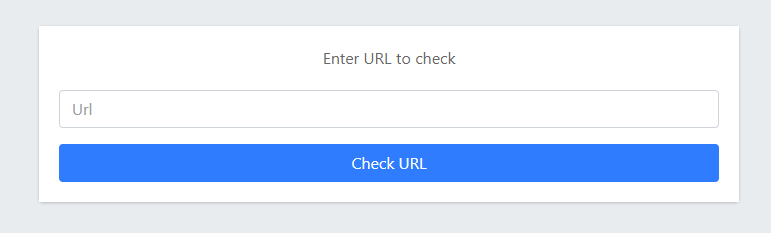
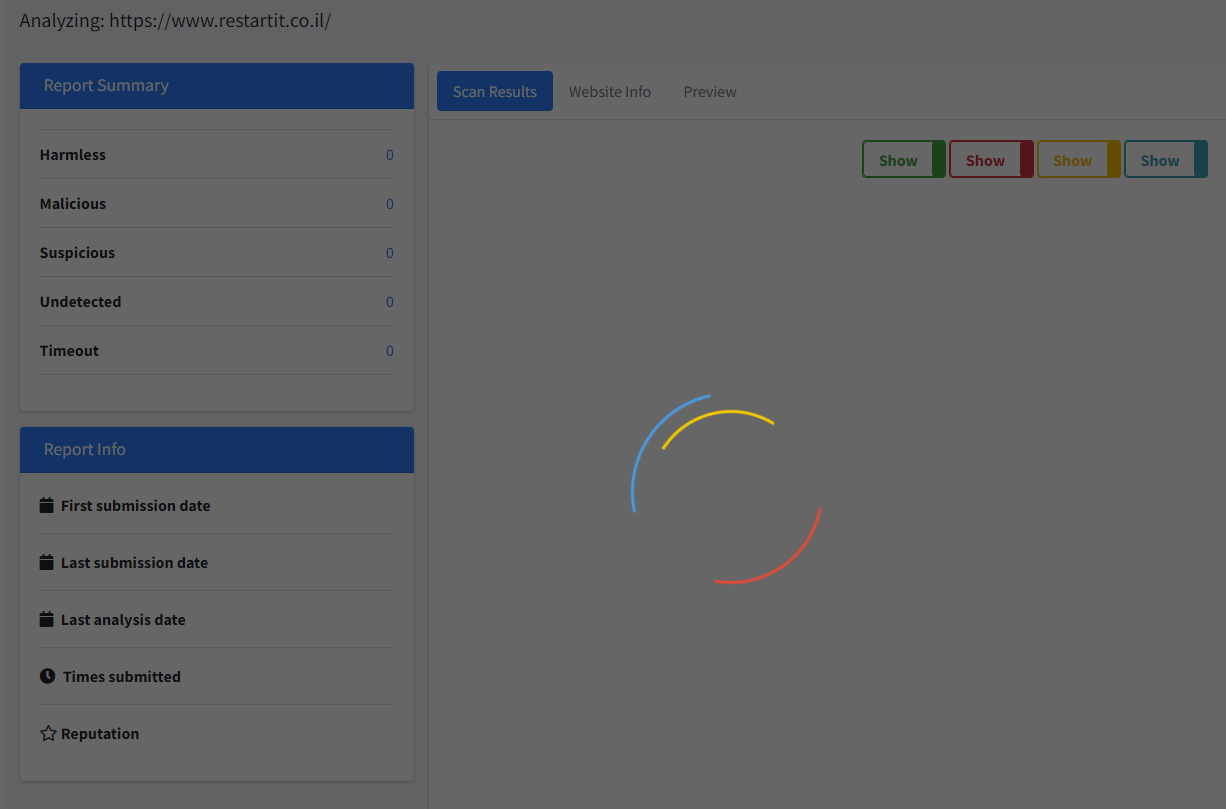
Enter the URL you want to check and click the Check URL button. The scan will start, and you will see the following screen:
When the scan ends, you will see all the data collected during the scan, like the report summary:
The Scan Results tab lists every engine's verdict. Use the colored toggles to show or hide clean (green), malicious (red), suspicious (yellow), and unrated (blue) results:
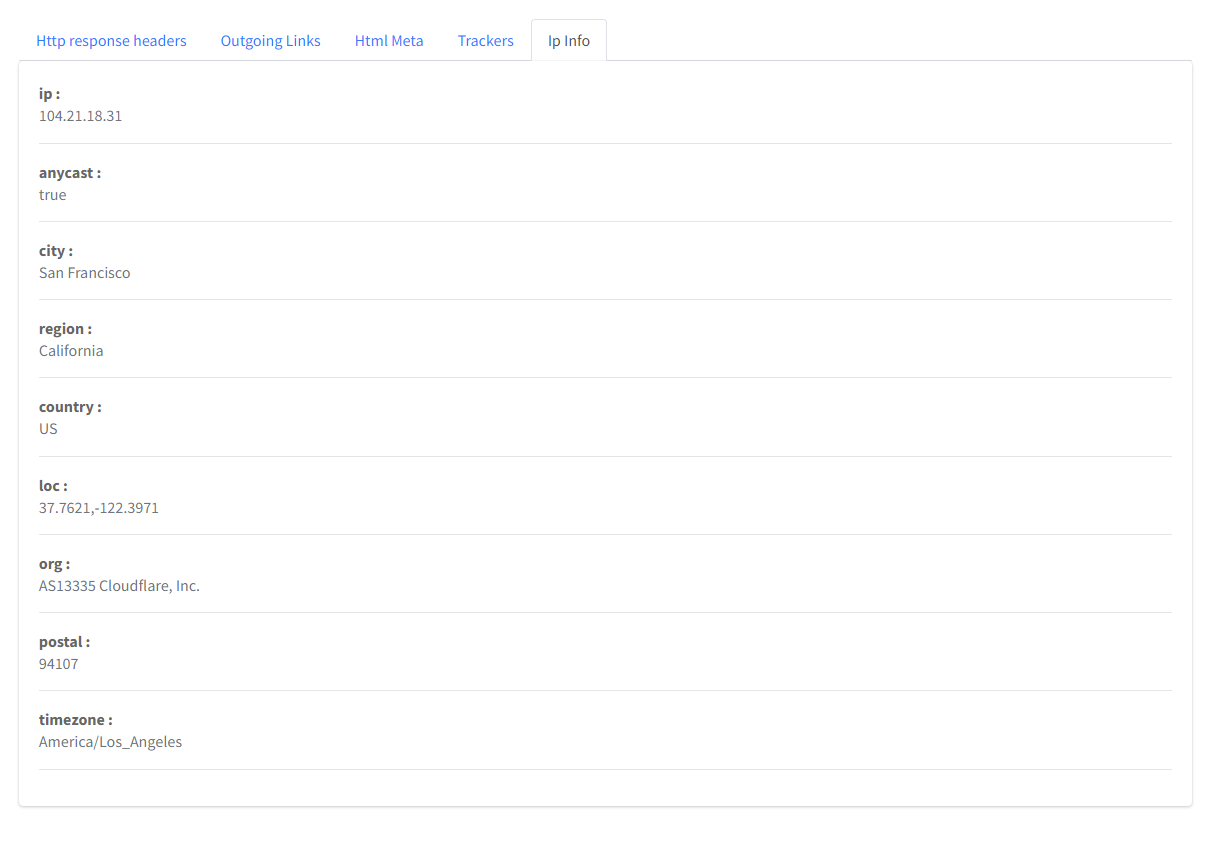
The Website Info tab shows the final URL, the page title, and sub-tabs for HTTP response headers, outgoing links, HTML meta, trackers, and IP info. If the URL redirects, a button next to the final URL shows the full redirection chain:
IP info:
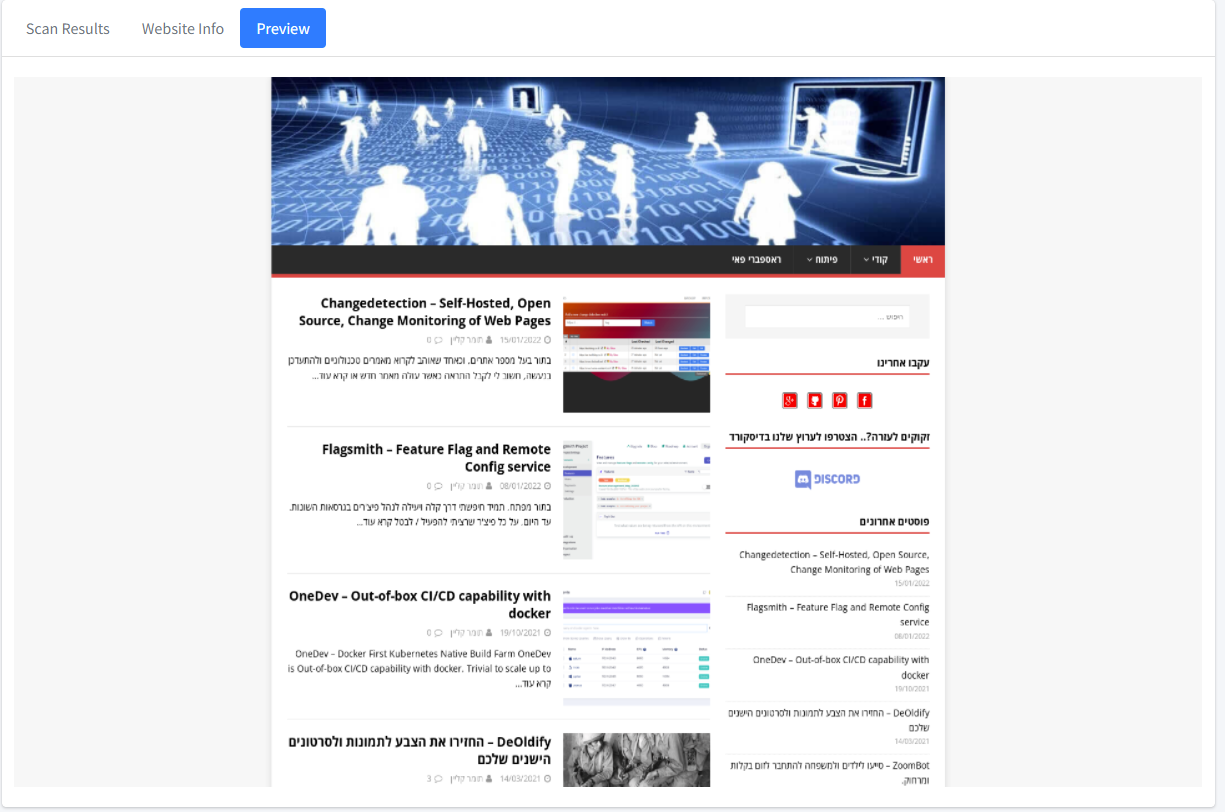
The Preview tab appears once the screenshot is ready:
You can also open the analyze page directly: http://<your-server>:8080/analyze?url=https://example.com.
All endpoints use GET and take the URL to check in the url query parameter.
| Path | Description |
|---|---|
/ |
Home page with the URL input. |
/analyze?url=<url> |
Results page. It calls the three API endpoints below. |
/api/report?url=<url> |
Submits the URL to VirusTotal, waits 5 seconds, and returns the VirusTotal API v3 URL object as-is (data.attributes.last_analysis_stats, last_analysis_results, last_final_url, redirection_chain, outgoing_links, html_meta, trackers, …). If the submit call fails (for example, an invalid key or used-up quota), it returns {"error": "'data'", "success": "false"}: the VirusTotal error body has no data field, so the real message is lost. If the report call fails, VirusTotal's own error JSON is returned unchanged. |
/api/preview?url=<url> |
Takes a screenshot with headless Chrome. Returns a JSON string (the client parses it again), e.g. "{\"image_url\":\"preview_<uuid>.png\",\"success\":\"true\"}". On failure, image_url is error.png and success is "false". |
/api/ipinfo?url=<url> |
Resolves the URL's host name and returns the IPinfo JSON for that IP. |
/preview/<file> |
Serves the saved screenshots. |
/dist/…, /js/…, /css/… |
Static UI assets. |
/metrics |
Prometheus metrics (starlette_exporter). |
/docs, /redoc, /openapi.json |
FastAPI's built-in API docs. |
Example:
curl "http://<your-server>:8080/api/ipinfo?url=https://example.com"- The Check URL button is disabled.
VT_API_KEYis empty. Set it and restart the container. - The loading spinner never goes away. The VirusTotal request failed: the key is invalid, the quota is used up, or the report is not ready yet. The UI doesn't show the error. If the submit call failed, the container logs (
docker logs safeurl) show onlyError scaning url. 'data', and/api/reportreturns{"error":"'data'","success":"false"}; VirusTotal's message is lost, so check your key and quota on the VirusTotal website. If the report call failed, calling/api/report?url=…directly shows VirusTotal's own error JSON. - The Preview tab shows an error image. Chrome could not load or screenshot the page. Check the container logs for the Selenium error.
- The app crashes on start when run from source.
VT_API_KEYis not set. The code splits it on commas at startup, so it must exist (it can be empty). - IP info fails when run from source.
IPINFO_API_KEYis not set. Set it, even to an empty string. - The IP info tab shows
0.0.0.0or an error. The host name could not be resolved from inside the container. - URLs with
&or#are cut off. The UI doesn't URL-encode the value when it calls the API endpoints, and there is no UI workaround. The only option is to call/api/report,/api/preview, and/api/ipinfodirectly with a URL-encodedurlparameter. - The port doesn't respond. The published
2.3.0image listens on 8080; an image built frommainlistens on 8081. Adjust the port mapping. - The preview folder keeps growing. Screenshots are never deleted. Clean
/opt/app/preview(keeperror.png) from time to time.
- Server-side requests to any URL (SSRF). SafeUrl loads whatever URL the user supplies in a headless Chrome browser on the server, and resolves host names from the server. That includes internal addresses, such as
localhost, private networks, or cloud metadata endpoints. Run it in an isolated network and don't give it access to internal services. - No authentication. Anyone who can reach SafeUrl can use it and consume your VirusTotal and IPinfo quota. CORS allows every origin. Don't expose it publicly without an authenticating reverse proxy or VPN.
- Chrome hardening is reduced. Chrome runs with
--no-sandboxand--ignore-certificate-errors, so a malicious page runs with fewer protections. Keep the container up to date and unprivileged. - Data sharing. URLs you check are submitted to VirusTotal, which shares submissions with the security community. Don't check URLs that contain personal data or secrets (for example, password reset or login links).
- Analytics. The templates on
maininclude a hard-coded Google Analytics tag. A self-built instance sends page views, including the page title with the checked URL, to that Analytics property. The published2.3.0image doesn't include it. - Screenshots are public. Saved previews are served from
/preview/without authentication and are never deleted. - API keys. Pass keys through environment variables or a
.envfile. Never commit them.
app/
  app.py            # FastAPI app, routes, VirusTotal and IPinfo calls
  helpers.py        # Selenium/Chrome helpers (screenshot, URL scheme check)
  VERSION           # App version, shown in the UI and used as the Docker tag
  templates/        # index.html (home) and analyze.html (results, AdminLTE)
  dist/             # Static assets (AdminLTE, Bootstrap, jQuery, utils.js)
  preview/          # Screenshots (error.png is the fallback image)
Images/             # README screenshots
Dockerfile          # Based on techblog/selenium:latest
requirements.txt
.github/workflows/docker-image.yml
You need Python 3, Google Chrome, and ChromeDriver at /usr/bin/chromedriver.
The code uses the legacy Selenium API (executable_path, find_element_by_tag_name), so it needs an older Selenium release, and it imports numpy, which is not in requirements.txt.
pip install -r requirements.txt numpy "selenium<4.3"
cd app                                              # paths are relative to app/
export VT_API_KEY="<your VirusTotal API key>"
export IPINFO_API_KEY=""                            # must be set, can be empty
python app.py                                       # http://localhost:8081
If the preview folder doesn't exist, the app creates it on start and downloads error.png from GitHub.
There are no automated tests.
Publishing a GitHub release runs .github/workflows/docker-image.yml. It builds a linux/amd64 image and pushes techblog/safeurl:latest and techblog/safeurl:<version>, where the version is read from app/VERSION.
Issues and pull requests are welcome. Please keep changes focused, and describe how you tested them (for example, with a URL you checked).
This project is licensed under the Apache License 2.0. See License.