Repository navigation
Hide RTER violations on paid expense reports - #101559
Conversation


Broken card connection banners are RTER violations. The product rule is to
hide RTER violations once a report is settled, but the expense detail views
opted into showing them and the report status bar hardcoded the opt-in, so a
paid expense kept showing the re-authentication banner.

- Pass shouldShowRterForSettledReport = false in MoneyRequestReceiptView,
  MoneyRequestHeader and MoneyRequestView so the existing !isSettled guard
  takes effect for the receipt banner, the expense header status bar and the
  expense fields.
- Stop hardcoding the opt-in inside
  shouldShowBrokenConnectionViolationForMultipleTransactions, which feeds the
  report-level status bar from raw Onyx violations and was unaffected by the
  call-site flag.

Co-authored-by: Linh Vo <linhvovan29546@users.noreply.github.com>

 melvin-bot
Bot
added
Melvin-Test-Android
Melvin-Test-Web

|
To take ownership of the branch and push updates from your own fork: Then close this PR and open a new one from your fork. |

Codecov Report❌ Looks like you've decreased code coverage for some files. Please write tests to increase, or at least maintain, the existing level of code coverage. See our documentation here for how to interpret this table.
|
|
🤖 Web test steps verification results: ❌ fail I could not verify any of the documented steps. The run is blocked at the very first setup step:
Two things stood in the way, both environmental rather than PR defects:
No conclusion about the fix either way: these results are infrastructure failures, not evidence that the change is broken. Manual verification on a dev environment with a working Mock Bank is still needed. |
|
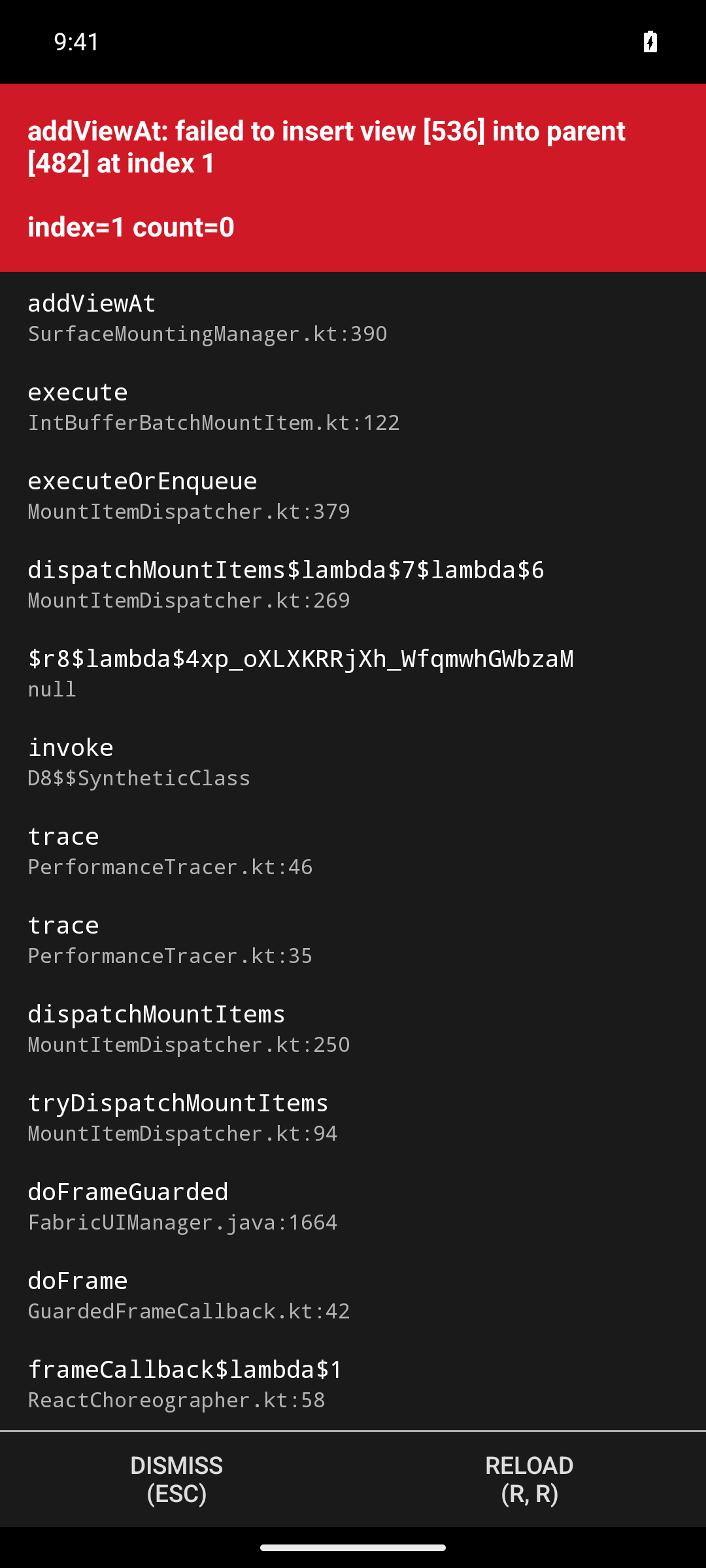
🤖 Android test steps verification results: ❌ fail Blocked before any test step could run. The app crashed during onboarding with a fatal Fabric
Crash detail from logcat, captured before any driving began — this happened inside the app's own onboarding submission ( Metro was healthy and bundling normally throughout, so this is not a bundler problem. The app process stayed alive with Two caveats on scope, both independent of the crash:
No conclusion about the fix either way. These are environment failures, not evidence the change is broken. Manual verification on a working dev build is still needed. |


 linhvovan29546
left a comment
linhvovan29546
left a comment
There was a problem hiding this comment.
@MelvinBot Please address my feedback.
| // RTER violations (e.g. a broken card connection) are not actionable once the report is paid, so they must not | ||
| // surface as a receipt audit banner on a settled report. |
There was a problem hiding this comment.
These comments are unnecessary. Please remove them.
| // RTER violations (e.g. a broken card connection) are not actionable once the report is paid, so they must not | ||
| // surface on the expense fields of a settled report. |
There was a problem hiding this comment.
These comments are unnecessary. Please remove them.
| // RTER violations (e.g. a broken card connection) are not actionable once the report is paid, so they must not | ||
| // surface in the expense header status bar on a settled report. |
There was a problem hiding this comment.
These comments are unnecessary. Please remove them.
Addresses review feedback on PR #101559.

Co-authored-by: Linh Vo <linhvovan29546@users.noreply.github.com>
|
Done — removed all three comments in
I left the one-line note on Checks run
No app test run for this commit: it deletes comments only, so there is nothing observable in the UI beyond what the unit tests already cover. |
|
Every other check on the PR passes. Separately, the PR body still has the |
|
Your review ( If you meant different feedback, reply with the specifics and I'll pick it up. Otherwise the three threads just need resolving and the |

|
@MelvinBot Please update the test step and QA step to |
|
Done — the Tests and QA Steps sections now carry your 10 steps verbatim. Both TODO placeholders are gone, and the I diffed the new body against the old one before and after applying: the only changes are those two sections. Nothing else in the description was touched. One thing I left alone: the Offline tests section still has its TODO placeholder, since you asked only for Tests and QA. The note already there is that this change is pure client-side violation filtering with no new API calls, so offline behavior is identical — violations already in Onyx are filtered the same way. Say the word and I'll turn that into a proper "Same as tests" entry, or drop in whatever wording you prefer. |
|
@MelvinBot Please update the Offline tests section to match the test steps, then make the PR ready for review |

|
@linhvovan29546 Please copy/paste the Reviewer Checklist from here into a new comment on this PR and complete it. If you have the K2 extension, you can simply click: [this button] |
|
Done — Offline tests now mirrors the The offline section reuses your flow and just moves the verification steps behind a disabled network:
Step 6 is there so the offline pass also covers the no-regression case, not just the fix. The result should be identical online and offline: this change only filters violations already stored in Onyx and adds no API calls. Two things still need you before a reviewer can sign off — both are your attestations, so I left them alone:
I left the rest of the description byte-for-byte unchanged — I diffed the updated body against the original and the only lines that changed were the three |
Reviewer Checklist
Screenshots/VideosAndroid: HybridApp
Android: mWeb Chrome
iOS: HybridApp
iOS: mWeb Safari
MacOS: Chrome / SafariScreen.Recording.2026-09-20.at.14.30.19.mov |

|
@linhvovan29546 Please copy/paste the Reviewer Checklist from here into a new comment on this PR and complete it. If you have the K2 extension, you can simply click: [this button] |

|
@linhvovan29546 can you please re-approve |
|
We did not find an internal engineer to review this PR, trying to assign a random engineer to #100461 as well as to this PR... Please reach out for help on Slack if no one gets assigned! |
|
lol what're the odds |
|
@JmillsExpensify does this product behavior seem correct?
|


|
Yeah, I'm not sure. TBH, I'm a bit nervous with this PR. I don't really understand why we are doing this. |
|
@JmillsExpensify Okay, let me summarize again how this PR fixes the issue. The PR fixes the issue by hiding this violation on the report page. 
We’re already hiding this violation for paid transactions on the report page, as addressed in #65761. 
|
|
Thank you, very helpful. For clarity, this is just the broken bank connection violation, right? Asking because there are several RTER violations. |
|
@JmillsExpensify this PR's change will hide all RTER sub-variants on a paid/settled report, the broken/reauth bank connection messages and the unrelated "still waiting on card match, try again in 7 days" message, not just the broken-connection one. That matches the stated intent (#65761 says hide RTER violations once settled) |

 JmillsExpensify
left a comment
JmillsExpensify
left a comment
There was a problem hiding this comment.
Thanks for all the clarifications. LGTM


|
🚧 JS00001 has triggered a test Expensify/App build. You can view the workflow run here. |

|
✋ This PR was not deployed to staging yet because QA is ongoing. It will be automatically deployed to staging after the next production release. |
|
🧪🧪 Use the links below to test this adhoc build on Android, iOS, and Web. Happy testing! 🧪🧪
|


|
🚀 Deployed to staging by https://github.com/JS00001 in version: 9.4.94-0 🚀
|
|
Yes, help site changes are required. I opened a draft PR: Docs updates for E/A#101559 Hide broken connection violations on paid reports. It has the This PR hides RTER violations on paid reports. That covers the broken connection, re-authentication, and temporary bank issue messages. Two articles said these messages stay until the connection is fixed, or that they "always" stay visible. The draft PR adds the paid-report exception to both:
The PR adds or renames no UI labels. I checked the existing labels (Fix card, Wallet, Card details) against the violation copy in @linhvovan29546, please review the linked help site PR and confirm it reflects the current behavior. Then mark the linked help site PR |
|
🚀 Deployed to production by https://github.com/Julesssss in version: 9.4.94-0 🚀
Bundle Size Analysis (Sentry): |


Explanation of Change
The broken-connection banner (
Can't auto-match receipt because your bank connection needs re-authentication. Reconnect to match the receipt.) kept showing on an expense after the report was paid.That banner is an RTER violation. The product rule established in #65761 is to hide RTER violations once a report is settled, and
shouldShowViolationalready implements it:But
shouldShowRterForSettledReportdefaults totrue, which short-circuits the!isSettled(...)guard. Only the Search list items opted out, so every expense-detail surface kept rendering the violation after payment. This change makes the affected surfaces honor the rule:MoneyRequestReceiptViewused the default, then rendered every RTER violation as aReceiptAuditMessagesbanner over the receipt. This is the banner in the issue screenshot. Now passesfalse.MoneyRequestHeaderused the default, feedingshouldShowBrokenConnectionViolationandhasPendingRTERViolation. Now passesfalse.MoneyRequestViewpassedtrueexplicitly. Now passesfalse.shouldShowBrokenConnectionViolationForMultipleTransactionsreads raw violations straight from Onyx and hardcodedtrue, so it was unaffected by any call-site flag. This is the gap raised in review on the issue: the report status bar would have kept surfacing the broken connection on a paid report even after fixing 1–3. It now passesfalsetoo.With
false, the existing!isSettled(iouReport)guard takes effect and the violation disappears once the report is paid, while behavior on open and processing reports is unchanged.Why the other callers of the hardcoded flag are unaffected
shouldShowBrokenConnectionViolationForMultipleTransactionshas three callers. Change 4 only alters behavior for the report status bar; the two action-utils callers already gate on report state:useMoneyReportHeaderStatusBar— the report-level status bar. This is the surface fixed.ReportPrimaryActionUtils.isMarkAsCashAction— already returns... && !isSettled(report), so a settled report was already excluded.ReportSecondaryActionUtils.isApproveAction— already returns early onif (!isProcessingReport) return false;, and a settled report is not processing.Follow-up worth filing separately: invert the
shouldShowRterForSettledReportdefault tofalseso new call sites inherit the rule from #65761 instead of having to opt out. That touches several more call sites (SearchUIUtils,ViolationsUtils.hasVisibleViolations,MoneyRequestReportTransactionList) and needs wider regression coverage, so it is deliberately out of scope here.Automated checks run
Added unit tests in
tests/unit/TransactionUtilsTest.ts:getVisibleTransactionViolations— abrokenCardConnectionReauthRTER violation on a settled report is hidden withshouldShowRterForSettledReport = false, kept withtrue, and kept on a non-settled report withfalse.shouldShowBrokenConnectionViolationForMultipleTransactions— returnsfalseon a paid report andtrueon the same report while processing.Passing locally:
npm run typechecknpm run lint-changednpm run spell-changednpm run react-compiler-compliance-check -- checkon the three changed.tsxfilesnpm testonTransactionUtilsTest,useTransactionViolationsTest,useTransactionViolationsDistanceRateTest, bothuseMoneyReportHeaderStatusBarTestsuites,ReportPrimaryActionUtilsTest,ReportSecondaryActionUtilsTest,useReportPrimaryActionTest,MoneyRequestViewTest,MoneyRequestViewReceiptTest,MoneyRequestReceiptViewTest,MoneyReportHeaderMoreContentTest— 793 tests, all green.Fixed Issues
$ #100461
PROPOSAL: #100461 (comment)
Tests
Offline tests
Same flow as the
Testssection, with the network disabled for the verification steps.Testssection while online, so the expense is paid and the report has synced to the deviceThis change only filters violations that are already stored in Onyx and makes no new API calls, so the offline result is identical to the online result.
QA Steps
PR Author Checklist
### Fixed Issuessection aboveTestssectionOffline stepssectionQA stepssectionAvatar, I verified the components usingAvatarare working as expected)StyleUtils.getBackgroundAndBorderStyle(theme.componentBG))npm run compress-svg)Avataris modified, I verified thatAvataris working as expected in all cases)Designlabel and/or tagged@Expensify/designso the design team can review the changes.mainbranch was merged into this PR after a review, I tested again and verified the outcome was still expected according to theTeststeps.Screenshots/Videos
Android: Native
Android: mWeb Chrome
iOS: Native
iOS: mWeb Safari
MacOS: Chrome / Safari