Repository navigation
Disable the workspace bank account row offline unless the reimburser is unlocking a locked account - #102839
Conversation


…is unlocking a locked account

Co-authored-by: DylanDylann <DylanDylann@users.noreply.github.com>

 melvin-bot
Bot
added
Melvin-Test-Android
Melvin-Test-Web

|
I created this PR from an upstream branch since I don't have push access to your fork. To take ownership of this branch and be able to push updates, run: Then you can close this PR and open a new one from your fork. |

| const canInteractWithBankAccountRow = canWritePayments && !isBankAccountPendingDelete; | ||
| // The reimburser's unlock request on a locked account is queued optimistically, so it works offline. Every other press | ||
| // opens the bank account flow, which needs a connection. | ||
| const isBankAccountRowBlockedOffline = isOffline && !(isBusinessBankAccountLocked && isUserReimburser); |

There was a problem hiding this comment.
@MelvinBot Why do we need to add this condition? !(isBusinessBankAccountLocked && isUserReimburser);
There was a problem hiding this comment.
@MelvinBot Why do we need to add this condition? !(isBusinessBankAccountLocked && isUserReimburser);

There was a problem hiding this comment.
My understanding is that it's because you should still be able to start an optimistic unlock request while offline when your account is locked and you're the reimburser.
|
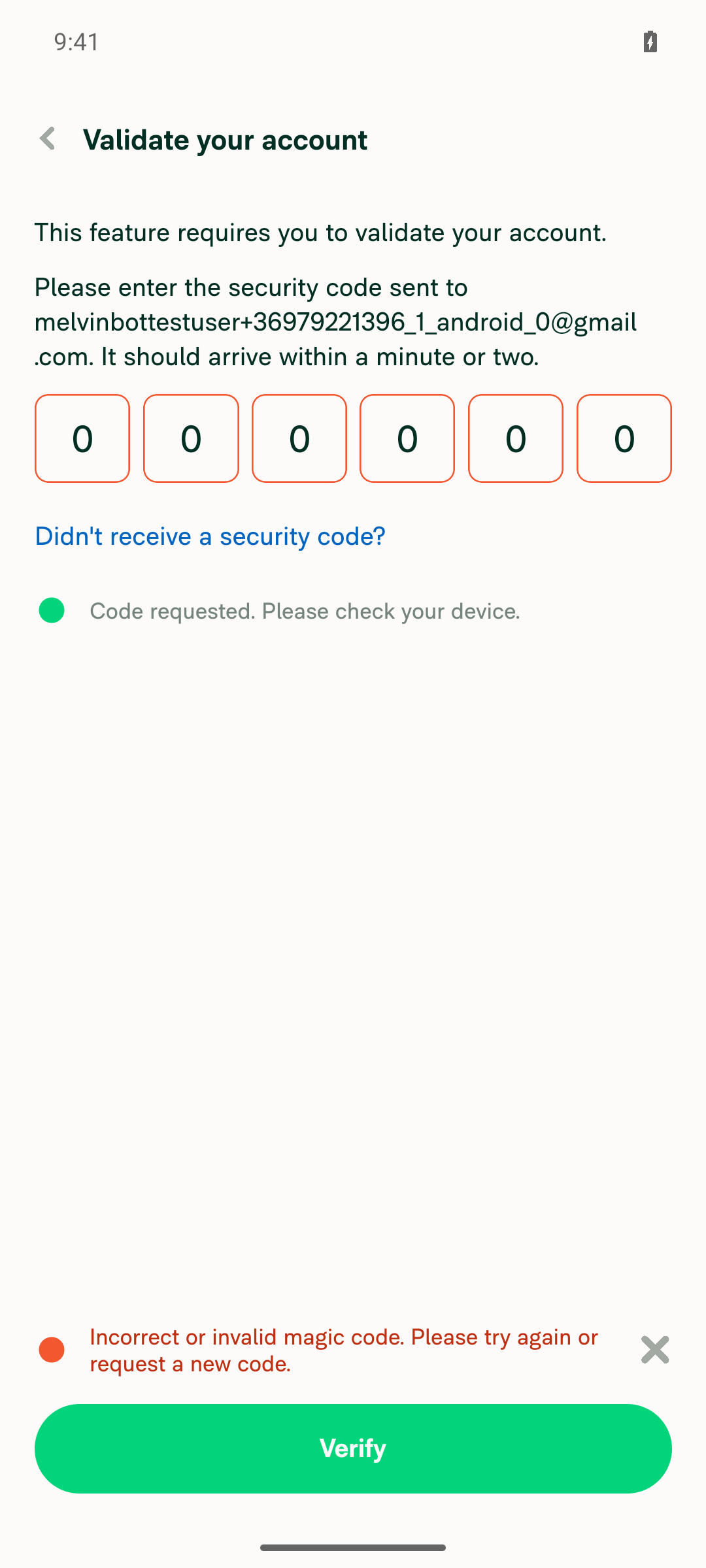
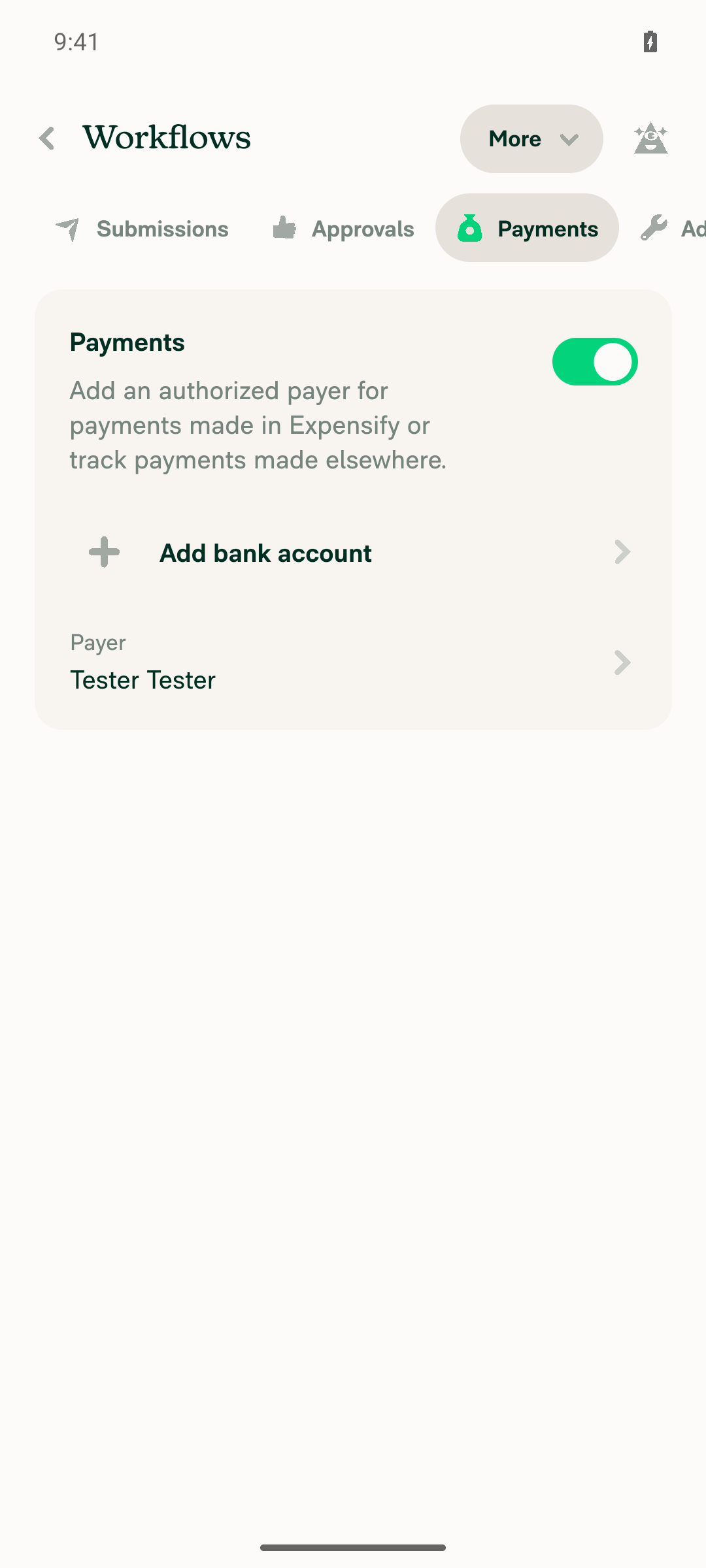
🤖 Android test steps verification results: ❌ fail The test was blocked before any step could run. To create the "Incomplete" bank account precondition, the "Add bank account" flow asks for an emailed account validation code, and that code can't be read in this CI session. The PR's Tests section is still a TODO, so the planned steps came from the linked issue and the PR description.
To unblock this, give the test a pre-validated account that already has a partly set up workspace bank account. You could also fill in the PR's Tests section so the steps are documented. |
|
The condition keeps one case pressable offline: a reimburser unlocking a locked bank account. Without it, the row would be disabled offline in every state, and that would undo Allow the workflows bank account row to be tapped while offline. When you press the row, one of these happens:
That's why line 169 blocks the row offline except in that one case. The existing test "lets the reimburser request an unlock while offline" (WorkspaceWorkflowsLockedBankAccountTest.tsx:190) would fail without the exception. |

|
@MelvinBot Please fill the QA Steps |
|
@MelvinBot Mark this PR as ready for review |
|
I filled in the QA Steps section of the PR description. The steps cover three cases:
The Tests and Offline tests sections are still empty. They need the steps a person actually ran, so you'll need to fill them in. |
|
I couldn't mark this PR as ready for review. This run doesn't have permission to change the PR's draft status, so it is still a draft. To mark it ready yourself, use the "Ready for review" button at the bottom of the PR page. |
Reviewer Checklist
Screenshots/VideosAndroid: HybridApp
Android: mWeb Chrome
iOS: HybridApp
iOS: mWeb Safari
MacOS: Chrome / Safari
|
| sentryLabel: CONST.SENTRY_LABEL.WORKSPACE.WORKFLOWS.BANK_ACCOUNT, | ||
| shouldGreyOutWhenDisabled: !policy?.pendingFields?.reimbursementChoice, | ||
| disabled: !canWritePayments || isBankAccountPendingDelete, | ||
| disabled: isBankAccountRowBlockedOffline || !canWritePayments || isBankAccountPendingDelete, |
There was a problem hiding this comment.
@MelvinBot I think we should update interactive instead of disabled
There was a problem hiding this comment.
@MelvinBot I think we should update interactive instead of disabled
There was a problem hiding this comment.
Done. The offline flag is now in interactive instead of disabled, in WorkflowsPaymentsTab.tsx:259-261:
disabledis back to!canWritePayments || isBankAccountPendingDelete.interactivenow usescanInteractWithBankAccountRow, which includes the offline check.
Offline, the row can't be pressed, but it isn't greyed out. The "Finish" button is still disabled offline. I also updated the PR description and QA step 4 to match.
The 4 tests in WorkspaceWorkflowsLockedBankAccountTest.tsx pass, and typecheck passes.
There was a problem hiding this comment.
This change is already pushed in commit 9744837. The offline check now lives in interactive, and disabled is back to !canWritePayments || isBankAccountPendingDelete (WorkflowsPaymentsTab.tsx:259-261). Offline, you can't press the row, but it isn't greyed out. No further changes are needed for this comment.
Co-authored-by: DylanDylann <DylanDylann@users.noreply.github.com>

|
We did not find an internal engineer to review this PR, trying to assign a random engineer to #102329 as well as to this PR... Please reach out for help on Slack if no one gets assigned! |
|
@francoisl All good to go. I can't ask Melvin to mark this PR as ready, and I'm also not able to do it myself. Could you please help mark it as ready and take a look? Thanks |

|
@DylanDylann Please copy/paste the Reviewer Checklist from here into a new comment on this PR and complete it. If you have the K2 extension, you can simply click: [this button] |

Not sure if the QA team has a test account like this, let's see. |

| const canInteractWithBankAccountRow = canWritePayments && !isBankAccountPendingDelete; | ||
| // The reimburser's unlock request on a locked account is queued optimistically, so it works offline. Every other press | ||
| // opens the bank account flow, which needs a connection. | ||
| const isBankAccountRowBlockedOffline = isOffline && !(isBusinessBankAccountLocked && isUserReimburser); |
There was a problem hiding this comment.
My understanding is that it's because you should still be able to start an optimistic unlock request while offline when your account is locked and you're the reimburser.


|
🚧 francoisl has triggered a test Expensify/App build. You can view the workflow run here. |

|
✋ This PR was not deployed to staging yet because QA is ongoing. It will be automatically deployed to staging after the next production release. |
|
🧪🧪 Use the links below to test this adhoc build on Android, iOS, and Web. Happy testing! 🧪🧪
|


|
🚀 Deployed to staging by https://github.com/francoisl in version: 9.5.2-0 🚀
|
|
No help site update needed. This PR fixes a bug so the bank account row in Workflows > Payments can't be pressed offline, and no existing article describes the old behavior. The current article already says this section is disabled offline, which the fix makes true again. |

|
@DylanDylann This PR is failing because of a regression issue #97679 |
|
🚀 Deployed to production by https://github.com/Julesssss in version: 9.5.2-4 🚀
Bundle Size Analysis (Sentry): |


Explanation of Change
In Workspace → Workflows → Payments, a partly set up bank account row (with the "Incomplete" badge) could be pressed while offline. Pressing it opened the bank account flow, which only shows "You appear to be offline."
The cause is #101450. It removed the offline check from the bank account row for every state, so a locked account's reimburser could request an unlock offline. Only that unlock request works offline, because it is queued optimistically. Every other press opens the bank account flow, which needs a connection.
This PR adds
isBankAccountRowBlockedOfflineinWorkflowsPaymentsTab.tsx. It is true when the user is offline, unless the account is locked and the user is the reimburser. The flag is added back tocanInteractWithBankAccountRowand the row uses it as itsinteractiveprop, so the row can't be pressed offline but isn't greyed out. The "Finish" button already uses!canInteractWithBankAccountRow, so it is disabled offline too. The locked-account unlock flow still works offline.I added two UI tests to
tests/ui/WorkspaceWorkflowsLockedBankAccountTest.tsxfor an incomplete (SETUP) bank account:The existing locked-account offline tests still pass.
AI tests run locally:
npm test -- tests/ui/WorkspaceWorkflowsLockedBankAccountTest.tsx: 4 of 4 passnpm run typecheck: passesnpm run linton the changed files: passesnpm run fmt: no changesnpm run react-compiler-compliance-check checkonWorkflowsPaymentsTab.tsx: passesnpm run spell-changed: no issuesFixed Issues
$ #102329
PROPOSAL: #102329 (comment)
Tests
Same as QA
Offline tests
QA Steps
Precondition: You are a workspace admin, and the workspace has a partly added bank account. To set this up, go to Workspace > Workflows > Payments, start adding a bank account, and exit the flow before you finish.
Incomplete bank account, offline
Incomplete bank account, online
Regression: locked bank account, offline
Precondition: The workspace has a locked business bank account, and you are the workspace's reimburser.
PR Author Checklist
### Fixed Issuessection aboveTestssectionOffline stepssectionQA stepssectionAvatar, I verified the components usingAvatarare working as expected)StyleUtils.getBackgroundAndBorderStyle(theme.componentBG))npm run compress-svg)Avataris modified, I verified thatAvataris working as expected in all cases)Designlabel and/or tagged@Expensify/designso the design team can review the changes.mainbranch was merged into this PR after a review, I tested again and verified the outcome was still expected according to theTeststeps.Screenshots/Videos
Android: Native
Android: mWeb Chrome
iOS: Native
iOS: mWeb Safari
MacOS: Chrome / Safari