Repository navigation
Clarify Approval Options When Held Expenses Exist And Fix Regressions - #83667
Conversation


|
Hey, I noticed you changed If you want to automatically generate translations for other locales, an Expensify employee will have to:
Alternatively, if you are an external contributor, you can run the translation script locally with your own OpenAI API key. To learn more, try running: npx ts-node ./scripts/generateTranslations.ts --helpTypically, you'd want to translate only what you changed by running |


There was a problem hiding this comment.
💡 Codex Review
Here are some automated review suggestions for this pull request.
Reviewed commit: ce4af78465
ℹ️ About Codex in GitHub
Codex has been enabled to automatically review pull requests in this repo. Reviews are triggered when you
- Open a pull request for review
- Mark a draft as ready
- Comment "@codex review".
If Codex has suggestions, it will comment; otherwise it will react with 👍.
When you sign up for Codex through ChatGPT, Codex can also answer questions or update the PR, like "@codex address that feedback".
| return ( | ||
| <Button | ||
| success | ||
| onPress={() => onApprove(true)} |
There was a problem hiding this comment.

When isDelegateAccessRestricted is true, this component renders the fallback Button and calls onApprove(true) directly, but the new onApprove handlers in MoneyReportHeader / MoneyRequestReportPreviewContent no longer perform the delegate-access guard before approveMoneyRequest. That regresses the previous behavior (showing the no-access modal) and lets restricted delegates trigger approval attempts instead of being stopped.
Useful? React with 👍 / 👎.
| } else if (isAnyTransactionOnHold) { | ||
| setIsHoldMenuVisible(true); | ||
| } else { | ||
| } else if (!isAnyTransactionOnHold) { |
There was a problem hiding this comment.

The callback now performs approval only in the !isAnyTransactionOnHold branch, so held-expense reports fall through with no action. This callback is still used by payment/selection-mode approve paths (via confirmApproval passed into payment selection), and canApproveIOU() does not exclude held reports, so choosing approve from those menus becomes a silent no-op when any expense is on hold.
Useful? React with 👍 / 👎.

|
@mkzie2 This PR to fix regressions, should we have the original C+ review it? |
|
@truph01 Yeah this PR should be reviewed by @parasharrajat |
|
Looks like a flaky test |

|
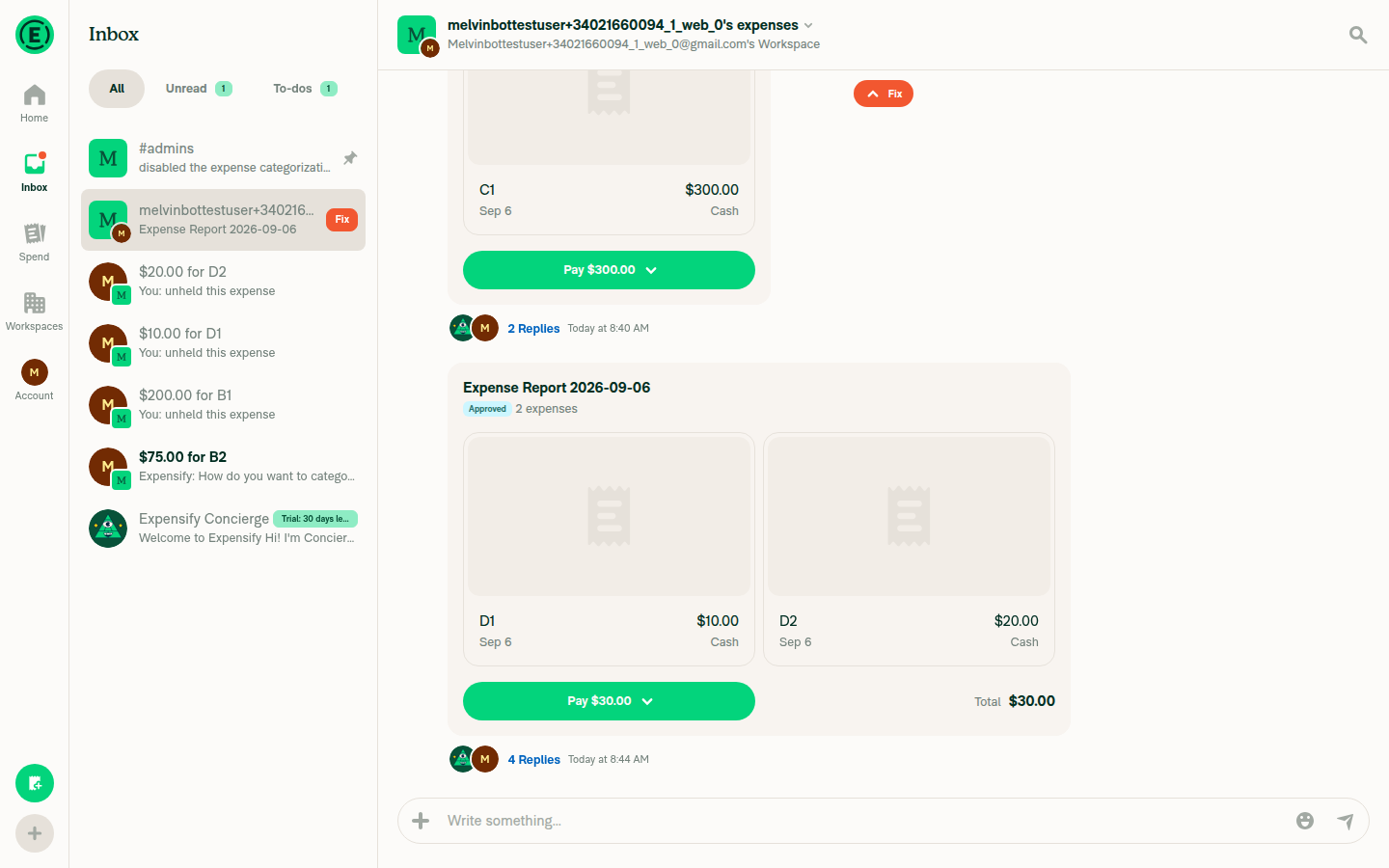
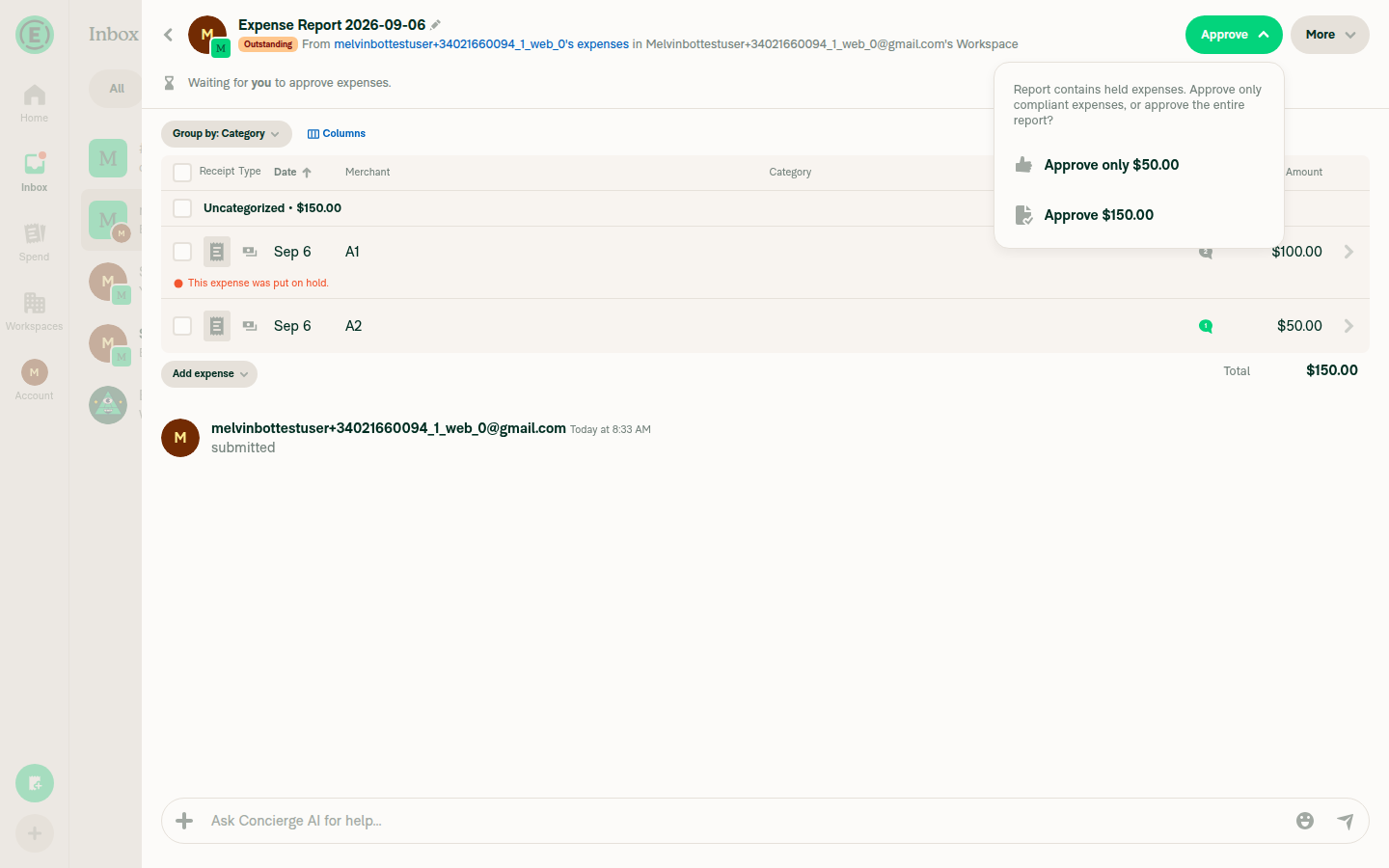
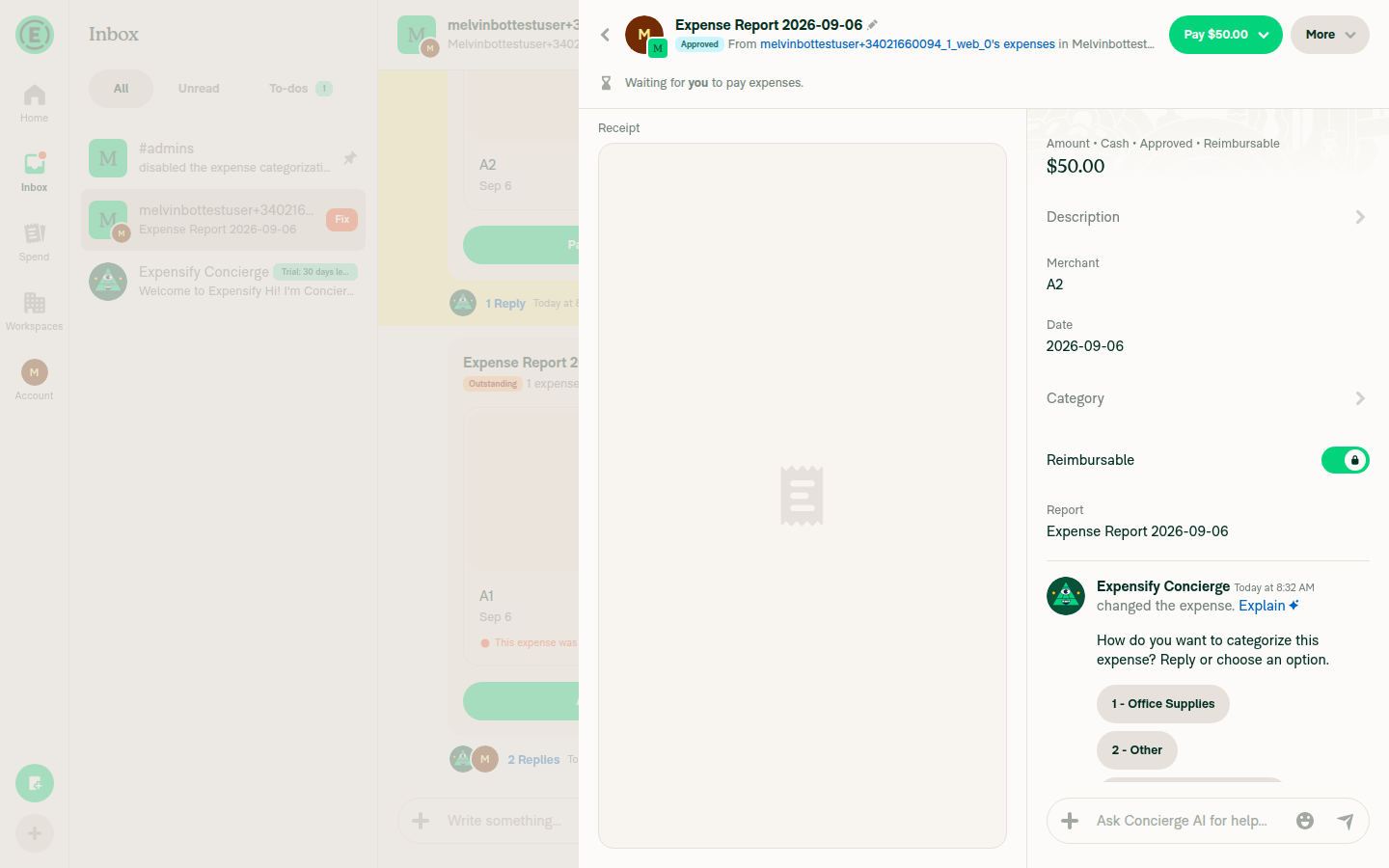
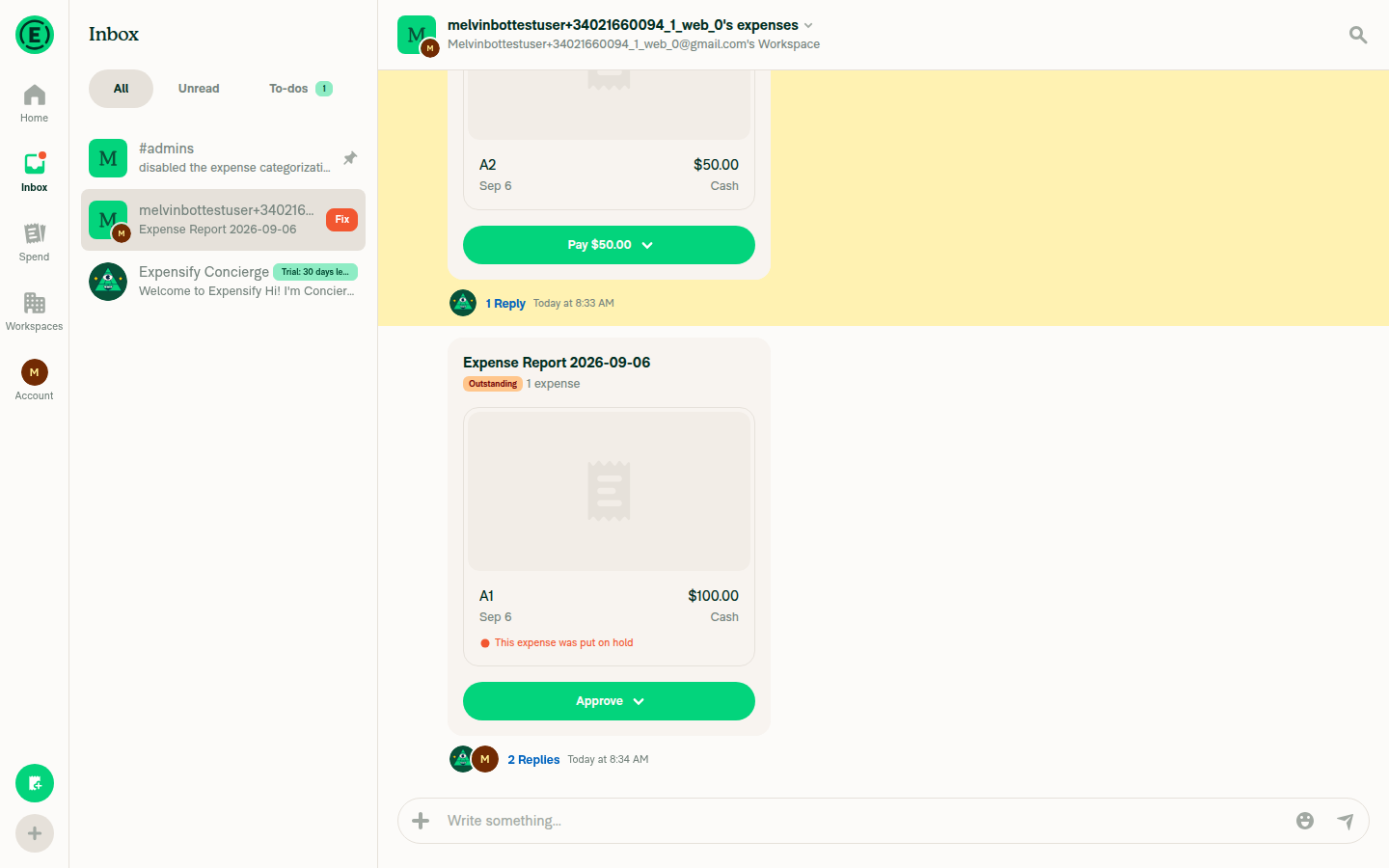
🤖 Web test steps verification results: ✅ pass Rechecked at
Code-level confirmation of the three previous findings
view run · no recording available |
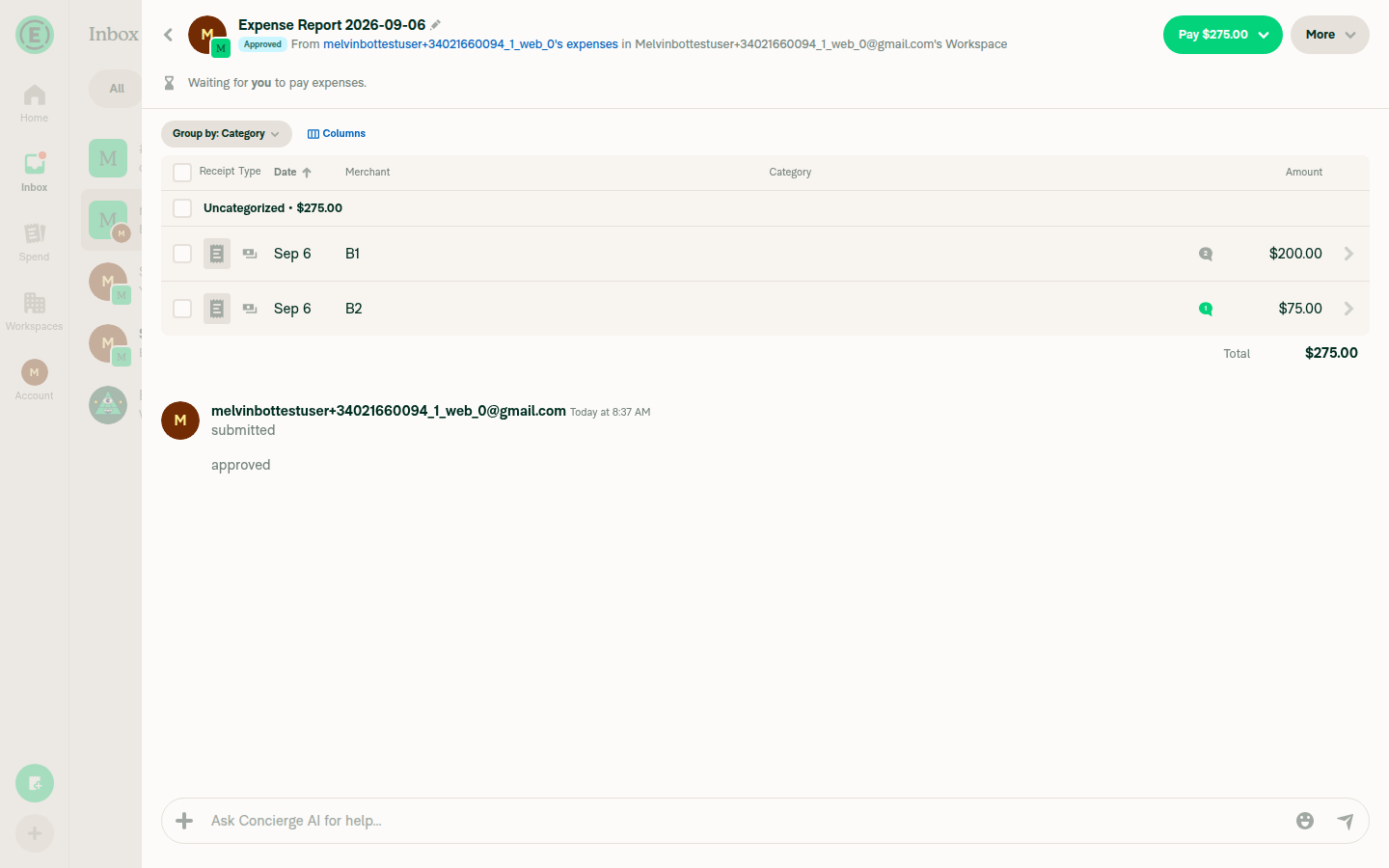
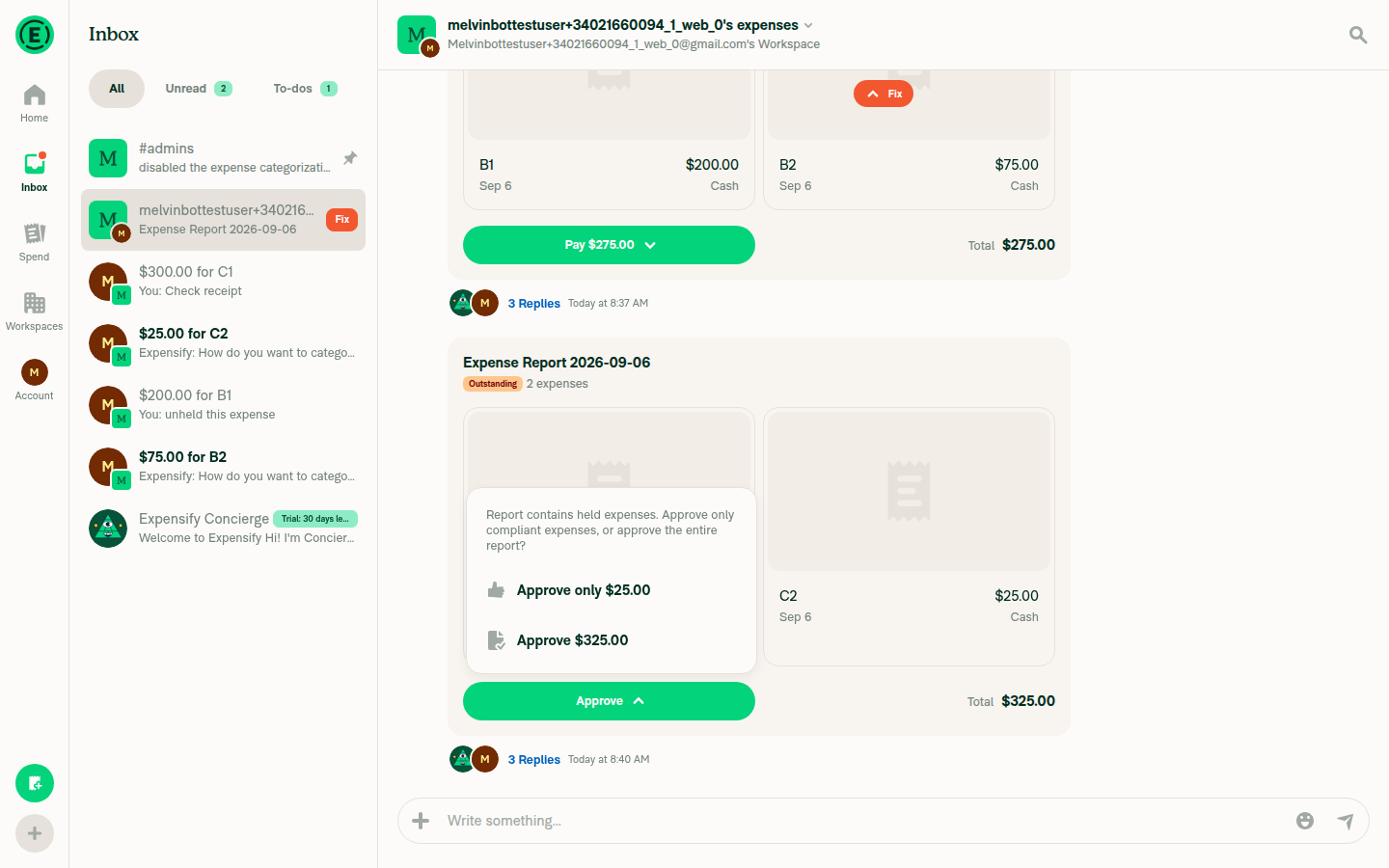
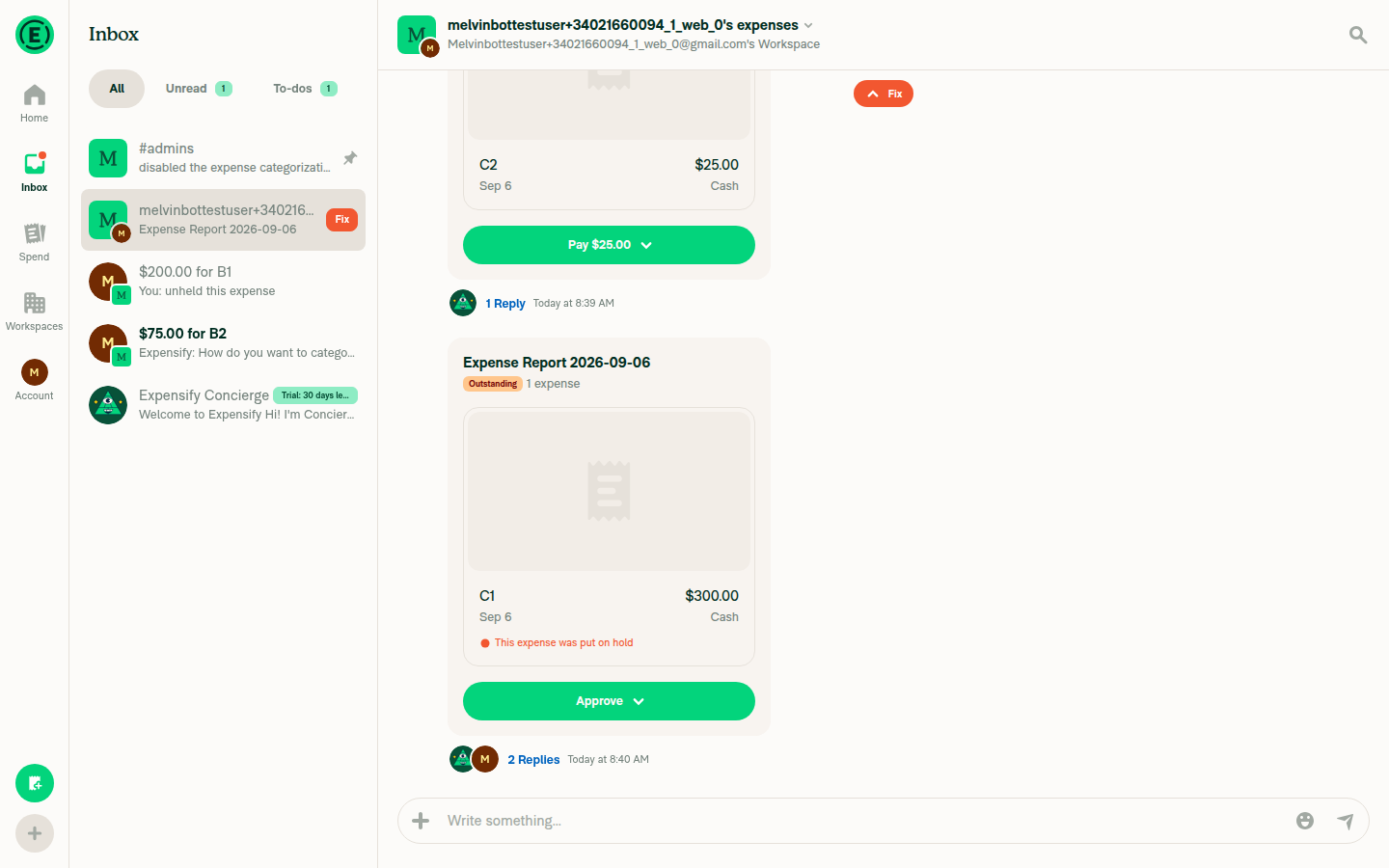
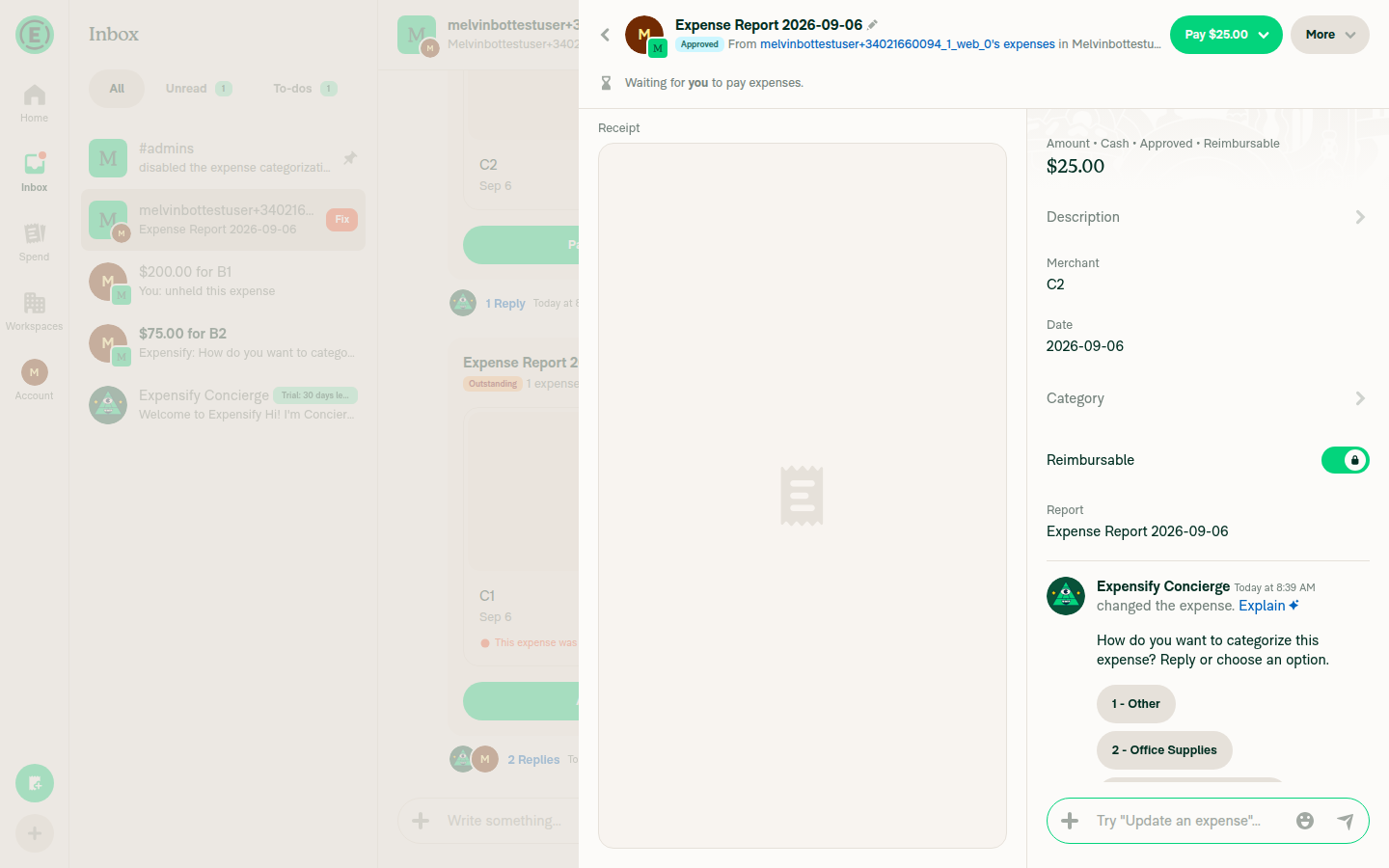
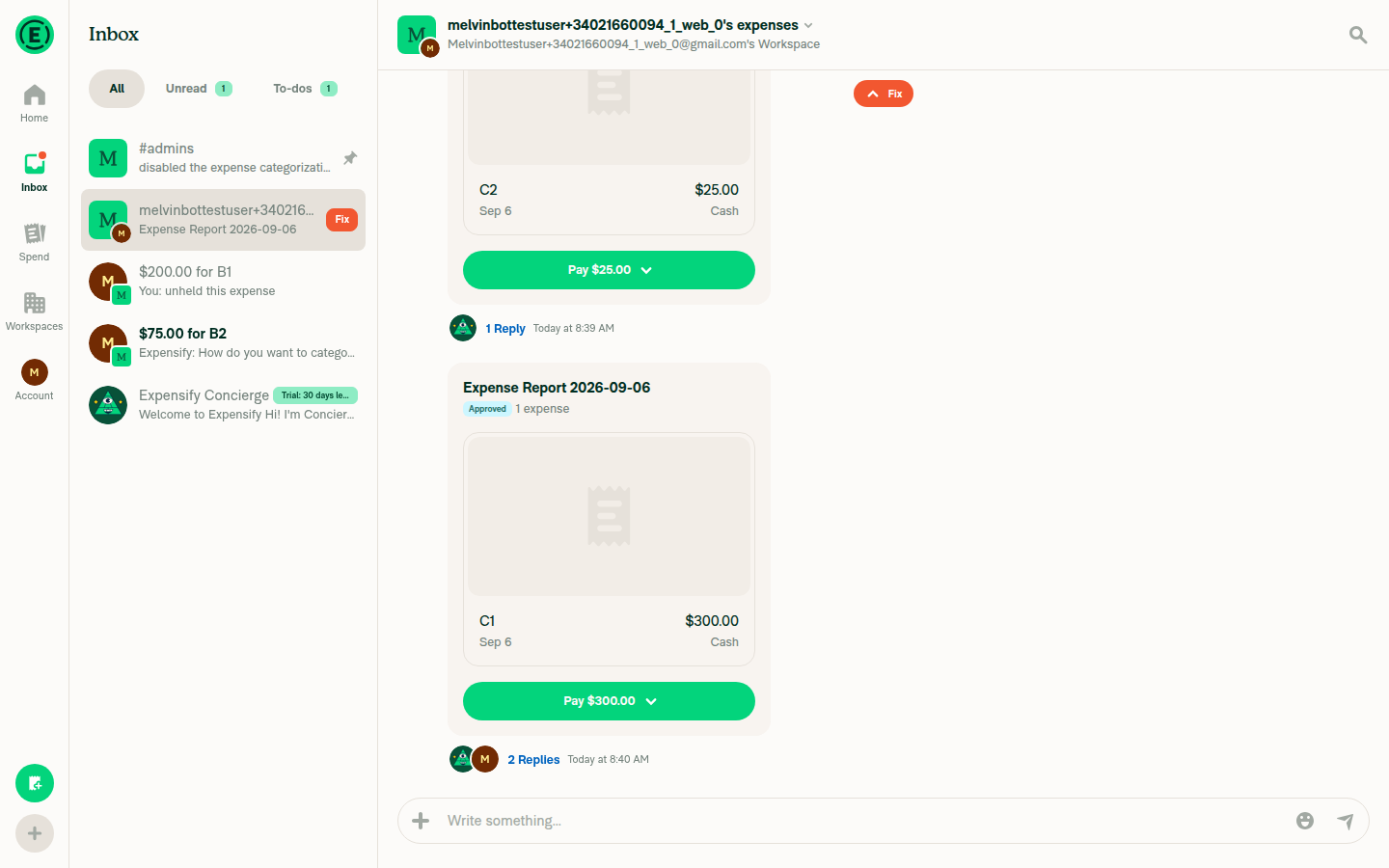
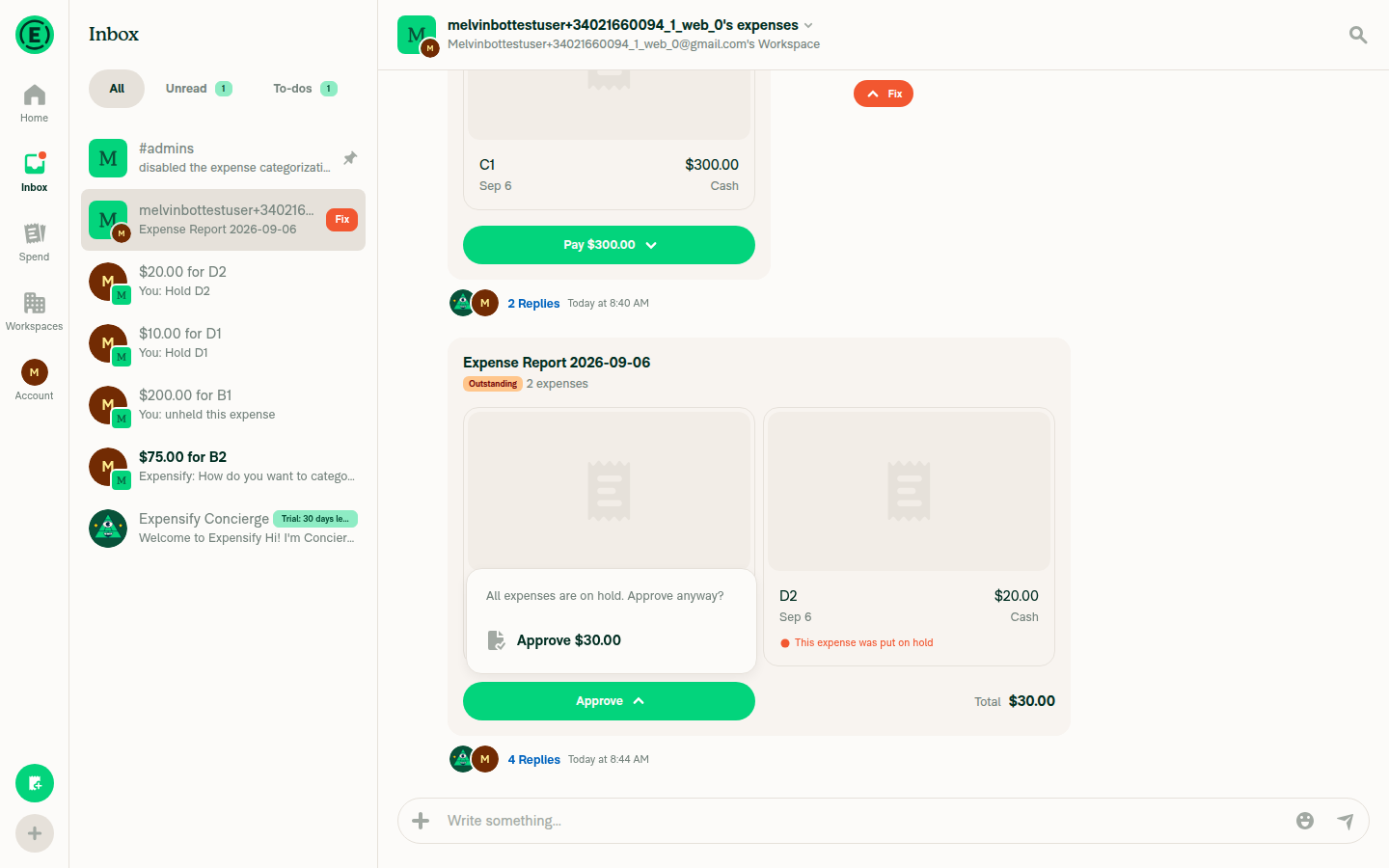
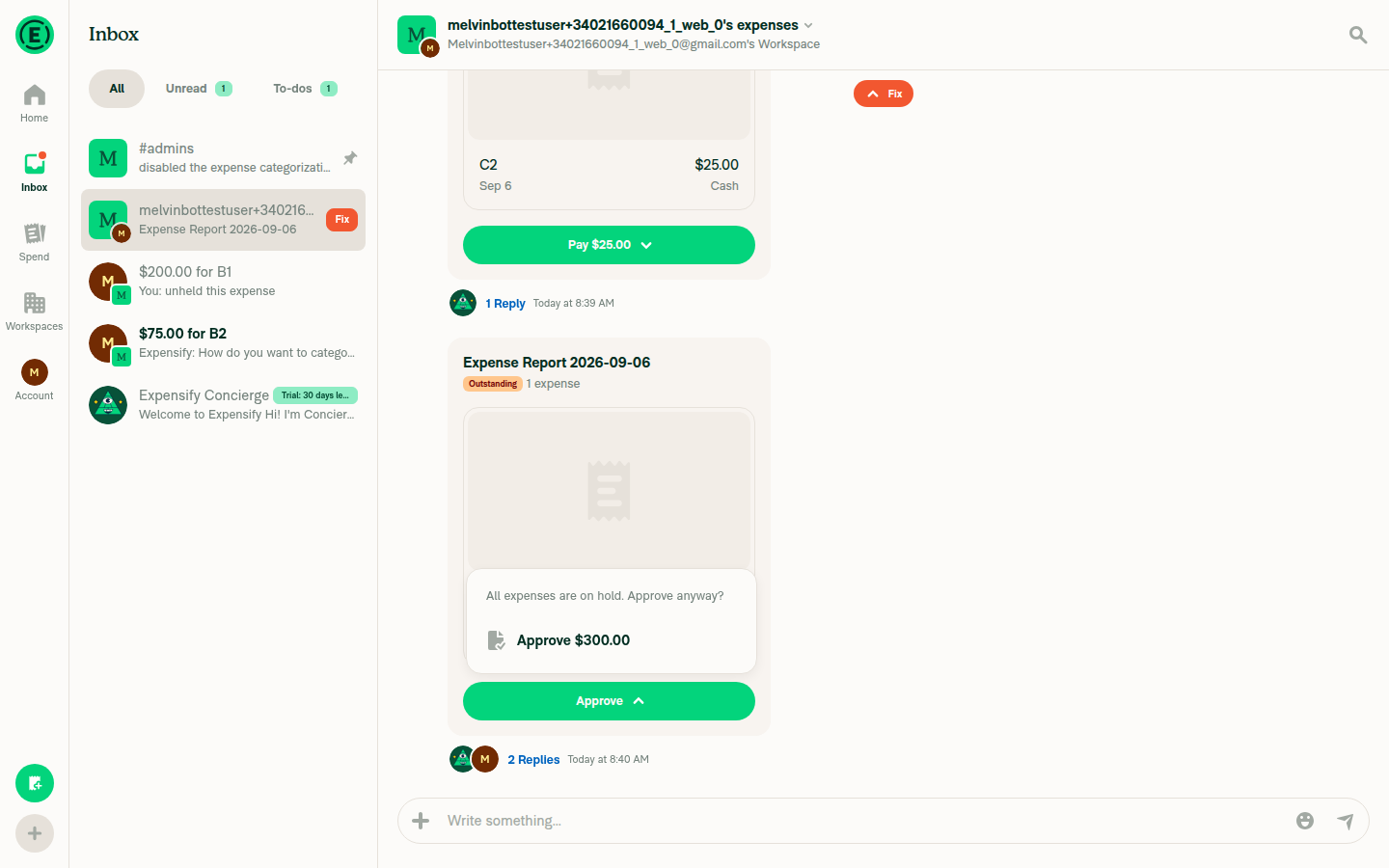
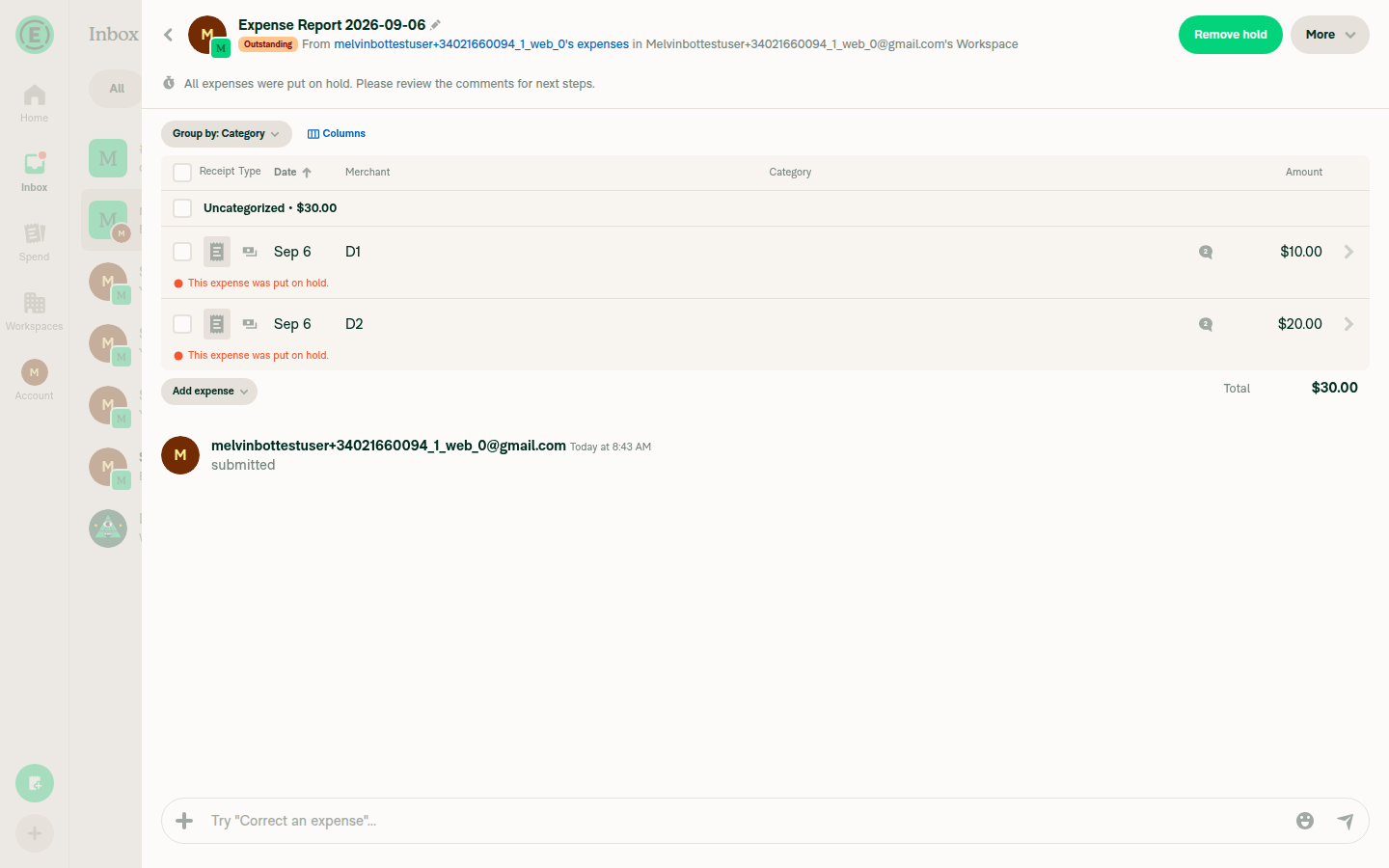

|
Looks pretty good to me now. |
|
BUG: Bulk menu on android show the header text above back arrow. Steps:

|
|
@parasharrajat I updated 👍 |
|
I see no changes @mkzie2 |
|
@parasharrajat I got an connection error earlier with git without realized, just pushed now. |
| })} | ||
| isSplitButton={false} | ||
| shouldAlwaysShowDropdownMenu | ||
| shouldPutHeaderTextAfterBackButton |
There was a problem hiding this comment.
is it OK to pass this prop for all options? or should we just add it for approval menu
There was a problem hiding this comment.
@parasharrajat I think it's fine to remove the prop, I added it earlier to fix a bug but is no longer the case now. WHat do you think?
|
Looks good. |

 parasharrajat
left a comment
parasharrajat
left a comment
There was a problem hiding this comment.
Reviewer Checklist
- I have verified the author checklist is complete (all boxes are checked off).
- I verified the correct issue is linked in the
### Fixed Issuessection above - I verified testing steps are clear and they cover the changes made in this PR
- I verified the steps for local testing are in the
Testssection - I verified the steps for Staging and/or Production testing are in the
QA stepssection - I verified the steps cover any possible failure scenarios (i.e. verify an input displays the correct error message if the entered data is not correct)
- I turned off my network connection and tested it while offline to ensure it matches the expected behavior (i.e. verify the default avatar icon is displayed if app is offline)
- I verified the steps for local testing are in the
- I checked that screenshots or videos are included for tests on all platforms
- I included screenshots or videos for tests on all platforms
- I verified that the composer does not automatically focus or open the keyboard on mobile unless explicitly intended. This includes checking that returning the app from the background does not unexpectedly open the keyboard.
- I verified tests pass on all platforms & I tested again on:
- Android: HybridApp
- Android: mWeb Chrome
- iOS: HybridApp
- iOS: mWeb Safari
- MacOS: Chrome / Safari
- If there are any errors in the console that are unrelated to this PR, I either fixed them (preferred) or linked to where I reported them in Slack
- I verified proper code patterns were followed (see Reviewing the code)
- I verified that any callback methods that were added or modified are named for what the method does and never what callback they handle (i.e.
toggleReportand notonIconClick). - I verified that comments were added to code that is not self explanatory
- I verified that any new or modified comments were clear, correct English, and explained "why" the code was doing something instead of only explaining "what" the code was doing.
- I verified any copy / text that was added to the app is grammatically correct in English. It adheres to proper capitalization guidelines (note: only the first word of header/labels should be capitalized), and is either coming verbatim from figma or has been approved by marketing (in order to get marketing approval, ask the Bug Zero team member to add the Waiting for copy label to the issue)
- I verified that any callback methods that were added or modified are named for what the method does and never what callback they handle (i.e.
- If a new code pattern is added I verified it was agreed to be used by multiple Expensify engineers
- I verified that this PR follows the guidelines as stated in the Review Guidelines
- I verified other components that can be impacted by these changes have been tested, and I retested again (i.e. if the PR modifies a shared library or component like
Avatar, I verified the components usingAvatarhave been tested & I retested again) - If a new component is created I verified that:
- A similar component doesn't exist in the codebase
- All props are defined accurately and each prop has a
/** comment above it */ - The file is named correctly
- The component has a clear name that is non-ambiguous and the purpose of the component can be inferred from the name alone
- The only data being stored in the state is data necessary for rendering and nothing else
- For Class Components, any internal methods passed to components event handlers are bound to
thisproperly so there are no scoping issues (i.e. foronClick={this.submit}the methodthis.submitshould be bound tothisin the constructor) - Any internal methods bound to
thisare necessary to be bound (i.e. avoidthis.submit = this.submit.bind(this);ifthis.submitis never passed to a component event handler likeonClick) - All JSX used for rendering exists in the render method
- The component has the minimum amount of code necessary for its purpose, and it is broken down into smaller components in order to separate concerns and functions
- If any new file was added I verified that:
- The file has a description of what it does and/or why is needed at the top of the file if the code is not self explanatory
- If a new CSS style is added I verified that:
- A similar style doesn't already exist
- The style can't be created with an existing StyleUtils function (i.e.
StyleUtils.getBackgroundAndBorderStyle(theme.componentBG)
- If the PR modifies code that runs when editing or sending messages, I tested and verified there is no unexpected behavior for all supported markdown - URLs, single line code, code blocks, quotes, headings, bold, strikethrough, and italic.
- If the PR modifies a generic component, I tested and verified that those changes do not break usages of that component in the rest of the App (i.e. if a shared library or component like
Avataris modified, I verified thatAvataris working as expected in all cases) - If the PR modifies a component related to any of the existing Storybook stories, I tested and verified all stories for that component are still working as expected.
- If the PR modifies a component or page that can be accessed by a direct deeplink, I verified that the code functions as expected when the deeplink is used - from a logged in and logged out account.
- If the PR modifies the UI (e.g. new buttons, new UI components, changing the padding/spacing/sizing, moving components, etc) or modifies the form input styles:
- I verified that all the inputs inside a form are aligned with each other.
- I added
Designlabel and/or tagged@Expensify/designso the design team can review the changes.
- For any bug fix or new feature in this PR, I verified that sufficient unit tests are included to prevent regressions in this flow.
- If the
mainbranch was merged into this PR after a review, I tested again and verified the outcome was still expected according to theTeststeps. - I have checked off every checkbox in the PR reviewer checklist, including those that don't apply to this PR.
Screenshots
🔲 iOS / native
🔲 iOS / Safari
06.09.2026_14.44.39_REC.mp4
🔲 MacOS / Chrome
06.09.2026_14.30.22_REC.mp4
🔲 Android / native
06.09.2026_14.58.48_REC.mp4
08.09.2026_20.41.43_REC.mp4
🎀 👀 🎀 C+ reviewed


|
🚧 marcochavezf has triggered a test Expensify/App build. You can view the workflow run here. |

|
✋ This PR was not deployed to staging yet because QA is ongoing. It will be automatically deployed to staging after the next production release. |
|
🧪🧪 Use the links below to test this adhoc build on Android, iOS, and Web. Happy testing! 🧪🧪
|


|
🚀 Deployed to staging by https://github.com/marcochavezf in version: 9.4.74-0 🚀
|

|
🤖 Yes — one help site article needed an update, and the draft PR is up: #100636 What changed in the product: clicking Approve on a report with held expenses no longer opens a confirmation modal. It now opens a dropdown menu anchored to the Approve button, and the copy in that menu changed ( What the docs said: docs/articles/new-expensify/reports-and-expenses/Approve-Expenses.md:47 described "a confirmation modal with two options". That is now wrong. The two option labels already documented — Approve only [non-held amount] and Approve [full amount] — are still correct, so the edit is scoped to the interaction, plus a note that the same dropdown appears on the report preview in a chat and a non-rendered screenshot suggestion. How I verified the labelsI ran the flow on web against this PR's branch: created two expenses in a workspace chat, submitted, held one, then opened Approve on the report header.
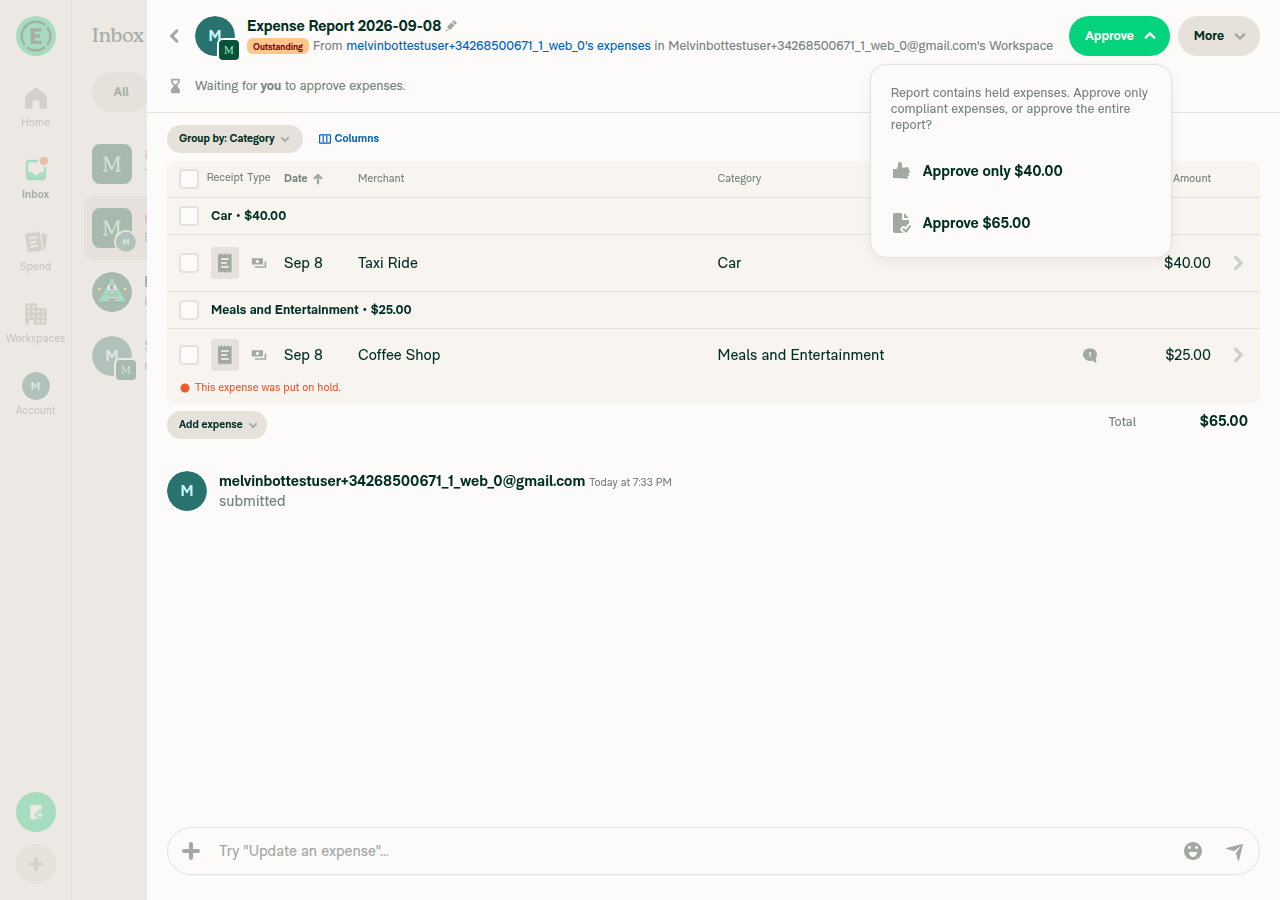
I could not reach the all-held approver state on the test account, so the "only Approve [full amount] is available" line is carried over from the existing article and matches No other article under One thing I couldn't do: GitHub rejected assigning you to the docs PR ( @mkzie2, please review the linked help site PR and confirm it reflects the current behavior. Then mark the linked help site PR |


|
Deploy Blocker #100639 was identified to be related to this PR. |
|
🚀 Deployed to production by https://github.com/mountiny in version: 9.4.74-2 🚀
|


Explanation of Change
Fixed Issues
$ #70383
$ #83259
$ #83261
$ #83264
PROPOSAL: #70383 (comment)
Tests
Offline tests
QA Steps
PR Author Checklist
### Fixed Issuessection aboveTestssectionOffline stepssectionQA stepssectioncanBeMissingparam foruseOnyxtoggleReportand notonIconClick)src/languages/*files and using the translation methodSTYLE.md) were followedAvatar, I verified the components usingAvatarare working as expected)StyleUtils.getBackgroundAndBorderStyle(theme.componentBG))npm run compress-svg)Avataris modified, I verified thatAvataris working as expected in all cases)Designlabel and/or tagged@Expensify/designso the design team can review the changes.ScrollViewcomponent to make it scrollable when more elements are added to the page.mainbranch was merged into this PR after a review, I tested again and verified the outcome was still expected according to theTeststeps.Screenshots/Videos
Android: Native
android.mov
Android: mWeb Chrome
android-web.mov
iOS: Native
ios.mov
iOS: mWeb Safari
ios-web.mov
MacOS: Chrome / Safari
web.mov
MacOS: Desktop
desktop.mov