Skip to content

migrate SPLIT_EXPENSE_EDIT - #98547

Merged
mjasikowski merged 17 commits into
Expensify:mainfrom
huult:83829-migrate-split-expense-workspace-general-v2
Aug 26, 2026
Merged

mjasikowski merged 17 commits into
Expensify:mainfrom
huult:83829-migrate-split-expense-workspace-general-v2

Conversation

@huult

@huult huult commented Aug 13, 2026 •

Copy link
Copy Markdown
Contributor

Explanation of Change

Fixed Issues

$ #83829
PROPOSAL:

Tests

Same QA step

  • Verify that no errors appear in the JS console

Offline tests

QA Steps

Prerequisites

  • Log in with a test account that has a splittable expense

Test 1: Navigation from report entry point

  1. Open an expense report and split an expense
  2. On the split overview, tap a split item to edit
  3. Verify: Edit screen renders with correct amount, merchant, category, tags

Test 2: Navigation from search entry point

  1. Open Search → find a splittable expense → open split overview (search variant)
  2. Tap a split item to edit
  3. Verify: Edit screen renders correctly
  • Verify that no errors appear in the JS console

PR Author Checklist

  • I linked the correct issue in the ### Fixed Issues section above
  • I wrote clear testing steps that cover the changes made in this PR
    • I added steps for local testing in the Tests section
    • I added steps for the expected offline behavior in the Offline steps section
    • I added steps for Staging and/or Production testing in the QA steps section
    • I added steps to cover failure scenarios (i.e. verify an input displays the correct error message if the entered data is not correct)
    • I turned off my network connection and tested it while offline to ensure it matches the expected behavior (i.e. verify the default avatar icon is displayed if app is offline)
    • I tested this PR with a High Traffic account against the staging or production API to ensure there are no regressions (e.g. long loading states that impact usability).
  • I included screenshots or videos for tests on all platforms
  • I ran the tests on all platforms & verified they passed on:
    • Android: Native
    • Android: mWeb Chrome
    • iOS: Native
    • iOS: mWeb Safari
    • MacOS: Chrome / Safari
  • I verified there are no console errors (if there's a console error not related to the PR, report it or open an issue for it to be fixed)
  • I verified there are no new alerts related to the canBeMissing param for useOnyx
  • I followed proper code patterns (see Reviewing the code)
    • I verified that any callback methods that were added or modified are named for what the method does and never what callback they handle (i.e. toggleReport and not onIconClick)
    • I verified that comments were added to code that is not self explanatory
    • I verified that any new or modified comments were clear, correct English, and explained "why" the code was doing something instead of only explaining "what" the code was doing.
    • I verified any copy / text shown in the product is localized by adding it to src/languages/* files and using the translation method
      • If any non-english text was added/modified, I used JaimeGPT to get English > Spanish translation. I then posted it in #expensify-open-source and it was approved by an internal Expensify engineer. Link to Slack message:
    • I verified all numbers, amounts, dates and phone numbers shown in the product are using the localization methods
    • I verified any copy / text that was added to the app is grammatically correct in English. It adheres to proper capitalization guidelines (note: only the first word of header/labels should be capitalized), and is either coming verbatim from figma or has been approved by marketing (in order to get marketing approval, ask the Bug Zero team member to add the Waiting for copy label to the issue)
    • I verified proper file naming conventions were followed for any new files or renamed files. All non-platform specific files are named after what they export and are not named "index.js". All platform-specific files are named for the platform the code supports as outlined in the README.
    • I verified the JSDocs style guidelines (in STYLE.md) were followed
  • If a new code pattern is added I verified it was agreed to be used by multiple Expensify engineers
  • I followed the guidelines as stated in the Review Guidelines
  • I tested other components that can be impacted by my changes (i.e. if the PR modifies a shared library or component like Avatar, I verified the components using Avatar are working as expected)
  • I verified all code is DRY (the PR doesn't include any logic written more than once, with the exception of tests)
  • I verified any variables that can be defined as constants (ie. in CONST.ts or at the top of the file that uses the constant) are defined as such
  • I verified that if a function's arguments changed that all usages have also been updated correctly
  • If any new file was added I verified that:
    • The file has a description of what it does and/or why is needed at the top of the file if the code is not self explanatory
  • If a new CSS style is added I verified that:
    • A similar style doesn't already exist
    • The style can't be created with an existing StyleUtils function (i.e. StyleUtils.getBackgroundAndBorderStyle(theme.componentBG))
  • If new assets were added or existing ones were modified, I verified that:
    • The assets are optimized and compressed (for SVG files, run npm run compress-svg)
    • The assets load correctly across all supported platforms.
  • If the PR modifies code that runs when editing or sending messages, I tested and verified there is no unexpected behavior for all supported markdown - URLs, single line code, code blocks, quotes, headings, bold, strikethrough, and italic.
  • If the PR modifies a generic component, I tested and verified that those changes do not break usages of that component in the rest of the App (i.e. if a shared library or component like Avatar is modified, I verified that Avatar is working as expected in all cases)
  • If the PR modifies a component related to any of the existing Storybook stories, I tested and verified all stories for that component are still working as expected.
  • If the PR modifies a component or page that can be accessed by a direct deeplink, I verified that the code functions as expected when the deeplink is used - from a logged in and logged out account.
  • If the PR modifies the UI (e.g. new buttons, new UI components, changing the padding/spacing/sizing, moving components, etc) or modifies the form input styles:
    • I verified that all the inputs inside a form are aligned with each other.
    • I added Design label and/or tagged @Expensify/design so the design team can review the changes.
  • If a new page is added, I verified it's using the ScrollView component to make it scrollable when more elements are added to the page.
  • I added unit tests for any new feature or bug fix in this PR to help automatically prevent regressions in this user flow.
  • If the main branch was merged into this PR after a review, I tested again and verified the outcome was still expected according to the Test steps.

Screenshots/Videos

Android: Native
Android: mWeb Chrome
iOS: Native
iOS: mWeb Safari
MacOS: Chrome / Safari
Screen.Recording.2026-08-13.at.14.47.36.mov

@huult
huult requested review from a team as code owners August 13, 2026 07:16
@melvin-bot
melvin-bot Bot requested review from JmillsExpensify and suneox and removed request for a team August 13, 2026 07:16
@melvin-bot

melvin-bot Bot commented Aug 13, 2026

Copy link
Copy Markdown

@suneox Please copy/paste the Reviewer Checklist from here into a new comment on this PR and complete it. If you have the K2 extension, you can simply click: [this button]

@codecov

codecov Bot commented Aug 13, 2026 •

Copy link
Copy Markdown

Codecov Report

❌ Looks like you've decreased code coverage for some files. Please write tests to increase, or at least maintain, the existing level of code coverage. See our documentation here for how to interpret this table.

Files with missing lines Coverage Δ
src/SCREENS.ts 100.00% <ø> (ø)
src/libs/Navigation/linkingConfig/OldRoutes.ts 100.00% <ø> (ø)
src/libs/Navigation/linkingConfig/config.ts 66.66% <ø> (ø)
src/ROUTES.ts 26.97% <83.33%> (+0.35%) ⬆️
...gation/AppNavigator/ModalStackNavigators/index.tsx 6.32% <0.00%> (ø)
...ges/iou/DynamicSplitExpenseCreateDateRangePage.tsx 0.00% <0.00%> (ø)
src/libs/actions/SplitExpenses.ts 87.80% <0.00%> (-1.09%) ⬇️
src/pages/iou/DynamicSplitExpensePage.tsx 0.00% <0.00%> (ø)
src/pages/iou/DynamicSplitExpenseEditPage.tsx 0.00% <0.00%> (ø)
... and 8 files with indirect coverage changes

@chatgpt-codex-connector chatgpt-codex-connector Bot left a comment

Copy link
Copy Markdown

Choose a reason for hiding this comment

The reason will be displayed to describe this comment to others. Learn more.

💡 Codex Review

Here are some automated review suggestions for this pull request.

Reviewed commit: b05f023dc8

ℹ️ About Codex in GitHub

Your team has set up Codex to review pull requests in this repo. Reviews are triggered when you

  • Open a pull request for review
  • Mark a draft as ready
  • Comment "@codex review".

If Codex has suggestions, it will comment; otherwise it will react with 👍.

Codex can also answer questions or update the PR. Try commenting "@codex address that feedback".

@huult

huult commented Aug 14, 2026

Copy link
Copy Markdown
Contributor Author

@suneox it's ready for review

@huult

huult commented Aug 14, 2026

Copy link
Copy Markdown
Contributor Author

The failed unit tests are not related to this PR.

@suneox

suneox commented Aug 14, 2026

Copy link
Copy Markdown
Contributor

Manual test cases

DYNAMIC_ROUTES.SPLIT_EXPENSE_EDIT — edit a split item from the split overview (base = SPLIT_EXPENSE or SPLIT_EXPENSE_SEARCH)

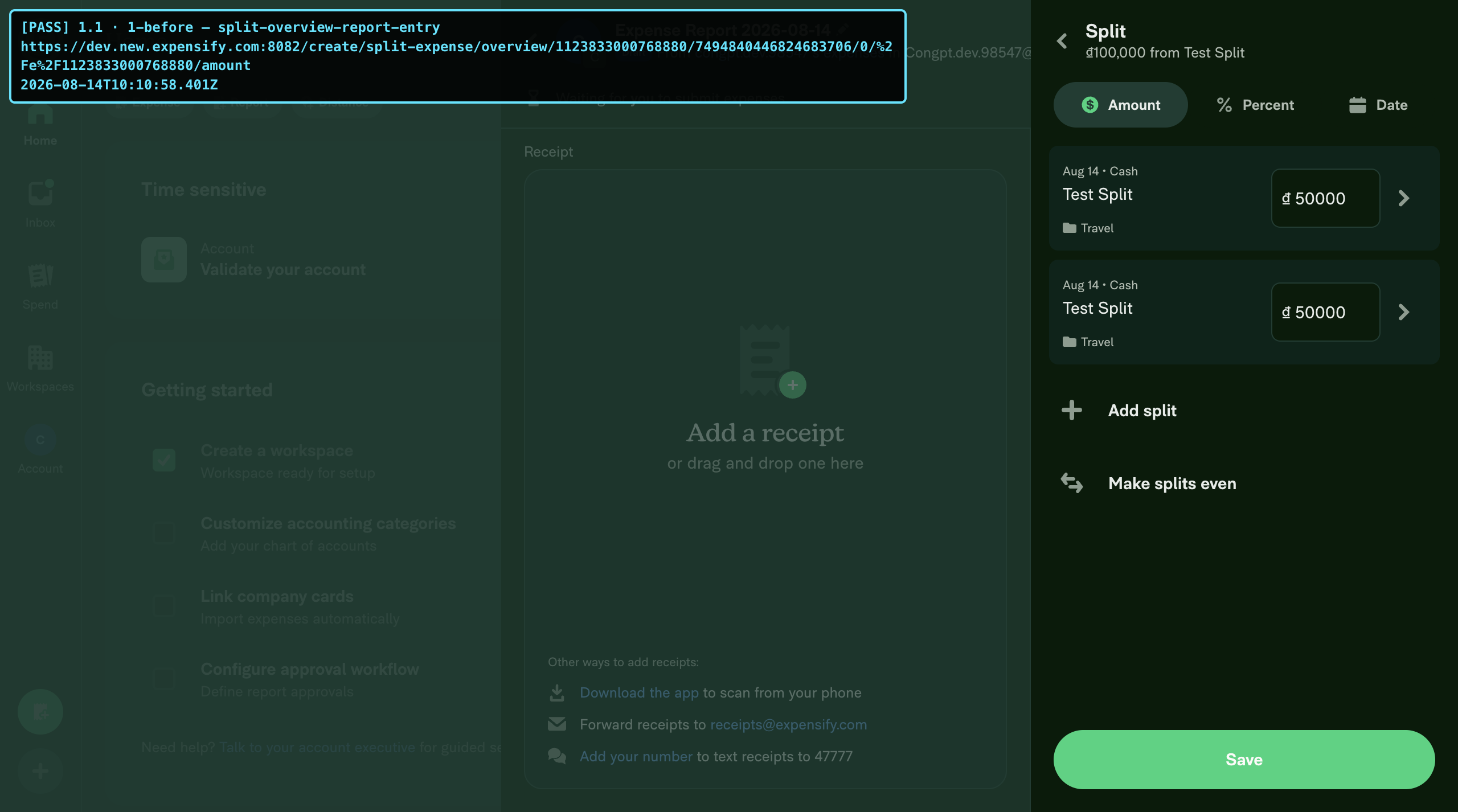
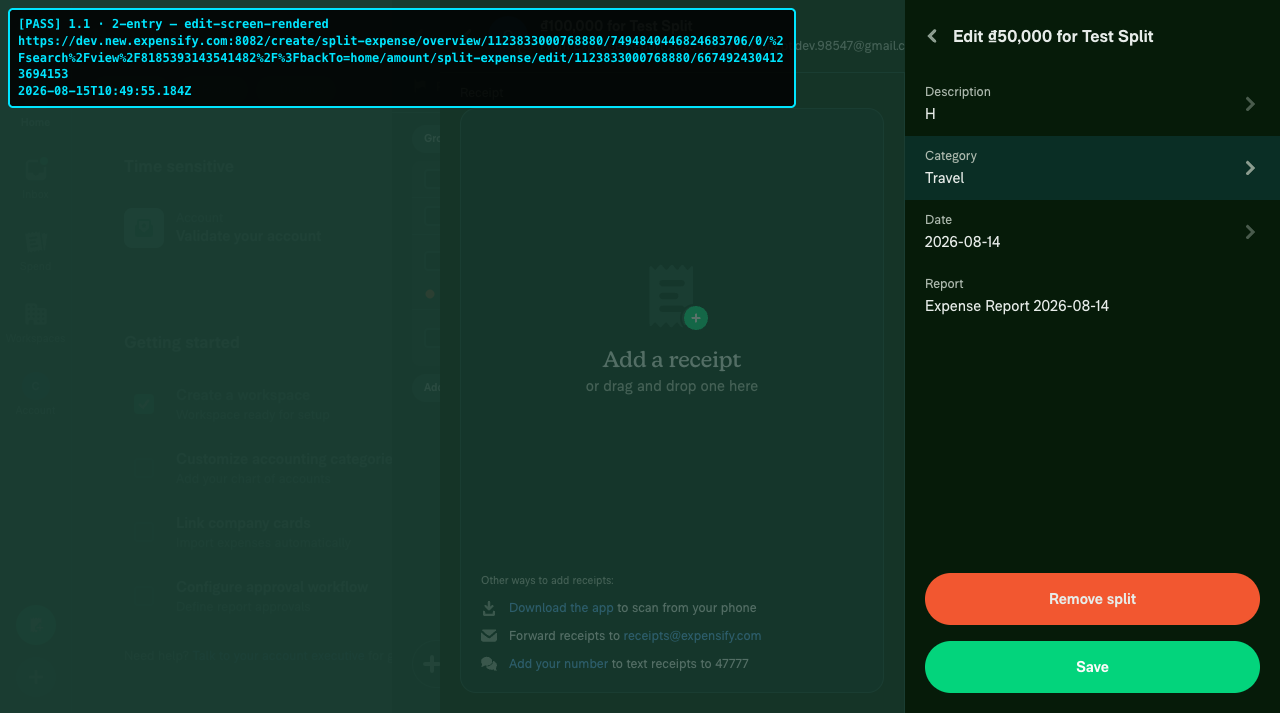
Case 1 — Report entry: split an expense → tap a split item → edit screen

Target: src/pages/iou/SplitExpensePage.tsx:576

Precondition: logged in; a report contains a splittable expense.

Steps:

  1. Open the app and log in with the test account.
  2. Open the report containing the expense → tap the expense → choose Split → add participants → reach the split overview.
  3. Tap one split item in the list.
  4. Verify the edit screen renders the correct amount / merchant / category / tags for that item.
    • ⚠️ P1 caveat: this PR currently renders the NotFound page (lost transactionID) — if you see NotFound, the P1 is not fixed yet.
  5. Verify the URL contains the suffix: …/create/split-expense/overview/<r>/<t>/<s>/split-expense/edit/<r>/<st>.

Expected: tapping an item navigates to the edit screen with the correct data; the URL is the overview base plus the /split-expense/edit/<reportID>/<splitTxnID> suffix; no JS console errors.

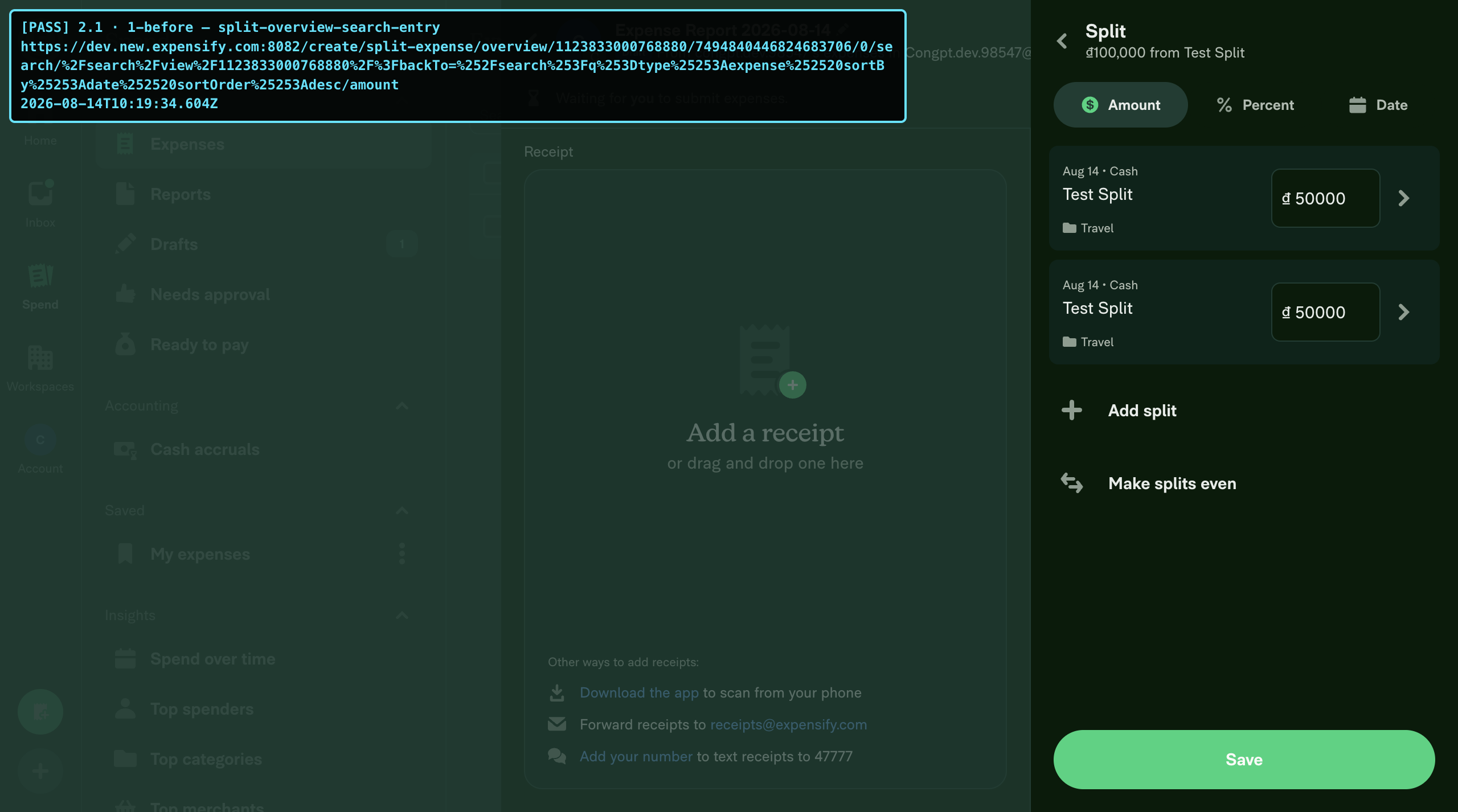
Case 2 — Search entry: split overview (search variant) → tap a split item

Target: src/libs/actions/SplitExpenses.ts:180

Precondition: logged in; entered the split flow from the search context (isSearchTopmostFullScreenRoute() === true).

Steps:

  1. Open the app → Search → find a splittable expense → open its details → choose Split → reach the split overview (URL contains /search).
  2. Tap one split item.
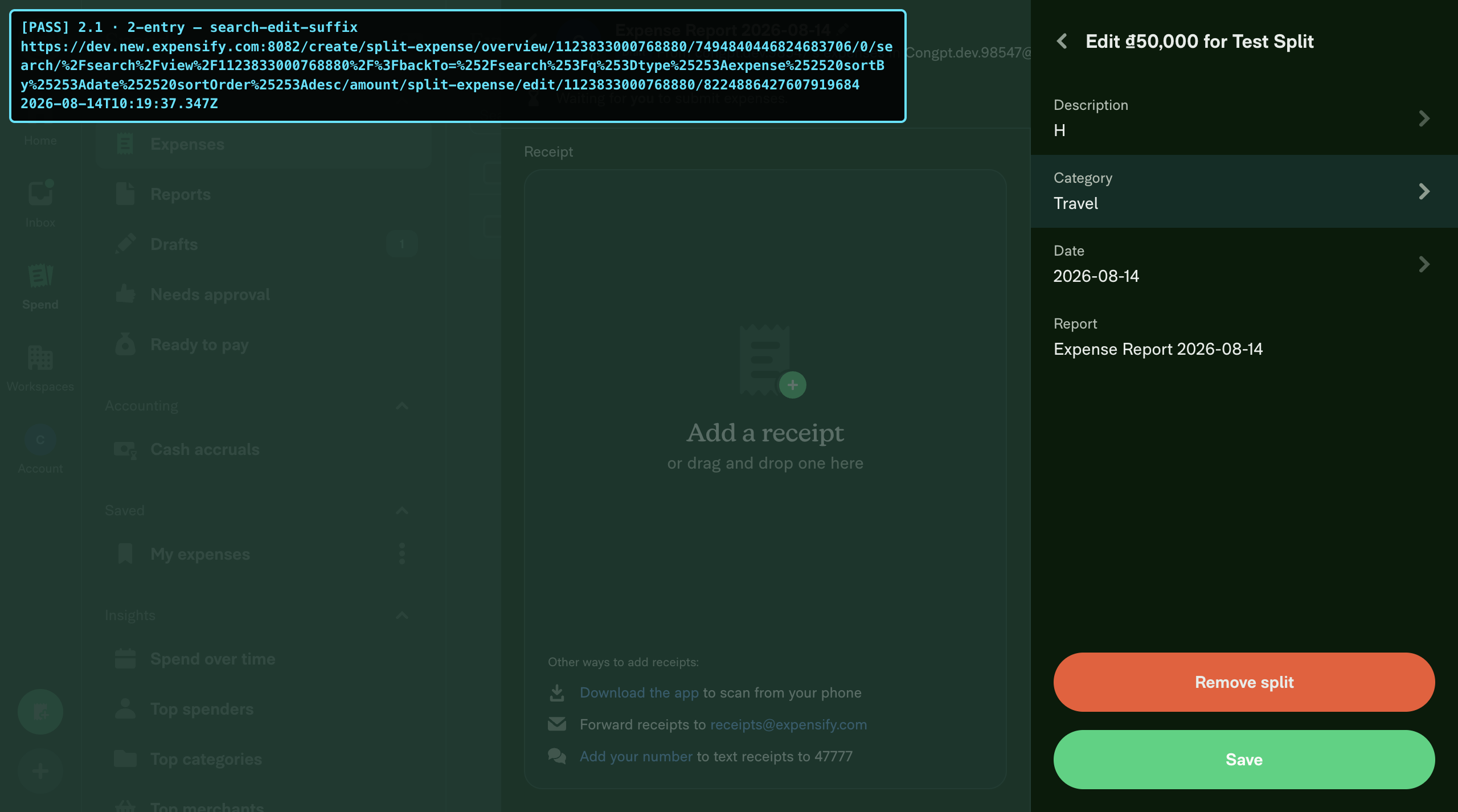
  3. Verify the edit screen renders (⚠️ same P1 caveat as Case 1).
  4. Verify the URL: …/overview/<r>/<t>/<s>/search/split-expense/edit/<r>/<st> — the suffix comes after /search.

Expected: navigation succeeds from the search base variant; the URL is the search overview path plus the suffix.

Case 3 — Back from edit → returns to the split overview

Target: src/pages/iou/DynamicSplitExpenseEditPage.tsx:68 (useDynamicBackPath)

Precondition: on the edit screen (from Case 1/2, after the P1 fix).

Steps:

  1. From the edit screen, tap the header back button or the browser back button.
  2. Verify you return to the split overview with the split item list intact.
  3. Verify the URL no longer has the /split-expense/edit/... suffix — only the overview base remains.

Expected: back strips the suffix and returns to the entry screen; not pushed to Home or NotFound.

Case 4 — Refresh / deep-link with the suffixed URL → restores the stack

Precondition: on the edit screen (Case 1, after the fix); copy the URL.

Steps:

  1. Paste the edit URL (with suffix) into the address bar → Enter (refresh).
  2. Verify the stack is restored: split overview underneath, edit on top (back from edit goes to the overview).
  3. Verify the edit form renders the correct item data.

Expected: getMatchingFullScreenRoute recursively restores the base + suffix correctly.

Case 5 — Old URL redirect (backward-compat)

Target: src/libs/Navigation/linkingConfig/OldRoutes.ts:156

Precondition: logged in.

Steps:

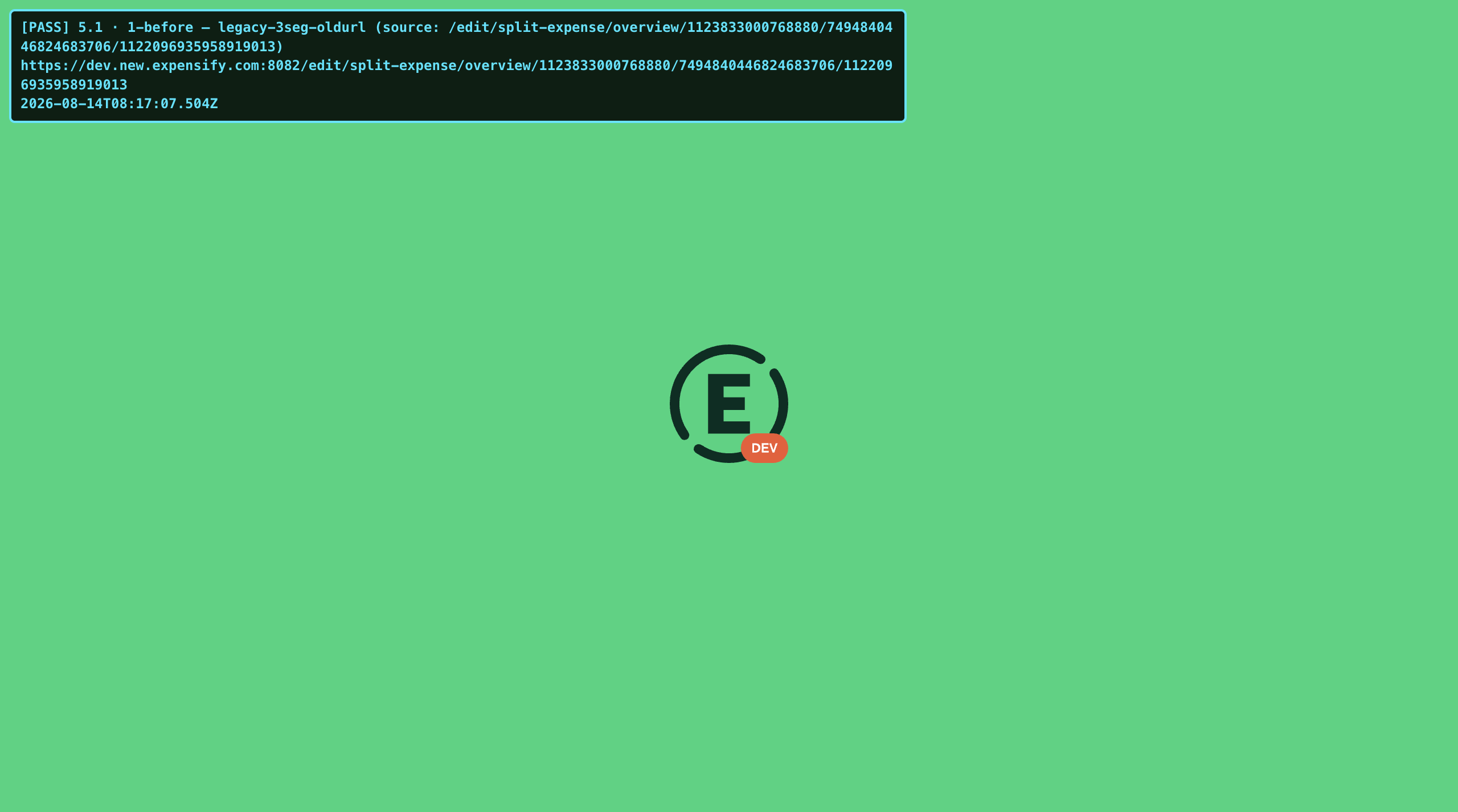
  1. Paste https://dev.new.expensify.com:8082/edit/split-expense/overview/<reportID>/<origTxnID>/<splitTxnID> into the address bar.
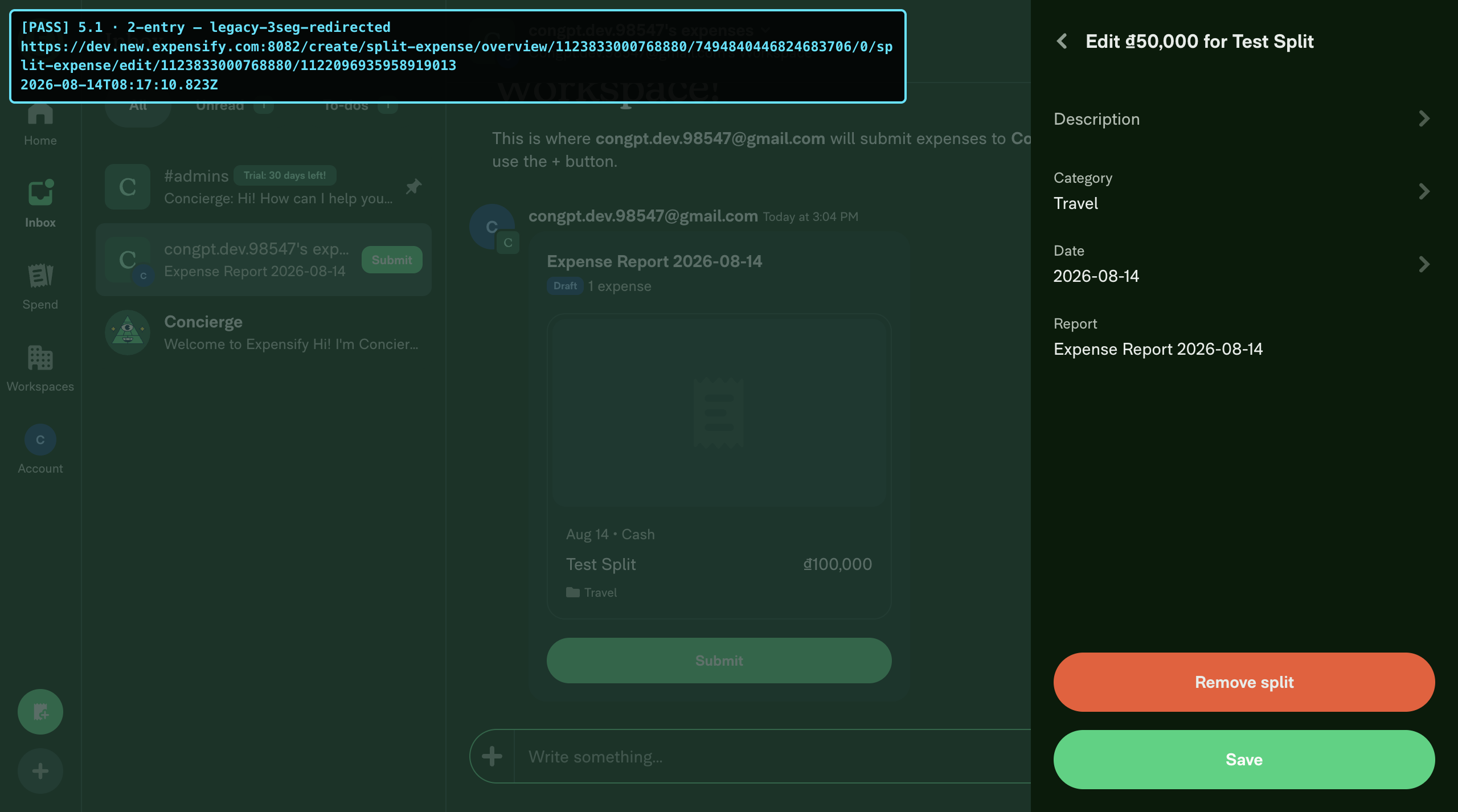
  2. Verify it redirects to /create/split-expense/overview/<reportID>/<origTxnID>/0/split-expense/edit/<reportID>/<splitTxnID>.
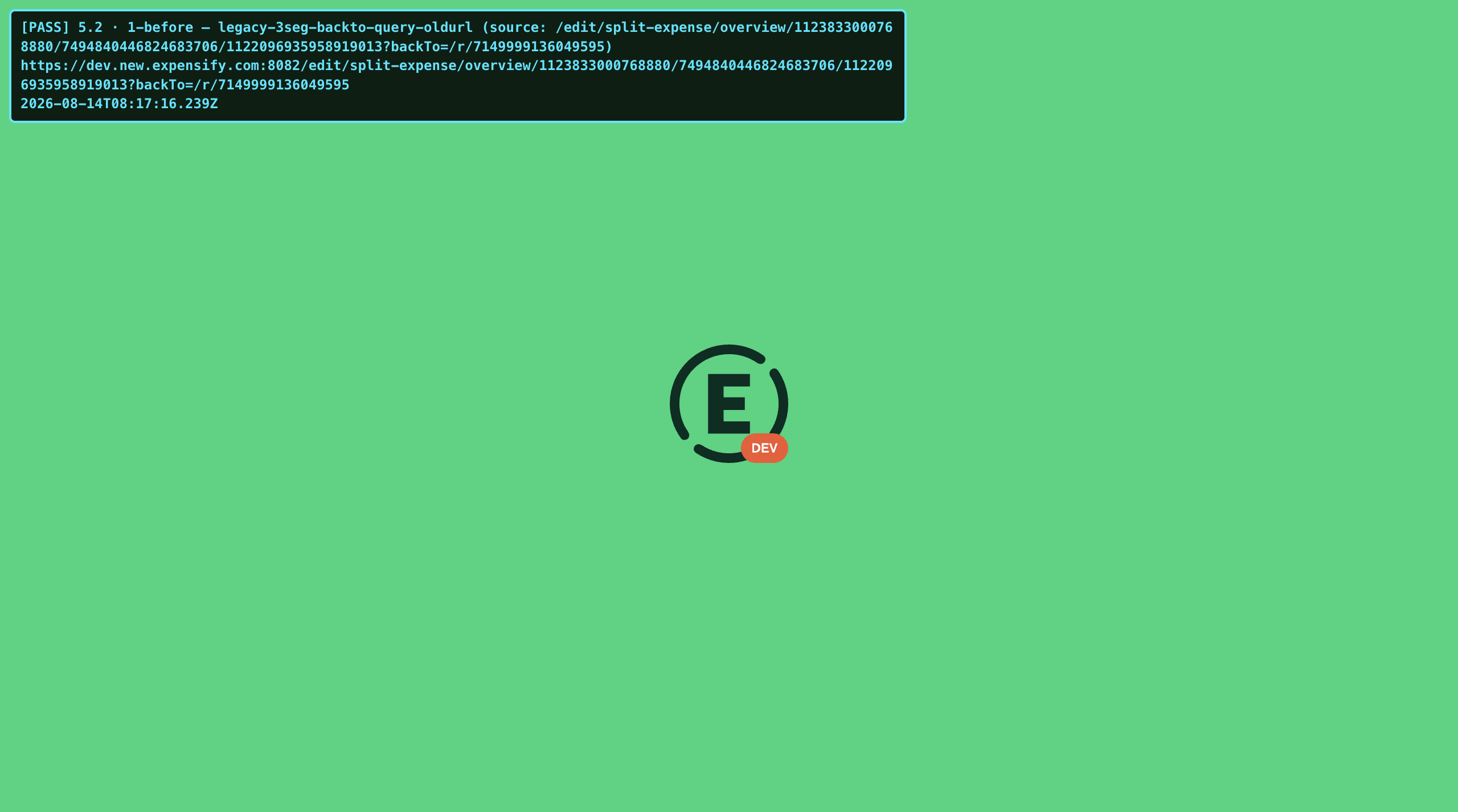
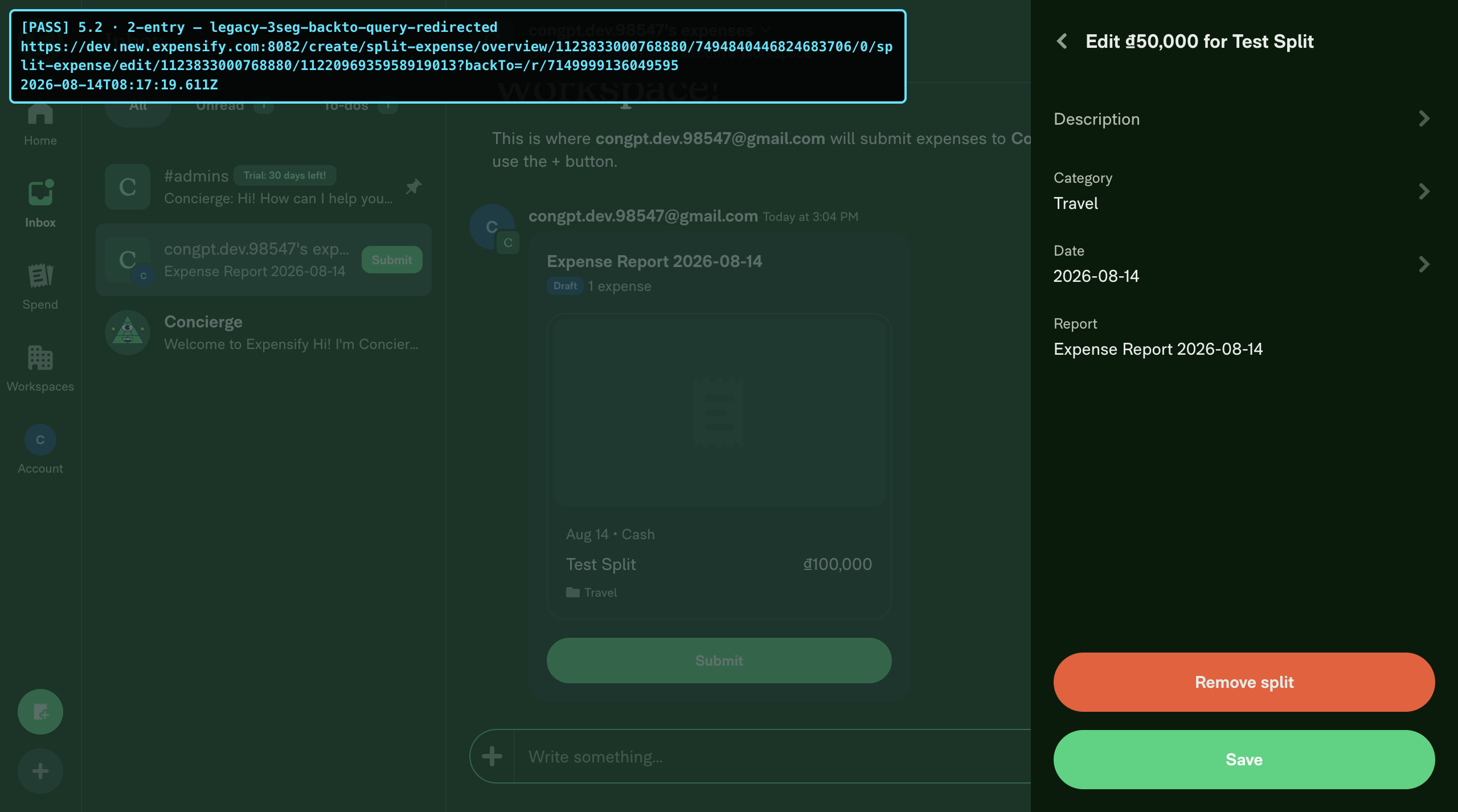
  3. Repeat with a query: …/<splitTxnID>?backTo=/r/<reportID> → verify the backTo query is preserved on the new URL.
  4. (P3 nit) The 2-segment legacy URL …/overview/<reportID>/<origTxnID> currently has no redirect pattern — record the actual behavior (expected after a follow-up: redirect to /…/0/split-expense/edit/<reportID>).

Expected: the 3-segment legacy URL redirects to the correct new shape with the query preserved and enters the edit flow.

Case 6 — Save + Remove split on the edit screen

Target: src/pages/iou/DynamicSplitExpenseEditPage.tsx (FixedFooter)

Precondition: the split overview has ≥ 2 split items; you are on the edit screen for one item (Case 1, after the fix).

Steps:

  1. Change the amount / category / tag → tap Save.
  2. Verify you return to the overview and the item shows the new values.
  3. Re-open the item's edit screen → verify the Remove split button is visible (because splitExpensesList.length > 1).
    • ⚠️ P1 caveat: currently splitExpensesList reads a garbage key → length 0 → the Remove button is hidden. If it is still hidden after the fix, the P1 is not fully fixed.
  4. Tap Remove split → verify the item disappears from the overview.

Expected: Save updates the item and goes back to the overview; Remove deletes the item when more than one exists.

Case 7 — Tag/category picker from the edit screen and back

Target: SCREENS.MONEY_REQUEST.DYNAMIC_SPLIT_EXPENSE_EDIT in the expense-tag entryScreens — src/ROUTES.ts:313

Precondition: on the edit screen (Case 1, after the fix); the workspace has policy categories/tags.

Steps:

  1. On the edit screen, tap the Category field (or Tag).
  2. Verify the picker opens and the URL is the edit URL plus the picker suffix (expense-tag).
  3. Pick a value → verify you return to the edit screen with the value applied.

Expected: the edit screen (itself now a dynamic suffix screen) still acts as the base for the picker dynamic route — the renamed entryScreens groups work.

@JmillsExpensify JmillsExpensify left a comment

Copy link
Copy Markdown
Contributor

Choose a reason for hiding this comment

The reason will be displayed to describe this comment to others. Learn more.

No product review required.

@suneox

suneox commented Aug 17, 2026 •

Copy link
Copy Markdown
Contributor

Reviewer Checklist

  • I have verified the author checklist is complete (all boxes are checked off).
  • I verified the correct issue is linked in the ### Fixed Issues section above
  • I verified testing steps are clear and they cover the changes made in this PR
    • I verified the steps for local testing are in the Tests section
    • I verified the steps for Staging and/or Production testing are in the QA steps section
    • I verified the steps cover any possible failure scenarios (i.e. verify an input displays the correct error message if the entered data is not correct)
    • I turned off my network connection and tested it while offline to ensure it matches the expected behavior (i.e. verify the default avatar icon is displayed if app is offline)
  • I checked that screenshots or videos are included for tests on all platforms
  • I included screenshots or videos for tests on all platforms
  • I verified that the composer does not automatically focus or open the keyboard on mobile unless explicitly intended. This includes checking that returning the app from the background does not unexpectedly open the keyboard.
  • I verified tests pass on all platforms & I tested again on:
    • Android: HybridApp
    • Android: mWeb Chrome
    • iOS: HybridApp
    • iOS: mWeb Safari
    • MacOS: Chrome / Safari
  • If there are any errors in the console that are unrelated to this PR, I either fixed them (preferred) or linked to where I reported them in Slack
  • I verified proper code patterns were followed (see Reviewing the code)
    • I verified that comments were added to code that is not self explanatory
    • I verified that any new or modified comments were clear, correct English, and explained "why" the code was doing something instead of only explaining "what" the code was doing.
    • I verified any copy / text that was added to the app is grammatically correct in English. It adheres to proper capitalization guidelines (note: only the first word of header/labels should be capitalized), and is either coming verbatim from figma or has been approved by marketing (in order to get marketing approval, ask the Bug Zero team member to add the Waiting for copy label to the issue)
  • If a new code pattern is added I verified it was agreed to be used by multiple Expensify engineers
  • I verified that this PR follows the guidelines as stated in the Review Guidelines
  • I verified other components that can be impacted by these changes have been tested, and I retested again (i.e. if the PR modifies a shared library or component like Avatar, I verified the components using Avatar have been tested & I retested again)
  • If a new component is created I verified that:
    • A similar component doesn't exist in the codebase
    • All props are defined accurately
    • The component has a clear name that is non-ambiguous and the purpose of the component can be inferred from the name alone
    • The only data being stored in the state is data necessary for rendering and nothing else
    • The component has the minimum amount of code necessary for its purpose, and it is broken down into smaller components in order to separate concerns and functions
  • If a new CSS style is added I verified that:
    • A similar style doesn't already exist
    • The style can't be created with an existing StyleUtils function (i.e. StyleUtils.getBackgroundAndBorderStyle(theme.componentBG)
  • If the PR modifies code that runs when editing or sending messages, I tested and verified there is no unexpected behavior for all supported markdown - URLs, single line code, code blocks, quotes, headings, bold, strikethrough, and italic.
  • If the PR modifies a generic component, I tested and verified that those changes do not break usages of that component in the rest of the App (i.e. if a shared library or component like Avatar is modified, I verified that Avatar is working as expected in all cases)
  • If the PR modifies a component related to any of the existing Storybook stories, I tested and verified all stories for that component are still working as expected.
  • If the PR modifies a component or page that can be accessed by a direct deeplink, I verified that the code functions as expected when the deeplink is used - from a logged in and logged out account.
  • If the PR modifies the UI (e.g. new buttons, new UI components, changing the padding/spacing/sizing, moving components, etc) or modifies the form input styles:
    • I verified that all the inputs inside a form are aligned with each other.
    • I added Design label and/or tagged @Expensify/design so the design team can review the changes.
  • For any bug fix or new feature in this PR, I verified that sufficient unit tests are included to prevent regressions in this flow.
  • If the main branch was merged into this PR after a review, I tested again and verified the outcome was still expected according to the Test steps.
  • I have checked off every checkbox in the PR reviewer checklist, including those that don't apply to this PR.

Screenshots/Videos

Android: HybridApp
Android: mWeb Chrome
iOS: HybridApp
iOS: mWeb Safari
MacOS: Chrome / Safari
CleanShot.2026-08-17.at.15.02.00.1.mp4
CleanShot.2026-08-17.at.15.13.21.1.mp4
DYNAMIC_ROUTES.SPLIT_EXPENSE_EDIT — edit a split item from the split overview (base = SPLIT_EXPENSE or SPLIT_EXPENSE_SEARCH)

Case 1 — Report entry: split an expense → tap a split item → edit screen

1 1-1-before-split-overview-report-entry 1 1-2-entry-edit-screen-rendered

Case 2 — Search entry: split overview (search variant) → tap a split item

2 1-1-before-split-overview-search-entry 2 1-2-entry-search-edit-suffix

Case 3 — Back from edit → returns to the split overview

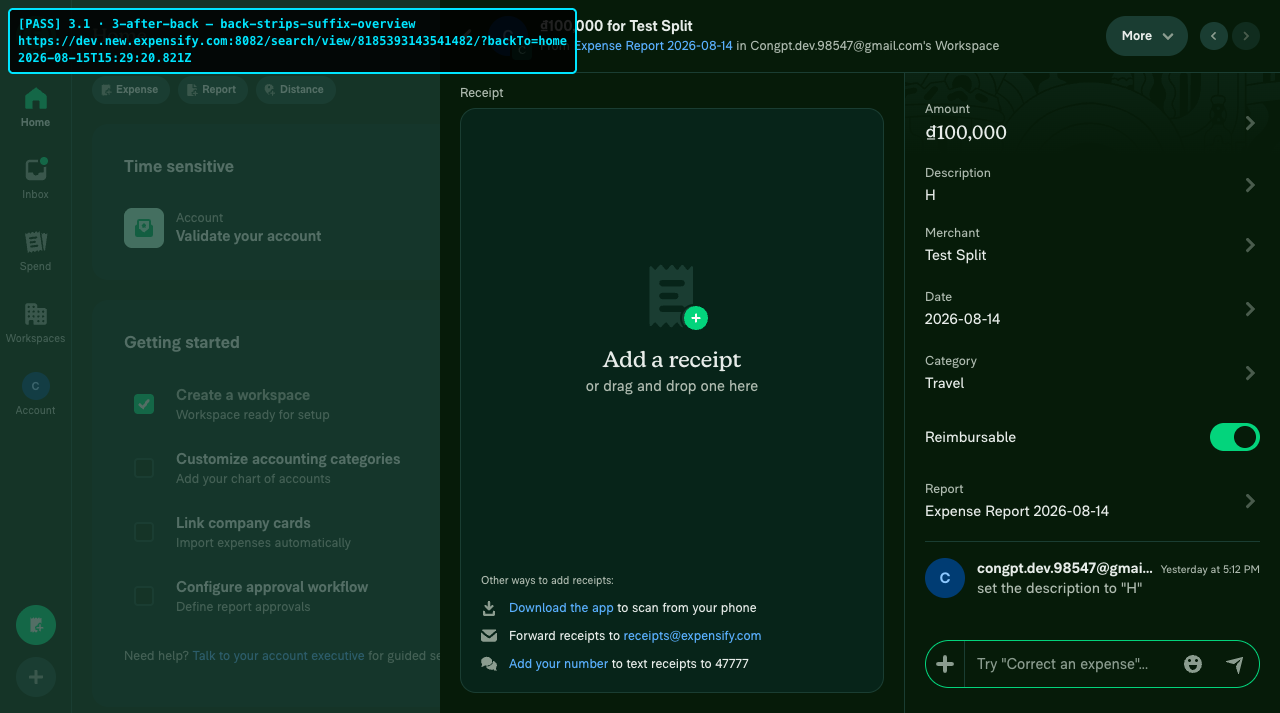
3 1-3-after-back-back-strips-suffix-overview

Case 4 — Refresh / deep-link with the suffixed URL → restores the stack

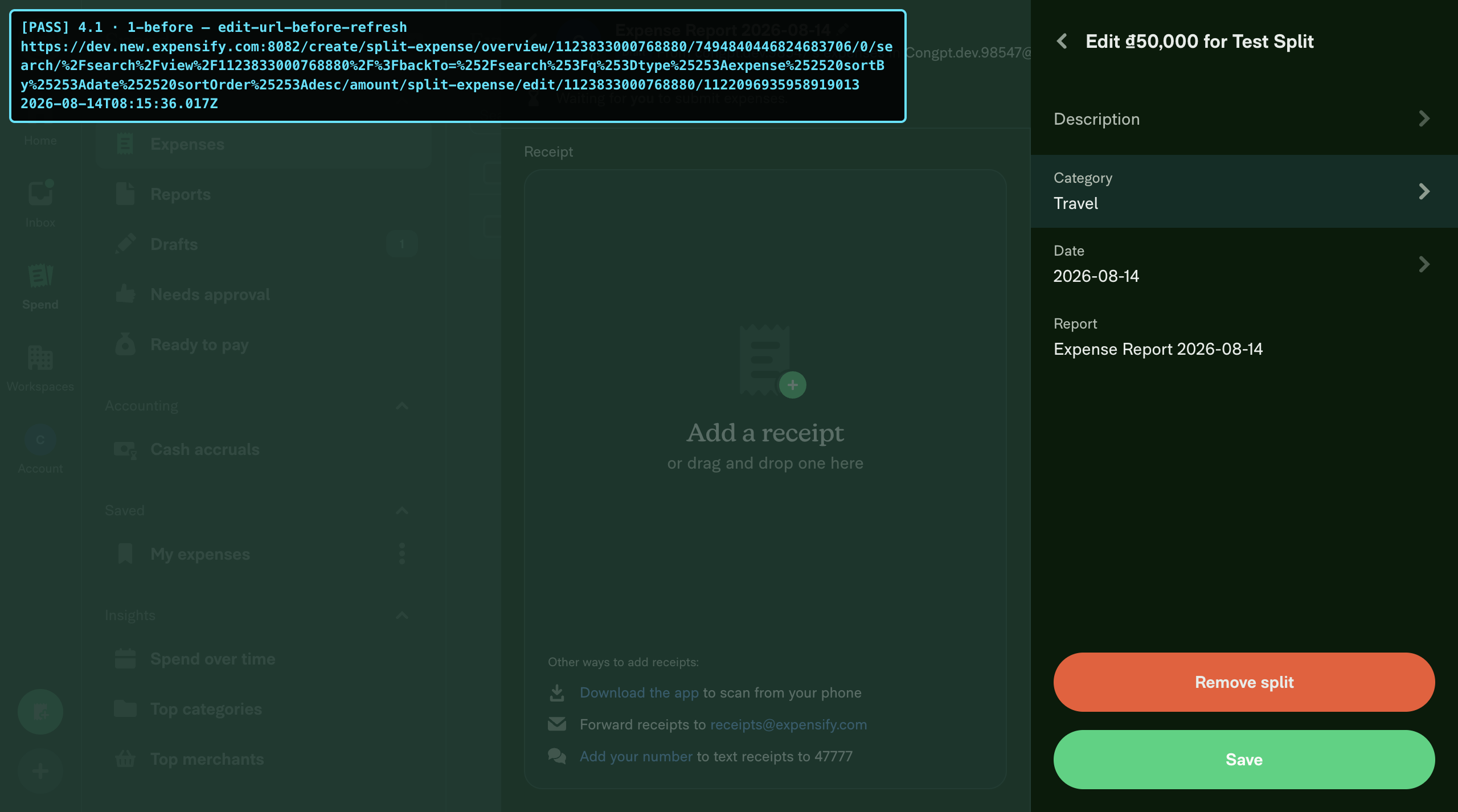
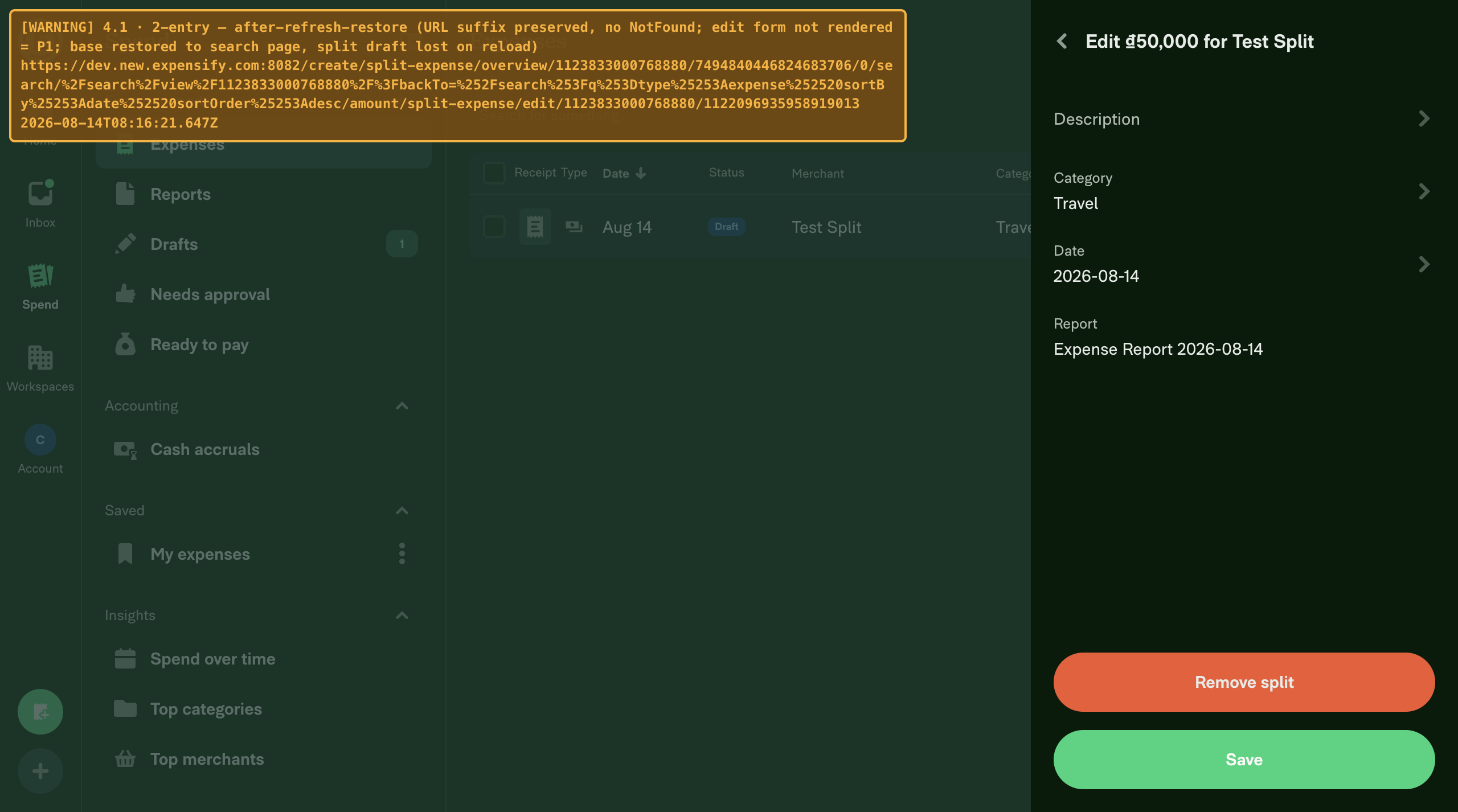
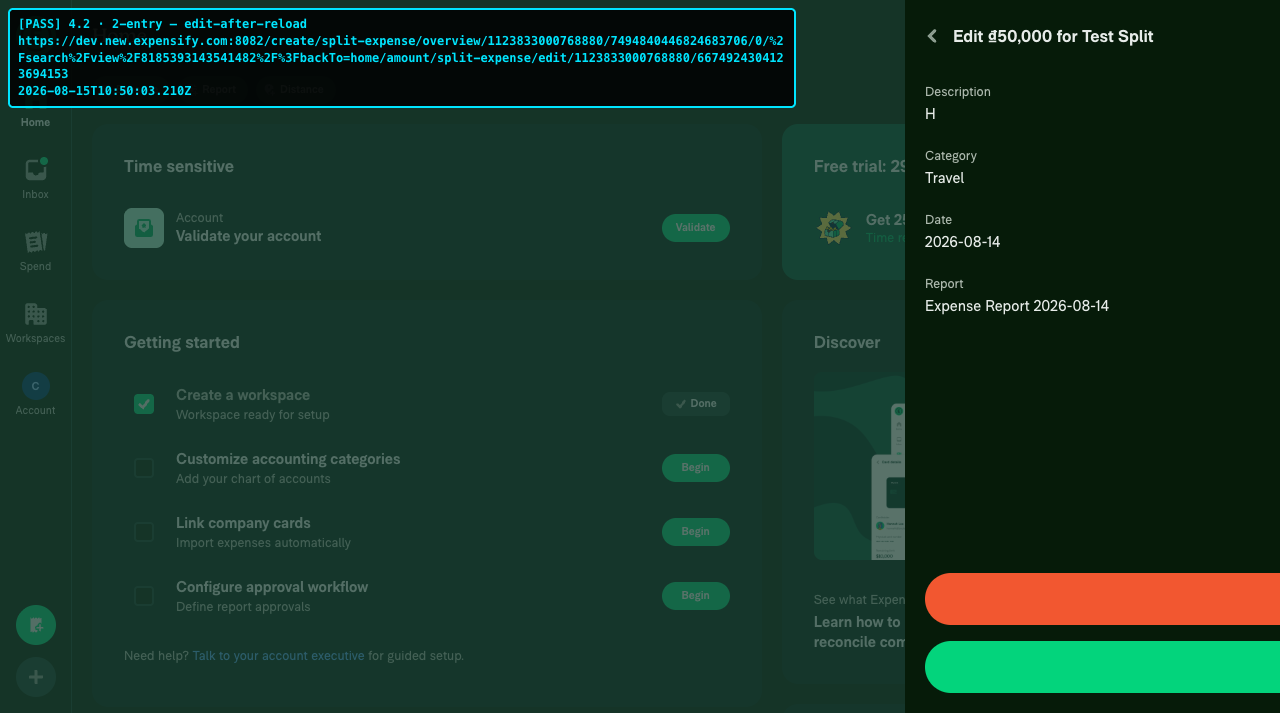
4 1-1-before-edit-url-before-refresh 4 1-2-entry-after-refresh-restore 4 2-2-entry-edit-after-reload

Case 5 — Old URL redirect (backward-compat)

5 1-1-before-legacy-3seg-oldurl 5 1-2-entry-legacy-3seg-redirected 5 2-1-before-legacy-3seg-backto-query-oldurl 5 2-2-entry-legacy-3seg-backto-query-redirected

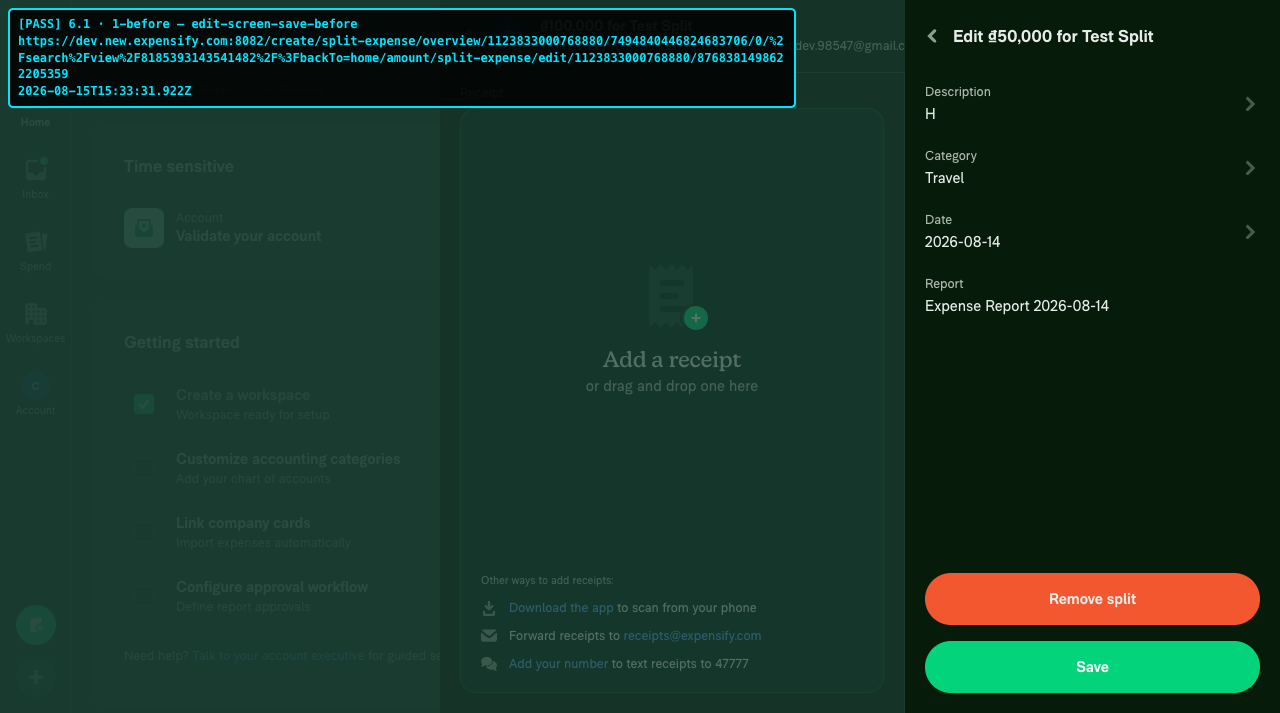
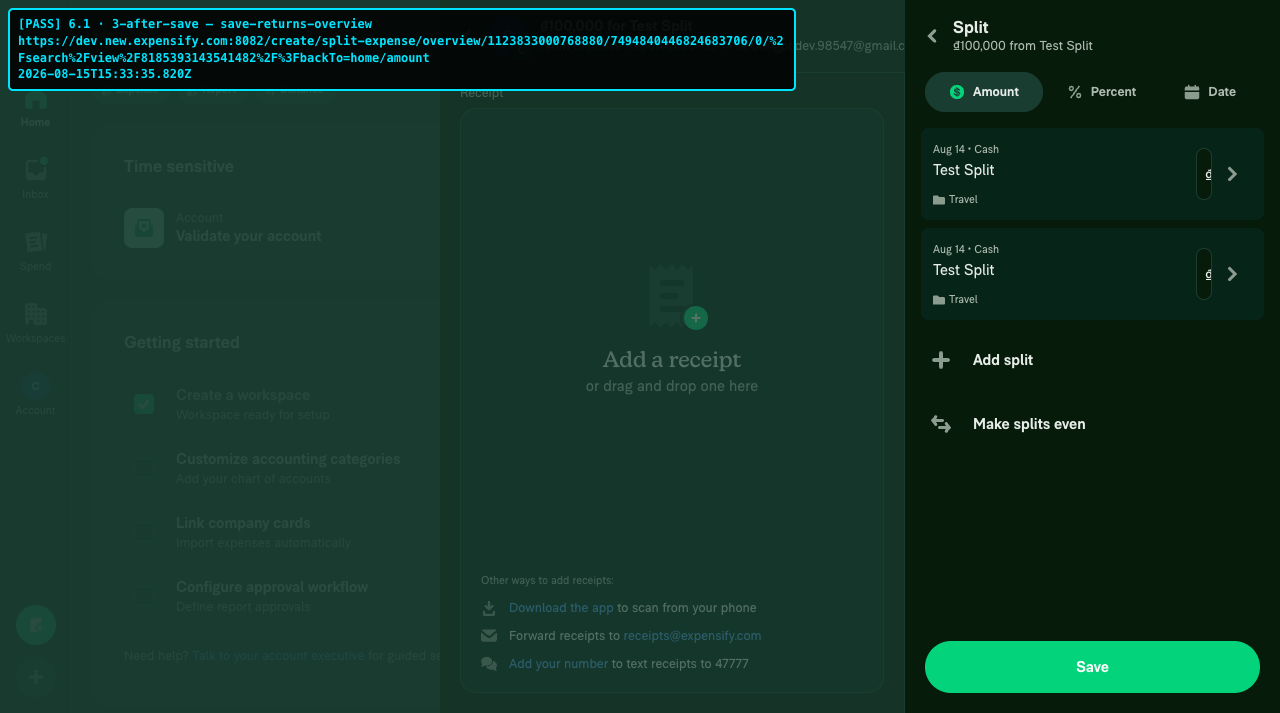
Case 6 — Save + Remove split on the edit screen

6 1-1-before-edit-screen-save-before 6 1-3-after-save-save-returns-overview

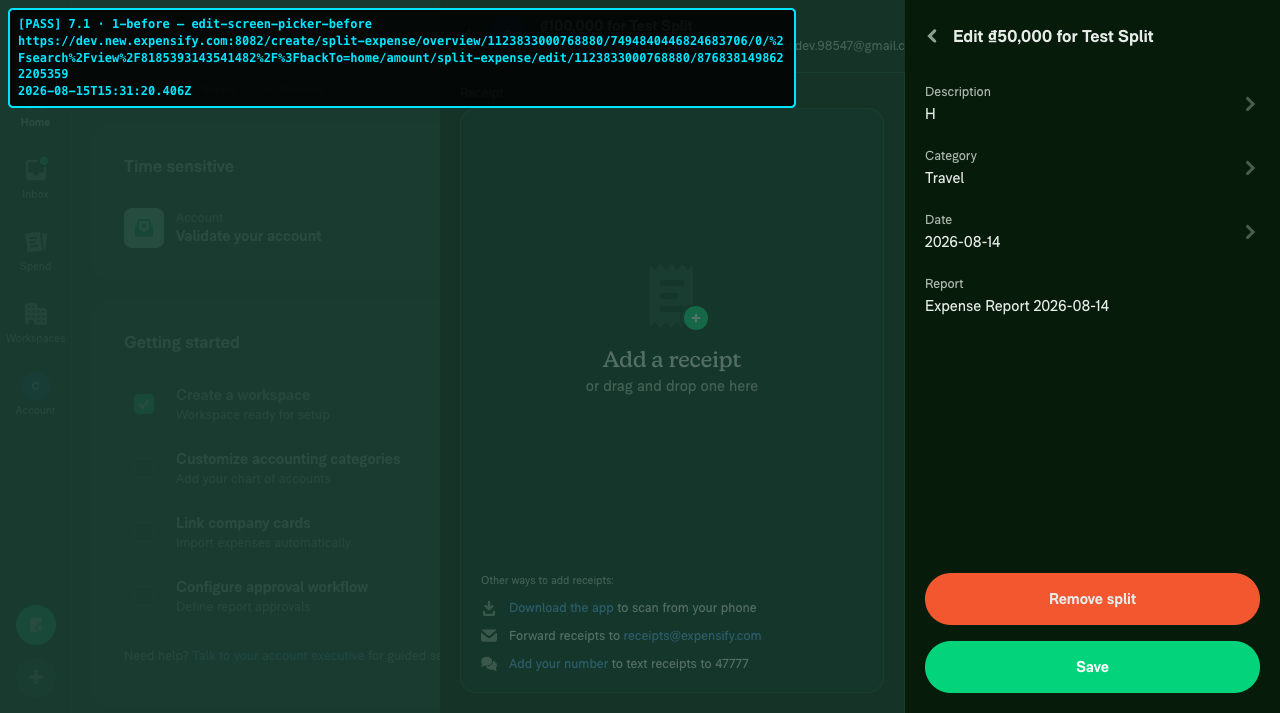
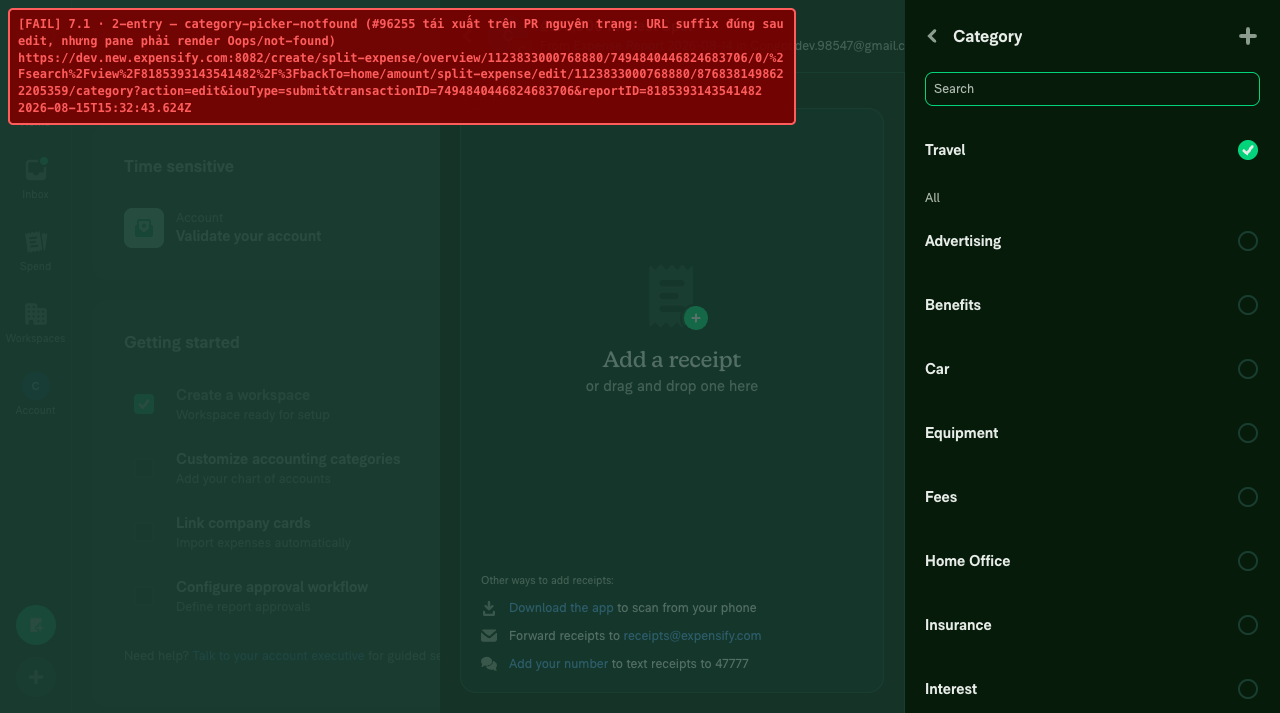
Case 7 — Tag/category picker from the edit screen and back

7 1-1-before-edit-screen-picker-before 7 1-2-entry-category-picker-notfound (Work as expected)

Regression from previous PR

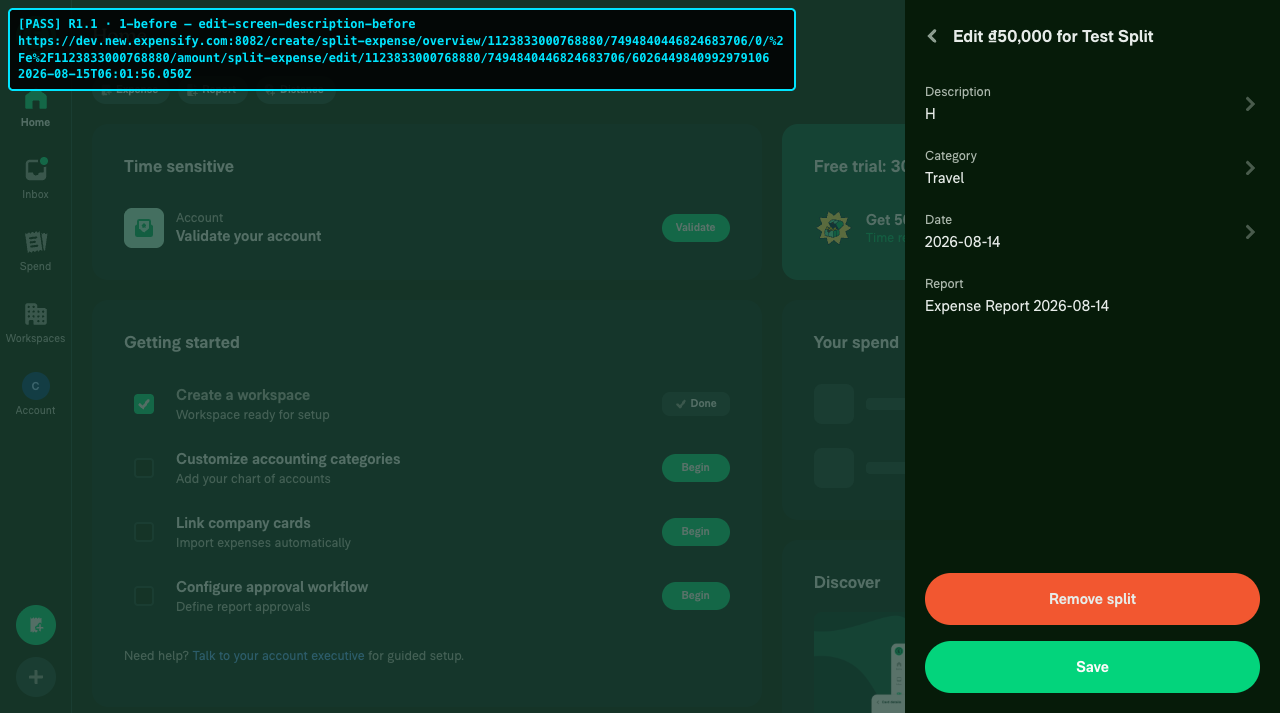
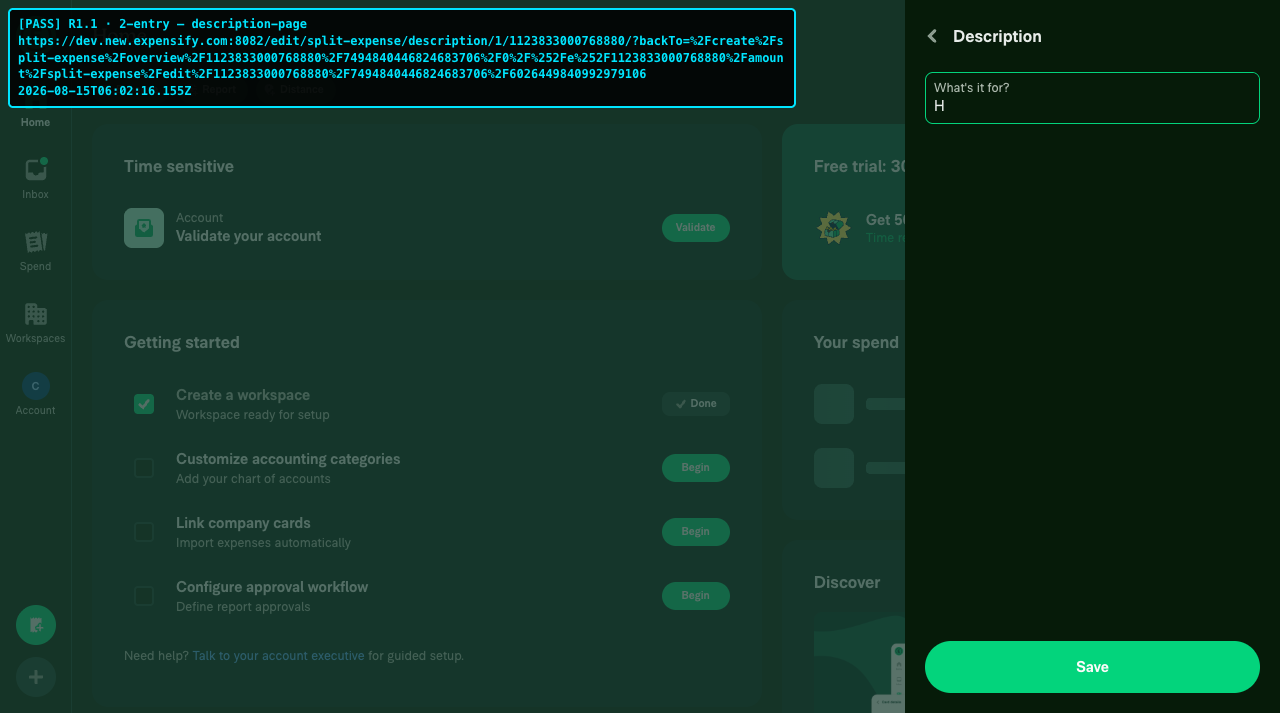
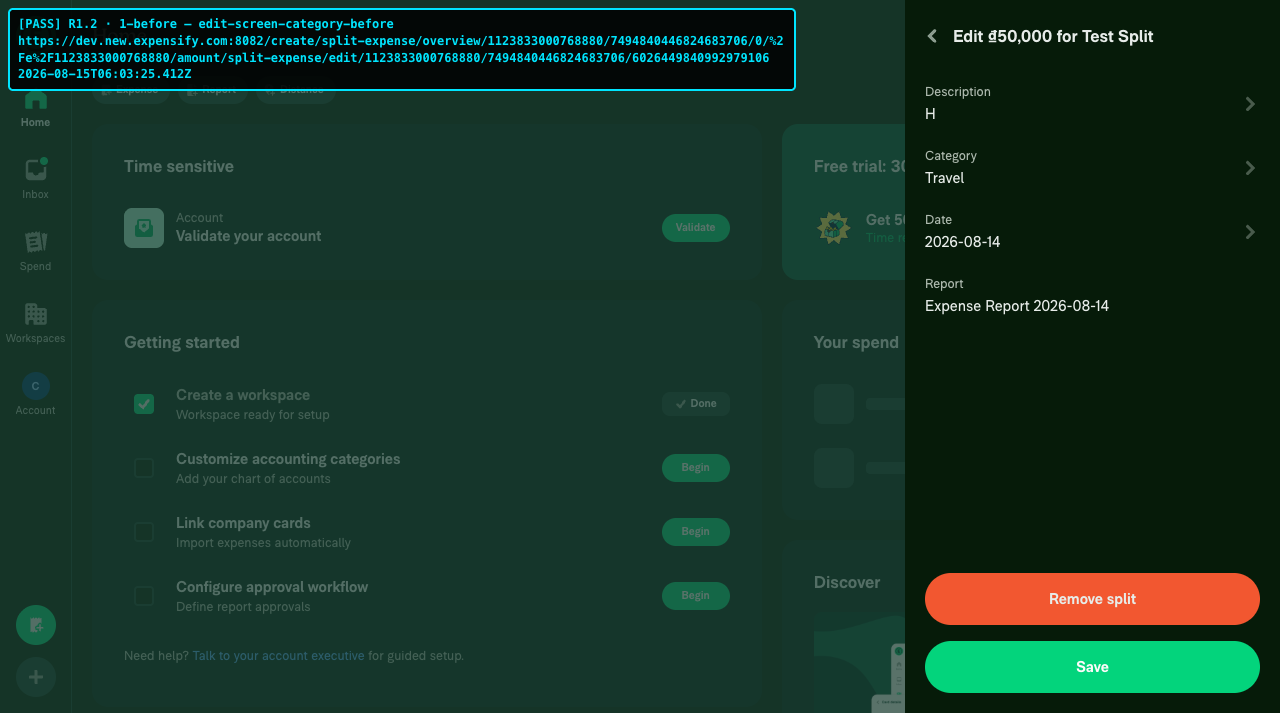
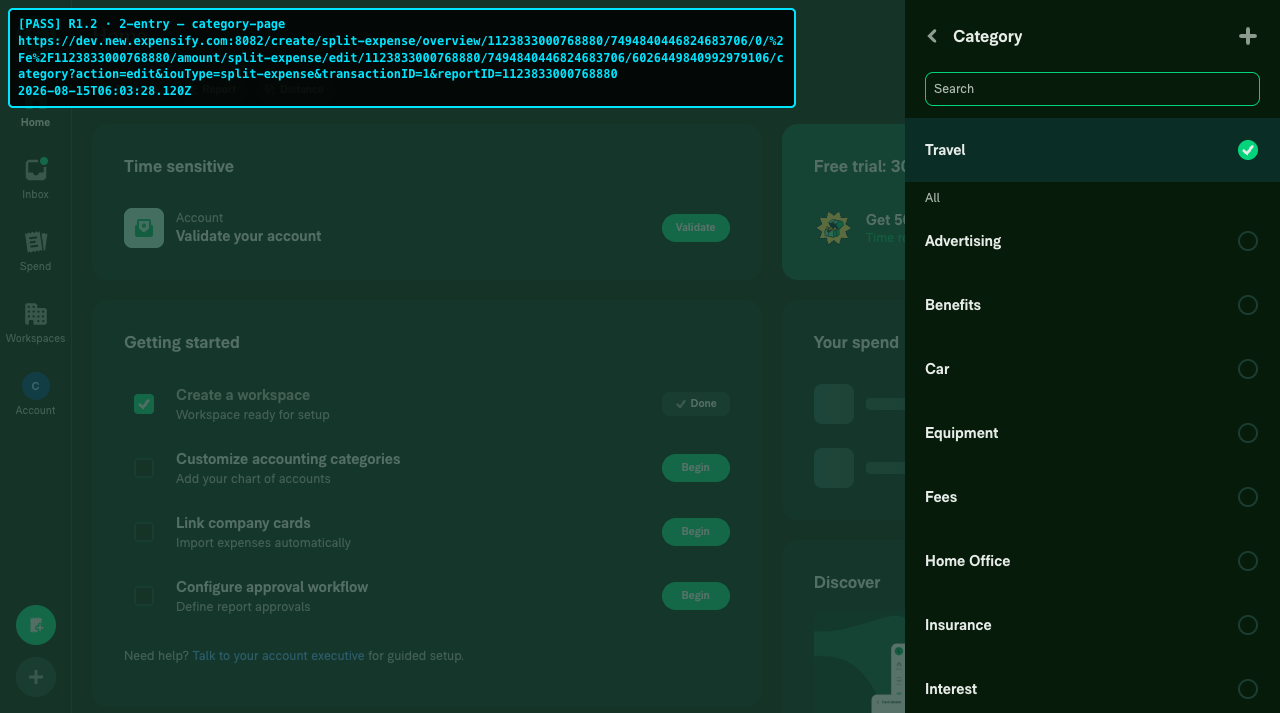
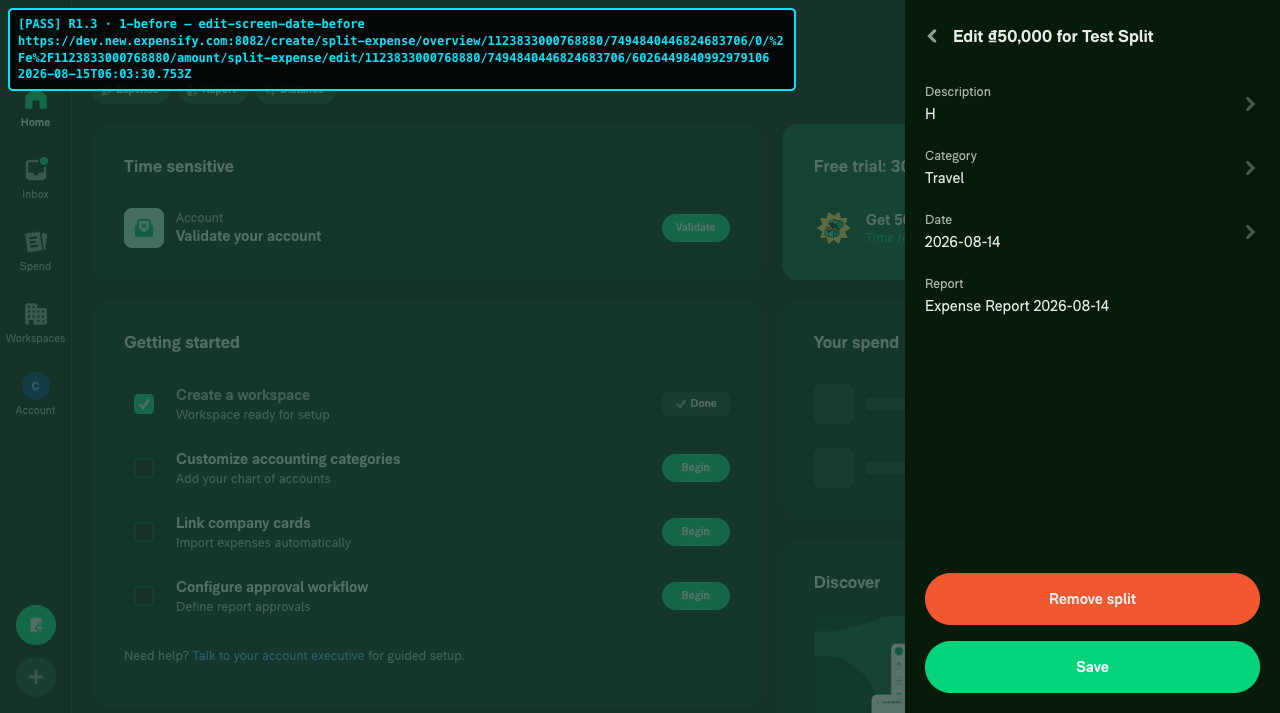
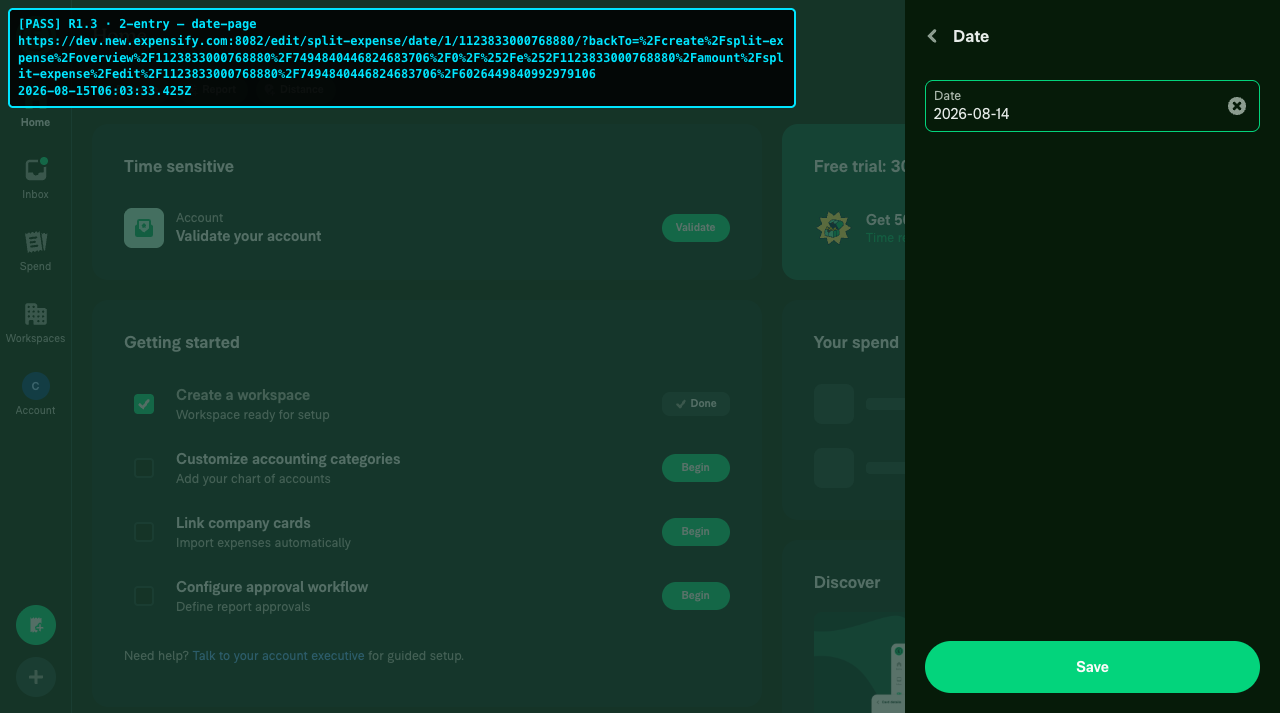
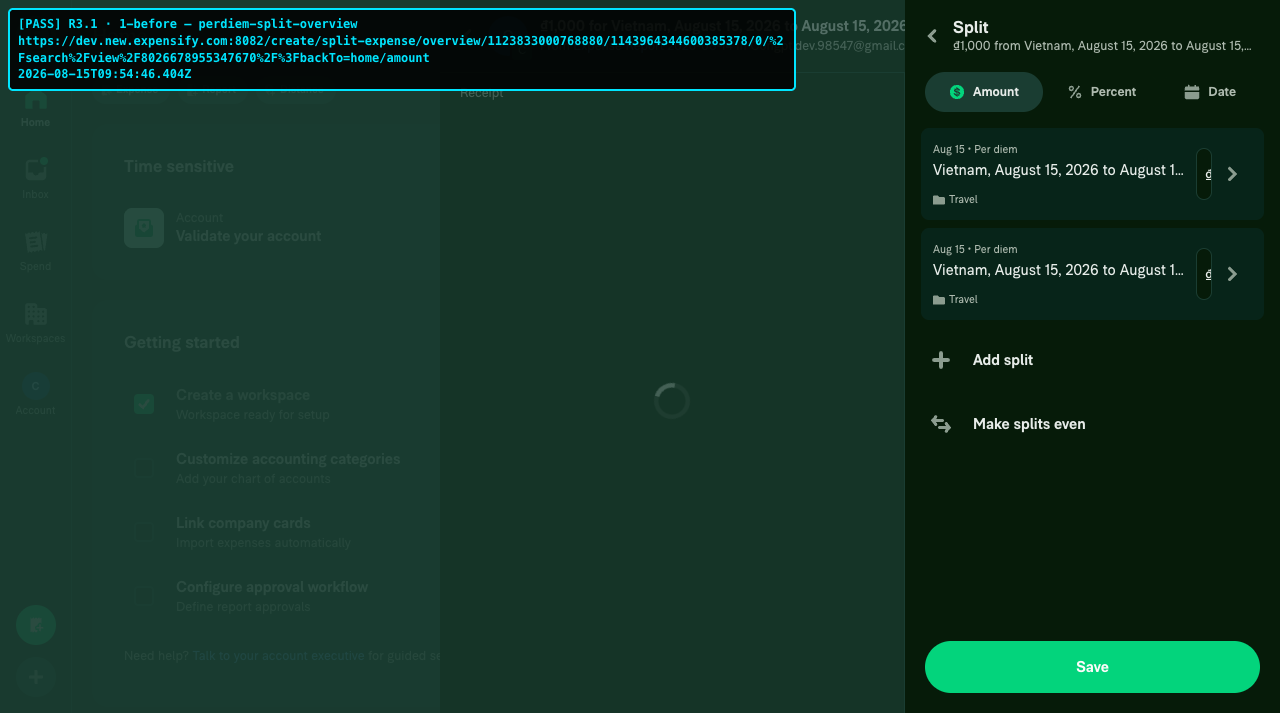
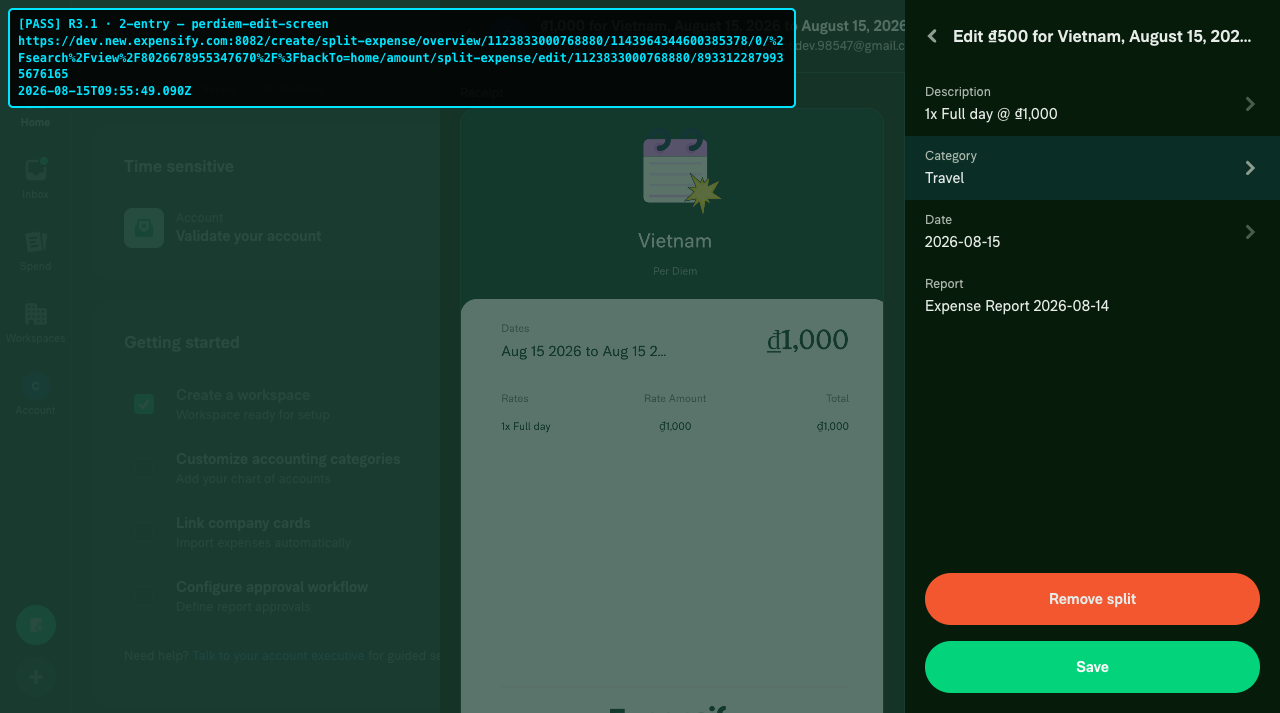
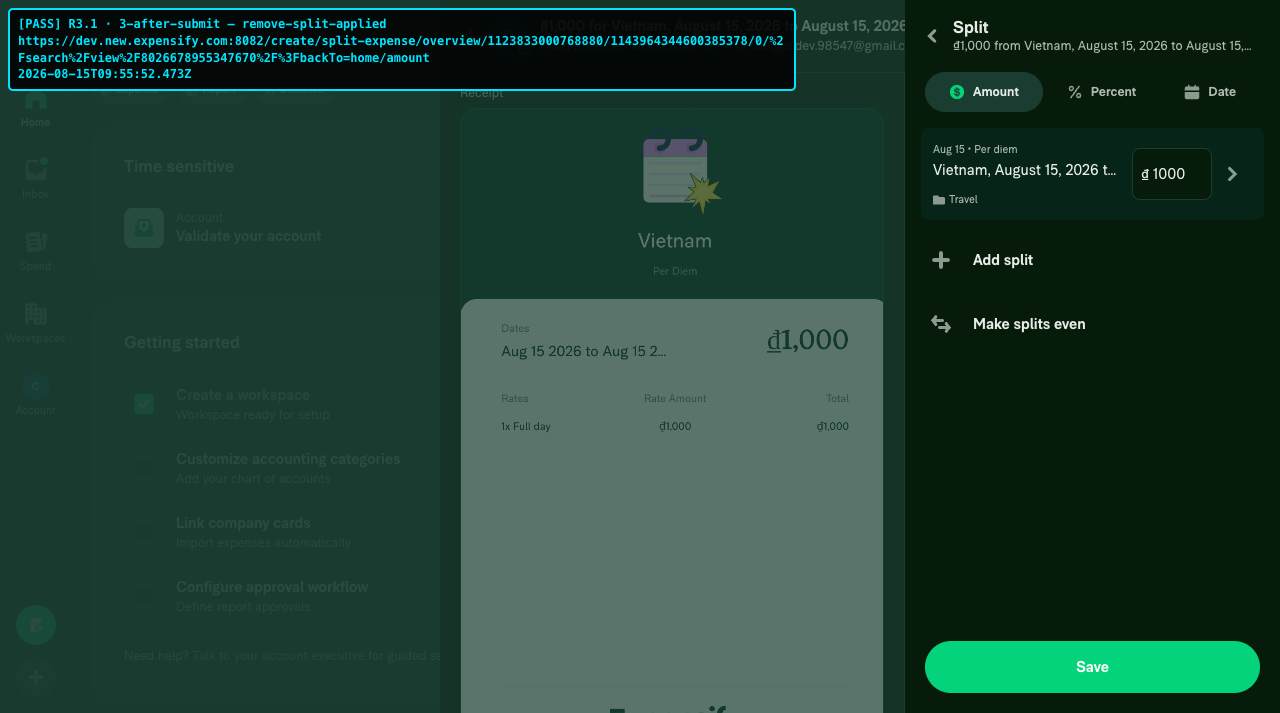
R1 1-1-before-edit-screen-description-before R1 1-2-entry-description-page R1 2-1-before-edit-screen-category-before R1 2-2-entry-category-page R1 3-1-before-edit-screen-date-before R1 3-2-entry-date-page R3 1-1-before-perdiem-split-overview R3 1-2-entry-perdiem-edit-screen R3 1-3-after-submit-remove-split-applied

@suneox

suneox commented Aug 17, 2026

Copy link
Copy Markdown
Contributor

@huult Could you please take a look at the failing typecheck?

@huult

huult commented Aug 17, 2026

Copy link
Copy Markdown
Contributor Author

@huult Could you please take a look at the failing typecheck?

it's done

@suneox

This comment was marked as off-topic.

@huult

huult commented Aug 22, 2026

Copy link
Copy Markdown
Contributor Author
Screen.Recording.2026-08-22.at.23.01.46.mov

@suneox It's ready for your review again. The messy link issue was fixed after merging the Split Overview dynamic link. I only updated the transactionId parameter because the pages after this also need the transactionId param, so I renamed it to avoid duplicate params and issues opening the page description or category, date...

@melvin-bot
melvin-bot Bot requested a review from mjasikowski August 25, 2026 12:47
@mjasikowski
mjasikowski merged commit 07eb4e6 into Expensify:main Aug 26, 2026
36 of 38 checks passed
@github-actions

Copy link
Copy Markdown
Contributor

🚧 mjasikowski has triggered a test Expensify/App build. You can view the workflow run here.

@OSBotify

Copy link
Copy Markdown
Contributor

🚀 Deployed to staging by https://github.com/mjasikowski in version: 9.4.62-1 🚀

platform result
🕸 web 🕸 success ✅
🤖 android 🤖 success ✅
🍎 iOS 🍎 success ✅

@MelvinBot

Copy link
Copy Markdown
Contributor

Help site review — no changes required 📚

I reviewed the changes in this PR and no updates are needed to the help site files under App/docs/articles.

Why: This PR is a purely internal navigation/route migration for the split expense edit screen. It:

  • Migrates SPLIT_EXPENSE_EDIT to the dynamic route system (DYNAMIC_SPLIT_EXPENSE_EDIT)
  • Renames route/query params (e.g. transactionID → originalTransactionID) and updates the URL path
  • Adds an OldRoutes redirect so existing deep links still resolve

None of this changes any user-facing behavior, feature names, tab/settings labels, or buttons. The split expense feature works exactly the same from a user's perspective, so the existing Split-Expenses.md article remains accurate. Help articles document product behavior, not internal route constants or deep-link paths.

Since no help content is affected, I did not create a draft docs PR. huult, if you believe a specific behavior here should be documented, let me know and I'll draft one.


view run

@mitarachim

Copy link
Copy Markdown

Deploy Blocker #99610 was identified to be related to this PR.

@OSBotify

Copy link
Copy Markdown
Contributor

🚀 Deployed to production by https://github.com/AndrewGable in version: 9.4.62-4 🚀

platform result
🕸 web 🕸 success ✅
🤖 android 🤖 success ✅
🍎 iOS 🍎 success ✅

Bundle Size Analysis (Sentry):

Comment on lines +130 to +131
Navigation.navigate(splitExpenseOverviewRoute);
Navigation.navigate(createDynamicRoute(DYNAMIC_ROUTES.SPLIT_EXPENSE_EDIT.getRoute(reportID, transaction.transactionID), splitExpenseOverviewRoute));

Copy link
Copy Markdown
Contributor

Choose a reason for hiding this comment

The reason will be displayed to describe this comment to others. Learn more.

Checklist:

This PR caused a regression: #100130

The two Navigation.navigate calls hererun in the same tick, so the edit page replaces the split overview. Because of that, Remove split closes the RHP instead of going back to the overview, and the expense doesn't go back to the original.

@situchan

Copy link
Copy Markdown
Contributor

Coming from Spend - Not here page opens after clicking split row on Date tab when opened from Spend:

This PR changed split-row navigation from a standalone edit URL to a dynamic suffix appended to the active Date-tab URL:

/search/split-expense-overview-search/date/split-expense/edit/<reportID>/<transactionID>

That URL matches the existing legacy date redirect, which rewrites it to /r/edit/expense-date?..., causing Not Here.

Sign up for free to join this conversation on GitHub. Already have an account? Sign in to comment

Labels

None yet

Projects

None yet

Development

Successfully merging this pull request may close these issues.

9 participants